
 Script Planner Assistant▸
 AI Apps
 AI News
KeySync: A Lip-Sync Tool That Solves Expression Leakage and Occlusion
小编 ·

KeySync: A Lip-Sync Tool That Solves Expression Leakage and Occlusion
What is KeySync?
KeySync is a newly launched lip sync tool whose core advantage lies in solving the problems of expression leakage and occlusion. It ensures that lip movements are not affected by the facial expressions of the person in the original video, and even if the mouth is occluded, it will not affect the synchronization effect.
KeySync is capable of processing high-resolution videos and accurately aligns the generated lip movements with the new audio, effectively avoiding the issue of audio-video desynchronization. Its two-stage framework design maintains good temporal consistency, making mouth shape changes natural and smooth.
In addition, KeySync also supports controlling the animation generation process by adjusting parameters—for example, you can specify the position of occluding objects to achieve more flexible customized effects.
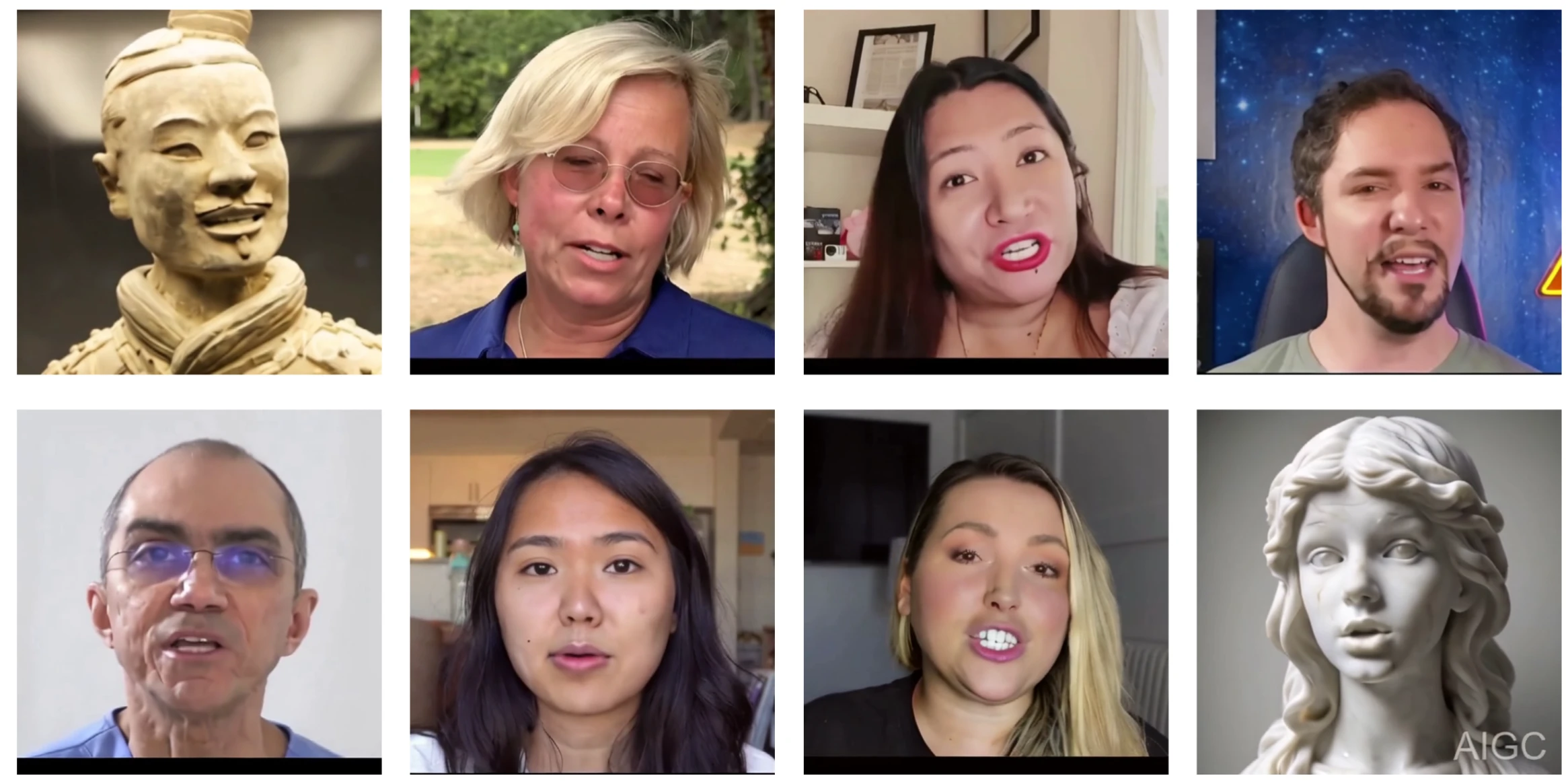
KeySync Features
High-resolution lip sync: Generates high-quality, natural, and smooth lip movements adapted to high-resolution video.
Leakage-free processing: Prevents other expressions in the input video from interfering with lip movements, ensuring that movements only match the audio.
Occlusion handling: Effectively addresses facial occlusion issues through a masking strategy.
Temporal consistency: Ensures lip movements remain coherent over time, avoiding unnatural transitions.
Cross-sync capability: Supports lip sync between different videos and audio.
KeySync Technical Principles
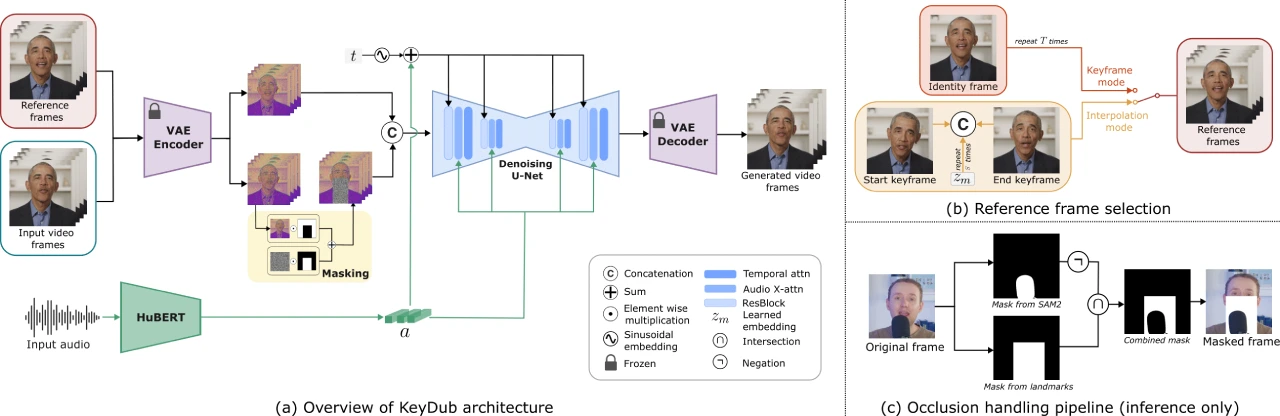
KeySync employs a two-stage framework to generate lip-synced videos:
Keyframe generation stage: Selects keyframes from the input video and uses a diffusion model to generate lip movements that match the input audio.
Interpolation stage: Interpolates between keyframes to generate intermediate frames, constructing a complete lip-synced video.
In addition, KeySync designs a novel masking strategy to address expression leakage and facial occlusion issues. This strategy determines the lip region through facial landmark detection and extends the masked area to cover the chin and part of the cheeks, while excluding the influence of occluding objects.
KeySync Application Scenarios
Automated dubbing: Used for language translation in film and television production, automatically generating lip movements that match new dubbing.
Virtual Reality (VR) and Augmented Reality (AR): Generates lip movements for virtual characters or in augmented reality, enhancing immersion.
Video conferencing: Improves lip sync issues under network latency, enhancing the naturalness of remote communication.
Animation production: Quickly generates character lip animations, improving production efficiency.
Multilingual content localization: Generates matching lip movements for dubbing in different languages, improving localization results.
How to Use KeySync
Visit the demo page: Open the link https://huggingface.co/spaces/toninio19/keysync-demo
Upload files: Find the area on the page for uploading video and audio files, and upload your video (.mp4 format) and audio (.wav format) files respectively.
Create synced video: After uploading, click the corresponding action button (the specific button may vary depending on the page design), and the system will start processing the uploaded files and generate the synced video.
View results: Once processing is complete, you can view the generated synced video on the page.
Project Links
Project page: https://antonibigata.github.io/KeySync/
Model repository: https://huggingface.co/toninio19/keysync
Online demo: https://huggingface.co/spaces/toninio19/keysync-demo
Paper link: https://arxiv.org/abs/2505.00497









