
 Script Planner Assistant▸
 AI Apps
 AI News
FramePack: Open-Source AI Video Generation Tool by Stanford Team
小编 ·

FramePack: Open-Source AI Video Generation Tool by Stanford Team
What is FramePack?
FramePack is an open-source AI video generation tool developed by the team led by Lvmin Zhang, a PhD from Stanford University and the author of ControlNet. Through frame context compression and anti-drift sampling techniques, it breaks down the high hardware barriers of AI video generation.
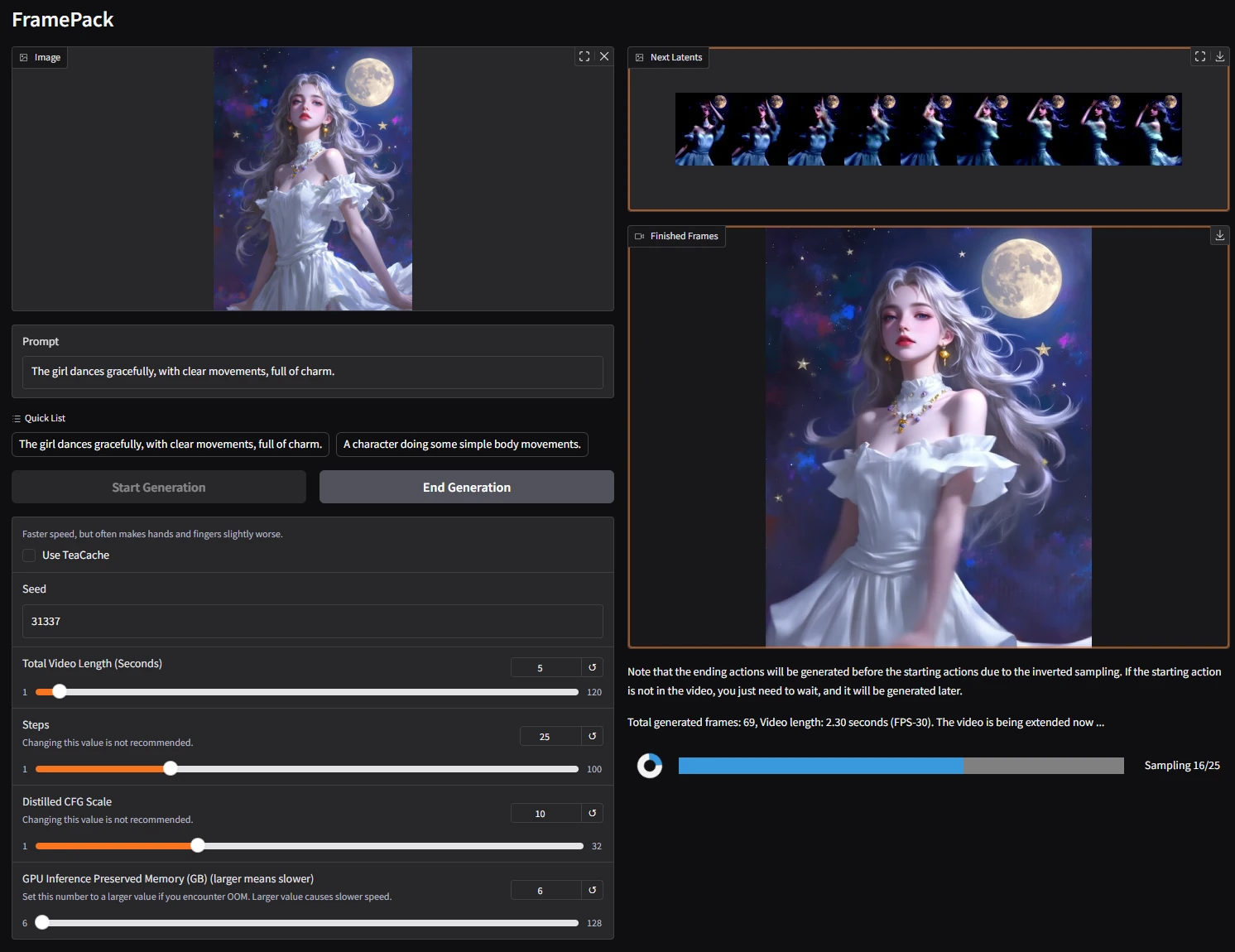
Core Features of FramePack
First and Last Frame Video Support: Users can specify the first and last frames to generate a complete video clip. Creators can focus on designing key frames while the software automatically fills in the middle portions, making it ideal for creating animated shorts or promotional videos.
Batch Generation: Supports batch processing of multiple video projects. After setting the parameters, multiple video files can be generated at once, improving the workflow efficiency for content creators. It is well-suited for scenarios such as preparing series of promotional videos for social media platforms.
Resolution Adjustment: Provides flexible resolution adjustment options, ranging from HD to UHD, as well as smaller-sized videos suitable for mobile devices, meeting the needs of different application scenarios.
Compatibility with 50-Series GPUs: Supports NVIDIA GeForce 50 series GPUs. The 6GB VRAM requirement allows most modern GPUs to handle the workload, leveraging GPU-accelerated computing to shorten video generation waiting times.
Up to 120-Second Video Support: Users can generate videos up to 120 seconds long, meeting the needs of most short video platforms and facilitating the telling of complete stories and conveying information.
Technical Advantages of FramePack
Intelligent Frame Compression: By changing the Patchify kernel size of the Transformer, frames of different importance are compressed to varying degrees, compressing the input context to a constant length. This ensures that the generation workload does not increase with video length, reducing VRAM usage and improving computational efficiency.
Bidirectional Memory Sampling: The introduction of anti-drift sampling technology allows the model to reference both the most recent frames and the core features of the initial frame when generating the current frame. This avoids the drift issues commonly found in traditional frame-by-frame prediction models, improves video quality, and enables the model to generate longer video sequences.
Flexible Scheduling Strategies: Supports multiple modes such as geometric compression, first-frame priority, and symmetric compression, adaptable to diverse application scenarios including real-time live streaming, image-to-video, and teaching demonstrations.
Application Scenarios of FramePack
Video Editing: In video editing and post-production, it helps users create continuous video content by predicting the next frame.
Animation Production: Efficiently completes the generation of continuous actions in animation production.
Game Development: Provides real-time frame generation for game development, assisting in real-time video feedback.
Educational Applications: Helps educators present teaching content more intuitively, such as batch-producing dynamic courseware.
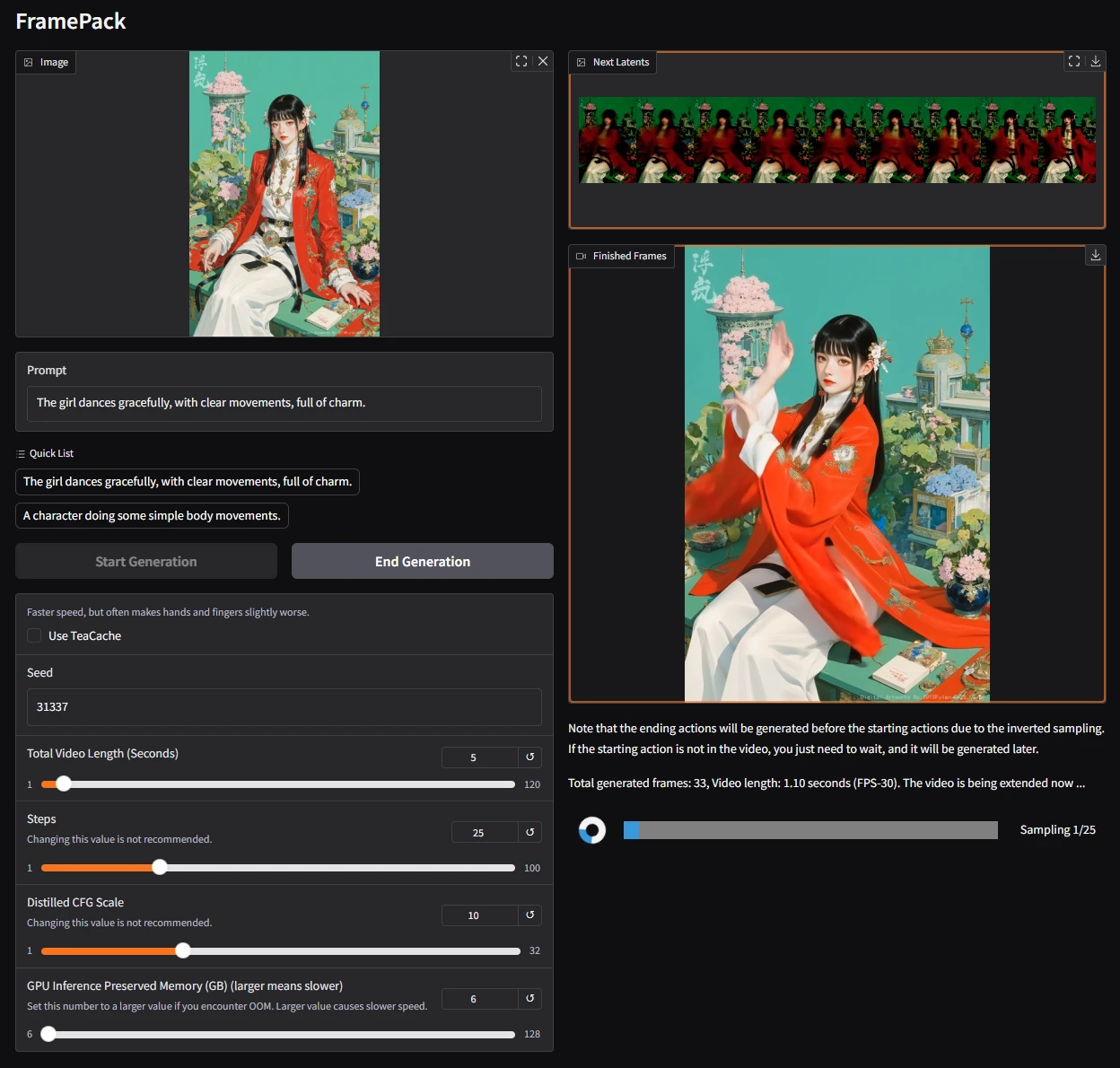
FramePack Installation and Usage
Installation Steps
1. Environment Preparation
You need to install a Python environment, preferably Python 3.9 or above.
GPU: Nvidia GPUs that support fp16 and bf16, such as the RTX 30XX, 40XX, and 50XX series.
Operating System: Linux or Windows.
GPU Memory: At least 6GB.
2. Clone the Repository
Open the terminal or command prompt and run the following commands to clone the FramePack GitHub repository:
git clone https://github.com/lllyasviel/FramePack.git
cd FramePack
3. Create and Activate the Virtual Environment
python -m venv framepack_env
# On Windows
.\framepack_env\Scripts\activate
# On Linux or macOS
source framepack_env/bin/activate
4. Install Dependencies
After activating the virtual environment, install the required dependency packages:
pip install -r requirements.txt
Usage
1. Configure Parameters
Find the configuration file in the project directory (usually in .yaml format) and modify the configuration parameters according to your needs, such as video resolution, duration, and generation mode.
2. Generate Video
Prepare the first and last frame image files and place them in the designated folder. Then run the following command in the terminal to generate the video:
python main.py --input_path /path/to/input/images --output_path /path/to/output/video
Here, /path/to/input/images is the folder path where the first and last frame images are located, and /path/to/output/video is the save path for the generated video.
3. View the Results
Once generation is complete, you can find the generated video file in the designated output path and view it using a video player.
Related Links
GitHub Address: https://github.com/lllyasviel/FramePack
Project Official Website: https://lllyasviel.github.io/frame_pack_gitpage/
Technical Paper: https://lllyasviel.github.io/frame_pack_gitpage/pack.pdf









