
 Script Planner Assistant▸
 AI Apps
 AI News
y-gui: A Web-Based AI Chat Interface Supporting Multiple AI Models and MCP Integration
小编 ·

y-gui: A Web-Based AI Chat Interface Supporting Multiple AI Models and MCP Integration
What is y-gui?
y-gui is a web-based graphical user interface for chatting and interacting with AI. It supports multiple AI models and MCP integration. It extends AI capabilities through the MCP protocol, allowing connections to Gmail, Google Calendar, image generation services, and more.
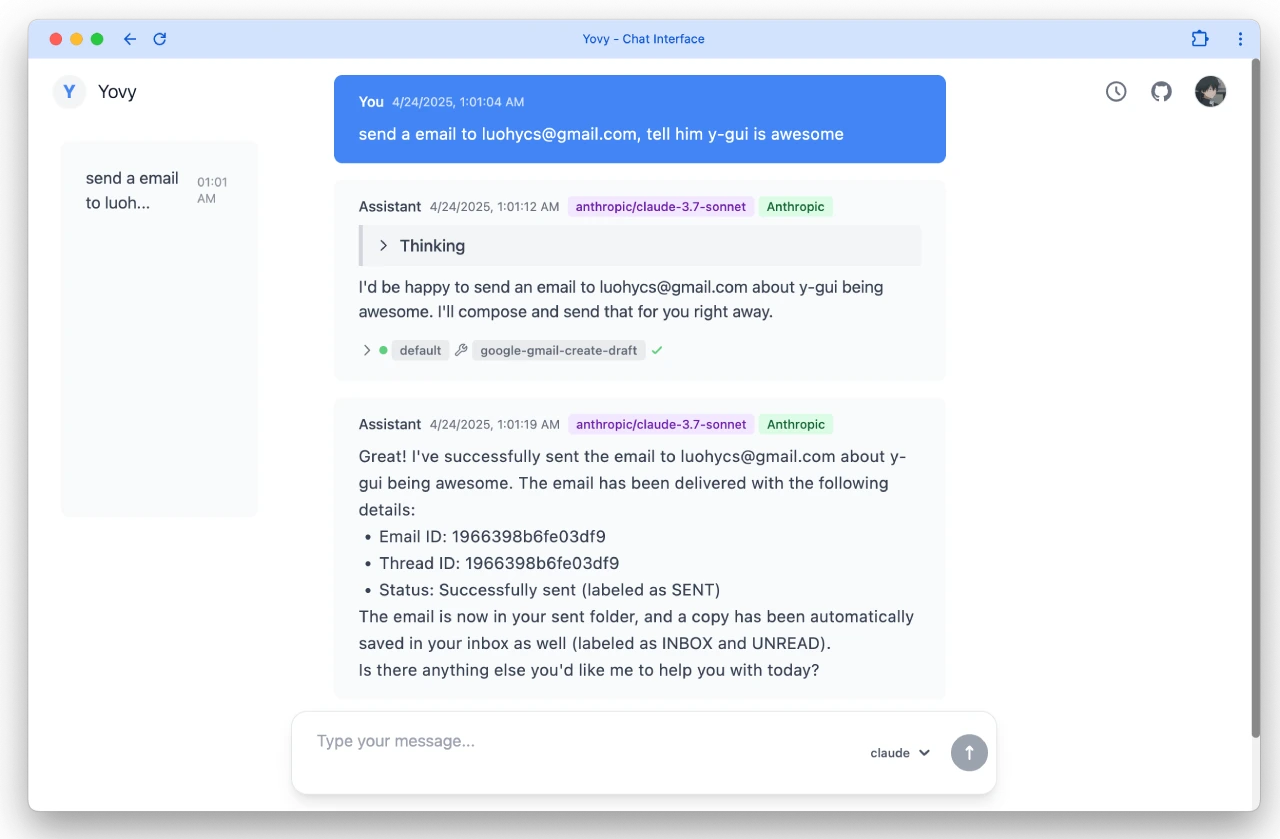
y-gui Features
Interactive chat interface: Provides a chat interface to interact with AI models.
Multi-bot configuration support: Supports multiple bot configurations, including different combinations of base_url, api_key, and model.
Comprehensive MCP integration system:
Gmail access and management: Access and manage Gmail emails directly through the chat interface.
Google Calendar integration: Create and manage calendar events using natural language.
Image generation capability: Generate images directly within chat conversations.
Extensible framework: Supports adding more MCP servers and tools.
Secure authentication: Uses Auth0 and Google login for secure authentication.
Theme support: Supports both dark and light themes.
Data storage: All chat data is stored in Cloudflare R2, making it easy to access and sync.
Real-time updates: Uses SWR for real-time data updates.
Responsive design: The interface works on all devices.
y-gui Architecture Design
Frontend: Built using React, TypeScript, Tailwind CSS, and SWR for data fetching.
Backend: Built on Cloudflare Workers, using R2 for data storage.
Technology Stack
Frontend: React, TypeScript, Tailwind CSS, SWR, Auth0.
Backend: Cloudflare Workers, R2.
Integrations: MCP servers, OAuth2, Gmail API, Google Calendar API, image generation API.
Build tools: Vite, Wrangler, TypeScript.
y-gui Installation and Usage
Prerequisites
Install Node.js and npm.
Have a Cloudflare account.
Have an Auth0 account.
Obtain API keys from AI providers.
Installation Steps
1. Clone the repository:
git clone https://github.com/luohy15/y-gui.git
cd y-gui
2. Install dependencies:
npm install
3. Configure environment variables:
Configure Cloudflare Worker settings in backend/wrangler.toml.
Change Auth0 settings in frontend/src/index.tsx and backend/src/utils/auth.ts.
4. Build assets:
npm run build
5. Deploy the Cloudflare Worker:
npm run deploy
Github:https://github.com/luohy15/y-gu









