
 Script Planner Assistant▸
 AI Apps
 AI News
Markdown-Docx: Convert Markdown Files to DOCX Format and Download
小编 ·

Markdown-Docx: Convert Markdown Files to DOCX Format and Download
What is markdown-docx?
markdown-docx is a tool used to convert Markdown files into DOCX format. It supports both browser and Node.js environments and enables high-fidelity conversion.
Key Features of markdown-docx
High-fidelity conversion: Converts Markdown files into DOCX format with high precision.
Image support: Automatically downloads and processes images during conversion.
Markdown element support: Supports various Markdown elements including tables, lists, and code blocks.
Hyperlinks and footnotes: Preserves hyperlinks and footnotes in the DOCX output.
Style customization: Provides customizable style options.
Multi-environment support: Can be used in both browser and Node.js environments.
Command-line interface: Provides a CLI tool for convenient use.
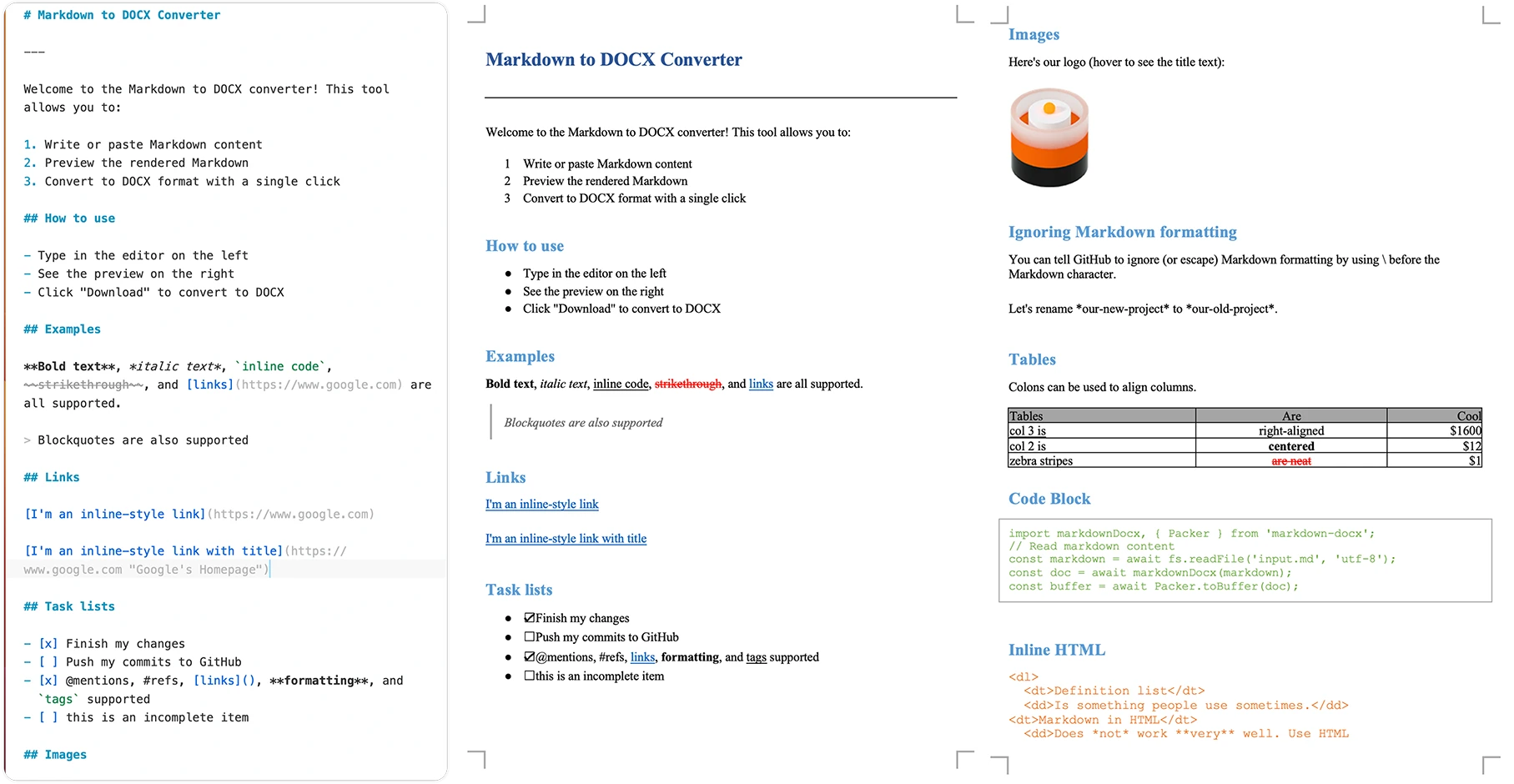
Markdown-Docx Installation
Supports installation via npm, yarn, and pnpm:
# 使用 npm
npm install markdown-docx
# 使用 yarn
yarn add markdown-docx
# 使用 pnpm
pnpm add markdown-docx
Basic Usage
Node.js Environment
import fs from 'node:fs/promises';
import markdownDocx, { Packer } from 'markdown-docx';
async function convertMarkdownToDocx() {
  const markdown = await fs.readFile('input.md', 'utf-8');
  const doc = await markdownDocx(markdown);
  const buffer = await Packer.toBuffer(doc);
  await fs.writeFile('output.docx', buffer);
  console.log('Conversion completed successfully!');
}
convertMarkdownToDocx();
Browser Environment
import markdownDocx, { Packer } from 'markdown-docx';

async function convertMarkdownToDocx(markdownText) {
  const doc = await markdownDocx(markdownText);
  const blob = await Packer.toBlob(doc);
  const url = URL.createObjectURL(blob);
  const a = document.createElement('a');
  a.href = url;
  a.download = 'document.docx';
  a.click();
  URL.revokeObjectURL(url);
}

document.getElementById('convert-btn').addEventListener('click', () => {
  const markdown = document.getElementById('markdown-input').value;
  convertMarkdownToDocx(markdown);
});
Advanced Usage
You can use the MarkdownDocx class for more fine-grained control:
import { MarkdownDocx, Packer } from 'markdown-docx';
import fs from 'node:fs/promises';
async function convertWithOptions() {
  const markdown = await fs.readFile('input.md', 'utf-8');
  const converter = new MarkdownDocx(markdown);
  const doc = await converter.toDocument({
    title: 'My Document',
    creator: 'markdown-docx',
    description: 'Generated from Markdown'
  });
  const buffer = await Packer.toBuffer(doc);
  await fs.writeFile('output.docx', buffer);
}
Supports custom configuration options, such as:
imageAdapter: Custom image processing function
ignoreImage: Ignore images in Markdown
ignoreFootnote: Ignore footnotes
ignoreHtml: Ignore inline HTML
gfm: Support GitHub Flavored Markdown
Command-line Tool
You can use the globally installed CLI tool for file conversion:
# 全局安装
npm install -g markdown-docx

# 基础用法
markdown-docx --input input.md --output output.docx

# 简写形式
markdown-docx -i input.md -o output.docx
Markdown-Docx User Guide
Paste Markdown-formatted content into the editor area on the left
The right-side area provides a real-time preview
Click the "Download Docx" button in the top-right corner of the browser, fill in the basic document information in the pop-up window, and then download the DOCX file.
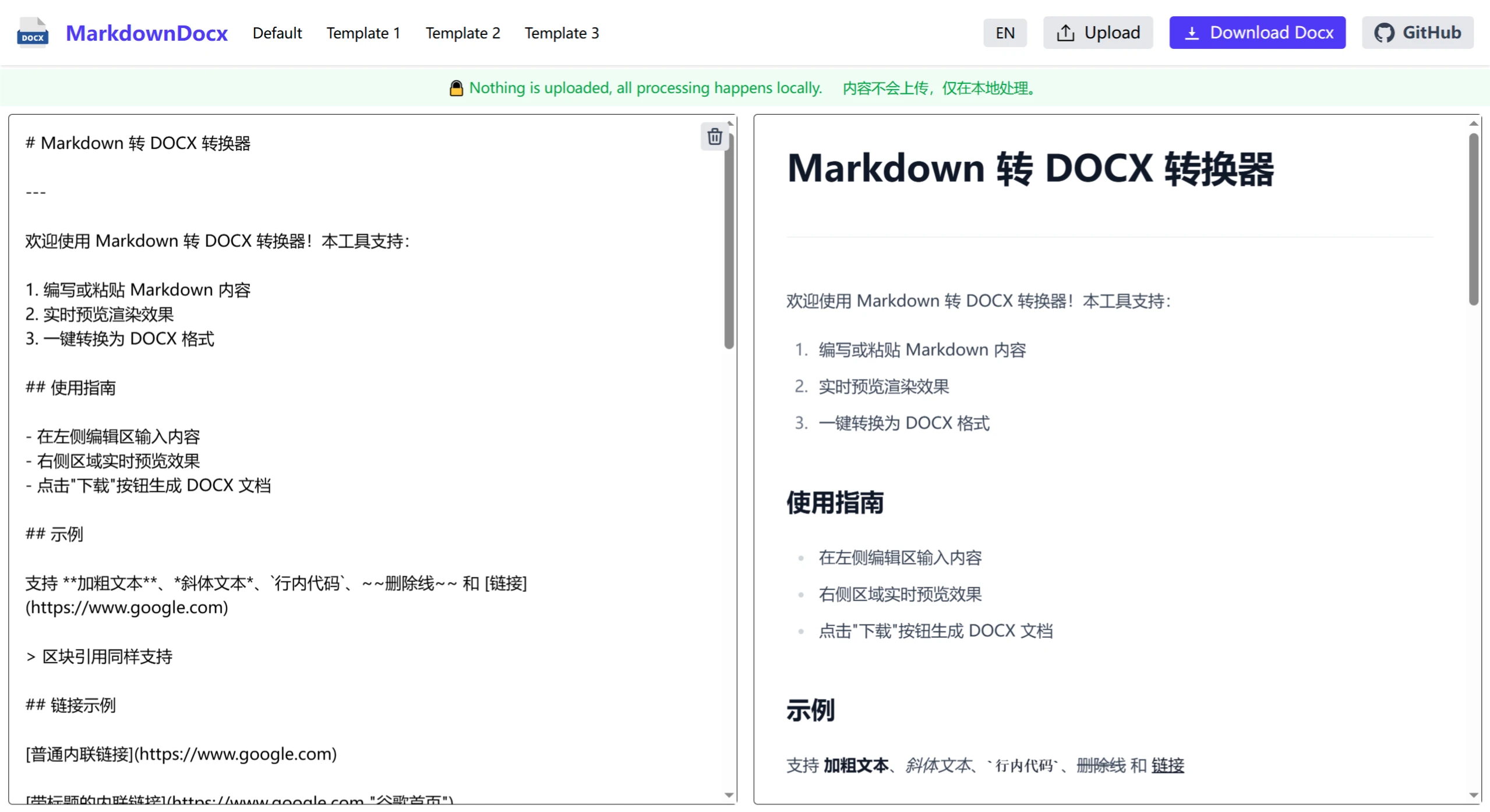
Github:https://github.com/vace/markdown-docx
Demo:https://md-docx.vace.me/









