
 Script Planner Assistant▸
 AI Apps
 AI News
FastMCP: An Open-Source Python Framework for Building MCP Servers
小编 ·

FastMCP: An Open-Source Python Framework for Building MCP Servers
What is FastMCP?
FastMCP is an open-source Python framework focused on making it easier to build MCP servers and clients. It uses a concise decorator syntax that significantly reduces redundant code, and supports agents and composite MCP servers, making it easy to handle the development needs of complex applications. FastMCP is deeply integrated with OpenAPI and FastAPI, making it effortless to transform existing APIs into MCP services. It also features image processing capabilities and has well-rounded client functionality. For installation, it is recommended to use uv, which makes development and usage very convenient, especially when paired with Claude Desktop for an even better experience.
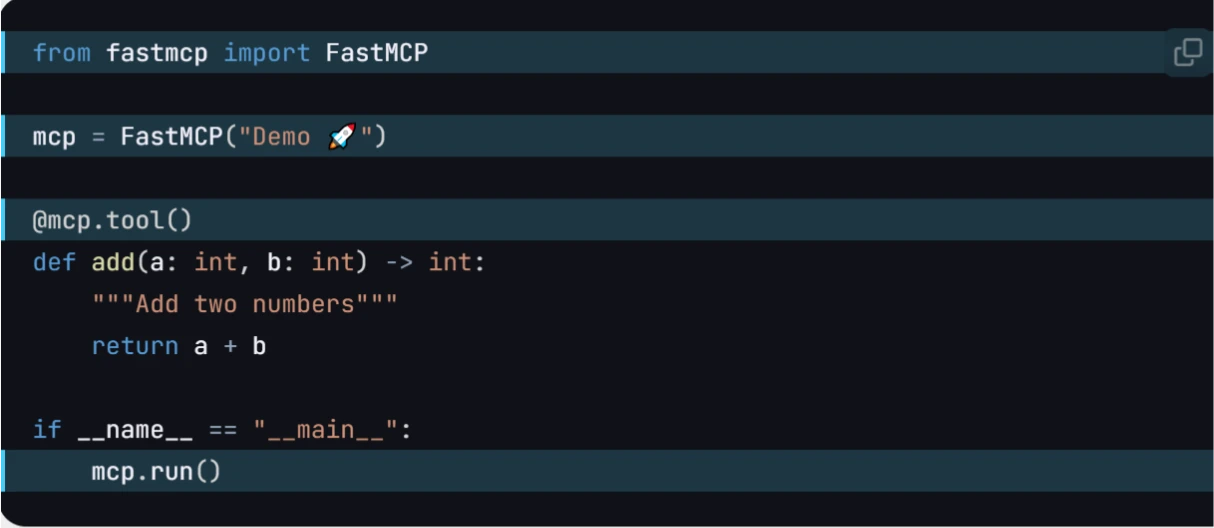
FastMCP Features
Rapid Development: Provides high-level interfaces so developers don't need to deal with complex protocol details and server management, reducing the amount of code to write.
Easy to Use: MCP servers can be built with only a small amount of boilerplate code. Developers can easily define tools, resources, and prompts through decorators, greatly reducing redundant code.
Pythonic Style: Makes full use of Python's language features, allowing code to be written more in line with Python's programming habits.
Fully Featured: Provides a complete implementation of the MCP core specification. The current core functionality can already meet most development needs and is still under active development.
FastMCP Core Components
Tools: Define operations that the LLM can execute (such as calculations, API calls), supporting both synchronous and asynchronous functions.
Resources: Provide structured data access (such as configuration information, user data), supporting dynamic path parameters.
Context: Built-in capabilities for logging, progress reporting, resource reading, and more, enhancing interactive control.
Prompts: Reusable interaction templates that guide the LLM to use tools more efficiently.
Advantages
Rapid Development: Reduce code volume and accelerate development through high-level interfaces.
Concise and Easy to Use: Build MCP servers with minimal boilerplate code.
Pythonic: Aligns with the habits of Python developers.
Complete Implementation: Comprehensive support for the MCP core specification.
FastMCP Use Cases
AI Assistant Toolset: Provides local functional extensions for AI assistants.
Database Interaction: Safely expose database query functionality.
File Processing: Read and process local files.
API Integration: Wrap existing APIs into tools available to AI.
Intelligent Customer Service: FastMCP can be used to build servers that provide customer service staff with functions such as quickly querying knowledge bases and calling data analysis tools.
Data Analysis: Integrate various data analysis tools into LLMs through FastMCP, enabling users to perform data processing and analysis more conveniently
FastMCP Installation and Running
1. Install dependencies:
pip install uvicorn
pip install fastmcp
2. Create the project and write the server code:
from fastmcp import FastMCP
mcp = FastMCP("My App")
@mcp.tool()
def add(a: int, b: int) -> int:
return a + b
if __name__ == "__main__":
mcp.run(debug=True)
3. Start the server:
uvicorn server:app --reload
Or use the FastMCP command-line tool:
fastmcp run server.py
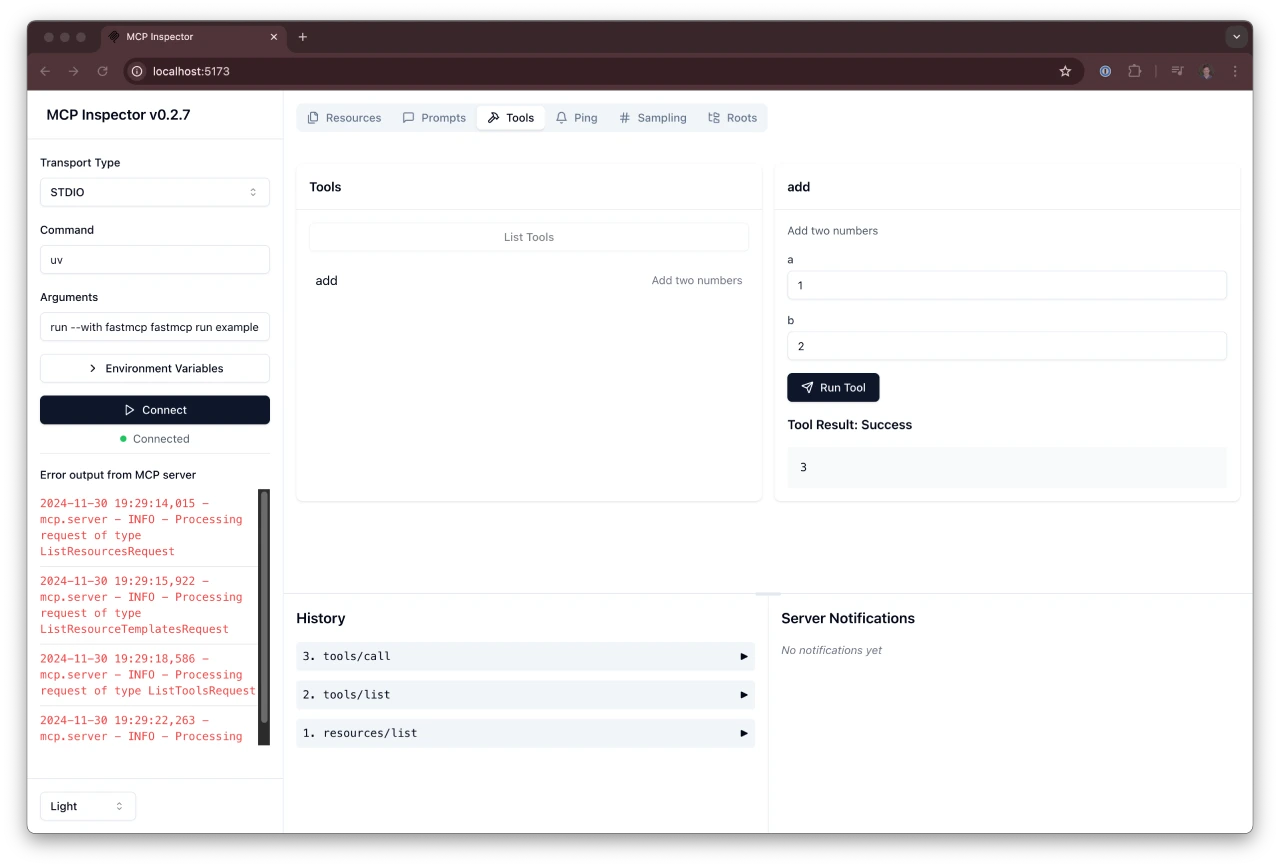
github:https://github.com/jlowin/fastmcp
Detailed:https://gofastmcp.com/getting-started/welcome









