
 Script Planner Assistant▸
 AI Apps
 AI News
Exa MCP Server: Enabling AI Assistants to Fetch Real-Time Web Info via Exa Through MCP
小编 ·

Exa MCP Server: Enabling AI Assistants to Fetch Real-Time Web Info via Exa Through MCP
What is the Exa MCP Server?
The Exa MCP Server is a backend service that enables AI assistants (such as Claude) to perform real-time web searches through Exa's powerful search API to obtain the latest information from the web, It provides AI models with a clear and secure way to interact with external tools and data sources while maintaining user control.
Exa MCP Server Main Features
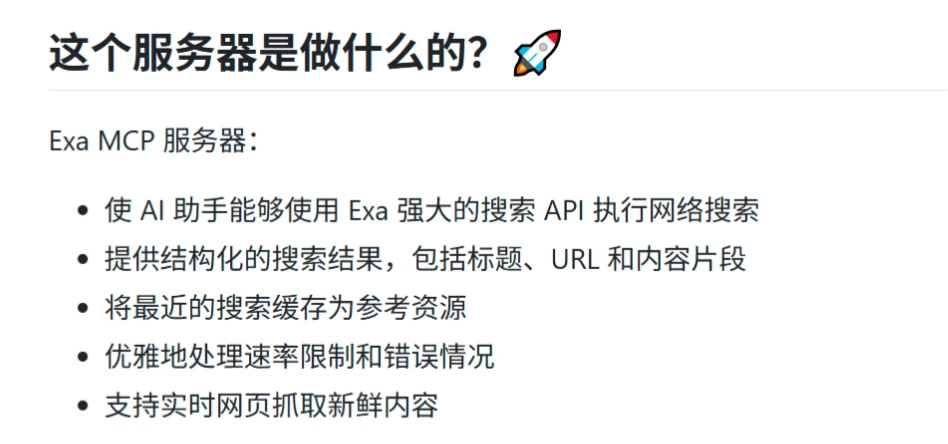
Web Search: Through Exa's search API, AI assistants can perform real-time web searches.
Structured Search Results: The returned search results include titles, URLs, and content snippets.
Cached Search Results: Recent search results are cached for subsequent reference.
Elegant Handling of Limits and Errors: Supports rate limiting and gracefully handles error situations.
Real-time Web Crawler: Supports real-time crawling of the latest content.
Exa MCP Server Installation and Configuration
Prerequisites: Node.js (v18 or higher), Claude Desktop, an Exa API Key, and Git need to be installed.
Installation Methods:
Install globally via npm: npm install -g exa-mcp-server
Automatic installation using Smithery: npx -y @smithery/cli install exa --client claude
Manually clone the repository and install dependencies.
Configuration:
Configure Claude Desktop to recognize the Exa MCP Server.
Add the Exa server configuration information in Claude Desktop's configuration file, including the API Key and tool selections.
Restart Claude Desktop for the configuration to take effect.
Usage
After configuration is complete, you can trigger web searches by sending specific commands to Claude, for example:
"Can you search for recent developments in quantum computing?"
"Search for and summarize the latest news about artificial intelligence startups in New York."
"Find and analyze recent research papers about climate change solutions."
"Search Twitter for posts from @elonmusk about SpaceX."
The server processes the search request, queries the Exa API, and returns the formatted results to Claude.
Supported Tools
web_search: Real-time web search.
research_paper_search: Search focused on academic papers and research content.
twitter_search: Search specifically for Twitter/X.com.
company_research: A company research tool that crawls company websites to obtain detailed information.
crawling: Extract content from specific URLs.
competitor_finder: Identify competitors.
Exa MCP Server Use Cases
Research the latest technology developments.
Analyze market trends.
Search for academic papers in specific fields.
Monitor specific topics or individuals on social media.
Github Project:https://github.com/exa-labs/exa-mcp-server









