
 Script Planner Assistant▸
 AI Apps
 AI News
How to Build a Travel Assistant Agent with Alipay Treasure Box
小编 ·

How to Build a Travel Assistant Agent with Alipay Treasure Box
支付宝百宝箱是什么?
百宝箱 is an intelligent body development platform launched by Alipay. It supports quick creation of dedicated intelligent bodies without writing code, and enables one-click deployment to multiple platforms such as Alipay Mini Programs, the Alipay App, and the "支小宝" App, achieving efficient service reach and broad coverage. Below I will teach you how to use 支付宝百宝箱 to create a travel assistant intelligent body. Based on this tutorial, you can create other intelligent bodies.
创建步骤教程
第一步:开通账号
Visit the official website of 支付宝百宝箱: https://tbox.alipay.com/pro-about.
Click "体验基础版", then scan the QR code in the popup page to complete the registration and login process.

第二步:创建应用
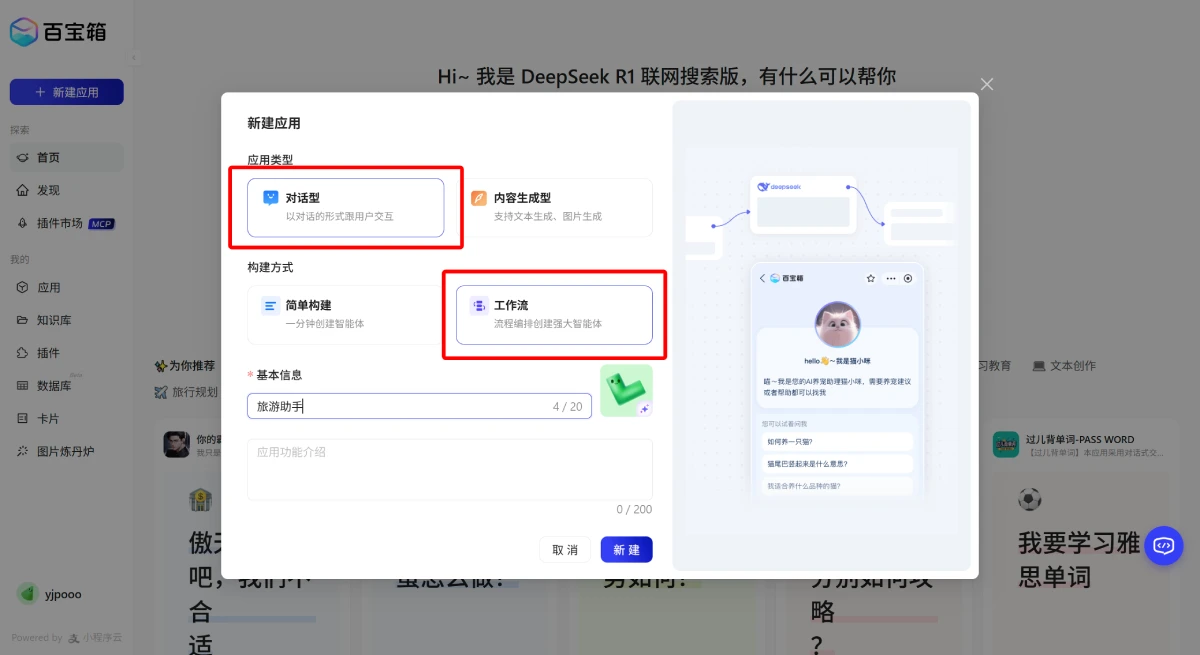
After logging in, click the 【新建应用】 button in the left sidebar.
In the popup page, select "对话型" as the application type and "工作流" as the build method. Fill in the application name and description, upload a logo, then click 【新建】.
第三步:设置工作流
To introduce a travel destination for users, the following information is generally required:
Historical background
Ticket price
Opening hours
Tour routes
Nearby parking
Nearby food
Nearby accommodation
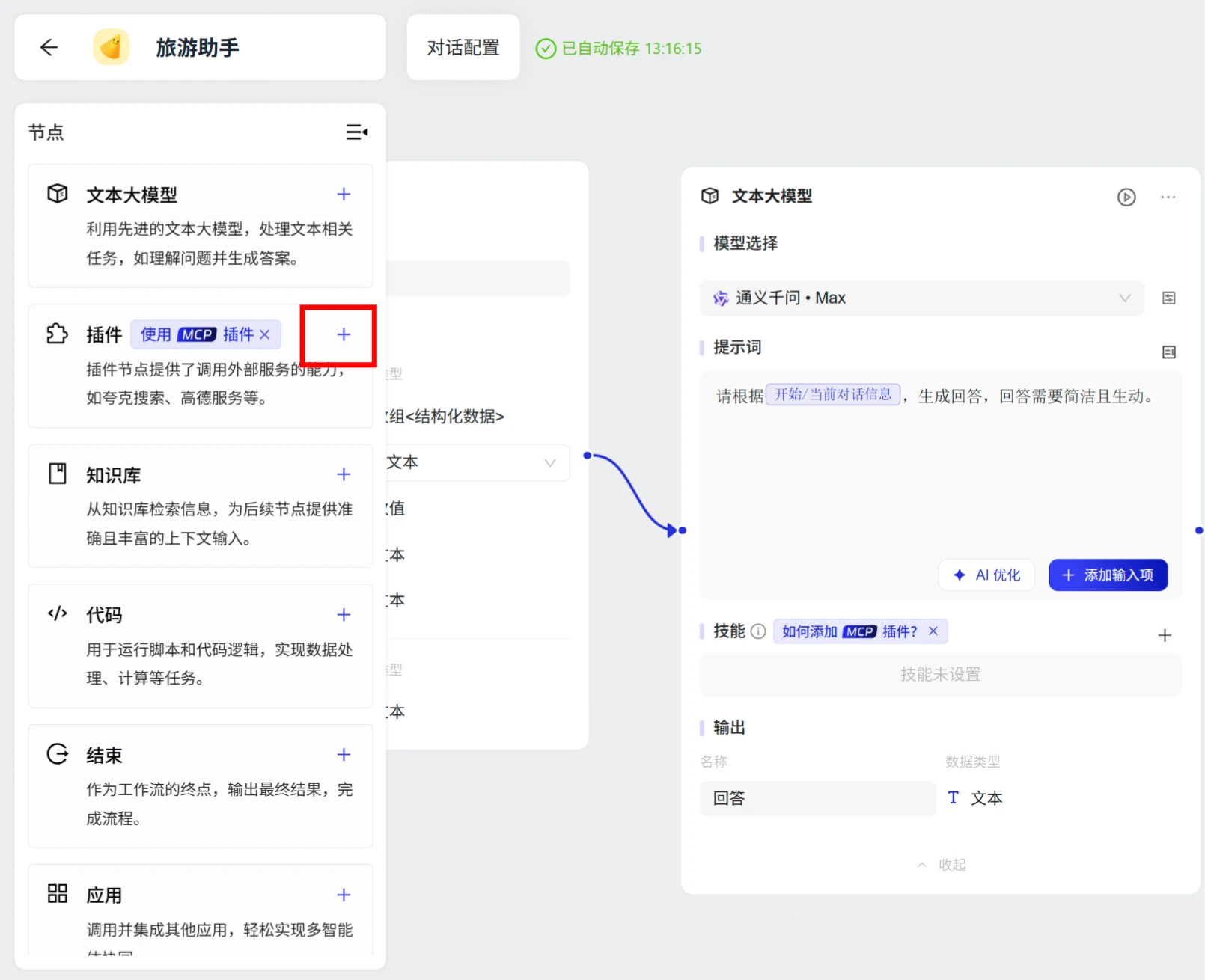
Among them, the surrounding information needs to be obtained through plugins provided by Amap (高德地图). The operations are as follows:
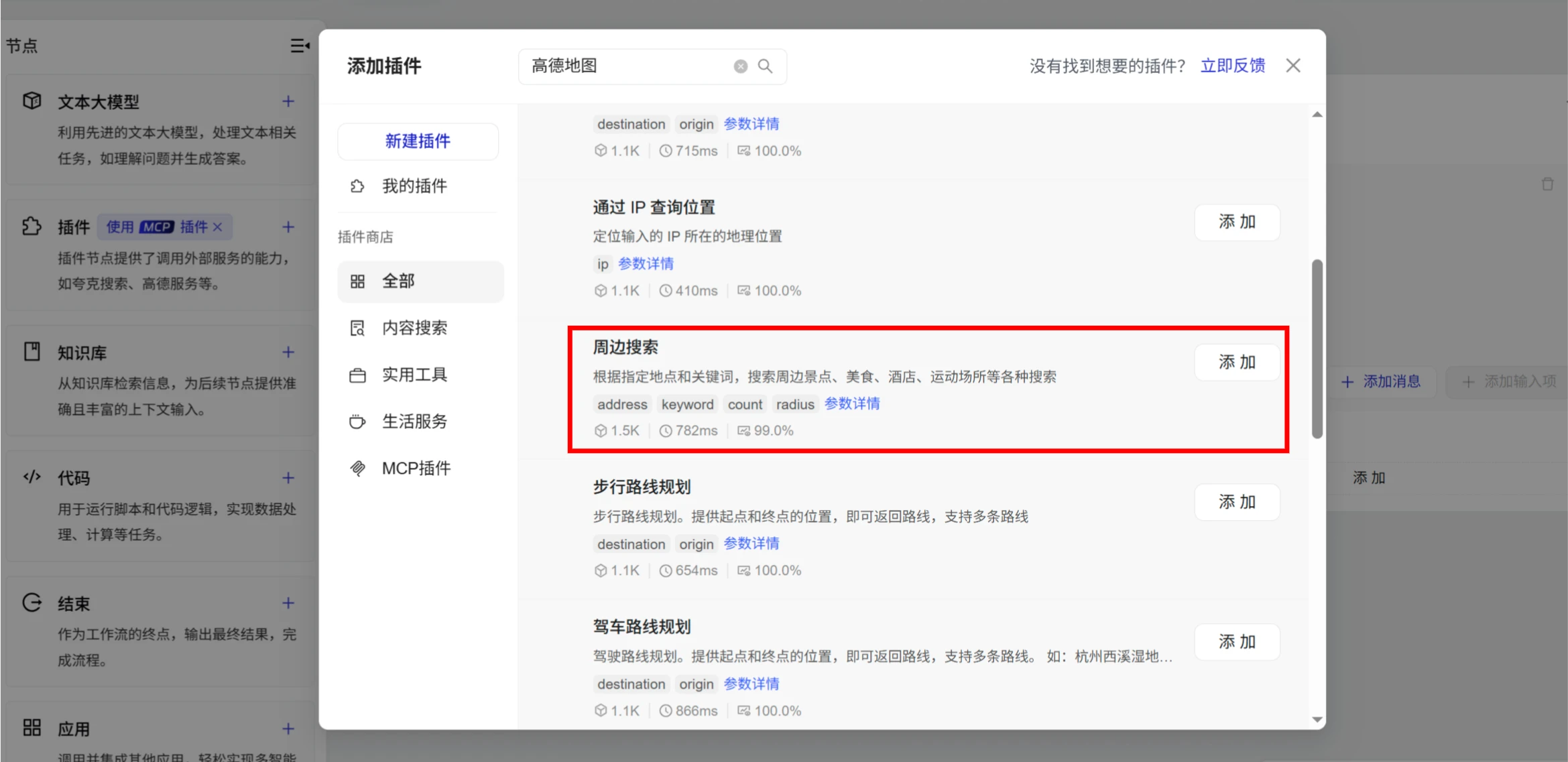
1. Click the 【+】 button on the plugin, search for 【高德服务】 - 【周边搜索】 - 【添加】
3. Start node
Input: 旅游目的地
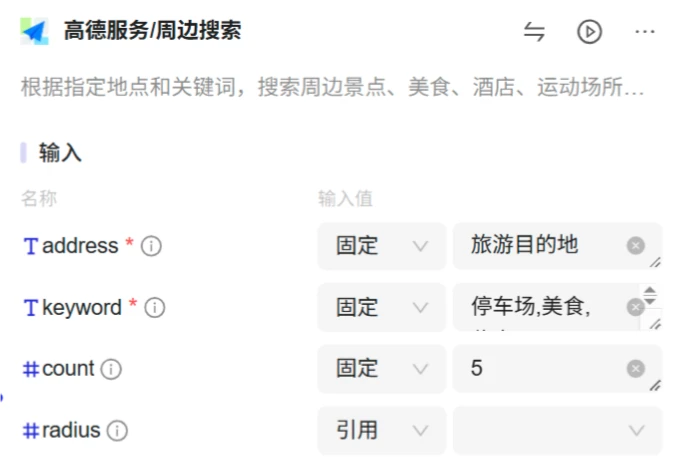
4. Amap (高德) surrounding search node
Input:
address: Reference the "旅游目的地" from the start node.
keyword and type: Respectively "停车场", "美食", and "住宿".
Output: 3 nodes respectively output the corresponding search results.
5. Large language model node
Model selection: Select "月之暗面", with a maximum inference generation length of 4096.
Input:
旅游目的地: Reference the input from the start node.
周边停车场结果信息: Reference the Amap (高德) surrounding search node.
周边美食结果信息: Reference the Amap (高德) surrounding search node.
周边住宿结果信息: Reference the Amap (高德) surrounding search node.
提示词:
你是一个旅游助手,可以为用户提供旅游景点介绍服务。
# 上下文信息
- 旅游目的地:{{input_hgtoen-text_nq2ybj-旅游目的地}}
- 周边停车:{{plugin_xs9vvf-plugin_xs9vvf.output_0-周边停车场结果信息}}
- 周边美食:{{plugin_ryepgy-plugin_ryepgy.output_0-周边美食结果信息}}
- 周边住宿:{{plugin_c1i7c2-plugin_c1i7c2.output_0-周边住宿结果信息}}
# 基于上下文信息,以markdown格式输出以下内容
- 历史渊源
- 门票价格
- 开放时间
- 游玩线路
- 周边停车场
- 周边美食
- 周边住宿
周边信息需提供:
- 地址
- 距离
- 价格(可选)
6. End node
Output: Reference the output result from the large language model.
第四步:运行和发布
Click "运行", enter the travel destination, then click run.
After the test passes, click "发布".
After publishing, you need to list it on the corresponding platform.









