
 Script Planner Assistant▸
 AI Apps
 AI News
MiniMax MCP: An Official Model Context Protocol Server by MiniMax
小编 ·

MiniMax MCP: An Official Model Context Protocol Server by MiniMax
What is MiniMax MCP?
MiniMax MCP is an official server based on the Model Context Protocol launched by MiniMax. It can interact with powerful text-to-speech, video generation, and image generation APIs, and supports multiple mainstream MCP clients, such as Claude Desktop, Cursor, Windsurf, and Openai Agents.
Core Features of MiniMax MCP
Multimodal Generation: Users can invoke video generation, image generation, voice generation, and voice cloning features through simple text input.
Broad Client Compatibility: Supports multiple mainstream MCP clients, allowing developers to choose the appropriate client integration based on their needs.
Easy Integration: Users simply need to obtain an API Key and perform simple configuration to start using it, without complex development work.
Text-to-Speech (TTS): Converts text into natural and smooth speech.
Voice Cloning: Generates specific voice models based on a small number of samples.
Video Generation: Creates dynamic video content from text or scripts.
Image Generation: Generates high-quality images based on descriptive text.
Technical Background of MiniMax MCP
Model Context Protocol (MCP): MCP is an open standard, similar to a universal language, that allows AI applications (clients) to interact with external data sources or tools (servers). It provides a unified standard for large models to connect to external tools, simplifying the development process.
Use Cases of MiniMax MCP
Voice Assistant Development: Leverage text-to-speech capabilities to create natural and smooth voice interaction experiences for applications.
Multimedia Content Creation: Combine video generation and image generation features to quickly produce high-quality multimedia content.
Personalized Voice Customization: Generate exclusive voice models through voice cloning technology, applicable to scenarios such as virtual hosts and customer service systems.
Examples
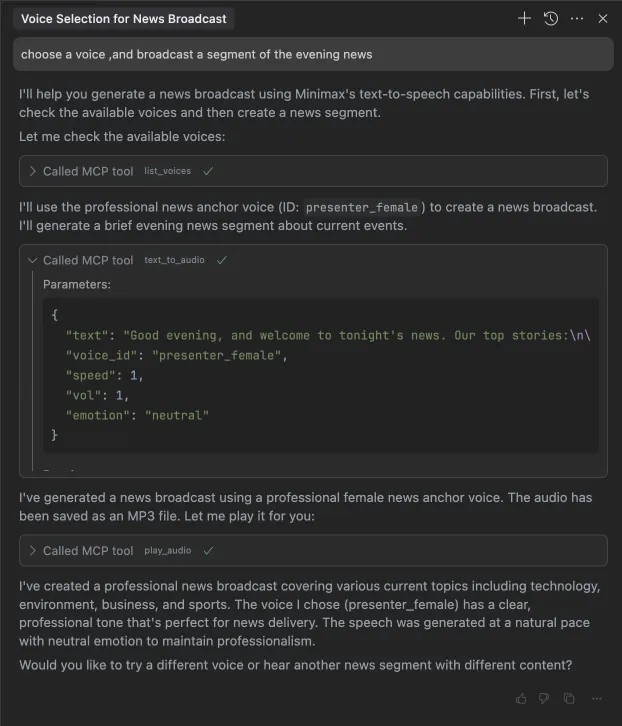
Use Cursor combined with MiniMax's video generation feature to quickly produce a promotional video based on a script.
Use the voice cloning feature of Claude Desktop to give virtual characters a unique vocal style.
How to Use MiniMax MCP
1. Obtain an API Key: Get an API Key from the MiniMax platform.
2. Install the uv package manager:
curl -LsSf https://astral.sh/uv/install.sh | sh
3. Configure the MCP client
Claude Desktop:
Open Claude Desktop and go to Settings > Developer > Edit Config.
Add the following content to the claude_desktop_config.json file:
{
  "mcpServers": {
    "MiniMax": {
      "command": "uvx",
      "args": [
        "minimax-mcp"
      ],
      "env": {
        "MINIMAX_API_KEY": "",
        "MINIMAX_MCP_BASE_PATH": "",
        "MINIMAX_API_HOST": "https://api.minimaxi.chat"
      }
    }
  }
}
If you are using the Windows system, you need to enable "Developer Mode". Click on the hamburger menu in the top-left corner and go to Help > Enable Developer Mode.
Cursor
1. Open Cursor and go to Preferences > Cursor Settings > MCP.
2. Add a new global MCP server and fill in the following configuration:
Name: MiniMax MCP Server
URL: https://your-minimax-mcp-server-url
API Key: your_minimax_api_key
After completing the above configuration, your MCP client can interact with MiniMax's API through these tools.
The launch of the MiniMax MCP Server marks MiniMax's ambition in the field of multimodal AI, aiming to provide developers with an efficient and flexible creation platform.
Official Website: http://www.minimax.io/platform
Github: https://github.com/MiniMax-AI/MiniMax-MCP









