
 Script Planner Assistant▸
 AI Apps
 AI News
Noiz AI Voiceover: A Complete Getting-Started Guide
小编 ·

Noiz AI Voiceover: A Complete Getting-Started Guide
What is Noiz AI?
Noiz AI is a voice synthesis platform that can convert text to speech. It supports multiple languages and voice selections, and allows you to adjust voice tone and emotion, making the voice more expressive and close to real human pronunciation. In addition, it also offers features such as video dubbing and voice cloning. It can be applied in scenarios like video creation, audiobook production, online teaching, and corporate promotion, and is suitable for content creators, video producers, online education practitioners, and other groups.

Noiz AI Usage Tutorial
1. Register and Log In
Visit the Noiz AI official website at https://noiz.ai/, register an account, complete the verification, and log in.
2. Feature Usage
Text to Speech:
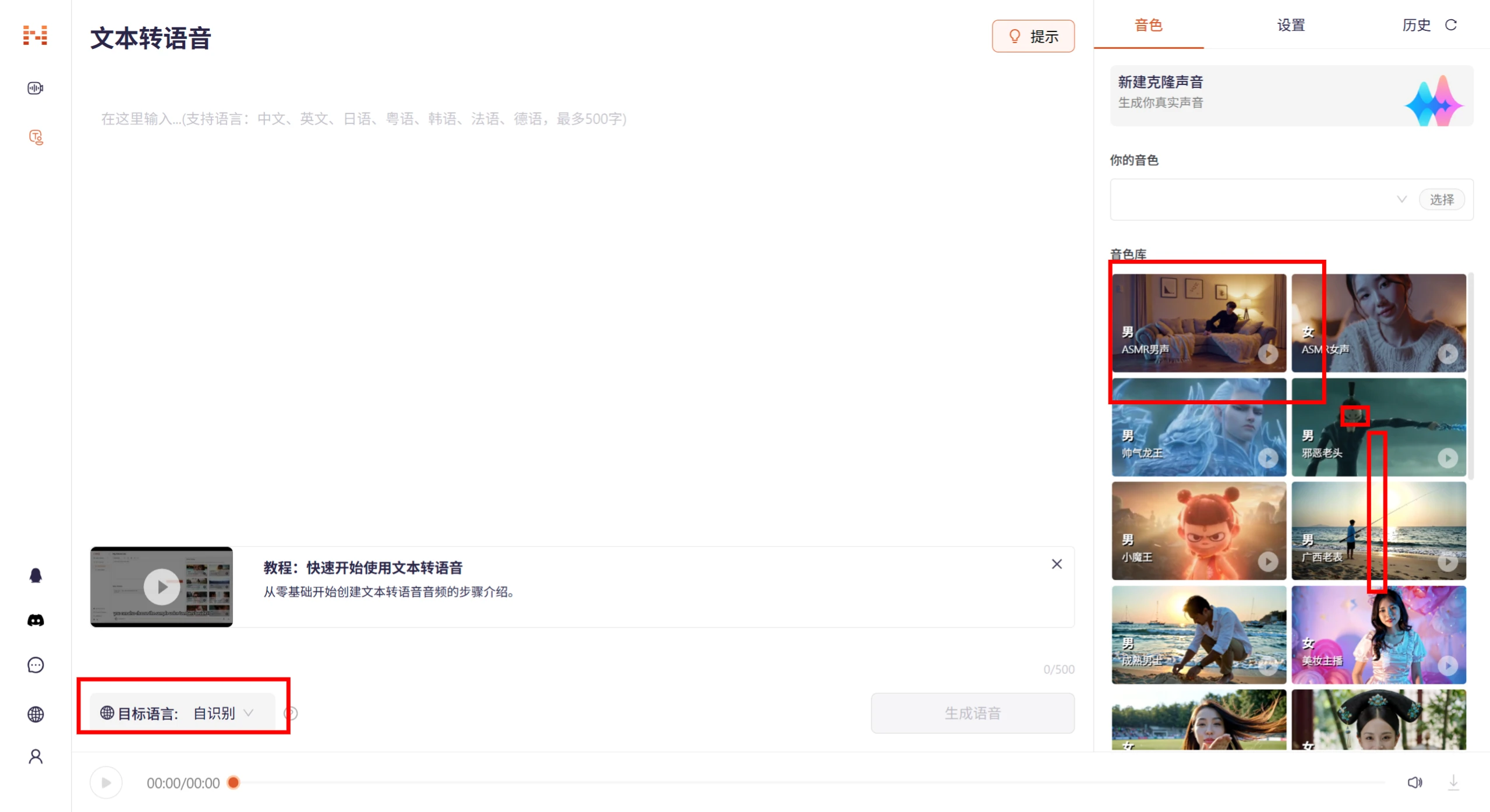
In the left sidebar of the website, select [Voice Creation] - [Text to Speech], enter the text you want to convert, and select the target language. In the right sidebar, choose your preferred voice and style from [Voice Library].
Write the text in a "conversational tone," replacing written language with more colloquial expressions, appropriately adding interjections and pauses. Use emotion mode to select the appropriate tone. See Noiz usage tips at the end of the page.
Click the [Generate Speech] button to generate the audio.
Voice Cloning:
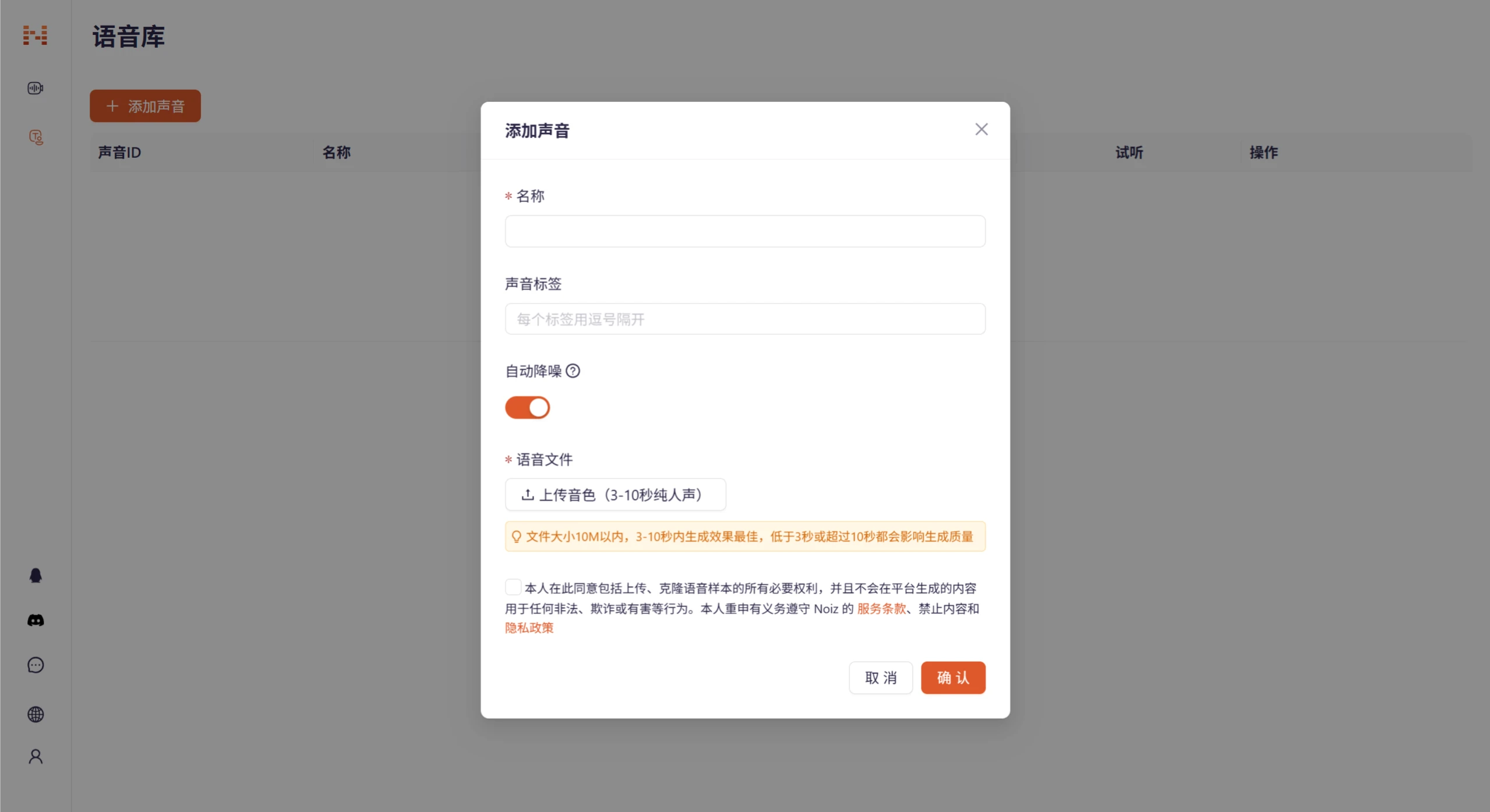
In the left sidebar [Voice Creation], click [Voice Library] and select "Add Voice".
Upload a 3-10 second pure human voice audio clip, with the file size kept under 10MB.
Enter the name, tags, and other information for this voice, then click the generate button. Noiz AI will perform voice cloning based on the uploaded audio clip.
4. Return to Text to Speech, and select [Your Voice] in the right sidebar.
Recording tips: Use a quiet environment with no background noise. A phone's original microphone or a high-definition microphone both work. It is recommended to speak at a natural speed with varied intonation.
Video Dubbing:
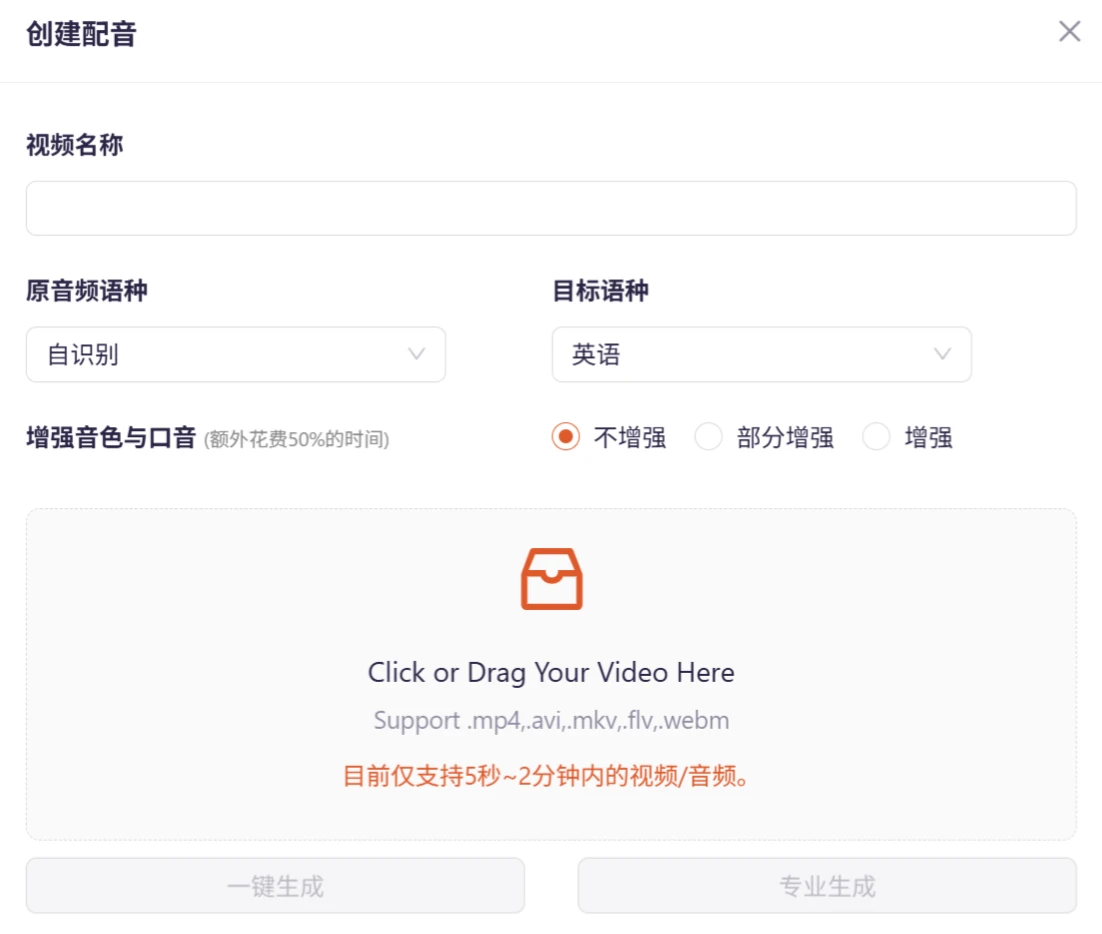
In the left sidebar [Video Creation], click [Voice List] and select "Create New Video".
Upload the video file that needs dubbing, and enter the corresponding text content.
Noiz AI will automatically extract subtitles and perform semantic translation. Select the language model and voice style.
Click the generate button, and Noiz AI will generate the dubbing based on the text content and synchronize it with the video.
Settings Adjustment: In the settings, you can also adjust the speech speed according to your preference.
Download Speech: After generation is complete, you can download the generated audio or video file to your local device. The output formats include wav and mp3.
Noiz AI Usage Tips
1. Batch Synthesis + Editor Fine-tuning
The Noiz platform supports batch text import + batch audio generation. After generation, you can enter the visual voice editor to customize pause duration and tone emphasis, quickly adjust the rhythm, and synthesize natural and coherent speech.
2. Working with Other Tools
Noiz AI can be used in coordination with other AI tools, such as pairing with ChatGPT to automatically generate scripts and copywriting, using CapCut or Jianying to load audio and video for composition, and combining with Notion AI to organize lines, tags, and storyboard scripts.
3. Tips for Improving Voice Quality
Punctuation is very important! Use it as reasonably as possible.
Accent and style will depend on the reference audio and text. Adjust the input as needed to achieve the ideal output effect.
4. How to Enrich Voice Layers
Exclamation mark (!): Enhances a shocked tone, suitable for expressing character emotions and creating tense scenes.
Sentence separators (,、 。 space newline): Short pauses, suitable for inserting breathing gaps in complex content.
Ellipsis (…): Further increases the pause, suitable for long pauses, hesitation, and creating suspenseful scenes.
Question mark (?): Adds a strong questioning tone, mostly applicable to story twists and interactive Q&A scenes.
Em dash (——): Helps fix swallowed words. Add "——" before the swallowed word, for example, "你说的——对".









