
 Script Planner Assistant▸
 AI Apps
 AI News
BabelDOC: An Open-Source Smart PDF Translation Tool with Bilingual Comparison
小编 ·

BabelDOC: An Open-Source Smart PDF Translation Tool with Bilingual Comparison
What is BabelDOC?
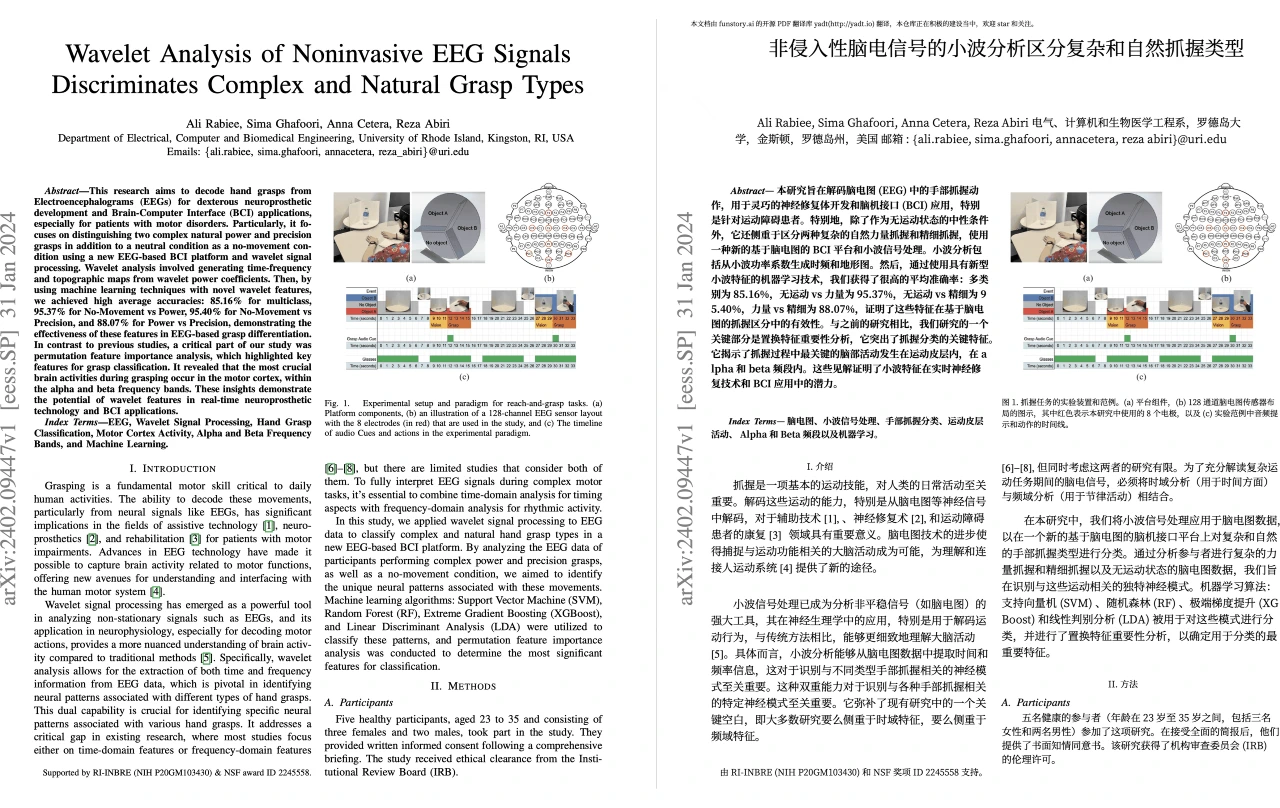
BabelDOC is an open-source intelligent PDF translation tool from Immersive Translate. Its core advantage lies in the bilingual comparison feature, which allows users to view the translated text directly next to the original text without switching windows, greatly improving reading efficiency. At the same time, it fully preserves complex elements such as mathematical formulas, tables, and graphics, ensuring that the original layout remains intact and presenting the document's beautiful layout perfectly. It also supports multiple translation engines, is compatible with OpenAI model APIs, and allows users to customize their translation models.
Features of BabelDOC
Bilingual comparison: Displays the translated text next to the original text without switching windows.
Multiple translation engines: Supports Bing Translate, OpenAI models (such as GPT-4, GPT-3.5), etc.
Custom translation models: Users can configure the OpenAI API key, model name, and base URL.
Preserves original formatting: Fully preserves mathematical formulas, tables, and graphics, ensuring consistent layout.
Layout optimization: Uses advanced typesetting technology to keep the translated document's format consistent with the original.
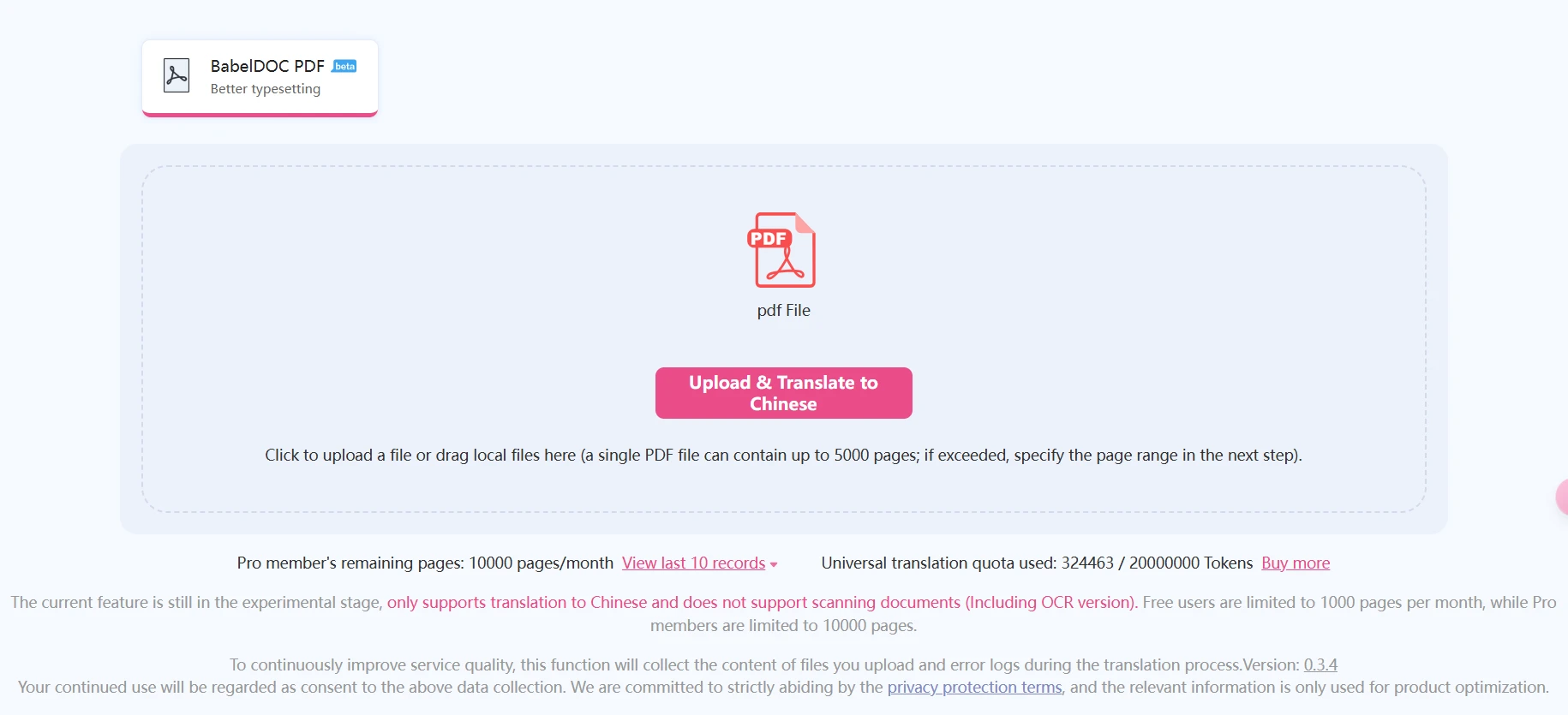
Online service: Provides online translation with a free quota of 1,000 pages per month.
Local deployment: Supports local installation, protecting privacy and enabling offline use.
CLI and Web interface: Offers both command-line and web interfaces, allowing users to choose based on their preferences.
Batch translation: Supports translating multiple PDF files at the same time, improving efficiency.
Multi-language support: Meets the language needs of different users.
How BabelDOC Works
Lossless parsing technology: Extracts non-text elements such as charts, footnotes, and formulas from PDFs, and uses PyMuPDF's re-layout algorithm and dynamic column detection technology to identify the document's structure and layout.
Intelligent layout recognition: Applies AI layout recognition technology to identify text formatting, paragraph structure, and complex content layouts, recording information to keep the translated format consistent.
Accurate translation with format preservation: Sends the text to a large language model for translation, then compares the typesetting information afterward and intelligently matches styles such as fonts and line spacing.
Intelligent rendering and typesetting: Adjusts the size of translated text, retypesets mathematical formulas, images, and tables, and uses advanced typesetting technology to ensure consistent format while supporting professional typesetting features.
Multi-modal translation engine: Supports multiple translation engines, allowing users to choose different translation models, and supports custom settings such as the OpenAI API key, model name, and base URL.
Use Cases for BabelDOC
Academic paper translation: Accurately handles complex formulas, charts, and specialized terminology, supports multiple translation engines, and the bilingual comparison feature improves comprehension efficiency.
Business document processing: Preserves the original document's layout and format, ensuring the translated document is visually consistent with the original—ideal for business presentations and reports.
Technical manual translation: Handles complex tables, charts, and multi-column layouts, ensuring the accuracy and readability of technical documentation.
E-book translation: Preserves the original design elements, ensuring the translated e-book remains visually consistent with the original.
Frequently Asked Questions
1. How do I use BabelDOC for translation?
Users simply upload a PDF file, select a translation engine, and the system will automatically generate the translated text.
2. Does it support offline use?
Yes, BabelDOC supports local deployment, allowing users to use the tool on their local computer.
3. How accurate is the translation?
BabelDOC supports multiple translation engines, allowing users to choose based on their needs, ensuring translation accuracy and professionalism.
4. Is there a free translation quota?
Users can enjoy a free translation quota of 1,000 pages per month.
Related Links
Open-source repository:https://github.com/funstory-ai/BabelDOC
Online experience:https://app.immersivetranslate.com/babel-doc/
Project website:https://funstory-ai.github.io/BabelDOC/









