
 Script Planner Assistant▸
 AI Apps
 AI News
Pika Launches Pika Twists: Edit Specific People or Objects in Videos
小编 ·

Pika Launches Pika Twists: Edit Specific People or Objects in Videos
What is Pika Twists?
Pika Twists is the latest video editing and generation feature released by Pika. It mainly consists of two modules — Pikaswaps and Pikadditions — which allow you to freely edit specific characters or objects in a video.
Two Core Modules of Pika Twists
Pikaswaps (Element Replacement)
Users can replace any element in a video with specified content by uploading a photo or entering a text description, achieving seamless blending. For example:
Typing "polar bear head" can replace the head in the video with a polar bear's head;
After circling an area of the video with a brush, users can upload an image and add a text description to generate a new scene.
This feature has been used by netizens for creative fun, such as inserting the image of Trump into clips from "Legend of Zhen Huan," where the headpiece moves along with the lines in a realistic way.
Pikadditions (Element Addition)
It supports merging images with videos and intelligently generating physical trajectories and shadows, making effects like objects passing through or interacting more realistic. For example:
After uploading an image and entering a description of the interaction, a coherent clip of the object passing through the video can be generated;
Combined with the keyframe tool (Pikaframes), it supports importing up to 5 frames of images, enabling creative transitions in videos up to 25 seconds long.
Features of Pika Twists
No complex prompts are needed — some features can generate results with just a single word or image;
Supports HD resolution (1080p) and a wide range of application scenarios, such as dance motion transfer and character transformation;
Some effects can be experienced for free through online platforms (such as Runninghub).
Core Capabilities of Pika Twists
Powerful video editing capability: Pika Twists enables users to inject dramatic, fun, or surreal twists into videos. Users can edit specific characters or objects in a video as freely as if playing with clay, while the rest of the frame remains completely unaffected. For example, you can easily change the outfit of a character in a video, move their position, or make a lazy cat lying on a coffee table suddenly stand up and take a sip of coffee.
Easy to use: Users simply upload a video and describe the desired twist in text, then prompt the AI to make changes. It handles the rest and generates realistic, mind-bending effects without the need for complex editing software. In addition, Pika Twists supports real-time modification, allowing users to adjust again and again until they are satisfied.
Realistic effects: This feature preserves the details of the original frame very well, including lighting, camera angle, objects, and characters. The modified parts can blend seamlessly into the scene, producing highly realistic results. Such effects would previously have required a professional VFX studio to achieve, but now anyone can pull it off with a single video, some imagination, and a good prompt.
Application Scenarios of Pika Twists
Social media: Bloggers can quickly generate eye-catching short videos to boost fan engagement.
Advertising: Advertising agencies can quickly adjust promotional materials to precisely match the preferences of target audiences.
Education: Educational institutions can create more vivid and engaging teaching videos to improve learning outcomes.
Steps to Use Pika Twists
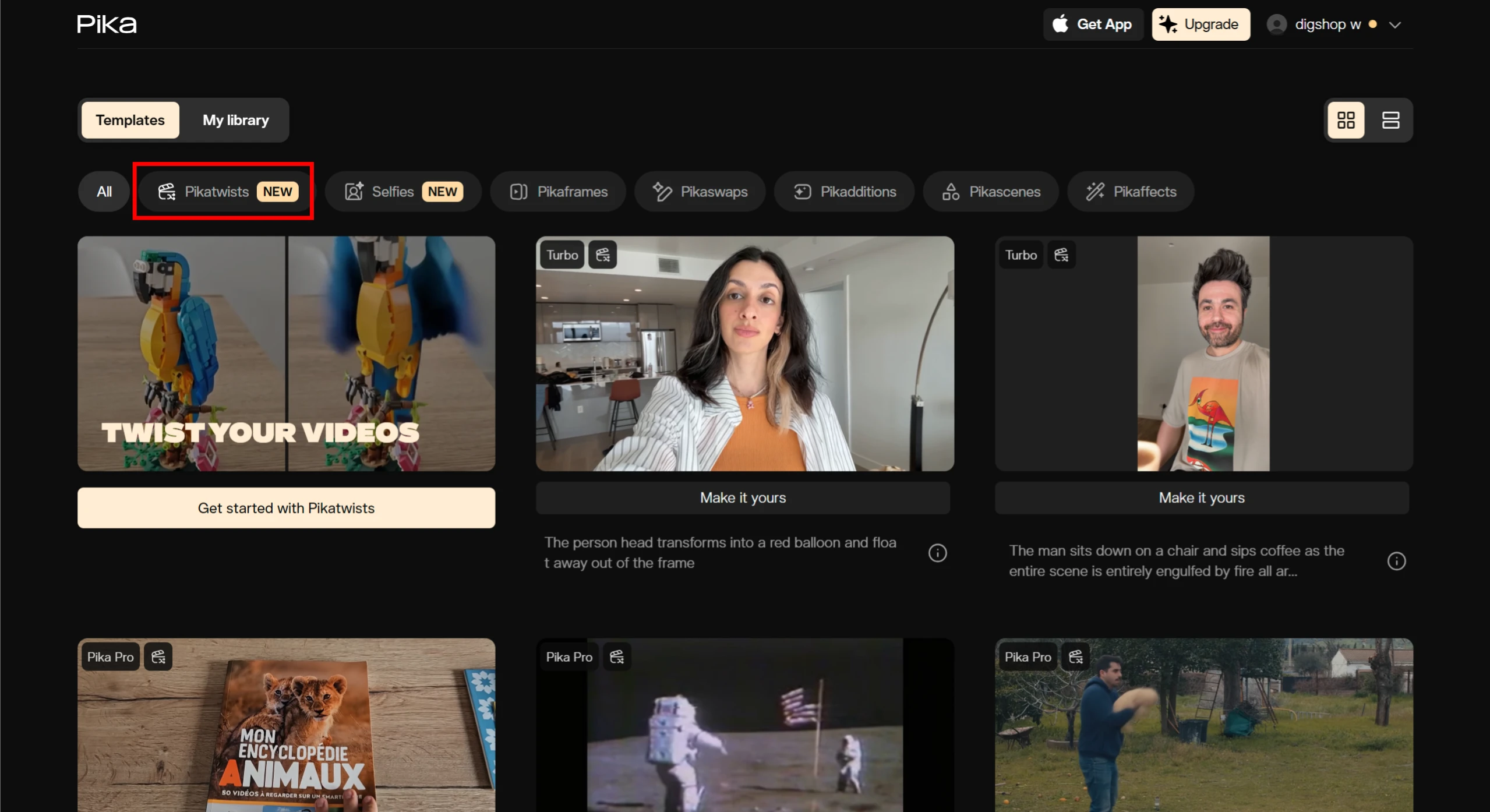
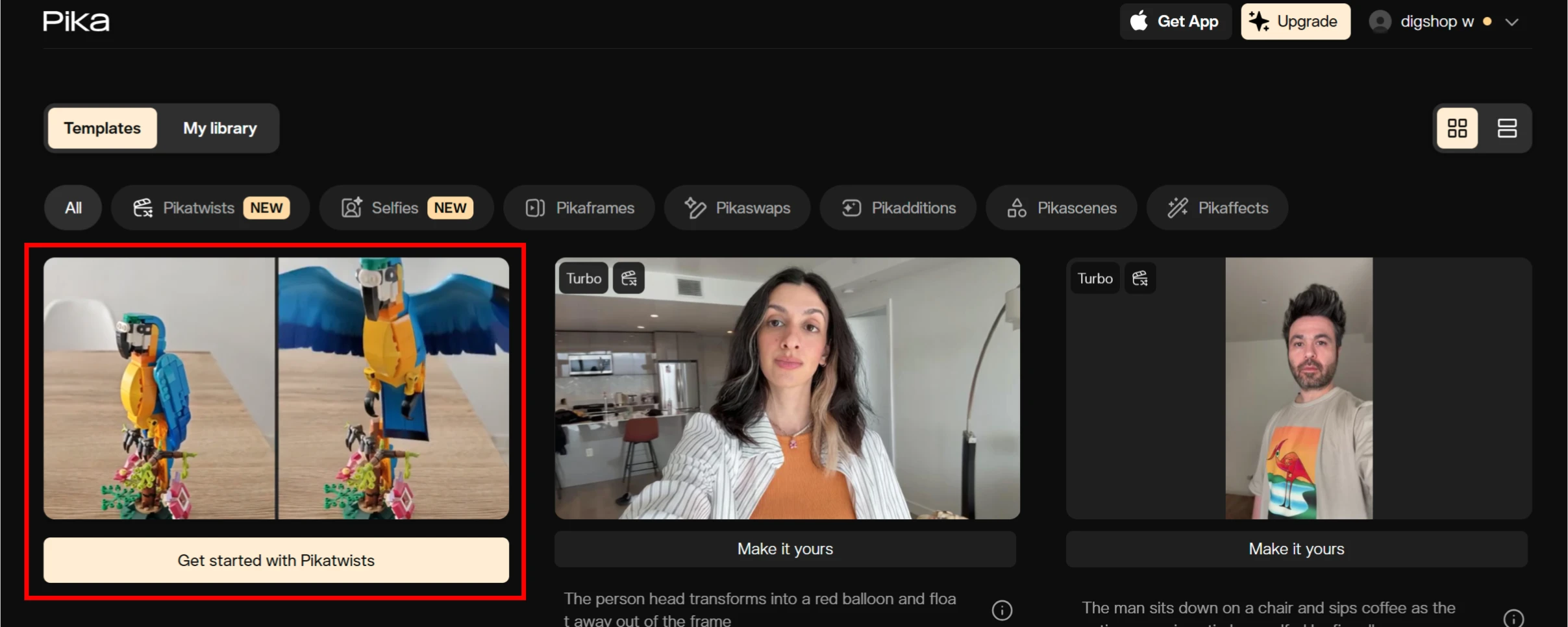
1. Visit the official Pika.art website and log in: https://pika.art/, and find the Pika Twists entry as shown in the image below.
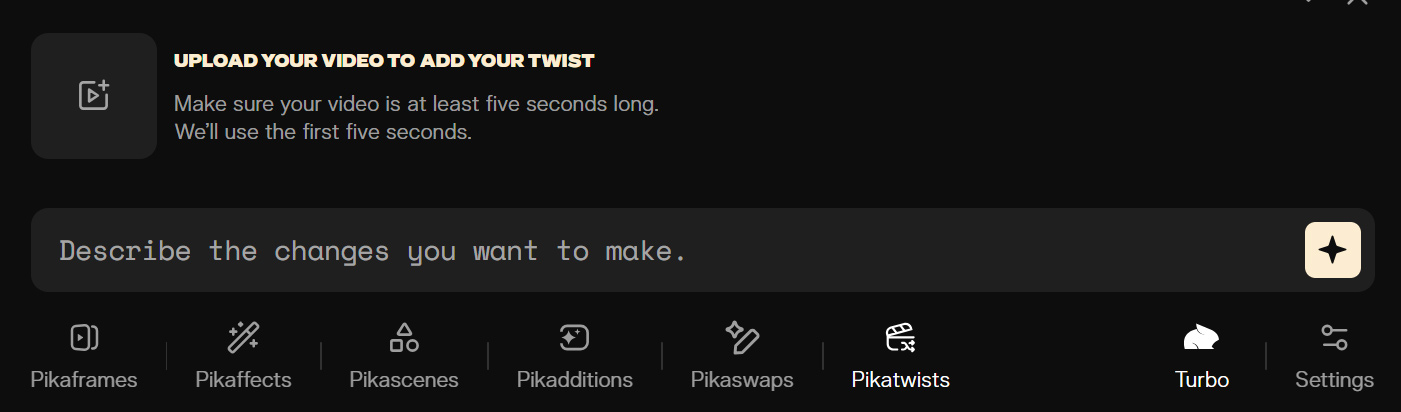
2. Upload a video: Upload the video you want to edit. Supported video formats usually include common formats such as MP4 and MOV.
3. Select the editing target: Once the video is uploaded, use the tools provided by Pika Twists to select the object you want to edit. You can precisely locate specific characters or objects in the video by framing or clicking on them.
4. Describe your editing needs: Use text to describe the editing effect you want. For example, if you want to change the character's outfit in the video, you can enter "change the character's clothes to a red dress"; if you want to move an object's position, you can enter "move the cup on the table to the left." The more detailed the description, the more accurate the AI-generated result.
5. Preview and adjust: Pika Twists supports real-time preview, allowing you to immediately see the edited effect. If you are not satisfied with the result, you can keep adjusting the text description or reselecting the editing target until you achieve the desired effect.
6. Export the video: Once editing is complete, click the "Export" or "Save" button to save the edited video locally or upload it to the cloud. The saved video can be downloaded without a watermark.
Pricing and Access
Free users: Can access the basic features of Pika Twists through Turbo mode. The free plan provides 80 video credits per month, allowing users to download videos without a watermark, and includes commercial usage rights.
Paid users: Pro users gain full access across all paid subscription tiers. Pika Twists also offers subscription plans at different price points to meet the needs of different users.









