
 Script Planner Assistant▸
 AI Apps
 AI News
WeClone: Fine-Tune an LLM with Your WeChat Chat History to Create a Personal Digital Twin
小编 ·

WeClone: Fine-Tune an LLM with Your WeChat Chat History to Create a Personal Digital Twin
What is WeClone?
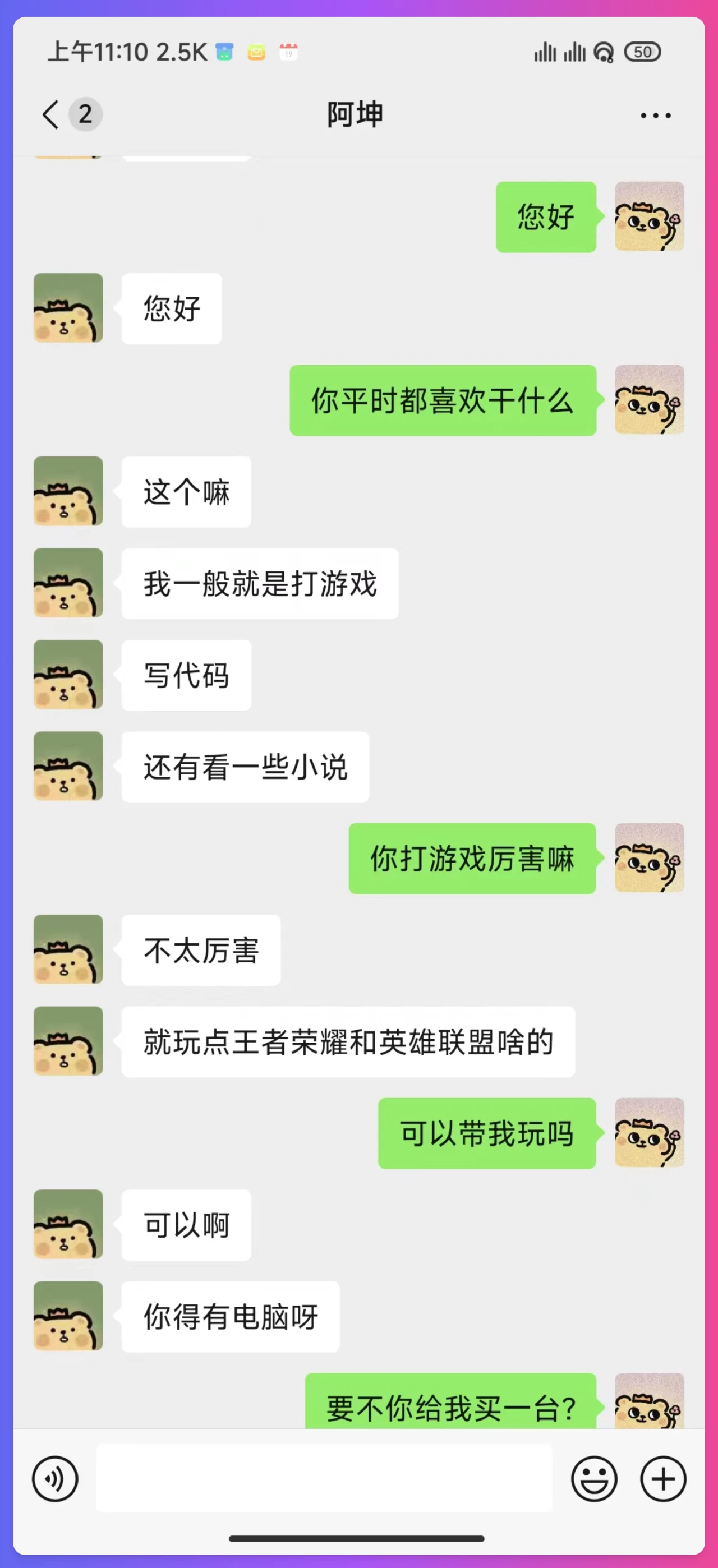
WeClone is an open-source project that aims to fine-tune LLMs using WeChat chat history, combined with WeChat voice messages and large models to achieve high-quality voice cloning, and finally bind them to a WeChat bot to create a personal AI digital avatar.
WeClone Features
Fine-tune LLM with WeChat chat history: Uses the user's own WeChat chat records to fine-tune the language model, making it more aligned with personal language style and habits.
High-quality voice cloning: Combines WeChat voice messages with a 0.5B large model to achieve high-quality voice cloning.
Bind to WeChat bot: Binds the fine-tuned model to a WeChat bot to enable features such as auto-reply, forming a personal digital avatar.
WeClone Specifications
Hardware requirements: The default uses the chatglm3-6b model, and fine-tuning with the LoRA method requires about 16GB of VRAM. Other models and methods can be configured as needed.
Software requirements: Python 3.10 is recommended, along with specific versions of PyTorch, Transformers, and other libraries.
Environment setup: Clone the project via Git, create an environment using Conda, and install dependencies.
Data preparation: Use PyWxDump to extract WeChat chat history and export it in CSV format.
Data preprocessing: Remove sensitive information and supports multiple data processing methods.
Model download: Recommended to download the ChatGLM3 model from Hugging Face or the ModelScope community.
Fine-tuning the model: Modify settings.json configuration parameters to perform single-GPU or multi-GPU training.
Inference and testing: Provides browser demo and API inference functions, supporting common chat question tests.
WeChat bot deployment: Supports bot interaction in private chats and group chats via QR code login.
WeClone Usage Steps
Environment Setup
Clone the project: Run the following command in the terminal to clone the WeClone project locally.
git clone https://github.com/xming521/WeClone.git
Create and activate a virtual environment: Use Conda to create a new Python environment and activate it.
conda create -n weclone python=3.10
conda activate weclone
Install dependencies: Enter the project directory and install the required dependency packages.
cd WeClone
pip install -r requirements.txt
Data Preparation
Extract WeChat chat history: Use the PyWxDump software to extract WeChat chat history. Download and install the software, decrypt the database, click chat backup, and select the export type as CSV. You can export chat records from multiple contacts or groups.
Place data: Place the exported csv folder located in wxdump_tmp/export into the ./data directory under the project, i.e., folders of chat records from different people are placed together in ./data/csv. Sample data is located at data/example_chat.csv.
Data Preprocessing
Remove sensitive information: The project removes sensitive information such as phone numbers, ID numbers, emails, and URLs from the data by default. In addition, a blocked words library is provided where you can add words or sentences you want to filter, and the program will remove the entire sentence containing blocked words by default.
Process data format: Execute the ./make_dataset/csv_to_json.py script to process the data. When the same person replies with multiple consecutive messages, you can choose one of the following three processing methods:
Use csv_to_json.py: Connect multiple reply messages with commas.
Use csv_to_json-single-reply.py (deprecated): Select only the longest reply as the final data.
Use csv_to_json-single-turn-multi.py: Place multiple reply messages in the 'history' of the prompt.
Model Download
Hugging Face preferred: Download the ChatGLM3 model from Hugging Face. If you encounter issues downloading the model from Hugging Face, you can use the model from the ModelScope community.
Using ModelScope community: If you choose to use the model from the ModelScope community, you need to run the following command first to use the model from the ModelScope community.
export USE_MODELSCOPE_HUB=1 # Windows uses `set USE_MODELSCOPE_HUB=1`
git lfs install
git clone https://www.modelscope.cn/ZhipuAI/chatglm3-6b.git
Note: The modeling_chatglm.py file from the ModelScope community needs to be replaced with the one from Hugging Face.
Configure Parameters and Fine-tune the Model
Modify configuration file: Training and inference-related configurations are unified in the settings.json file. You can modify the following parameters as needed:
Modify per_device_train_batch_size and gradient_accumulation_steps to adjust VRAM usage.
Modify parameters such as num_train_epochs, lora_rank, and lora_dropout according to the quantity and quality of the dataset.
(Optional) Modify settings.json to select other locally downloaded models.
Single-GPU training: Run the following command for the sft stage fine-tuning.
python src/train_sft.py
The author says his loss only dropped to around 3.5. Lowering it too much may cause overfitting. He used about 20,000 integrated valid data points.
Multi-GPU training: If you have multiple GPUs, you can use deepspeed for multi-GPU training. First install deepspeed, then run the following command.
pip install deepspeed
deepspeed --num_gpus=number of GPUs used src/train_sft.py
Inference and Testing
Simple inference using browser demo: The project provides a browser demo for simple inference testing.
Inference using the API: Run the following command to start the api service.
python ./src/api_service.py
Test with common chat questions: Run the following command to test common chat questions.
python ./src/test_model.py
Deploy WeChat Chat Bot
Start the api service: First run the following command to start the api service.
python ./src/api_service.py
Run the WeChat bot script: Then run the following command to start the WeChat chat bot.
python ./src/wechat_bot/main.py
By default, a QR code is displayed in the terminal; scan the code to log in. You can use it in private chats or by @-ing the bot in group chats.
Note: WeChat has the risk of account banning. It is recommended to use a secondary account, and you must bind a bank card to use it.
eferrer noopener">Voice Cloning module (WeClone-audio)
Spark-TTS Solution (Recommended):
Import the relevant modules.
import SparkTTS
from SparkTTS import SparkTTS
Initialize the model.
model = SparkTTS("WeClone-audio/pretrained_models/Spark-TTS-0.5B", "cuda")Perform voice cloning inference.
with torch.no_grad():
wav = model.inference(
text="要生成的文本内容",
prompt_speech_path="示例音频路径",
prompt_text="示例音频对应的文本",
)
Llasa Solution:
Import the relevant modules.
from text_to_speech import TextToSpeech
Initialize and perform inference.
tts = TextToSpeech(sample_audio_path, sample_audio_text)
result = tts.infer("要生成的文本内容")
Github Address: https://github.com/xming521/WeClone









