
 Script Planner Assistant▸
 AI Apps
 AI News
DevDocs: An Open-Source Documentation Crawling and Processing Tool Built for Developers
小编 ·

DevDocs: An Open-Source Documentation Crawling and Processing Tool Built for Developers
What is DevDocs?
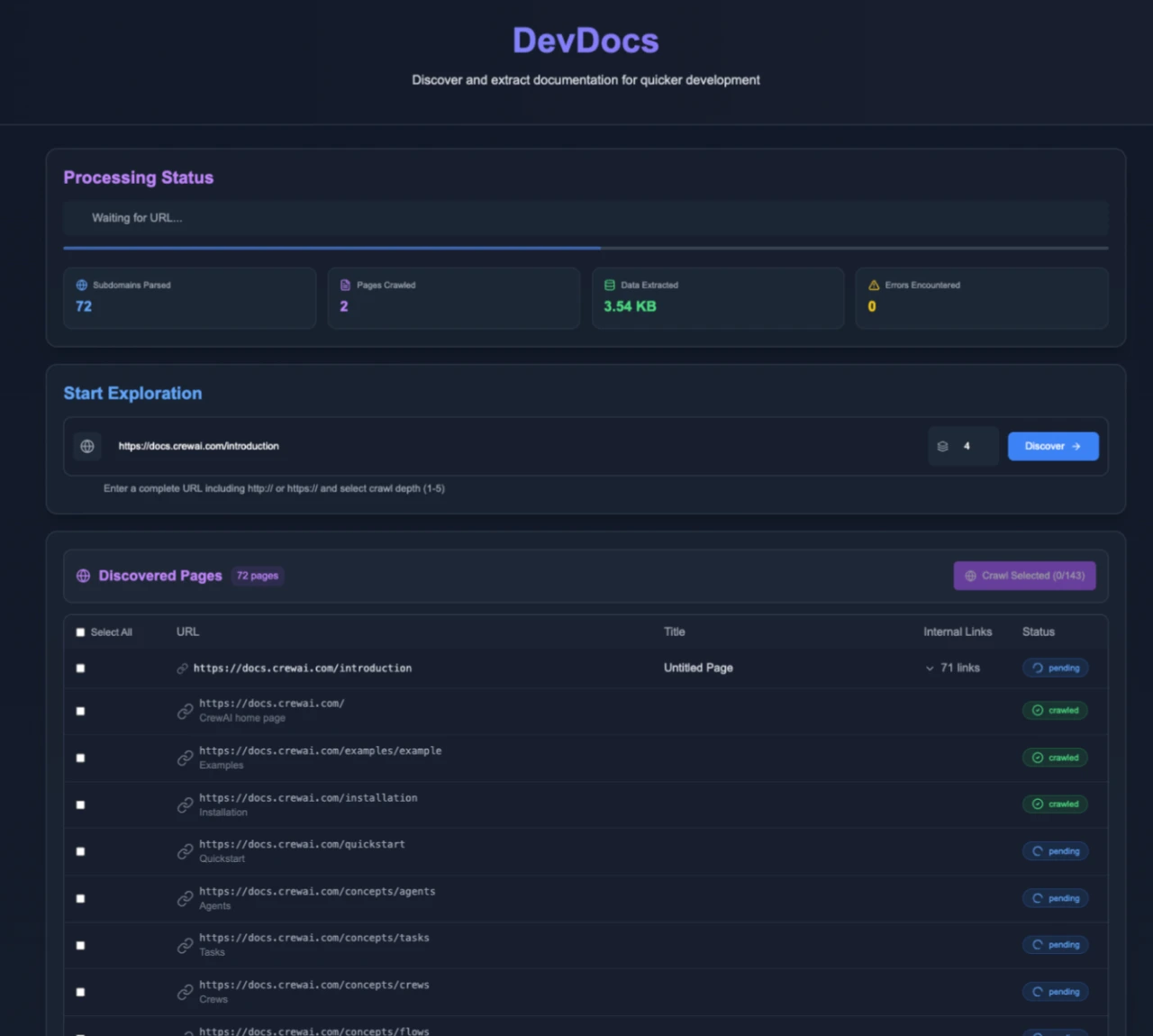
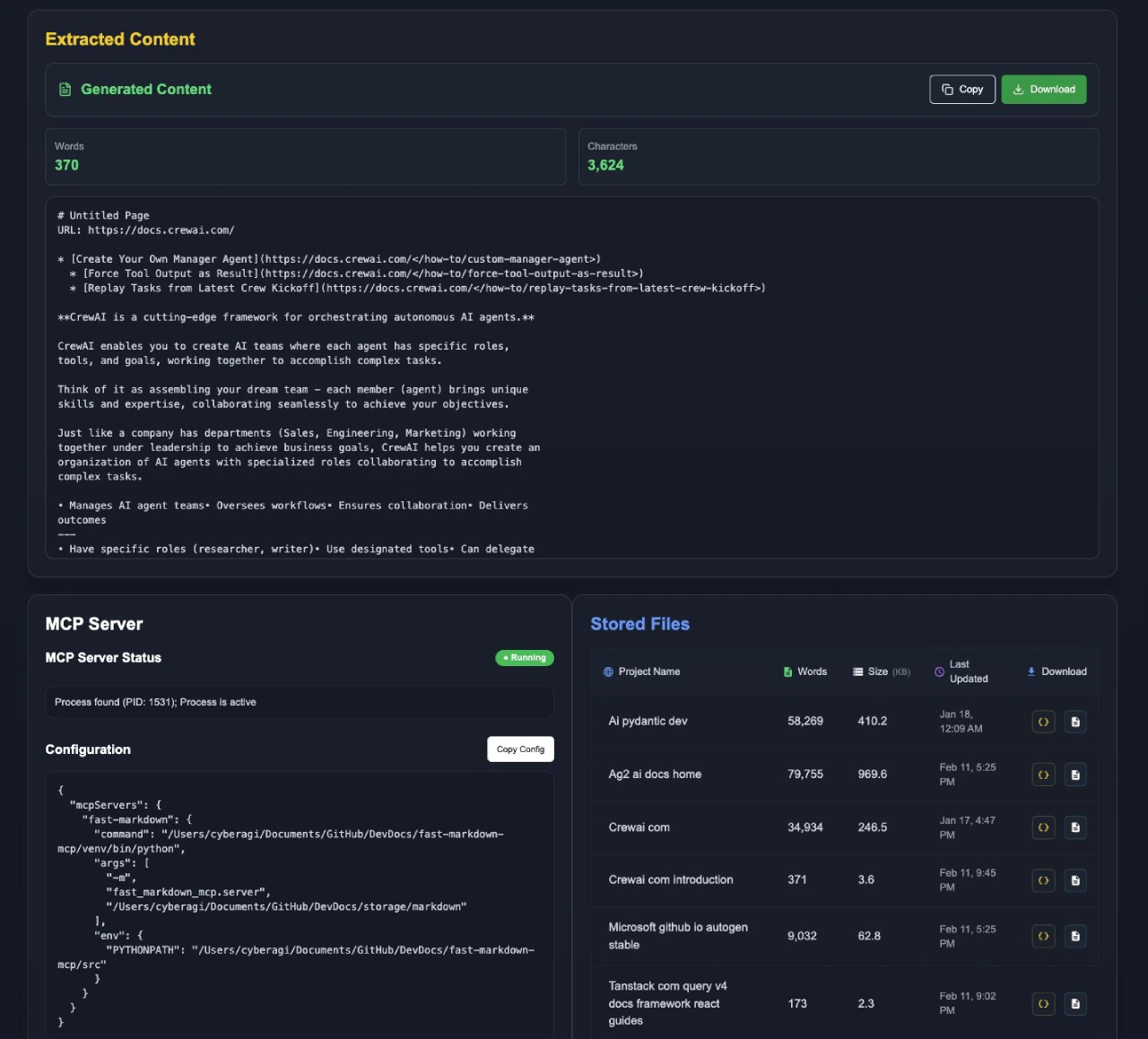
DevDocs is an open-source technical documentation management tool designed by CyberAGI Inc specifically for programmers. It supports intelligent crawling of technical documentation, allows customizable crawl depth, automatically discovers and categorizes related content, extracts clean information, and supports export to MD or JSON formats — reducing the time spent understanding documentation from weeks to just hours. In addition, DevDocs comes with a built-in MCP server, supporting integration into AI applications such as Claude, Cursor, and Cline, enabling chat-based document queries.
DevDocs Features
Intelligent Crawling:
Supports selectable crawl depth (levels 1–5).
Automatically discovers and categorizes all related pages.
Supports selective crawling to precisely extract needed content.
Automatically detects and maps sub-URLs within the website structure.
Performance & Speed:
Supports parallel processing to crawl multiple pages simultaneously.
Smart caching to avoid recrawling the same content.
Supports lazy loading to handle modern web applications.
Respects the server with crawl rate limiting.
Content Processing:
Extracts clean content, removing irrelevant information.
Supports export to MD or JSON formats, convenient for LLM fine-tuning.
Organizes content logically for easier understanding and use.
Integrates with the MCP server, ready for direct AI processing.
Enterprise-Grade Features:
Automatic retry on crawl failure.
Comprehensive operation logging.
Provides API endpoints for integration with other tools.
Supports team management with multiple seats and roles.
DevDocs Tutorial
Starting the Service:
Using Docker (recommended):
Clone the project repository: git clone https://github.com/cyberagiinc/DevDocs.git
Enter the project directory: cd DevDocs
Run the startup script according to your operating system:
Mac/Linux: ./docker-start.sh
Windows: docker-start.bat
Manually set permissions (Windows users may need to):
Via Windows Explorer:
Right-click on the logs, storage, and crawl_results directories.
Select "Properties".
Switch to the "Security" tab.
Click "Edit" to change permissions.
Click "Add" to add a user or group.
Enter "Everyone" and click "Check Names".
Click "OK".
Select "Everyone" from the list.
Check "Full Control" under "Allow".
Click "Apply" and "OK".
Via Command Prompt (run as administrator):
icacls logs /grant Everyone:F /T
icacls storage /grant Everyone:F /T
icacls crawl_results /grant Everyone:F /T
Accessing DevDocs:
Frontend UI: http://localhost:3001
Backend API: http://localhost:24125
Crawl4AI Service: http://localhost:11235
Viewing Logs:
When using Docker, you can view container logs with the following commands:
View logs of a specific container: docker logs devdocs-frontend, docker logs devdocs-backend, docker logs devdocs-mcp, docker logs devdocs-crawl4ai
Tail logs in real time: docker logs -f devdocs-backend
Stopping the Service:
Press Ctrl+C in the terminal running docker-start.
How to Integrate with Cline/Roo
1. Create a Mode:
In Roo Code, open the "Modes" interface and click the + icon to create a new mode-specific prompt.
2. Name the mode (for example, Research_MCP).
3. Define the Role:
Expertise: Developer documentation retrieval, technical synthesis, and documentation search.
Personality: Systematic, detail-oriented, and precise.
Behavioral instructions: Always use the table-of-contents and section-access tools to answer queries about MCP documentation.
4. Custom Instructions:
Table-of-contents tool: Returns the complete or filtered list of documentation topics.
Section-access tool: Retrieves detailed content of specific documentation sections.
5. Workflow:
Parse the user query to extract key topics, keywords, and context.
Use the table-of-contents tool to search the documentation index and find relevant sections.
For each identified relevant document or section, use the section-access tool to retrieve its content.
Merge the retrieved content, ensuring all necessary details are included with clear citations.
Github: https://github.com/cyberagiinc/DevDocs
Official Website: https://www.cyberagi.ai/









