
 Script Planner Assistant▸
 AI Apps
 AI News
ChatGPT Box: An Open-Source Browser Extension Integrating ChatGPT Deeply Into Your Browser
小编 ·

ChatGPT Box: An Open-Source Browser Extension Integrating ChatGPT Deeply Into Your Browser
What is ChatGPT Box?
ChatGPT Box is an open-source browser extension tool that deeply integrates ChatGPT into the browser. It supports multiple APIs (such as GPT-3.5, GPT-4, etc.), integrates with popular websites (such as Reddit, YouTube, GitHub, etc.), and offers features such as a chat dialog box, page summaries, and standalone conversation pages. It also supports multiple languages, code highlighting, math formula rendering, and more. It is highly customizable and privacy-focused, not collecting user data, making it suitable for a wide range of scenarios.
Features of ChatGPT Box
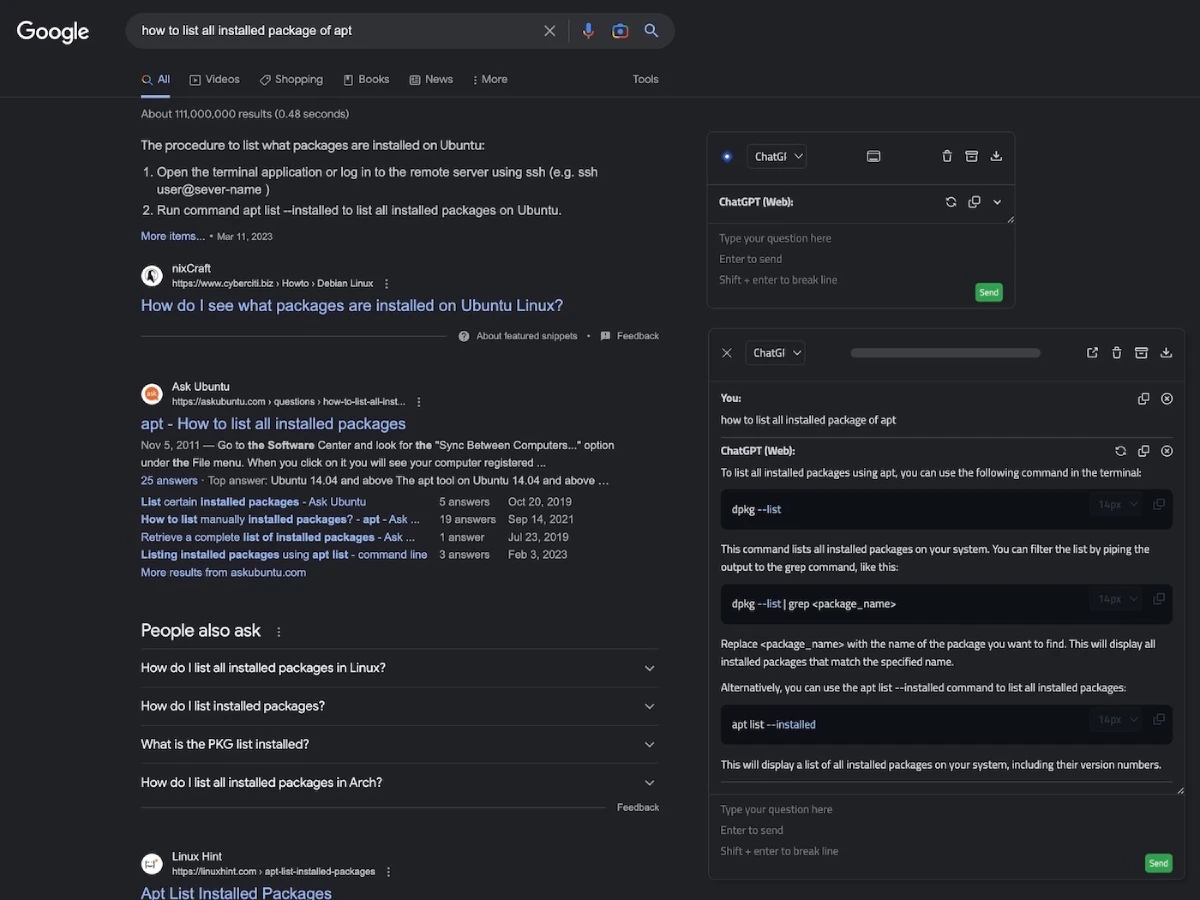
Chat Dialog Box: Users can bring up the chat dialog box on any page using the shortcut (Ctrl+B) to interact with ai anytime, anywhere.
Mobile Device Support: The tool is compatible with mobile devices, allowing users to use it anytime, anywhere.
Page Summary: Through the right-click menu (Alt+B), users can quickly summarize any webpage and extract key information.
Standalone Conversation Page: Press (Ctrl+Shift+H) to open a standalone conversation page, making it convenient for long conversations and records.
Multi-API Support: Supports multiple APIs, including Web API (free and paid users), GPT-3.5, GPT-4, Claude, New Bing, Moonshot, self-hosted, Azure, and more.
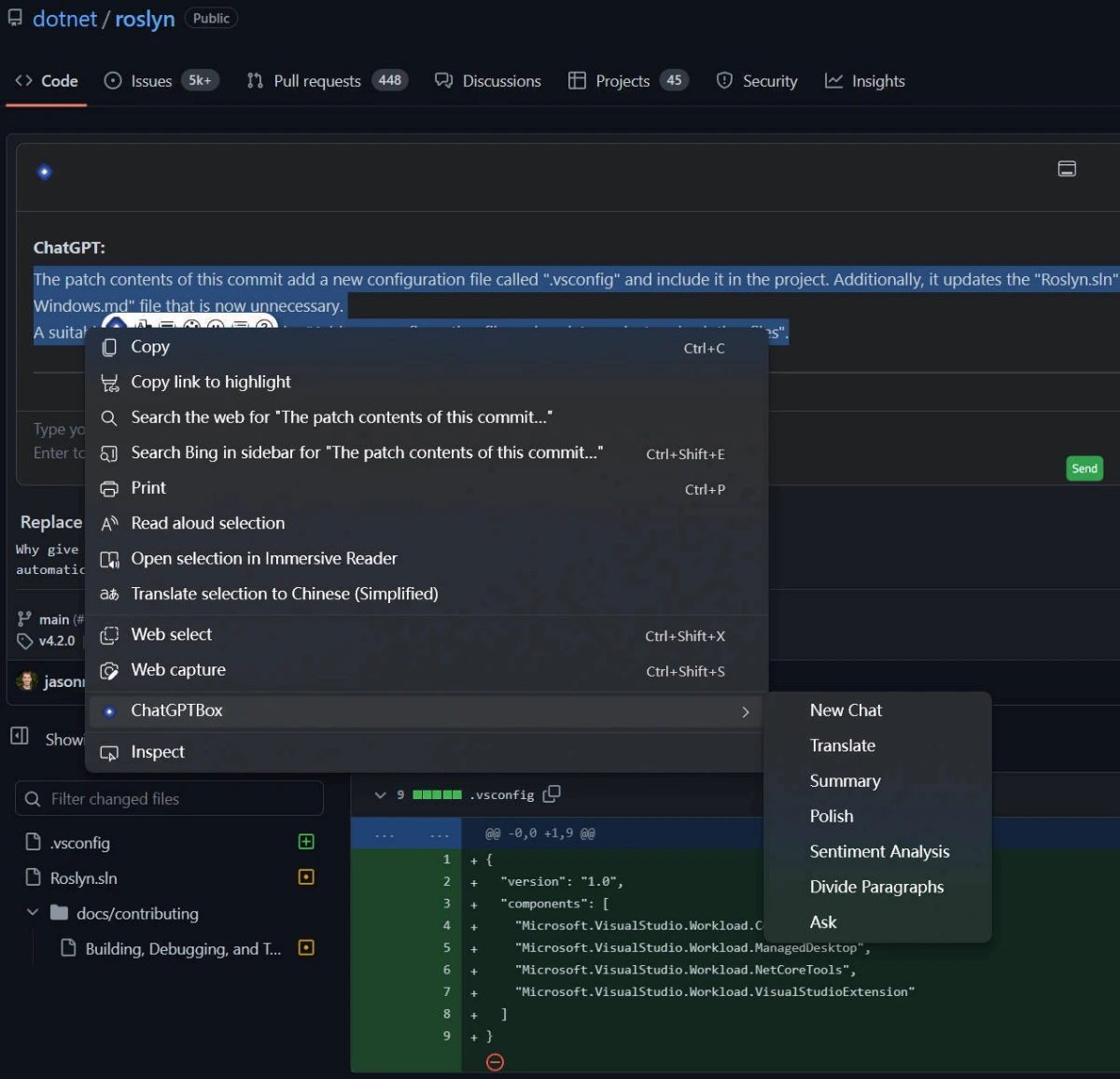
Integration with Popular Websites: Integrates with popular sites such as Reddit, Quora, YouTube, GitHub, GitLab, StackOverflow, 知乎, and Bilibili. Users can use selection tools and the right-click menu on these sites to perform tasks such as translation, summarization, polishing, sentiment analysis, paragraph division, code explanation, and queries.
Search Engine Integration: Integrates with mainstream search engines and supports custom queries to adapt to additional websites.
Multi-branch Conversation Support: Supports a floating chat box for multi-branch conversations, making it easy to manage and record different conversation content.
Powerful Rendering Support: Whether it's code highlighting or complex math formulas, they can all be perfectly presented.
Language Preferences and Custom API Address Support: Users can choose different language preferences and customize the API address according to their own usage habits.
Highly Customizable: All site adaptations and selection tools (bubbles) can be freely toggled, and users can disable those they don't need.
Use Cases of ChatGPT Box
Academic Research: When reading academic papers, you can quickly summarize the content of an article or explain complex concepts.
Programming Development: On GitHub or StackOverflow, you can instantly get code explanations or solutions.
Content Creation: When writing, it can provide inspiration, polish text, or generate creative content.
Daily Browsing: When watching YouTube videos or reading news, it can summarize in real time or provide relevant information.
ChatGPT Box does not collect user data. Users can manually activate the extension to use ChatGPT's features, and requests are only sent to ChatGPT when explicitly requested by the user.
Github:https://github.com/josStorer/chatGPTBox









