
 Script Planner Assistant▸
 AI Apps
 AI News
social-auto-upload: A Free Open-Source Tool for One-Click Automated Short Video Distribution
小编 ·

social-auto-upload: A Free Open-Source Tool for One-Click Automated Short Video Distribution
What is social-auto-upload?
social-auto-upload is a Python tool that enables one-click distribution and automated short video uploading. It helps users distribute short videos to multiple mainstream social media platforms with one click, such as Douyin, Xiaohongshu, Channels (Weixin Video Account), TikTok, YouTube, and Bilibili. It supports scheduled uploads and planned task uploads, and is completely open-source and free.
Features of social-auto-upload
Multi-platform support: Covers major Chinese social media platforms (Douyin, Weixin Video Account, Bilibili, Xiaohongshu, Kuaishou) as well as some international social media platforms (TikTok, YouTube).
Automated uploading: Supports a multi-account matrix execution, meaning multiple accounts can each perform their own tasks.
Scheduled uploading: Based on Cron expressions, users can set video upload schedules to achieve complex timing settings, such as publishing videos for a week or half a month at once.
Easy to use: Provides both GUI and CLI usage modes, suitable for non-developers.
Other features: Supports cookie management, proxy settings for overseas platforms, multi-threaded uploads, and Slack push notifications, among others.
Use Cases of social-auto-upload
Content marketing: Enterprises or individuals can use this tool to batch-upload product demos, tutorials, or promotional videos, precisely reaching user groups on various platforms.
Social media management: For multi-platform operators, this tool can save a lot of manual uploading time and improve work efficiency.
Automatic scheduled publishing: Users can arrange publishing plans in advance to ensure that videos are posted at specific moments, attracting maximum attention.
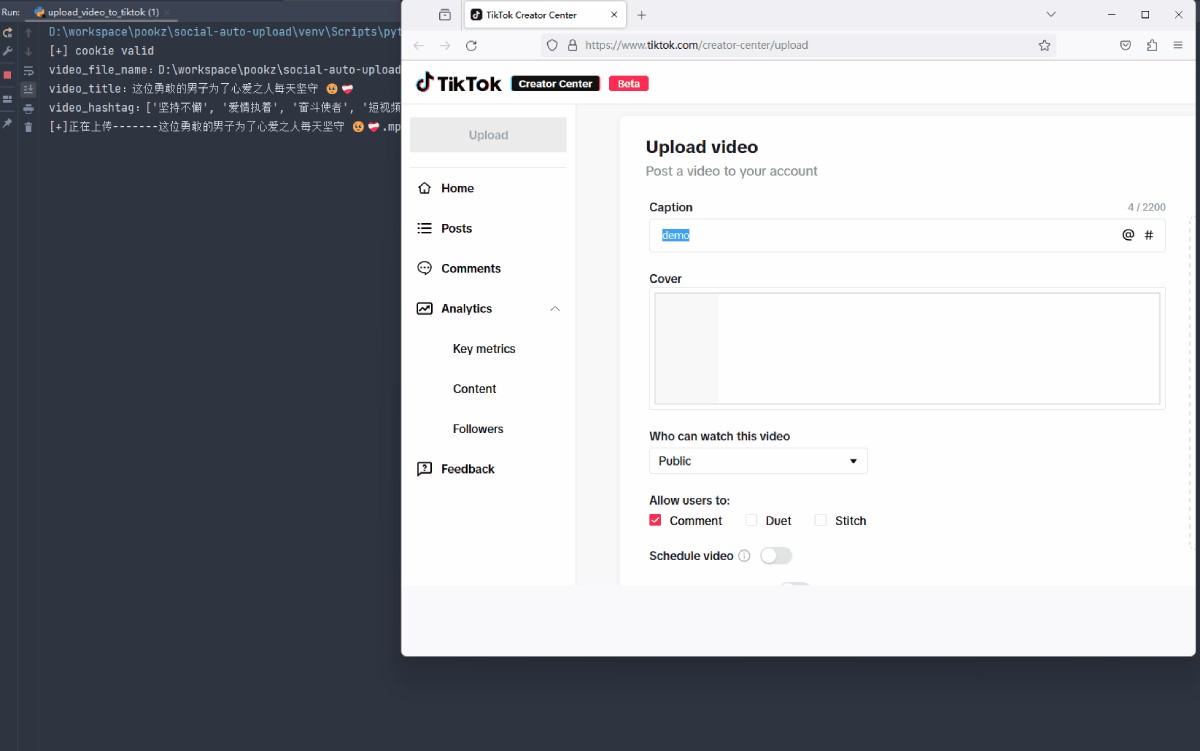
How to Use social-auto-upload
1. Install dependencies:
Install Python 3.10 or above.
Clone the repository or download the project package.
Install Python dependencies:
pip install -r requirements.txt
Install the necessary browsers for Playwright:
playwright install chromium firefox
2. Configuration and usage:
Prepare the video materials and corresponding metadata files (such as titles, tags, etc.).
Set LOCAL_CHROME_PATH in the configuration file (optional, used to resolve Chromium incompatibility issues).
Use CLI or GUI operations. CLI example:
python cli_main.py douyin test upload "C:\path\to\video.mp4" -pt 0
Here, douyin is the platform, test is the account name, upload is the action, and -pt 0 means publish immediately.
Github:https://github.com/dreammis/social-auto-upload









