
 Script Planner Assistant▸
 AI Apps
 AI News
AutoGLM沉思 User Guide: How to Get Started
小编 ·

AutoGLM沉思 User Guide: How to Get Started
What is AutoGLM沉思?
AutoGLM沉思 is the latest AI agent product officially released by Zhipu Technology on March 31, 2025. It is the world's first Agent that integrates deep research with real-world operation capabilities, enabling complex thinking and actual operations just like a human, ushering AI Agents into a "think while doing" stage.
Core Features
Deep Research Capability: AutoGLM沉思 is capable of performing in-depth information retrieval and analysis to generate detailed reports.
Real-World Operation Capability: It can not only think, but also open browsers, search the web, and operate tools like a human to complete complex tasks.
How to Use AutoGLM沉思?
1. Download and Installation
Official Website Download: Visit the 智谱清言 official website's AutoGLM沉思 page, and click "Try Now" in the upper right corner of the official website to find the download entry.
Install the Client: Download the 智谱清言 desktop client, which supports Mac and Windows systems. After installation, you need to restart the Chrome browser.
Install the Browser Extension: When installing the client in step 2, the 智谱清言 browser extension has been installed simultaneously. You can find it in your browser's extensions.

2. Login and Launch
Login to the Client: After downloading and installing, open the 智谱清言 client and log in with your phone account.
Launch AutoGLM沉思: Find the "AutoGLM沉思" option in the client's left navigation bar or agent center, and click to enter.
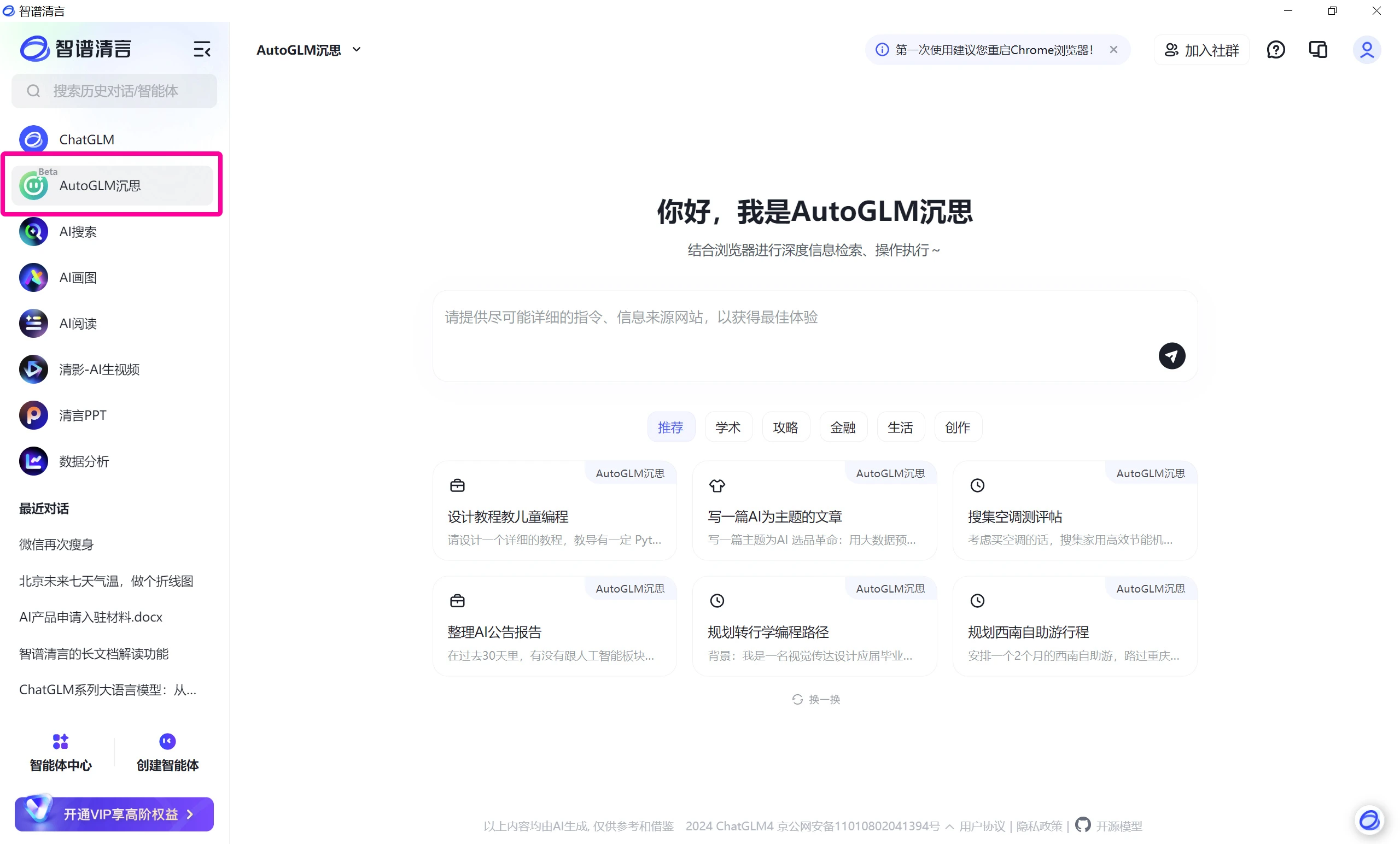
3. Usage Methods
1. Enter Commands: Enter your question or task instruction in the input box of AutoGLM沉思, for example:
"Help me book a high-speed train ticket from Beijing to Shanghai tomorrow afternoon, then find the highest-rated hotel nearby, and arrange a ride there."
"Analyze the investment value of XYZ Tech Company."
"Write a report on the development trends of the metaverse."
2. Execute Tasks: AutoGLM沉思 will automatically perform reasoning and analysis, search for relevant information online, and attempt to complete the task. If web operations are required, the system will automatically open the Chrome browser to perform the operations.
3. View Results: After the task is completed, AutoGLM沉思 will generate a detailed report or answer, which users can view in the client.
4. Application Scenarios
In-depth Information Retrieval: For preparing academic papers, investment decisions, etc., AutoGLM沉思 will automatically organize and analyze information.
Multi-task Execution: Such as schedule management, shopping assistant, etc., AutoGLM沉思 will automatically arrange schedules, search for products, and remind users.
Content Creation and Information Summarization: Such as generating news summaries, writing research reports, etc., AutoGLM沉思 will automatically collect information and organize it into structured content.
Intelligent Q&A and Knowledge Retrieval: Such as answering technical questions, providing life advice, etc., AutoGLM沉思 will automatically search and organize solutions.
5. Important Notes
Currently only the desktop version is supported; web version features are limited.
Sensitive operations require manual confirmation (e.g., login, payment/file deletion).
Daily free quota is sufficient; complex tasks are recommended to be executed step by step.
It is recommended to regularly update the browser extension to ensure proper functionality.
By following the steps above, users can efficiently use AutoGLM沉思 to complete various complex tasks.









