
 Script Planner Assistant▸
 AI Apps
 AI News
How to Generate Ghibli-Style Images with Doubao, Plus Ghibli Prompts
小编 ·

How to Generate Ghibli-Style Images with Doubao, Plus Ghibli Prompts
Recently, generating Ghibli-style images with GPT-4o has gone viral on X. But for most users, we don't have access to GPT, so is there no way to experience this effect for free? Today I accidentally tried Doubao, and found that by combining it with Ghibli prompts, you can convert an ordinary photo into Ghibli style. Here are the steps:
1. Visit the Doubao official website and log in
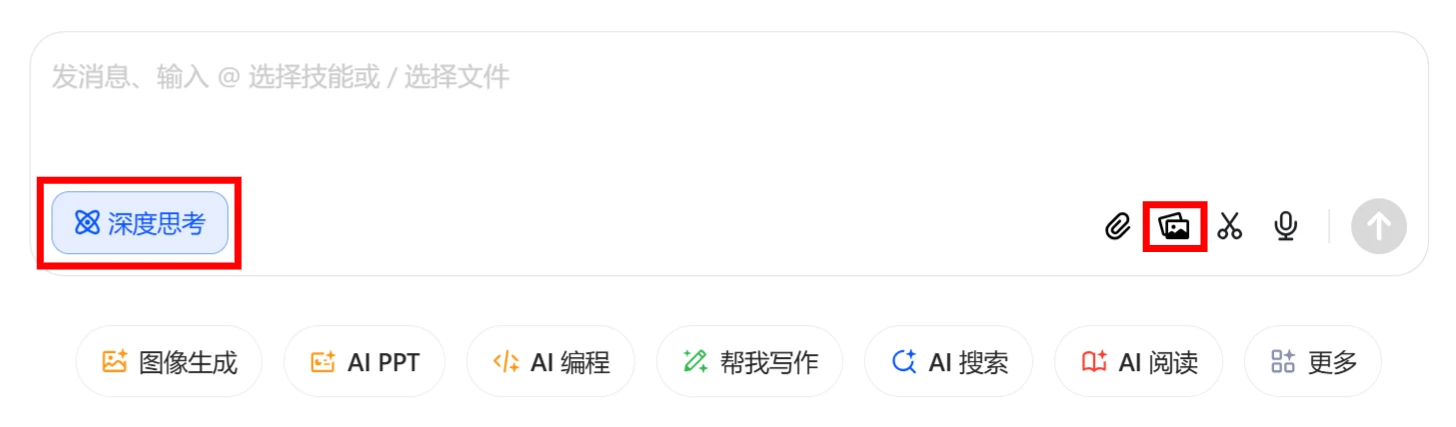
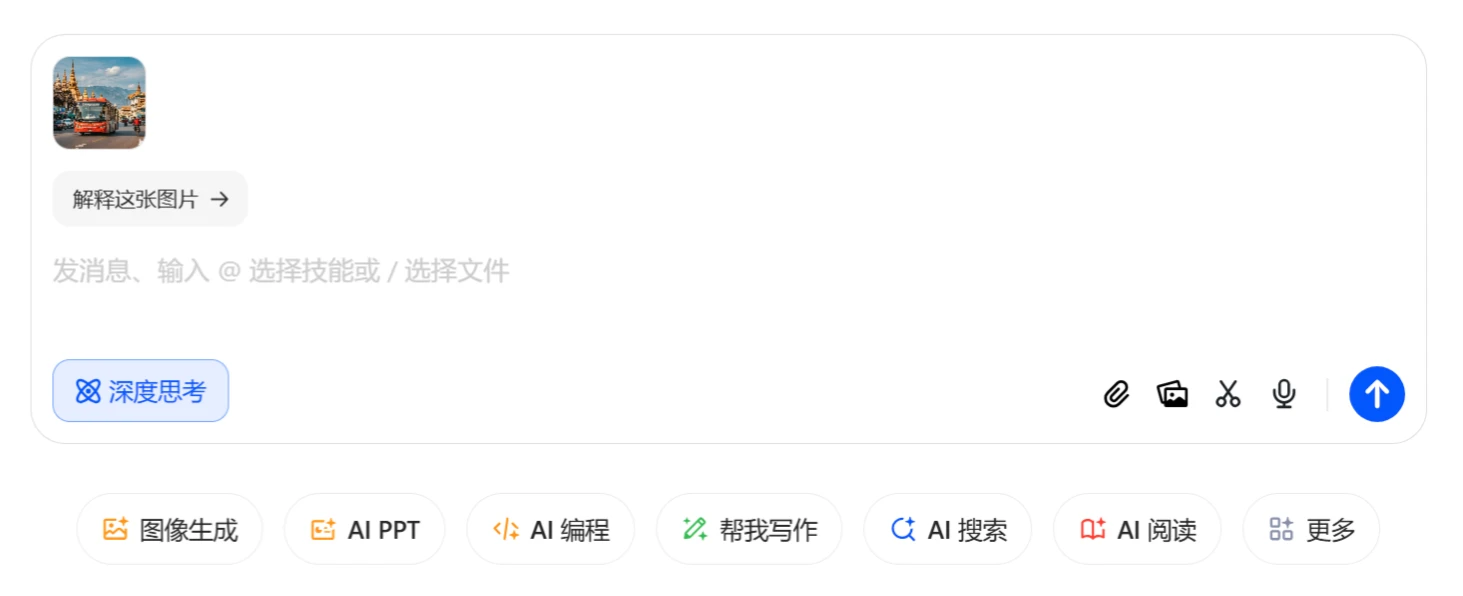
2. Click [New Chat] in the left navigation bar, select [Deep Thinking] in the input box, and upload the image you want to convert to Ghibli style.
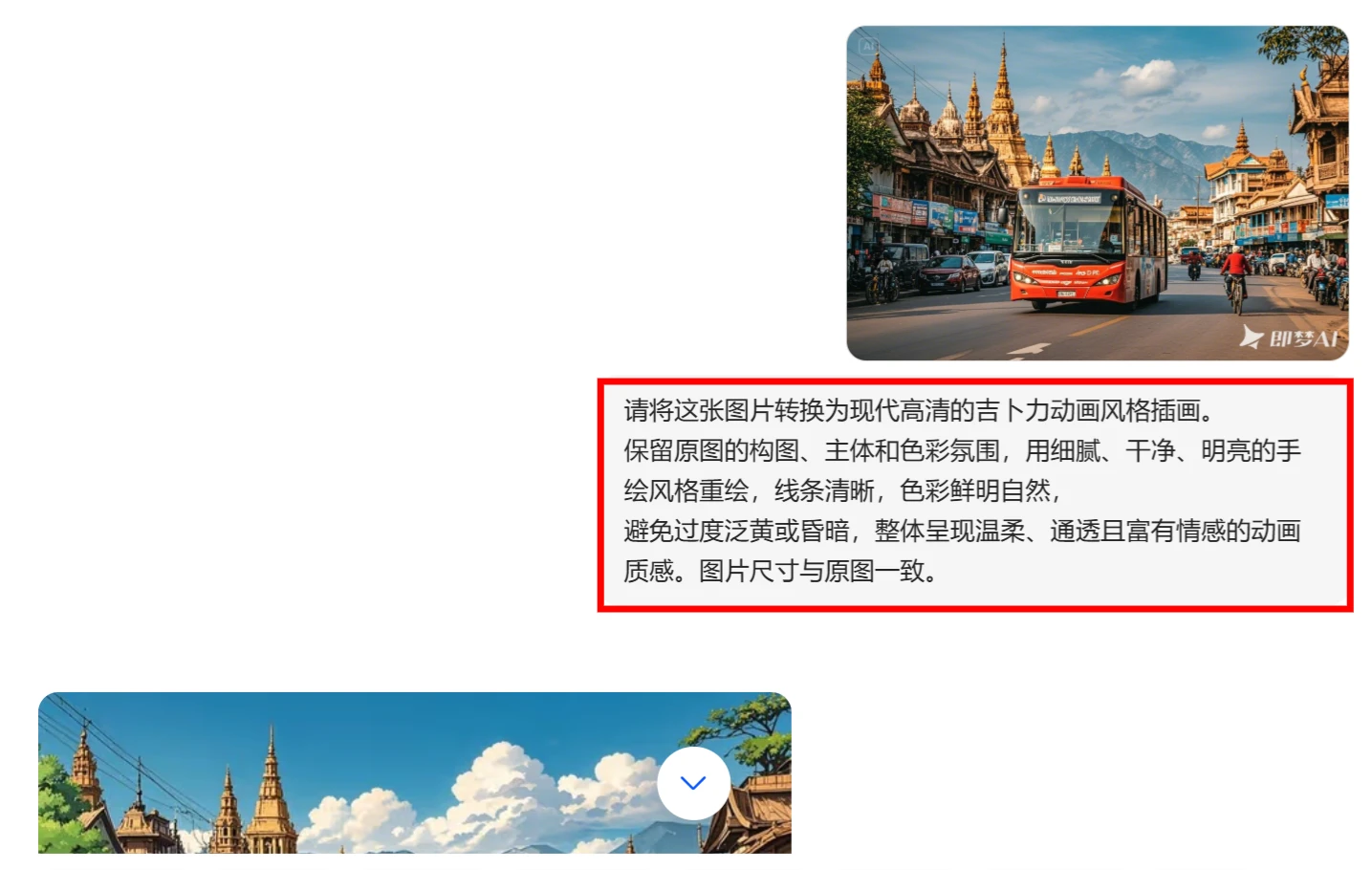
3. Enter the Ghibli prompt below. This prompt can be considered universal, and if you have a GPT account, you can also use it.
请将这张图片转换为现代高清的吉卜力动画风格插画。
保留原图的构图、主体和色彩氛围,用细腻、干净、明亮的手绘风格重绘,线条清晰,色彩鲜明自然。
避免过度泛黄或昏暗,整体呈现温柔、通透且富有情感的动画质感。
图片尺寸与原图一致。
4. Click [Submit] and wait about a minute for it to generate. The generated effect can be seen in the image below, and the effect is pretty good.
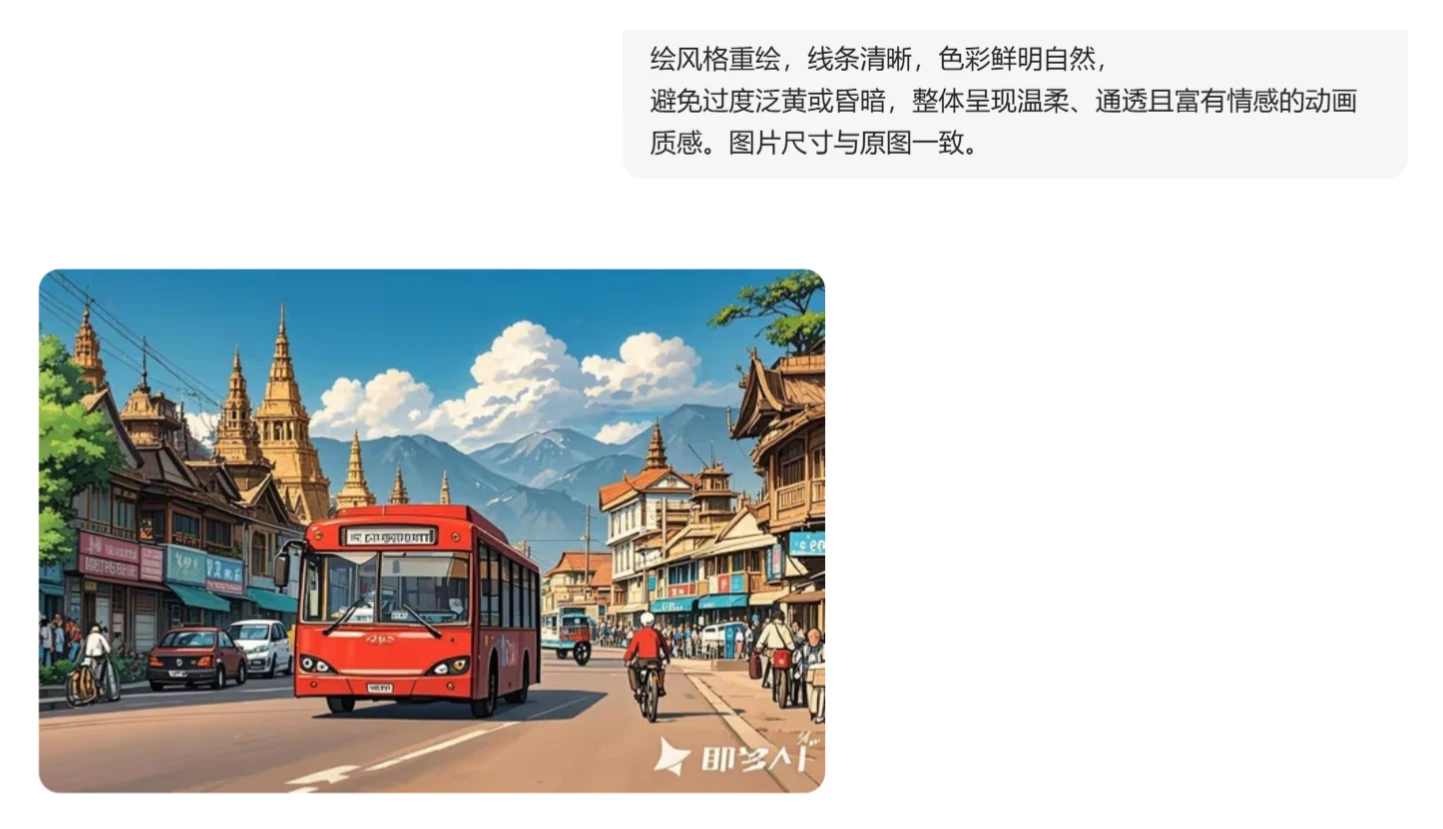
5. Click on the generated image, right-click and select [Download Original Image] to save it locally.
With just a few simple steps, a Ghibli-style image is done.









