
 Script Planner Assistant▸
 AI Apps
 AI News
Vibe Draw: An Open-Source Project for Quickly Turning Hand-Drawn Sketches into 3D Models
小编 ·

Vibe Draw: An Open-Source Project for Quickly Turning Hand-Drawn Sketches into 3D Models
What is Vibe Draw?
Vibe Draw is an open-source and free 3D modeling tool. It can quickly convert hand-drawn sketches into 3D models and supports one-click export of standard format files, making it convenient for further editing in software such as Blender and Unity. Vibe Draw uses AI technology to assist with modeling, lowering the technical barrier, and also supports real-time multi-user collaboration. Its frontend is built with Next.js, React, etc., and the backend is built with FastAPI, etc.
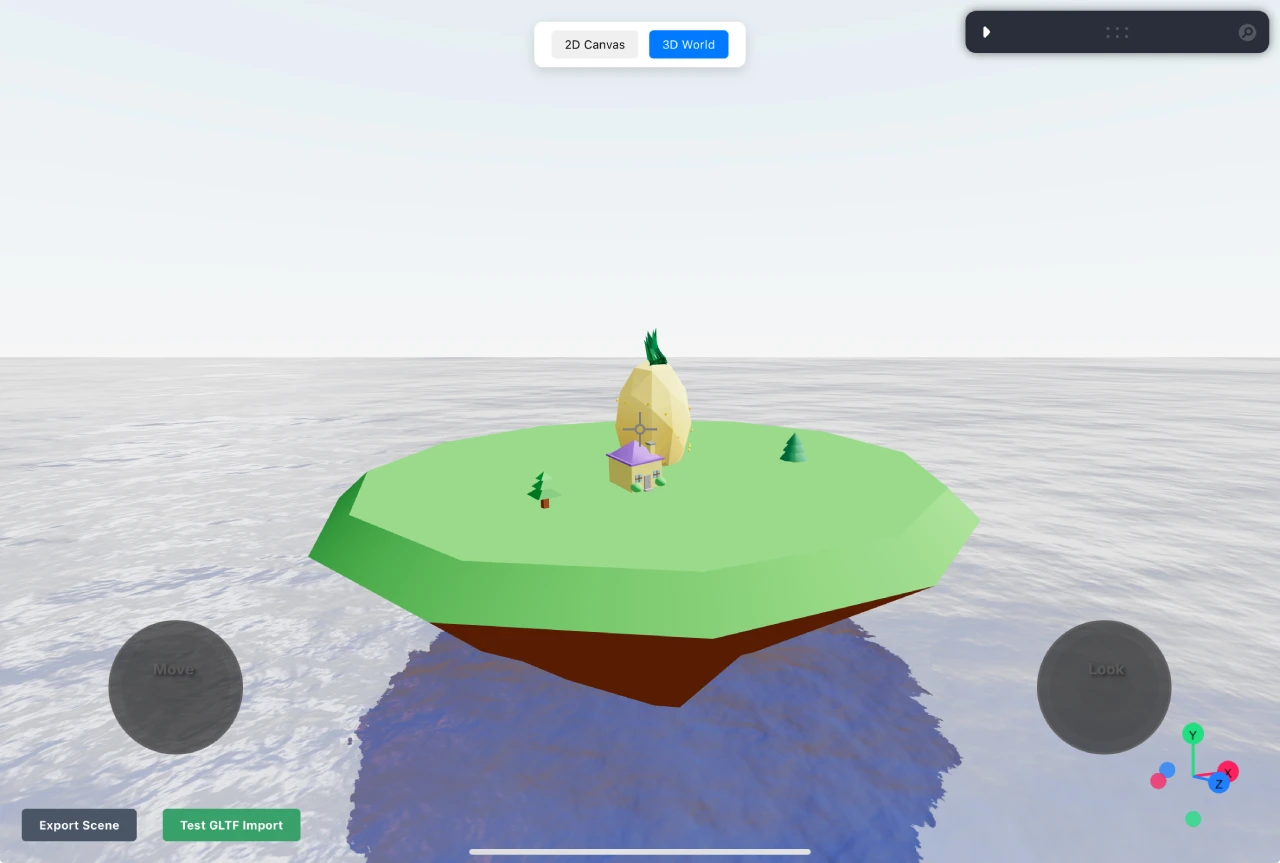
Core Features of Vibe Draw
Sketch to 3D model: Users can quickly convert hand-drawn sketches into 3D models.
One-click export: Supports one-click export of standard format files (such as .glTF), and the exported files can be opened with software such as Blender and Unity for further editing or use.
AI-assisted modeling: Uses artificial intelligence technology to lower the technical barrier of modeling, allowing even those without advanced artistic skills or complex software knowledge to easily get started.
Real-time feedback and editing: Users can edit sketches directly on the 2D canvas, and can also refine 3D models through text prompts, and obtain real-time progress feedback during the modeling process.
Multi-user collaboration: Supports real-time multi-user collaboration, allowing multiple users to edit the same 3D world simultaneously.
Technical Architecture of Vibe Draw
Frontend: Uses Next.js and React frameworks to build a responsive and user-friendly interface, Three.js for rendering interactive 3D models, and TLDraw as the 2D drawing canvas.
Backend: Adopts the FastAPI framework, Celery as an asynchronous task queue for executing time-consuming background tasks such as AI computations, Redis provides a publish/subscribe mode for real-time updates and storing task results, and SSE allows the server to push real-time progress updates to the client.
Tutorial for Using Vibe Draw
1. Installation: Requires installing Node.js (18+) and Python (3.10+). The frontend is installed and run via npm install and npm run dev, while the backend is managed using Docker Compose.
2. Creating a Model:
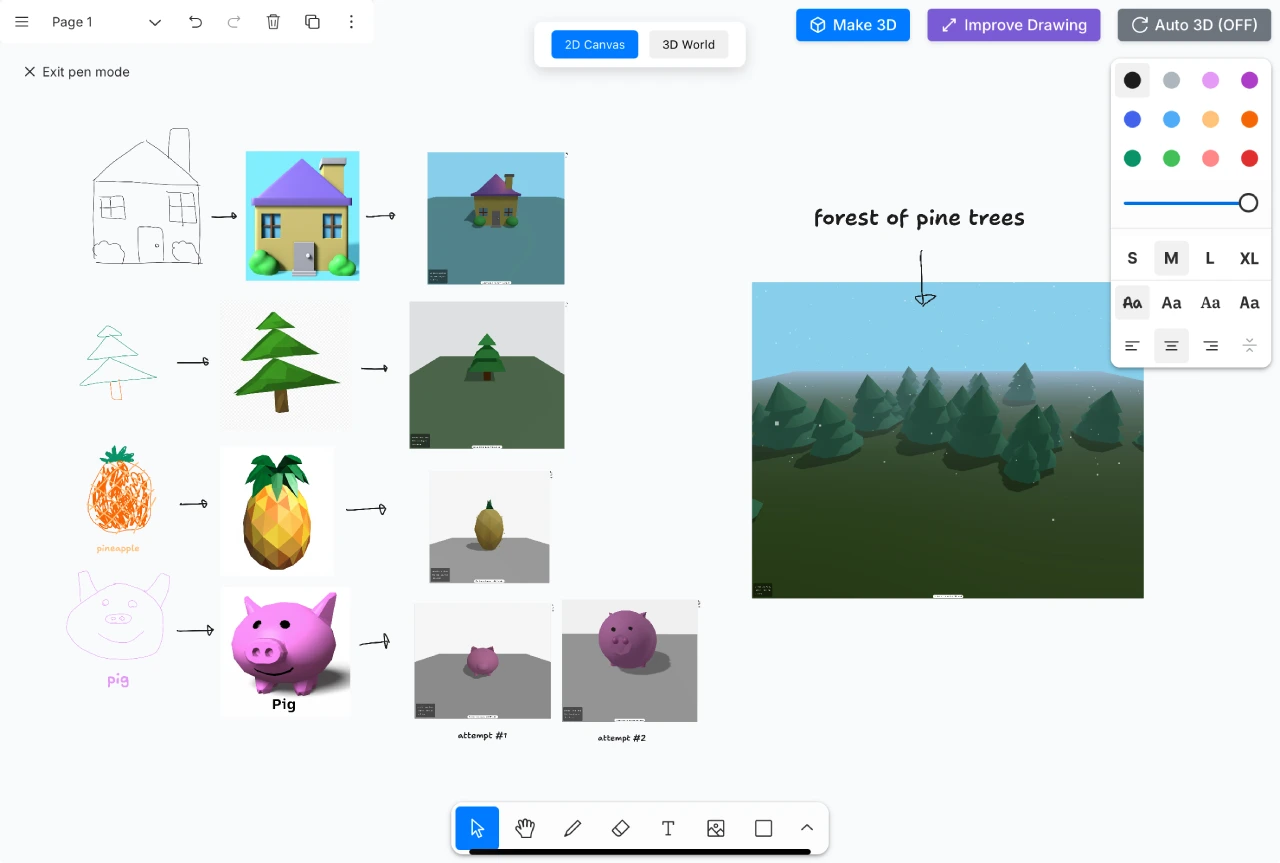
Freely draw sketches on the 2D canvas.
Click the "Improve Drawing" button to refine the sketch into a more detailed drawing.
Click the "Make 3D" button to convert the drawing into a 3D model.
Add and edit models in the 3D world, and adjust the 3D model by redrawing or entering text prompts.
Click the "Export" button to export the 3D world in standard format (such as .glTF).
Target Users of Vibe Draw
Designers: Can quickly convert product design sketches into 3D models, saving manual modeling time.
Game developers: Can quickly generate prototypes of game scenes and characters, and directly import them into game engines for testing.
Students: Help students turn classroom assignment sketches into 3D works, making it convenient to submit and present.
Creative enthusiasts: Allows users without a professional background to easily engage in 3D creation.
Github Project:https://github.com/martin226/vibe-draw









