
 Script Planner Assistant▸
 AI Apps
 AI News
Pika's New Feature: Take Photos and Videos with Your Younger Self
小编 ·

Pika's New Feature: Take Photos and Videos with Your Younger Self
Pika has recently launched a new feature that allows users to make a video with their childhood self and their current self together.
Feature Introduction
Users can upload a childhood photo and a selfie video to generate a virtual video interacting with their "younger self". The specific steps are as follows:
Record a selfie video: Users need to record a selfie video and make sure to leave half of the frame empty (with yourself on the left or right side).
Upload a childhood photo: Upload a photo from your childhood.
Customize actions and expressions: Through simple text prompts, users can customize the actions and expressions of their "younger self", such as smiling, waving, or dancing.
AI synthesis: Pika's AI technology will automatically synthesize a complete interactive video, and the whole process only takes a few minutes.
Technical Features
Realistic image restoration: Pika's AI technology can accurately restore the user's childhood appearance and seamlessly merge it with their current image, producing highly realistic videos.
Rich interactive scenes: Users can create a variety of interactive scenes based on text prompts, such as dancing together, smiling, and more.
No professional skills required: Users do not need professional video editing skills to obtain high-quality video works through simple operations.
Usage Tutorial
1. Visit the Pika official website: Open https://pika.art/
2. Register and log in: Register and log in with a Google email account, and select the first effect.
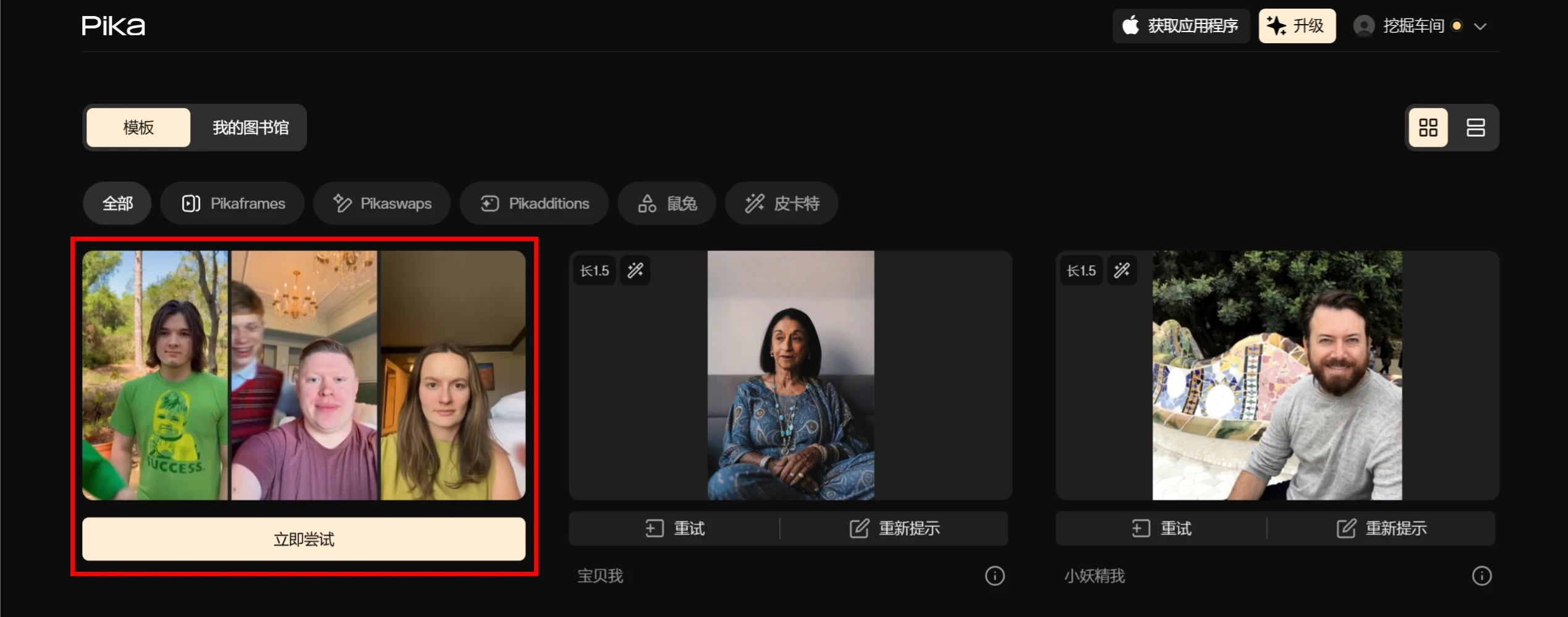
3. Upload a childhood photo: Choose a clear photo from your childhood.
4. Record a selfie video: Record a selfie video while leaving half of the frame empty.
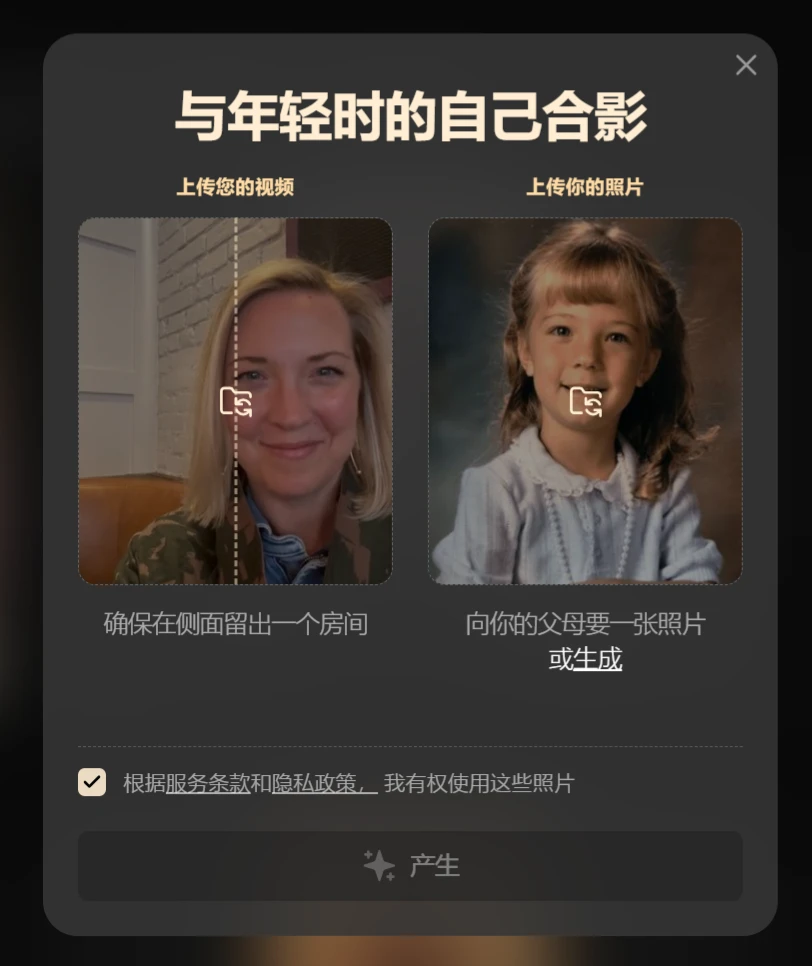
5. Customize actions: Enter text commands (such as "smile" or "wave").
6. Wait for synthesis: Click "Start Synthesis" and wait a few minutes.
It's that simple — give it a try.
Official Website:https://pika.art/









