
 Script Planner Assistant▸
 AI Apps
 AI News
Serverless-Qrcode-Hub: Generate Permanent QR Codes to Solve the Problem of Frequently Changing WeChat Group QR Codes
小编 ·

Serverless-Qrcode-Hub: Generate Permanent QR Codes to Solve the Problem of Frequently Changing WeChat Group QR Codes
What is Serverless-Qrcode-Hub?
Serverless-Qrcode-Hub is a serverless permanent QR code generation tool that solves the problem of WeChat group chat QR codes changing frequently. It is built on Cloudflare Workers and D1, and supports custom QR code styles, logos, and custom domains.
Serverless-Qrcode-Hub Features
Permanent QR codes: Solves the problem of WeChat group QR codes frequently expiring by using short link redirection to achieve permanent availability.
Short link generation: Can generate short links pointing to any URL for easy sharing and management.
Custom styles: Users can customize the QR code style according to their needs, including colors, logos, etc.
Admin dashboard: Provides a backend interface where users can easily add, edit, and delete QR codes or short links.
No server required: Built on Cloudflare Workers and D1, no need to set up your own server, reducing operational costs.
Security: Supports setting an access password to protect data from unauthorized access.
Serverless-Qrcode-Hub Deployment Guide
1. Create a D1 database: Log in to Cloudflare, create a D1 SQL database, and copy its ID.
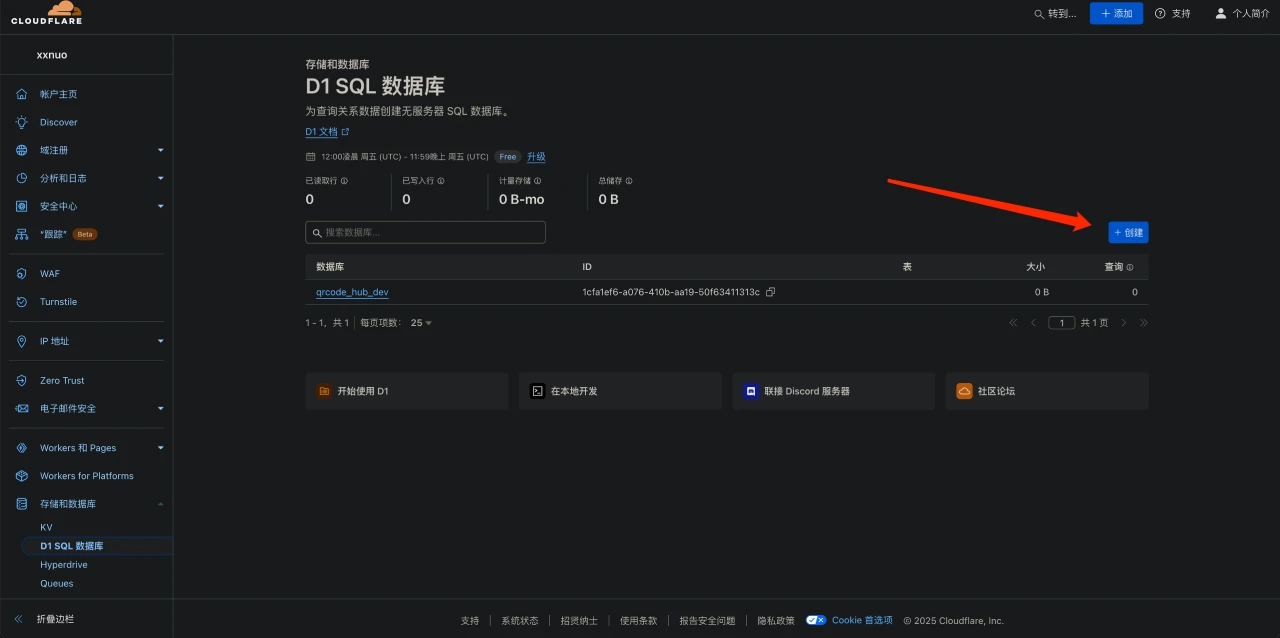
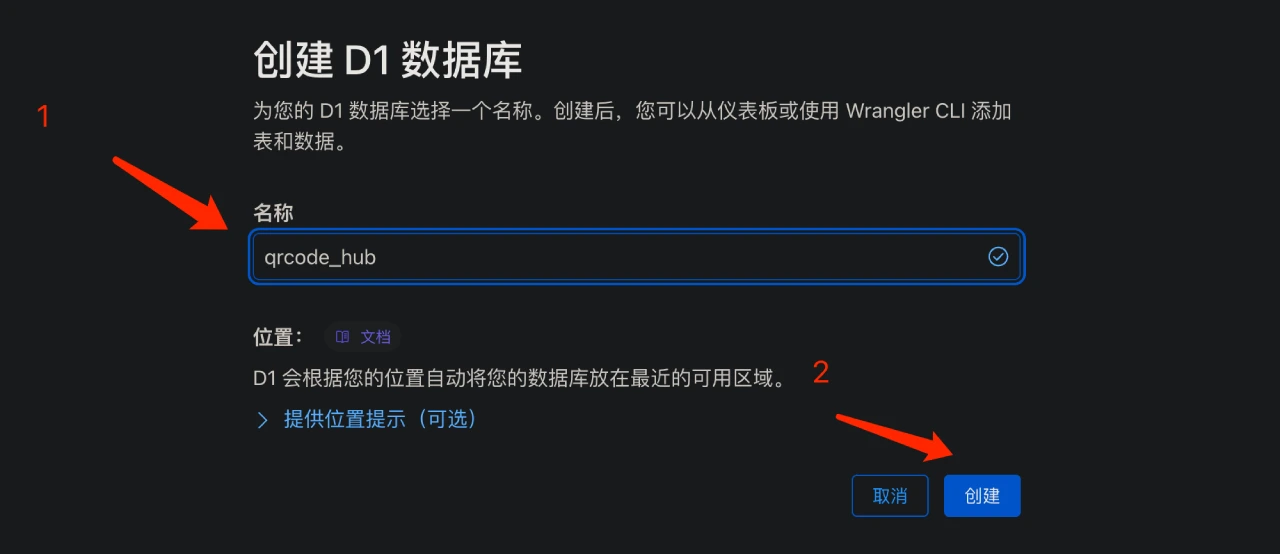
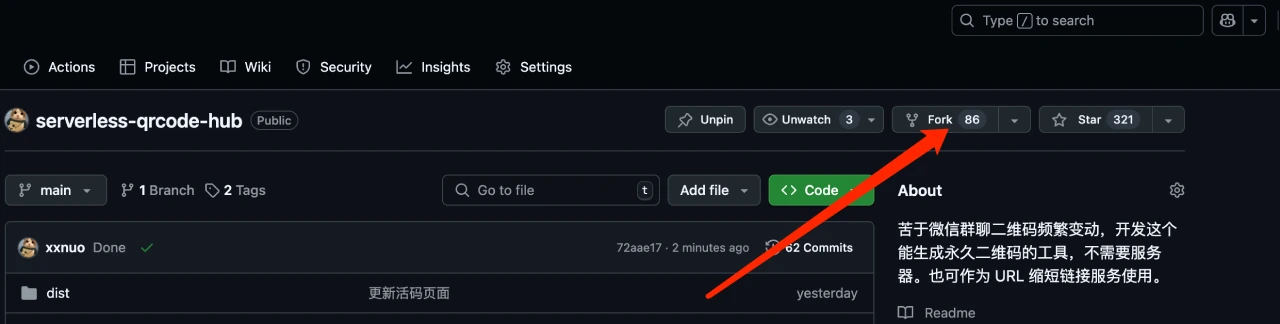
2. Fork the repository: Fork the project's repository on GitHub.
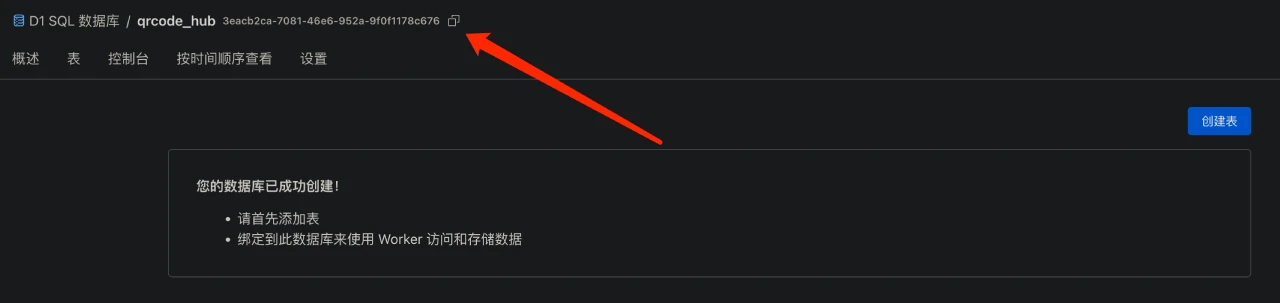
3. Configure wrangler.toml: Edit the wrangler.toml file in the forked repository and replace database_id with your own D1 database ID.
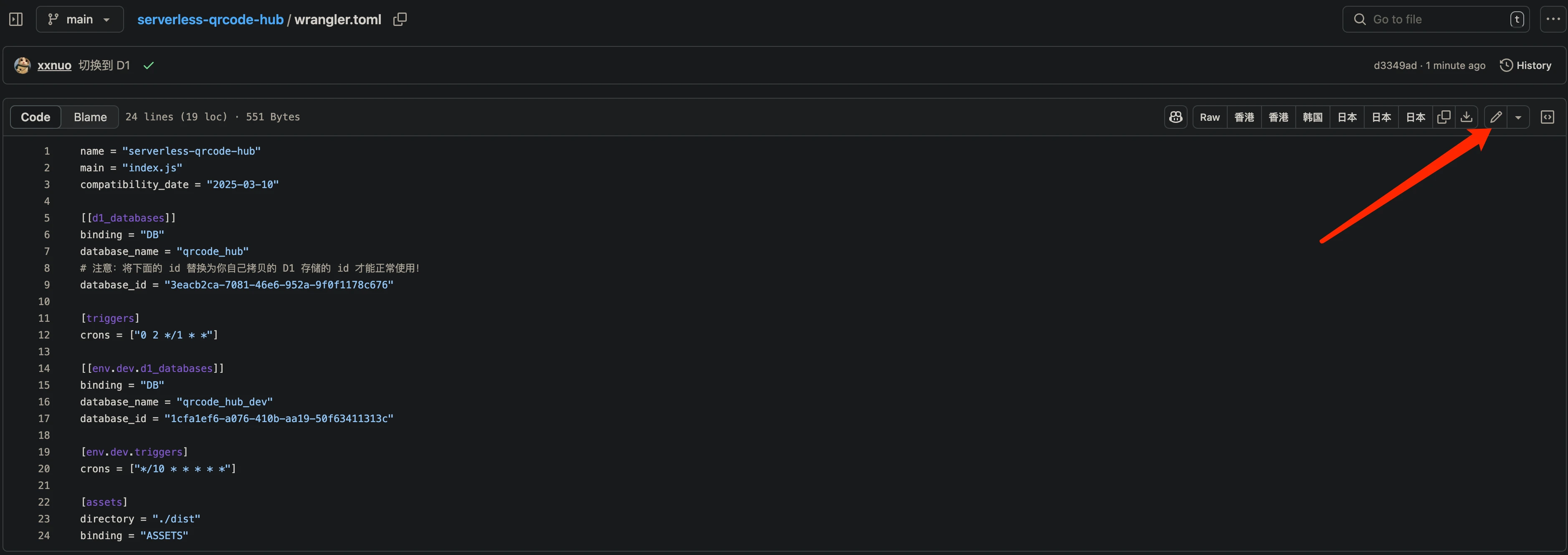
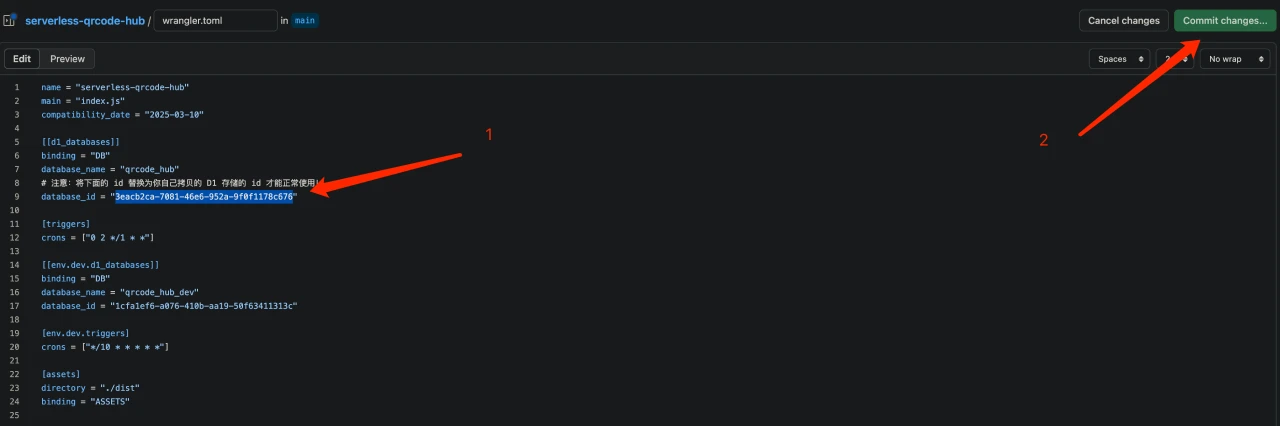
4. Create and deploy the Worker: Go back to Cloudflare, create a Worker, and select the forked GitHub repository for deployment.
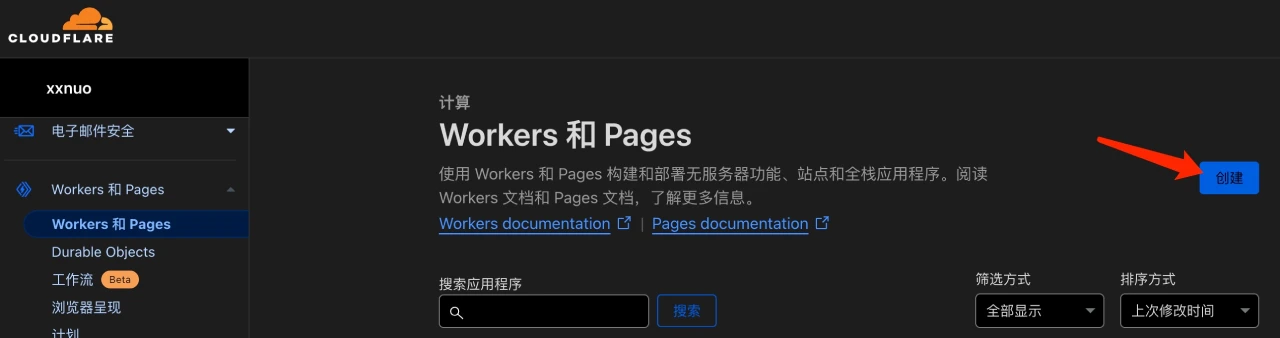
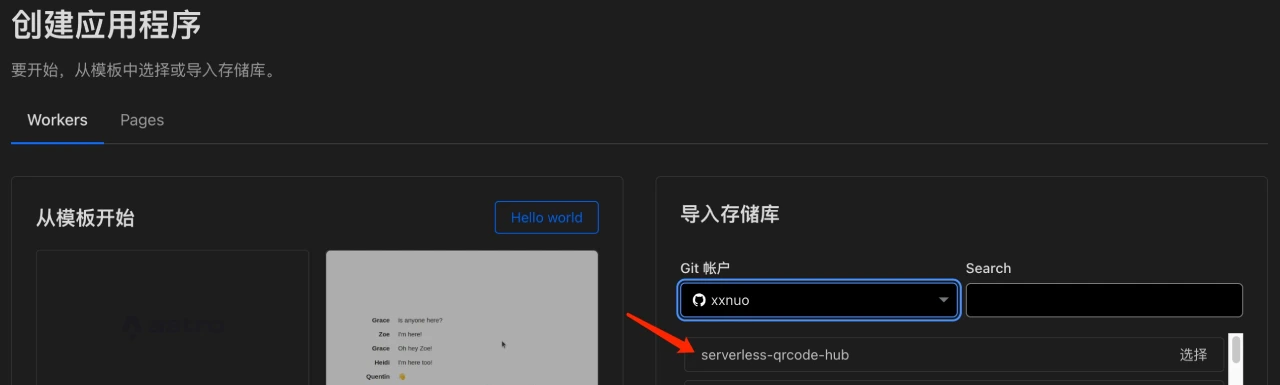
5. Bind a custom domain (optional): To improve access speed, you can bind the Worker to your own domain.
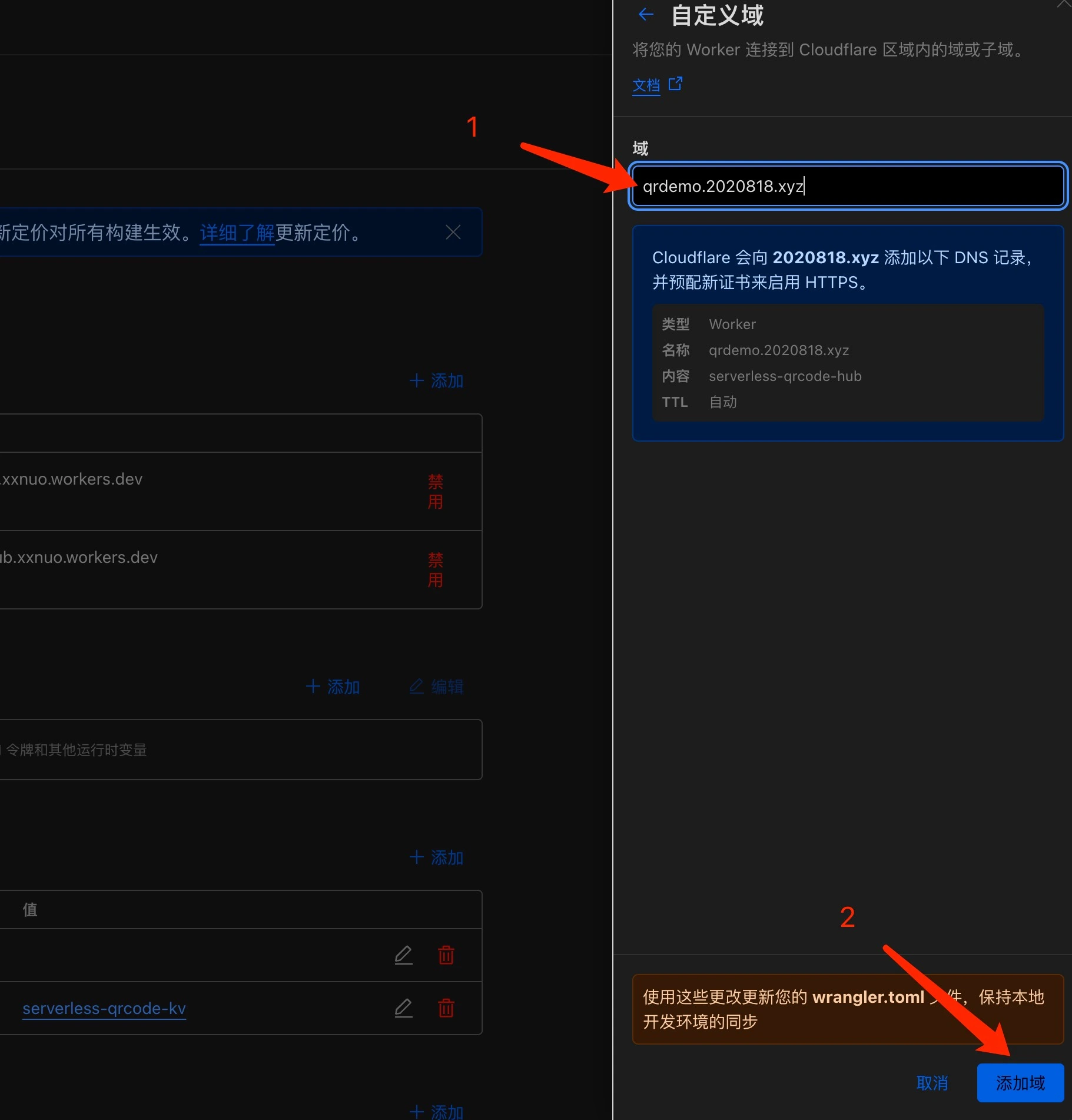
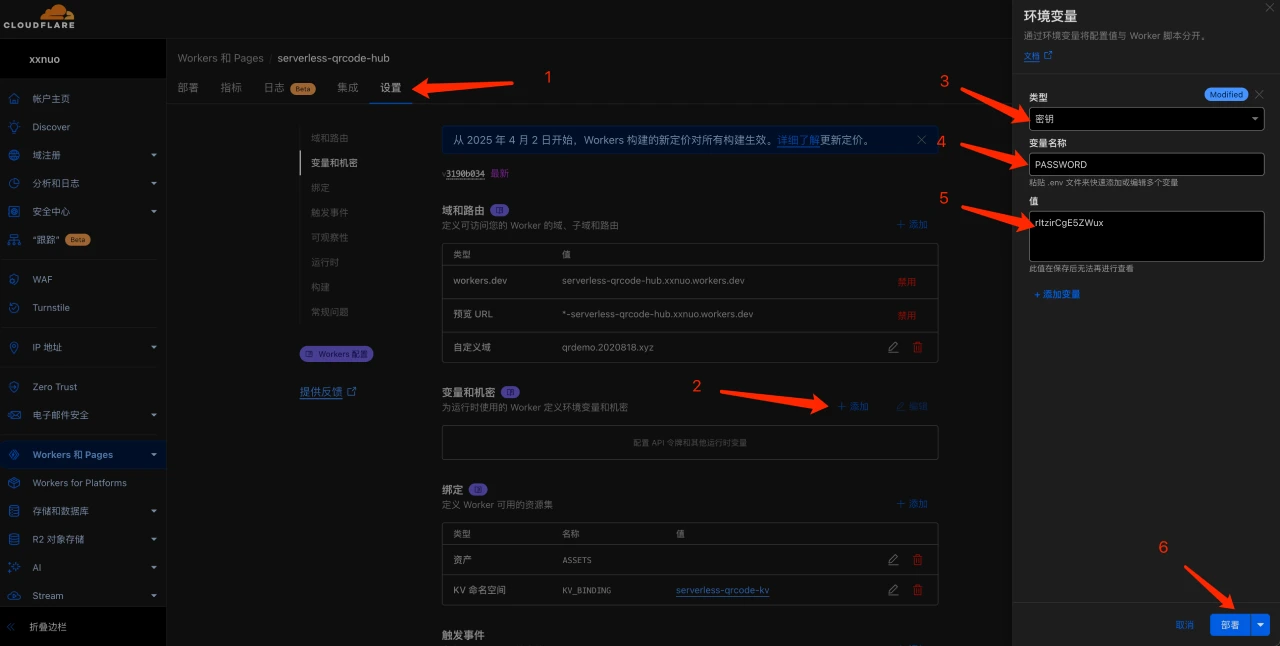
6. Set an access password: Set a secure password for the admin dashboard.
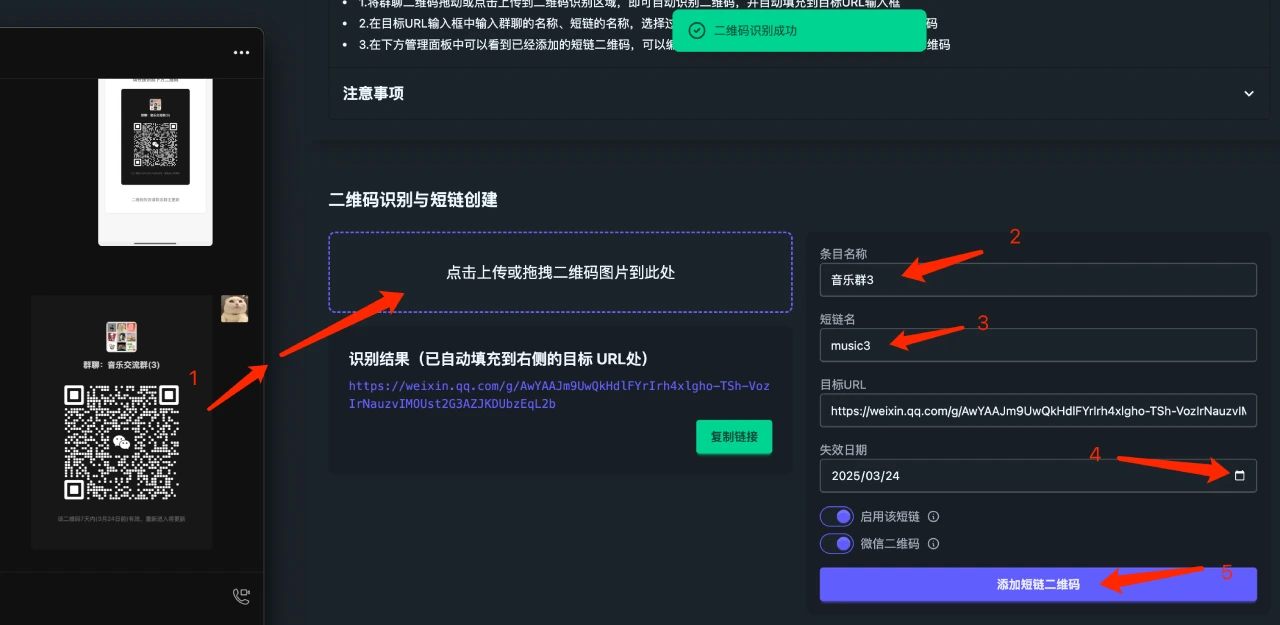
7. Use the admin dashboard: Access the admin dashboard via the default assigned *.workers.dev domain or custom domain to create short links or WeChat group chat QR codes.
Serverless-Qrcode-Hub Project Advantages
Serverless architecture: No need to maintain your own server, reducing costs and complexity.
Highly customizable: Users can customize the QR code style and functionality according to their needs.
Easy to deploy: Built on Cloudflare Workers, the deployment process is simple and fast.
High security: Supports password protection to ensure data safety.
GitHub Repository:https://github.com/xxnuo/serverless-qrcode-hub









