
 Script Planner Assistant▸
 AI Apps
 AI News
LangManus: A Community-Driven AI Automation Framework with Multi-Agent Collaboration
小编 ·

LangManus: A Community-Driven AI Automation Framework with Multi-Agent Collaboration
What is LangManus?
LangManus is a community-driven AI automation framework built on a hierarchical multi-agent system design. It aims to combine language models with specialized tools (such as web search, crawlers, and Python code execution) to accomplish complex tasks. LangManus supports multiple open-source language models, such as Qwen, and is compatible with the OpenAI API interface.
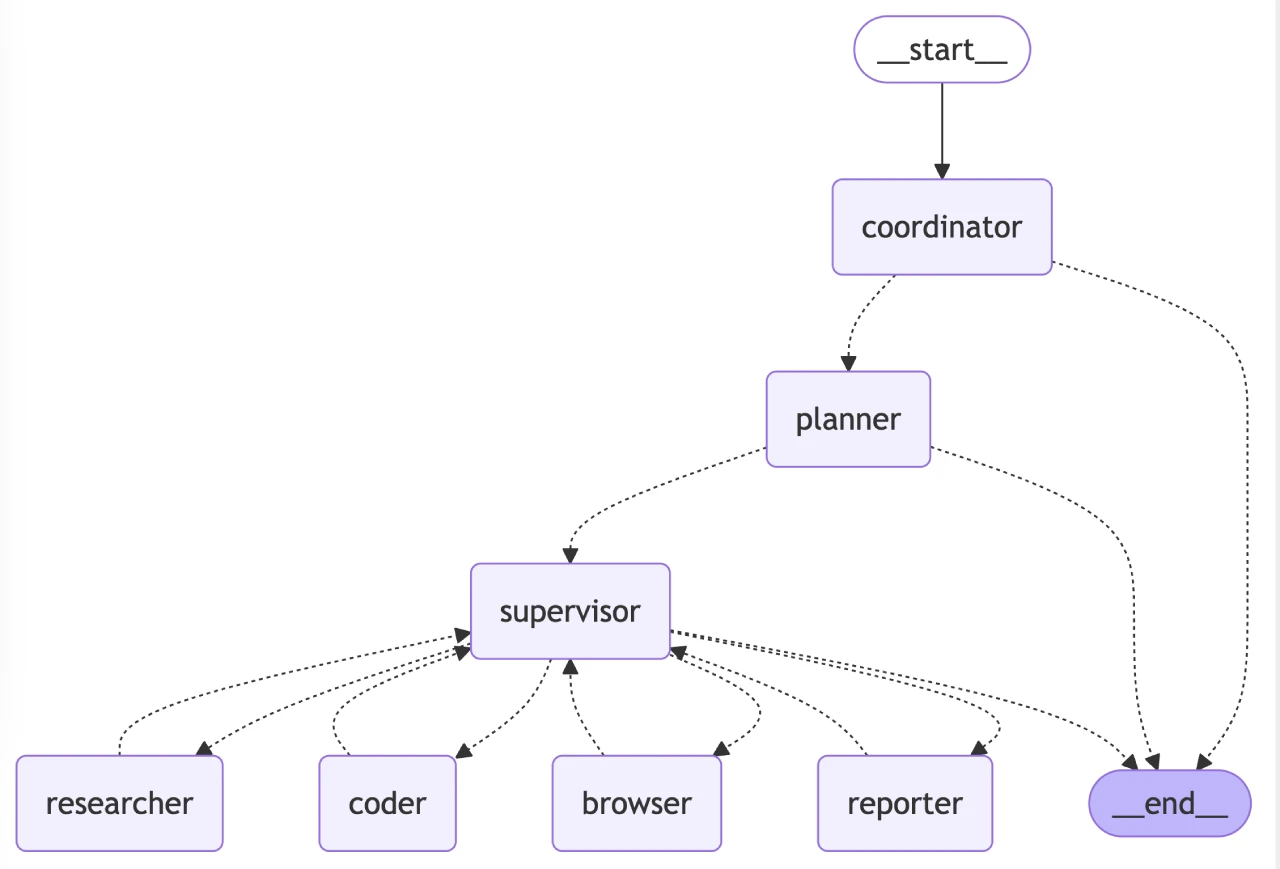
LangManus Architecture
LangManus implements a hierarchical multi-agent system in which a supervisor agent coordinates specialized agents to complete complex tasks:
| Agent Role | Responsibilities |
|---|---|
| Coordinator | Entry point of the workflow, handling initial interactions and routing tasks |
| Planner | Analyzes tasks and formulates execution strategies |
| Supervisor | Supervises and manages the execution of other agents |
| Researcher | Collects and analyzes information |
| Coder | Responsible for code generation and modification |
| Browser | Performs web browsing and information retrieval |
| Reporter | Generates reports and summaries of workflow results |
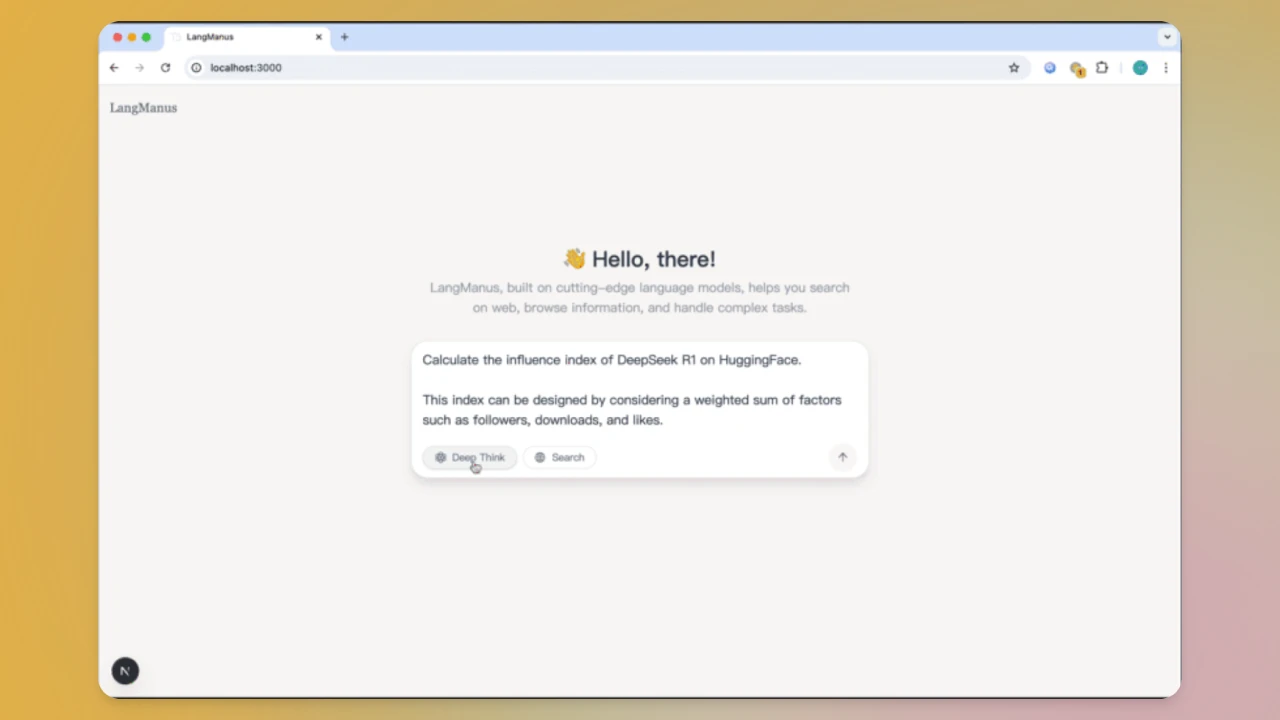
LangManus Features
Multi-Agent Collaboration: Different agents handle their respective responsibilities and work together to complete complex tasks.
Powerful Search and Retrieval: Enables web search via the Tavily API, combined with Jina for neural search.
Code Execution and Generation: Built-in Python execution environment that supports code generation and execution.
Task Visualization and Monitoring: Intuitively displays the task execution process and the collaboration between agents through workflow diagrams, enabling real-time task status monitoring.
Flexible Configuration: Supports configuration via .env file, allowing users to set language model API keys, search tool parameters, etc. as needed.
API Server: Provides a FastAPI-based API server that supports streaming responses.
LangManus Applications
Human Resources: Quickly analyze multiple resumes and generate candidate rankings and evaluation criteria.
Real Estate Decisions: Integrate information on community safety, school district ratings, mortgage affordability, etc., to output personalized home-buying recommendations.
Travel Planning: Automatically book flights and hotels based on user budget and preferences, and generate itinerary maps.
Content Creation: Integrate with AI drawing tools to complete mixed text-and-image design solutions, with support for real-time instruction corrections.
Education Development: Automatically generate interactive courseware and assessment question banks based on teaching outlines, with multi-language adaptation support.
LangManus Advantages
Open-Source Collaboration: Built on contributions from the open-source community, dedicated to giving back to the community.
Powerful Tool Integration: Supports multiple language models and tools, flexibly handling tasks of varying complexity.
Efficient Task Management: Achieves efficient task allocation and execution through the hierarchical multi-agent system.
Flexible Configuration and Extensibility: Users can customize configurations as needed to adapt to different usage scenarios.
LangManus Installation and Usage
1. Prerequisites: The uv package manager needs to be installed.
2. Installation Steps:
Clone the repository: git clone https://github.com/langmanus/langmanus.git, then enter the project directory with cd langmanus.
Create and activate a virtual environment: uv python install 3.12, uv venv --python 3.12, then execute source .venv/bin/activate (Unix/macOS) or .venv\Scripts\activate (Windows) depending on your operating system.
Install project dependencies: uv sync.
3. Configuration: Create a .env file in the project root directory and configure language model API keys, search tool parameters, etc. as needed.
4. Run the Project: Execute uv run main.py.
GitHub Repository: https://github.com/langmanus/langmanus









