
 Script Planner Assistant▸
 AI Apps
 AI News
Waifu Labs: How to Turn Photos into Anime-Style Images — Tutorial
小编 ·

Waifu Labs: How to Turn Photos into Anime-Style Images — Tutorial
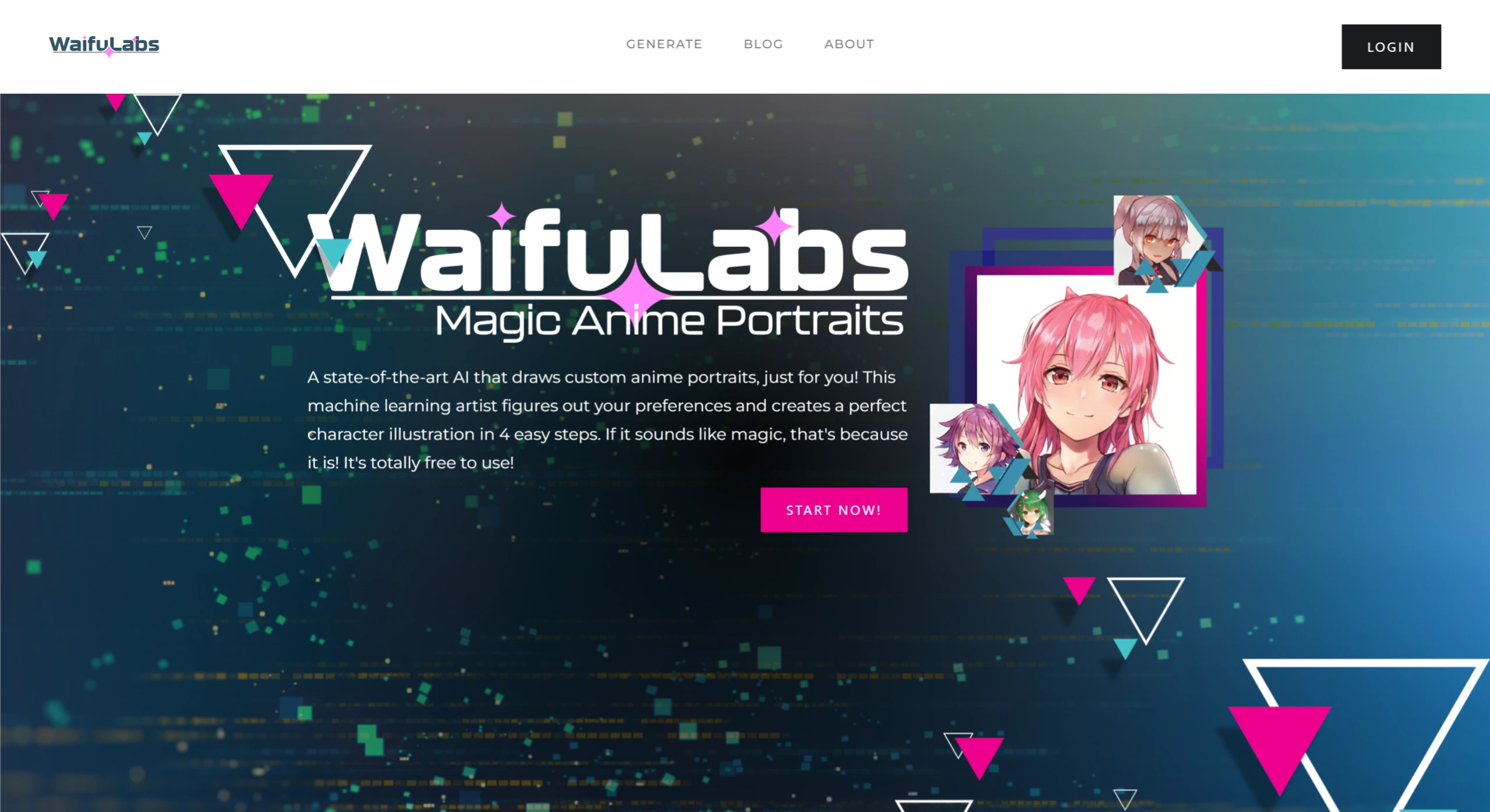
What is Waifu Labs?
Waifu Labs is an online AI photo-to-anime generator developed by Sizigi Studios, focused on generating anime-style characters. Waifu Labs uses GAN technology, through the adversarial training of a generator and a discriminator, to produce high-quality anime character images. The usage tutorial for Waifu Labs is very simple — there is no need to input complex prompts or have any AI painting background. You can generate a character in just a few steps. What's even better is that Waifu Labs is free, making it suitable for all users who love the anime style.
Waifu Labs Features
Generate anime characters: Users can generate an unlimited number of anime characters in just a few seconds through simple operations, and choose their favorite one to customize and download.
Powerful customization features: Users can make detailed adjustments to the character's appearance, clothing, hairstyle, expression, background, and more, creating a character that fully matches personal preferences.
Supports multiple application scenarios: The generated characters can be used for wallpapers, prints, T-shirts, mugs, posters, and more.
Waifu Labs Tutorial Guide
1. Visit the official website
Open the Waifu Labs official website: https://waifulabs.com/.
2. Start generating
Click the "START NOW" button on the homepage to enter the generation page.
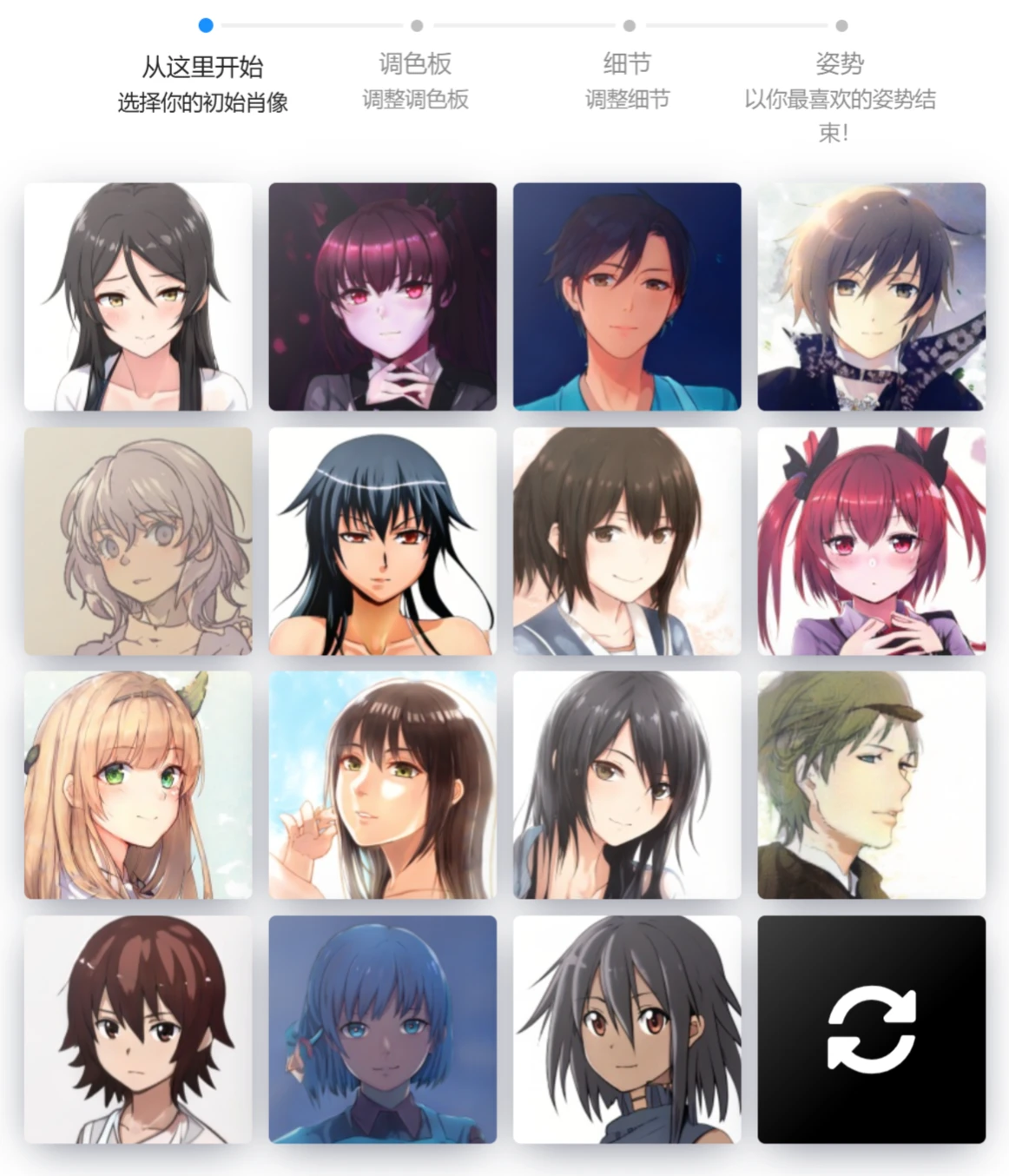
3. Choose an initial avatar
Choose one you like from the 15 avatars randomly generated by the system as the base template. If you're not satisfied with any of them, you can click the refresh button in the lower right corner to regenerate a new batch.
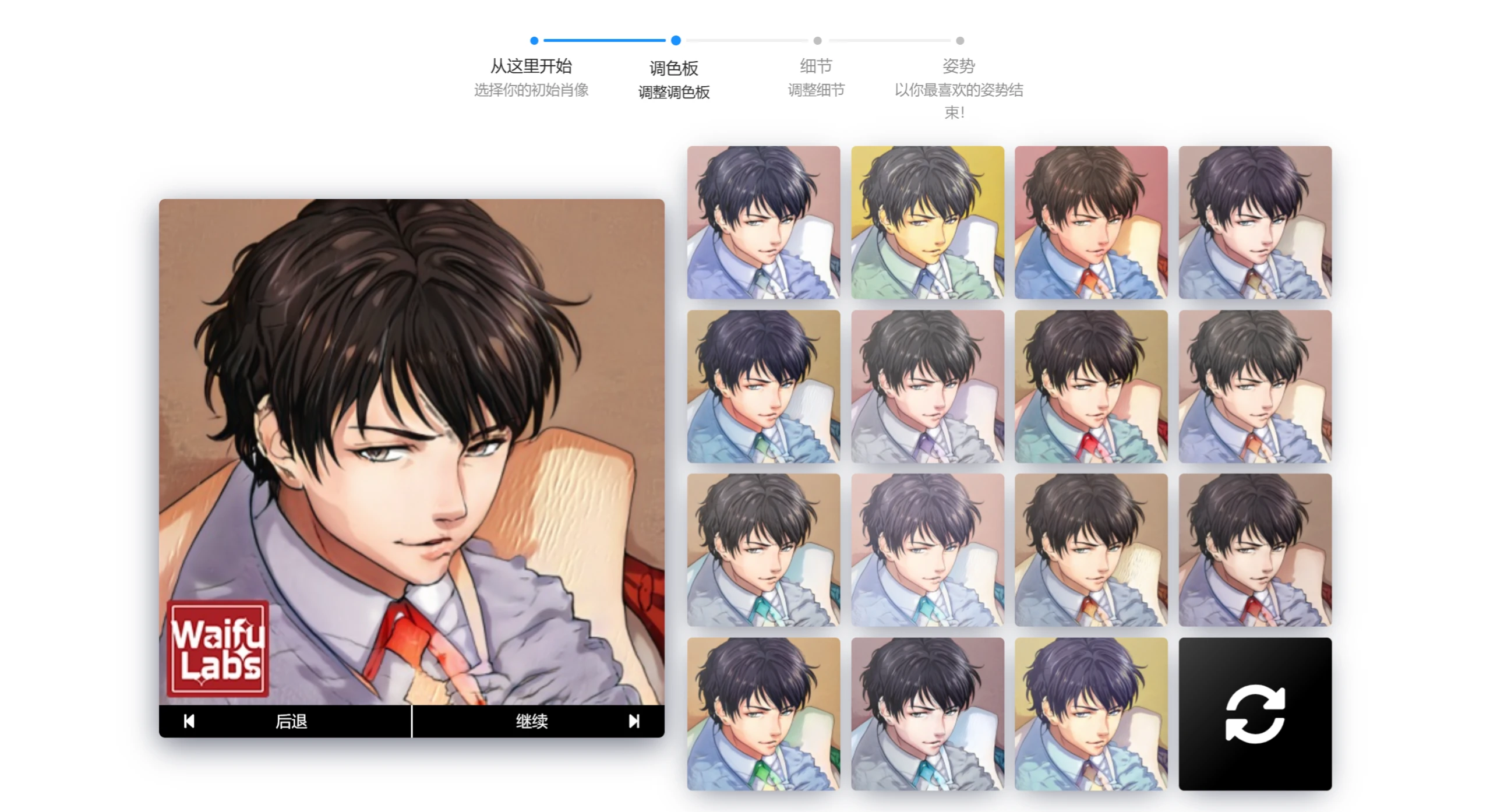
4. Choose a color scheme
Choose a color scheme you like, and it will automatically proceed to the next step. If adjustments are needed, you can click "Back" to return to the previous step.
5. Adjust character details
Further adjust the character's details according to personal preferences, such as hairstyle, eyes, clothing, accessories, and more.
6. Choose a pose
Choose the character's pose or composition, and it will automatically proceed to the next step.
7. Download or share
Once you're satisfied with the generated avatar, click the "Download" button to save the avatar locally or share it on Twitter. You can also give it a name.
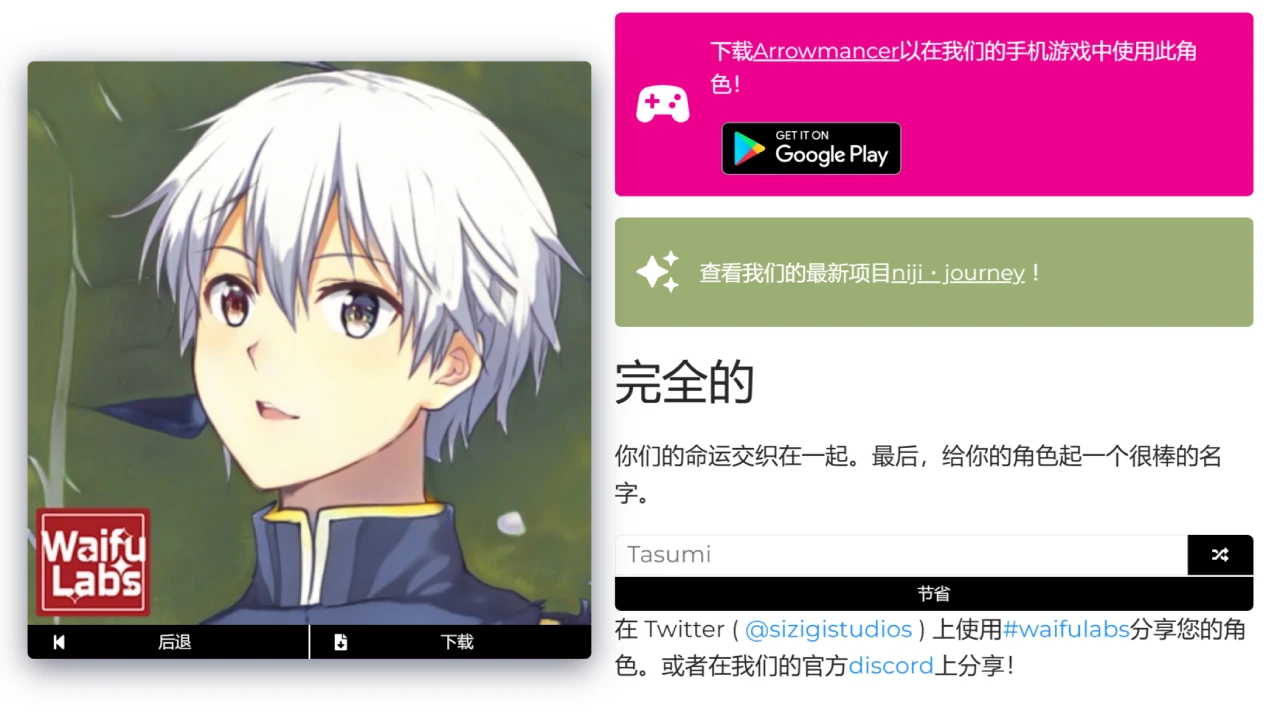
8. (Optional) Import into the game
If you have registered a Waifu Labs account, you can also import the generated character into the mobile game Arrowmancer, which is integrated with it.
Isn't Waifu Labs very simple to use? If you like Waifu Labs too, give it a try.









