
 Script Planner Assistant▸
 AI Apps
 AI News
BlenderMCP: Connect Claude AI with Blender for Prompt-Based 3D Modeling, Scene Creation, and Manipulation
小编 ·

BlenderMCP: Connect Claude AI with Blender for Prompt-Based 3D Modeling, Scene Creation, and Manipulation
What is BlenderMCP?
BlenderMCP is a Blender-based plugin that connects Blender with Claude AI via the Model Context Protocol (MCP), enabling prompt-assisted 3D modeling, scene creation, and materials.
Main Features
Bidirectional communication: Connects Claude AI and Blender through a socket-based server.
Object manipulation: Create, modify, and delete 3D objects in Blender.
Material control: Apply and modify materials and colors.
Scene inspection: Get detailed information about the current Blender scene.
Code execution: Run arbitrary Python code from Claude.
Target Audience
Designers: For quickly creating and editing 3D models and scenes.
Developers: For automating modeling workflows and integrating AI capabilities.
How to Create a New 3D Model in BlenderMCP?
1. Install and Configure BlenderMCP
First, make sure you have installed the BlenderMCP plugin and the MCP server:
Download the addon.py file and install it in Blender.
Start the MCP server by running the uvx blender-mcp command.
If using the Claude desktop version, you need to configure the claude_desktop_config.json file.
2. Start the Connection
In Blender:
Open the 3D View sidebar (press the N key).
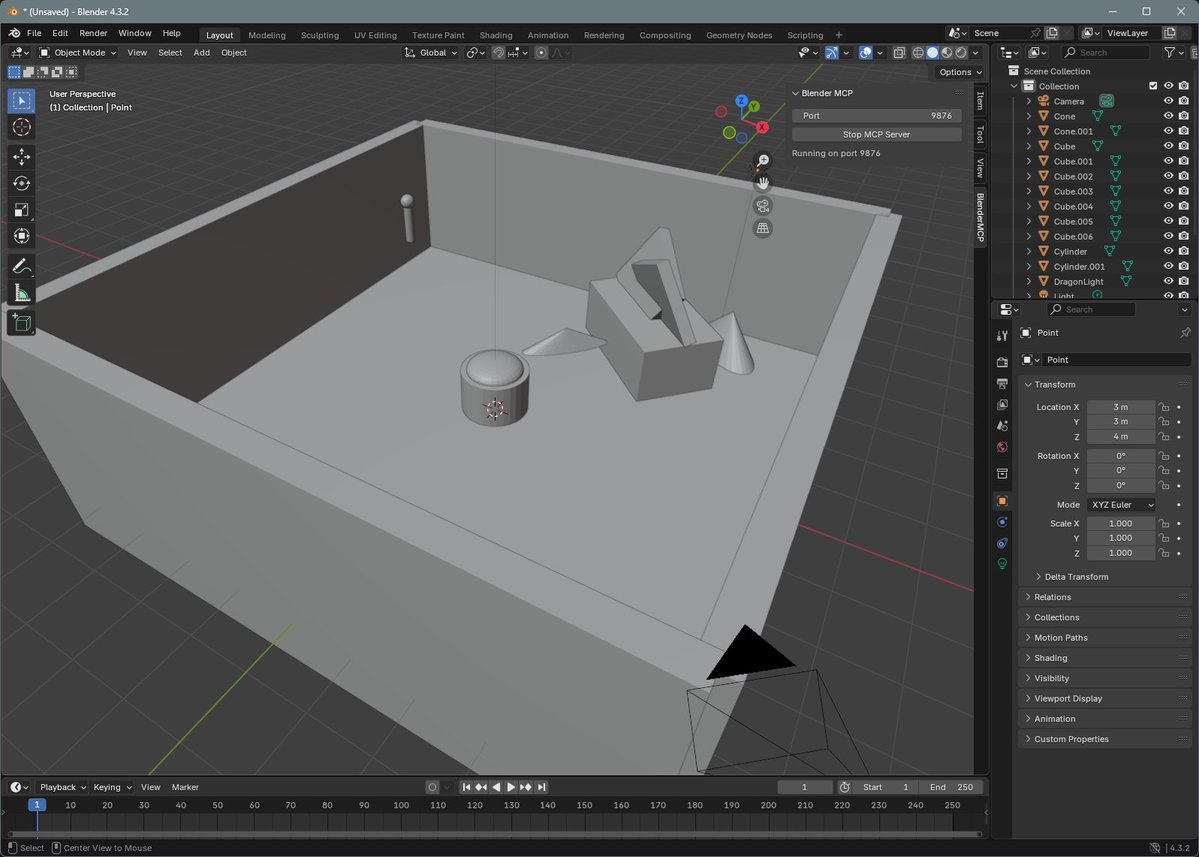
Find the BlenderMCP tab.
Set the port number (default is 9876).
Click Start MCP Server to start the server inside the plugin.
Make sure the MCP server is running in the terminal.
3. Create 3D Models via Claude
Enter natural language commands in the Claude interface, for example:
Create a simple object: Enter "Create a sphere and place it above the cube", and Blender will generate a sphere and place it above the cube via the create_primitive tool.
Create a complex scene: Enter "Create a low poly scene in a dungeon, with a dragon guarding a pot of gold", and Claude will gradually invoke multiple tools to generate a low-poly dungeon scene with a dragon and a pot of gold.
Adjust object properties: Enter "Make this car red and metallic", and use the set_material and modify_object tools to change the car's material to a red metallic texture.
4. View and Adjust the Results
View the generated 3D models and scenes in Blender.
If further adjustments are needed, enter new commands via Claude, or edit directly in Blender.
GitHub repository:https://github.com/ahujasid/blender-mcp









