
 Script Planner Assistant▸
 AI Apps
 AI News
LanPaint: A Training-Free High-Quality Image Inpainting Tool for Stable Diffusion Models
小编 ·

LanPaint: A Training-Free High-Quality Image Inpainting Tool for Stable Diffusion Models
What is LanPaint?
LanPaint is a high-quality image inpainting tool that requires no additional training, compatible with all Stable Diffusion-based models. It optimizes the denoising steps through a multi-iteration "thinking" process, achieving seamless and precise inpainting results.
LanPaint Features
No Training Required: LanPaint can be used immediately with any Stable Diffusion model, including user-customized models.
Easy Integration: Uses the same workflow as the standard ComfyUI KSampler, making it easy to get started.
High-Quality Inpainting: Through precise conditional inference and a fast-converging Langevin dynamics framework, LanPaint achieves high-fidelity results in a small number of iterations.
How to Use LanPaint
1. Install ComfyUI: Follow the official guide to install ComfyUI.
2. Install ComfyUI-Manager: Used for convenient extension management.
3. Install the LanPaint Node:
Search for and install LanPaint via ComfyUI-Manager.
Or manually clone the LanPaint repository into the ComfyUI/custom_nodes folder.
Restart ComfyUI: After loading the LanPaint node, you can find the LanPaint node under the "Sampling" category in ComfyUI.
4. Parameter Adjustment
LanPaint_NumSteps: Indicates the number of iterations in each denoising step. For complex tasks, it is recommended to set it to 5-10.
LanPaint_Lambda: Controls the strength of content alignment, with a recommended value of 6.0.
LanPaint_StepSize: The step size for each iteration, with a recommended value of 0.1. For difficult tasks, it can be set to 0.5.
LanPaint_cfg_BIG: The CFG scale used to align masked and unmasked regions, with a recommended value of 8.
LanPaint Usage
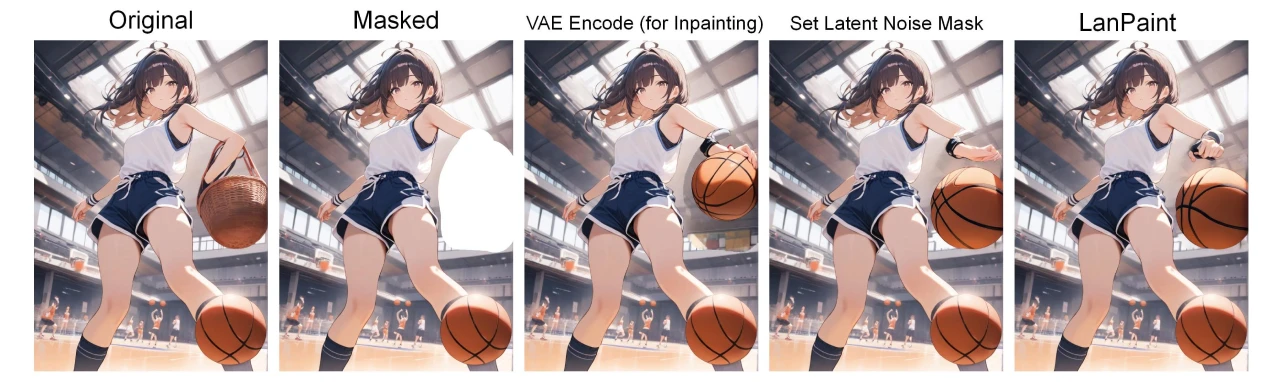
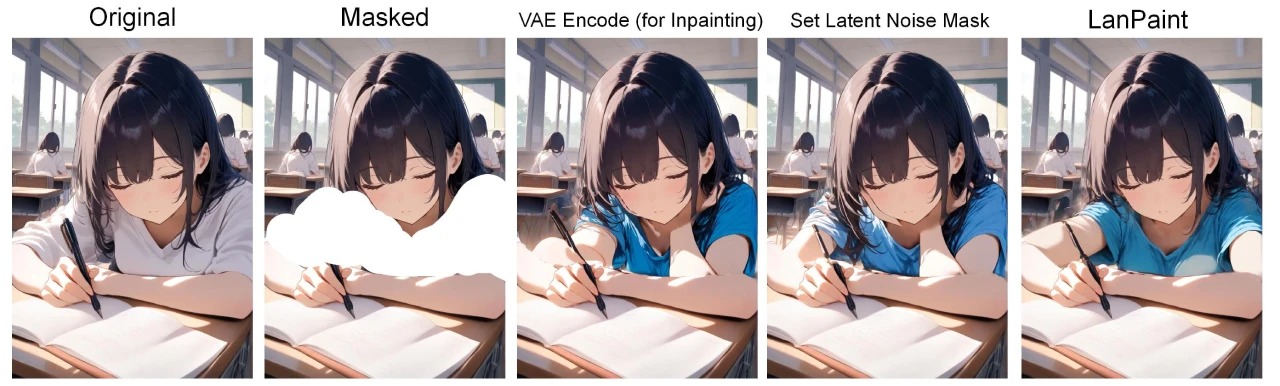
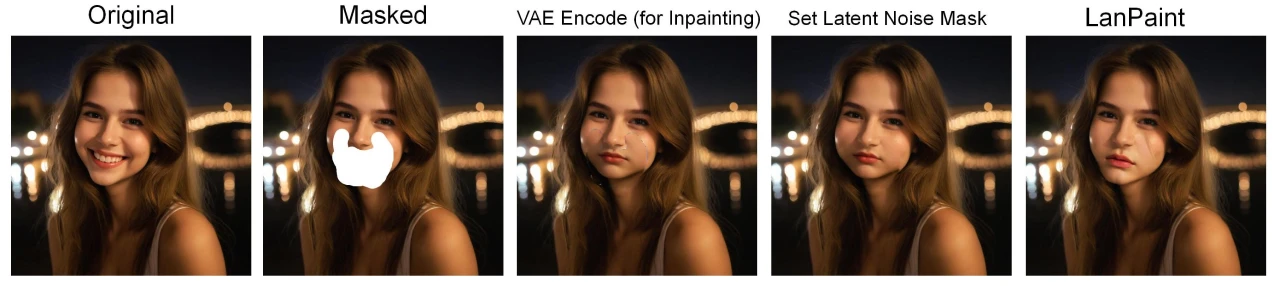
LanPaint provides a variety of examples, including restoring a basket into a basketball, a white shirt into a blue shirt, a smile into a sad expression, and more. Users can download the relevant workflows and mask files, then load the corresponding models and images in ComfyUI to try out these examples.
LanPaint Advantages
Fast Convergence: Through the Fast Langevin Dynamics (FLD) framework, LanPaint achieves high-quality inpainting in very few iterations.
Avoids Local Optima Traps: Through the Bi-directional Guidance (BiG) score function, LanPaint avoids local optima issues caused by large-step diffusion steps.
Broad Applicability: Can be directly applied to various community-trained diffusion models without training on specific datasets or models.
LanPaint Use Cases
Image Restoration: Repair old photos, remove scratches or damaged parts.
Creative Design: Extend image boundaries, replace content, generate new elements.
Artistic Creation: Generate stylistically consistent new content based on text prompts.
Commercial Image Processing: Ad design, product image optimization.
Privacy Protection: Remove mosaics, restore blurred content.
GitHub Repository:https://github.com/scraed/LanPaint









