
 Script Planner Assistant▸
 AI Apps
 AI News
NanoBrowser: An Open-Source AI Web Automation Tool and Free Alternative to Operator
小编 ·

NanoBrowser: An Open-Source AI Web Automation Tool and Free Alternative to Operator
What is NanoBrowser?
NanoBrowser is an open-source, AI-powered Chrome extension for web automation. It supports running multi-agent workflows using your own LLM (Large Language Model) API keys, and serves as a free, open-source alternative to OpenAI Operator. NanoBrowser runs locally in your browser, features a multi-agent system, is completely free, prioritizes privacy, offers flexible LLM options, and is fully open source, making web operations smarter and more efficient.
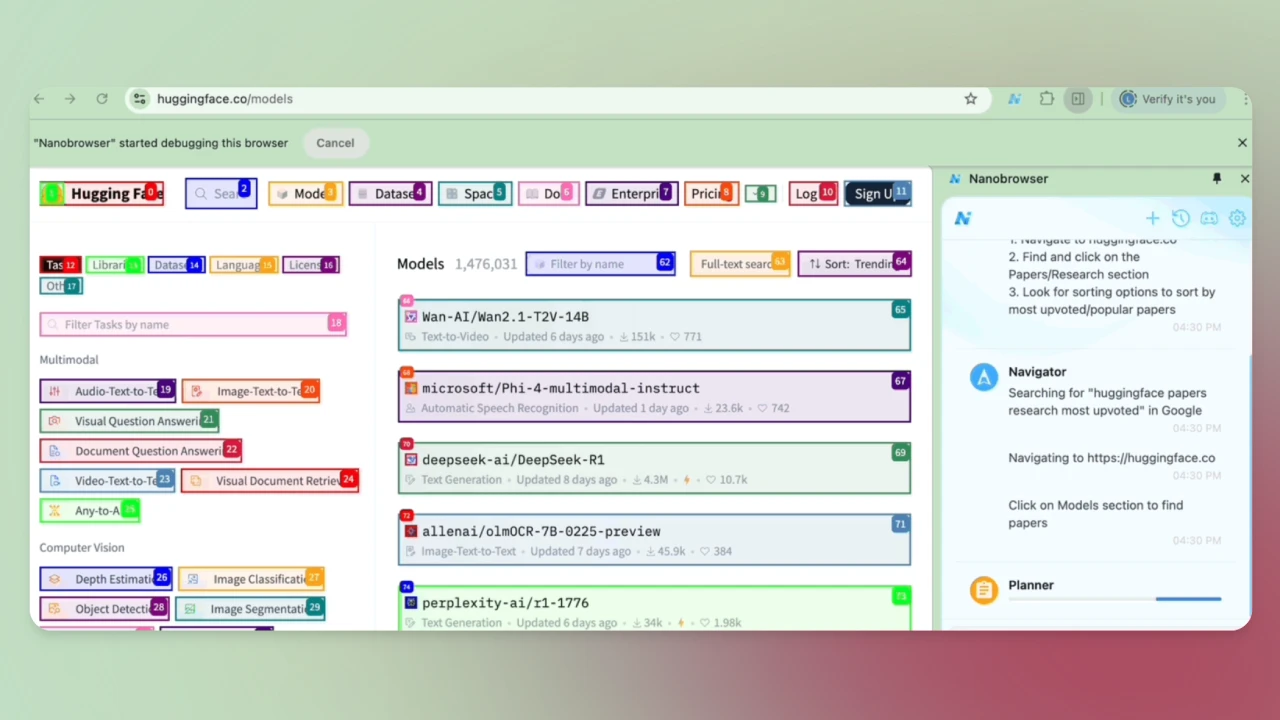
NanoBrowser Features
Free and Open Source: No subscription fees, completely free to use, with fully open-source code that users can freely view and modify.
Privacy Protection: All operations run locally in your browser, and your credentials are never shared with any cloud service.
Multi-Agent System: Multiple specialized AI agents (such as Planner, Navigator, and Validator) collaborate to complete complex web tasks.
Interactive Sidebar: Provides an intuitive chat interface with real-time status updates.
Task Automation: Automates repetitive web tasks, saving time and effort.
Supports Multiple LLMs: Users can connect to their preferred LLM provider and assign different models to different agents.
NanoBrowser Advantages
Open and Transparent: Fully open source, users can view and modify the code.
Privacy-First: All operations are performed locally, with no data leakage.
Low Cost: Completely free, users only need to use their own LLM keys.
How to Use NanoBrowser
Download the latest version of the nanobrowser.zip file.
After extracting the file, open the Chrome browser and navigate to chrome://extensions/.
Enable "Developer mode", click "Load unpacked", and select the extracted nanobrowser folder.
Click the Nanobrowser icon in the toolbar to open the sidebar and configure your LLM API key. Select models for the different agents.
Enter a task instruction in the sidebar, for example: "Extract the top 10 news headlines from TechCrunch in the last 24 hours." The agents will automatically execute the task and provide real-time feedback on the results.
NanoBrowser Target Users:
Developers: Suitable for technical exploration and project integration.
Data Analysts: For efficient data collection and task automation.
General Users: Suitable for daily information retrieval and task automation.
Enterprise Users: Focus on privacy protection and customization features.
Educators and Students: For organizing study materials and research assistance.
GitHub Repository Address:https://github.com/nanobrowser/nanobrowser









