
 Script Planner Assistant▸
 AI Apps
 AI News
Mcp-Server-Chatsum: WeChat Message Summarization Bot Based on MCP Protocol
小编 ·

Mcp-Server-Chatsum: WeChat Message Summarization Bot Based on MCP Protocol
MCP-Server-Chatsum: What is it?
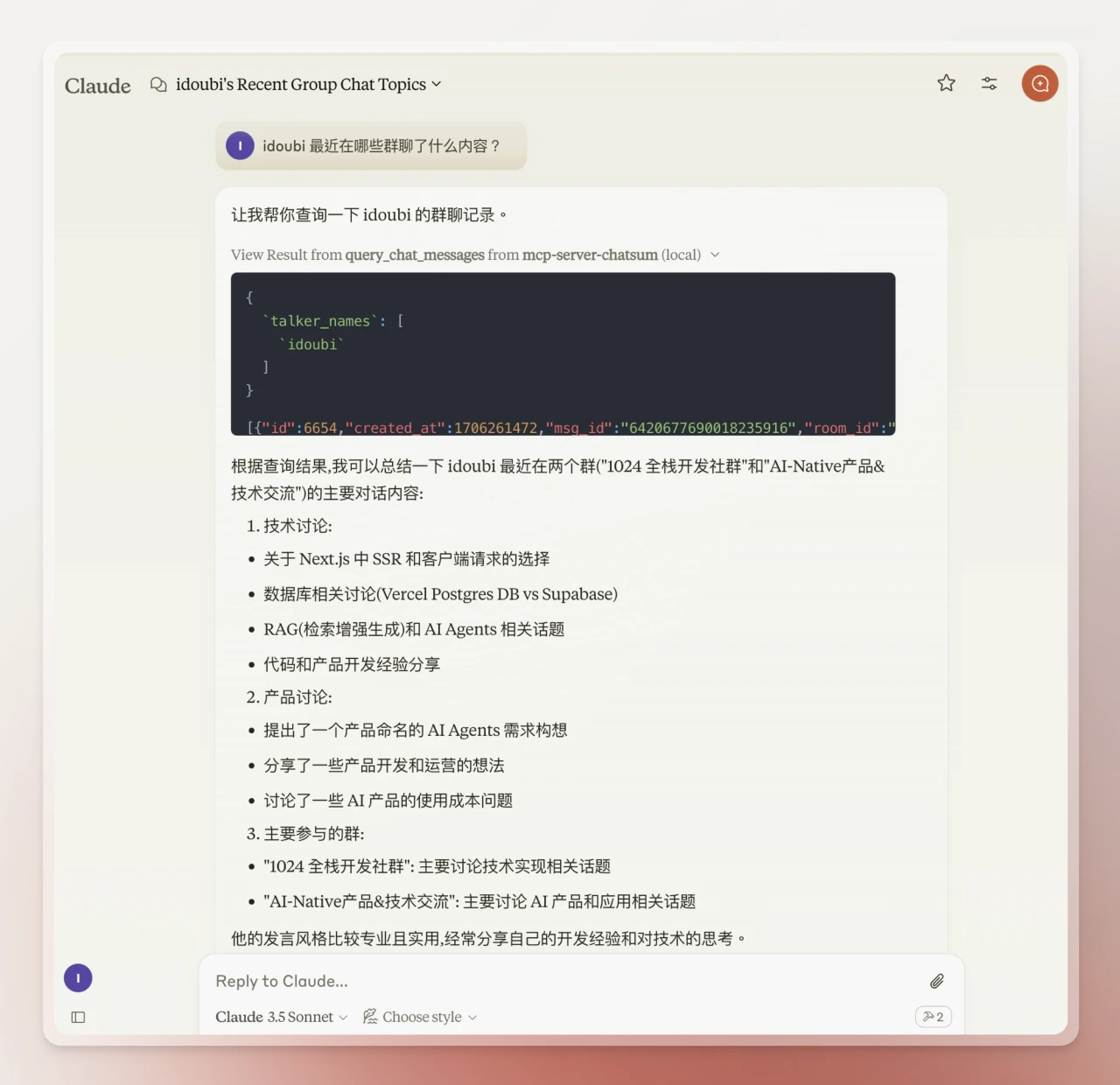
Mcp-Server-Chatsum is an open-source tool built on the MCP (Model Context Protocol) server that helps users quickly query and summarize WeChat chat messages. It solves the problem of having too many messages in your WeChat groups and not enough time to deal with them. For example, you can ask it, "What were people talking about this morning?" or "What discussions are there about MCP?"
Technical Solution:
Uses the Wechaty framework to run a WeChat bot locally, collecting WeChat messages in real time and storing them in a local database.
Runs the mcp-server-chatsum program to receive user query requests and return matching chat records from the local database based on parameters such as group name, contact, or topic.
Uses the Claude desktop version as the interaction entry point. Users can send query requests through it, and Claude will invoke the local mcp-server-chatsum process and use Claude's built-in large language model to complete the summarized reply.
Mcp-Server-Chatsum Features
Chat message query and summarization: Users can query chat records through specific parameters and summarize chat content based on query prompts.
Privacy-friendly: Chat data is stored locally without involving cloud storage, ensuring user privacy.
Flexible interaction methods: Supports using the Claude desktop version as the interaction entry point, allowing users to query and summarize chat content at any time.
No need for additional deployment of ai models or Token fee payments, resulting in lower usage costs.
Mcp-Server-Chatsum Use Cases
Quickly summarize group chat content: For example, users can query "What were people talking about this morning?" or "What recent discussions are there about a certain topic?"
Analyze chat content from specific users or groups: For example, "What content has a certain user shared in which groups?"
Installation and Configuration
Set environment variables: Create a .env file in the root directory and set the chat database path.
Install dependencies: Use pnpm install to install dependencies, and build the server with pnpm build.
Configure Claude desktop version: Add the configuration of mcp-server-chatsum to the Claude desktop version's configuration file.
Mcp-Server-Chatsum Advantages
Decoupled message storage and query summarization: Higher flexibility.
Service discovery and intent recognition handled by the Claude client: Higher accuracy.
Supports local deployment: Users can fully privatize their data, improving security.
GitHub repository address:https://github.com/chatmcp/mcp-server-chatsum。









