
 Script Planner Assistant▸
 AI Apps
 AI News
Browser Operator: A Built-In AI Assistant Inside the Opera Browser
小编 ·

Browser Operator: A Built-In AI Assistant Inside the Opera Browser
What is Browser Operator
Browser Operator is an integrated browser assistant launched by the Opera browser that lets users use natural language commands to complete various web browsing tasks.
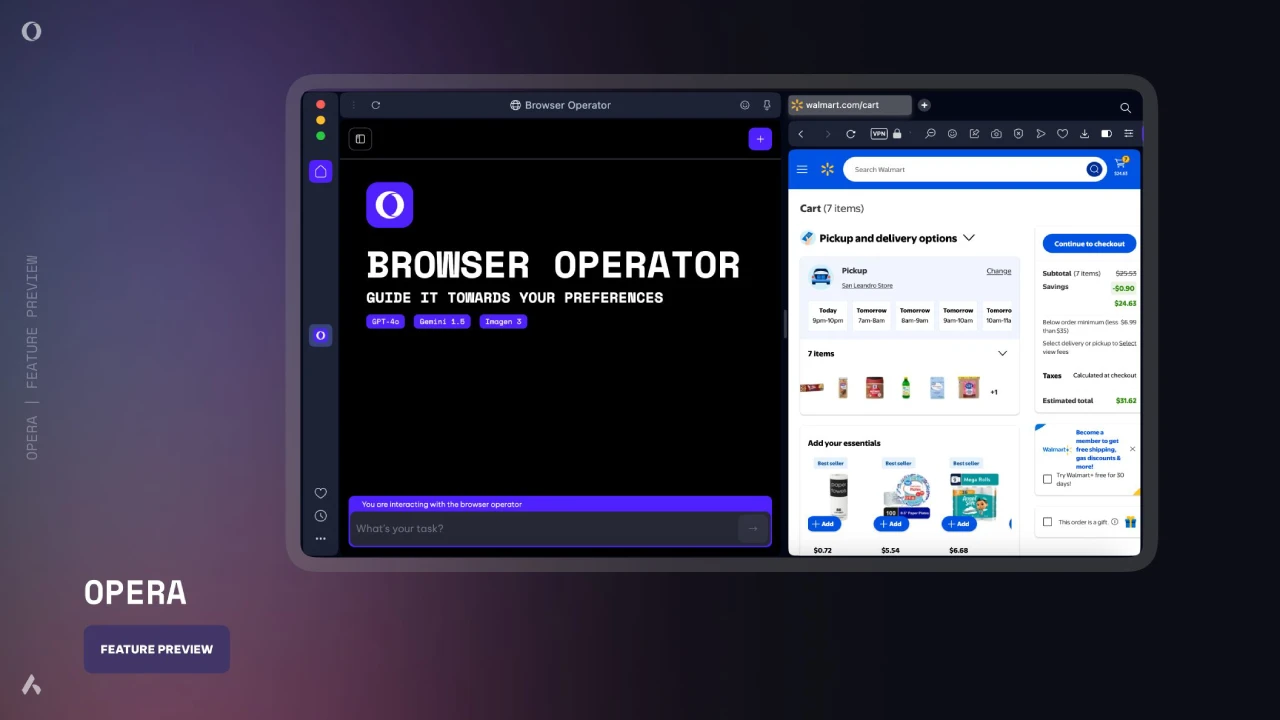
Features of Browser Operator
Privacy-focused: It does not rely on screenshots or video capture to understand browsing sessions, nor does it store user credentials in the cloud. It runs entirely on local devices and obtains information through the DOM tree and browser layout data.
Fast: It does not need to "see" the screen pixel by pixel or navigate with a mouse like a human. In most cases, it can access the entire page in one go without scrolling, saving time to complete tasks.
Local operation: It runs inside the browser without virtual machines or cloud servers. Users' browsing history, login information, and cookie settings stay on the local device, providing a smooth and private experience.
Intelligent interaction: It can interact with invisible elements on web pages, such as automatically handling pop-up dialogs (like cookie acceptance and verification dialogs), making it easier to access page content.
Use Cases for Browser Operator
Information collection: Collect information from websites and fill it into spreadsheets or documents.
Ticket booking: Book various tickets and events online.
Task management: Users can see Browser Operator's operation process at any time and take over tasks when necessary.
Online shopping: Supports buying things online, booking flights, hotels, event tickets, and more. Users describe tasks in natural language, such as "buy 10 pairs of Nike white tennis socks, size 12," and it can automatically complete the purchase process.
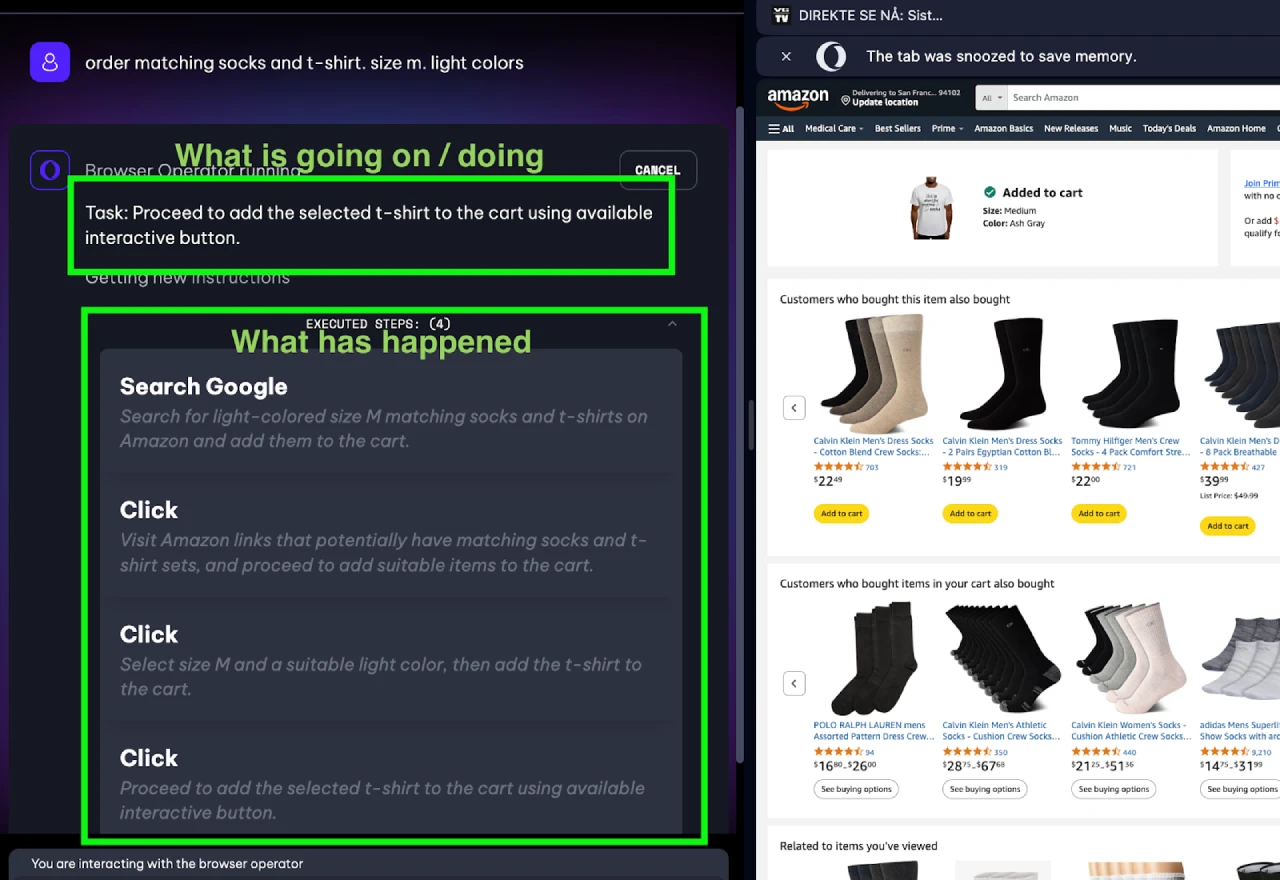
How Browser Operator Works
Browser Operator leverages local resources on the browser client to understand users' natural language commands, then processes the information through Opera's AI Composer Engine to complete tasks. It obtains context through the DOM tree and browser layout data, without relying on screenshots or video capture, making operations fast and efficient.
How to Use Browser Operator
Install the latest version of the Opera browser: Go to the official Opera website to download and install the latest version.
Find Browser Operator: You can open it through the Opera sidebar by clicking the Browser Operator icon in the sidebar after launching the browser; you can also enter specific commands or shortcuts in the browser address bar.
Enter commands: Enter the task you want to perform in the Browser Operator input box, such as "buy 10 pairs of Nike white tennis socks, size 12," "book an economy class ticket from Beijing to Sanya tomorrow," or "buy 3 packs of A4 paper from Walmart."
Execute and monitor tasks: Browser Operator starts executing the task, and users can watch the progress in real time. If the task requires entering sensitive information (such as payment information or login credentials), it will pause and let the user input it manually. Users can take over operations or cancel the task at any time during execution.
Follow-up actions after task completion: Once the task is completed, users can review the detailed steps. If further needs arise, such as canceling a mistaken order, users can simply send new commands directly to Browser Operator.
Browser Operator is currently a preview version of an upcoming feature, expected to officially launch soon as part of the Opera AI feature update plan.
Opera's AI Browser Vision
Opera has always been a pioneer in browser innovation, introducing features like tabs, address bar search, built-in VPN, and sidebar instant messaging. In 2023, Opera redesigned its flagship browser with AI at its core. Starting from March 2024, it has tested experimental AI features through the AI feature update plan, such as local LLMs, image generation, and AI tab commands. Now, Opera is once again revolutionizing the role of the browser, becoming the first "agentic" browser that can perform tasks on behalf of users.
Related:









