
 Script Planner Assistant▸
 AI Apps
 AI News
STORM: Stanford's Open-Source Writing Assistant for Knowledge Curation via Retrieval and Multi-Perspective Q&A
小编 ·

STORM: Stanford's Open-Source Writing Assistant for Knowledge Curation via Retrieval and Multi-Perspective Q&A
What is STORM?
STORM is a knowledge curation system based on large language models (LLMs) developed by Stanford University. It can research topics through internet search and generate full reports with citations. The system includes two subsystems, STORM and Co-STORM, featuring automated research, multi-perspective questioning, collaborative dialogue, and dynamic knowledge management. It greatly simplifies the knowledge curation and long-form content generation process, and supports human-machine collaboration.
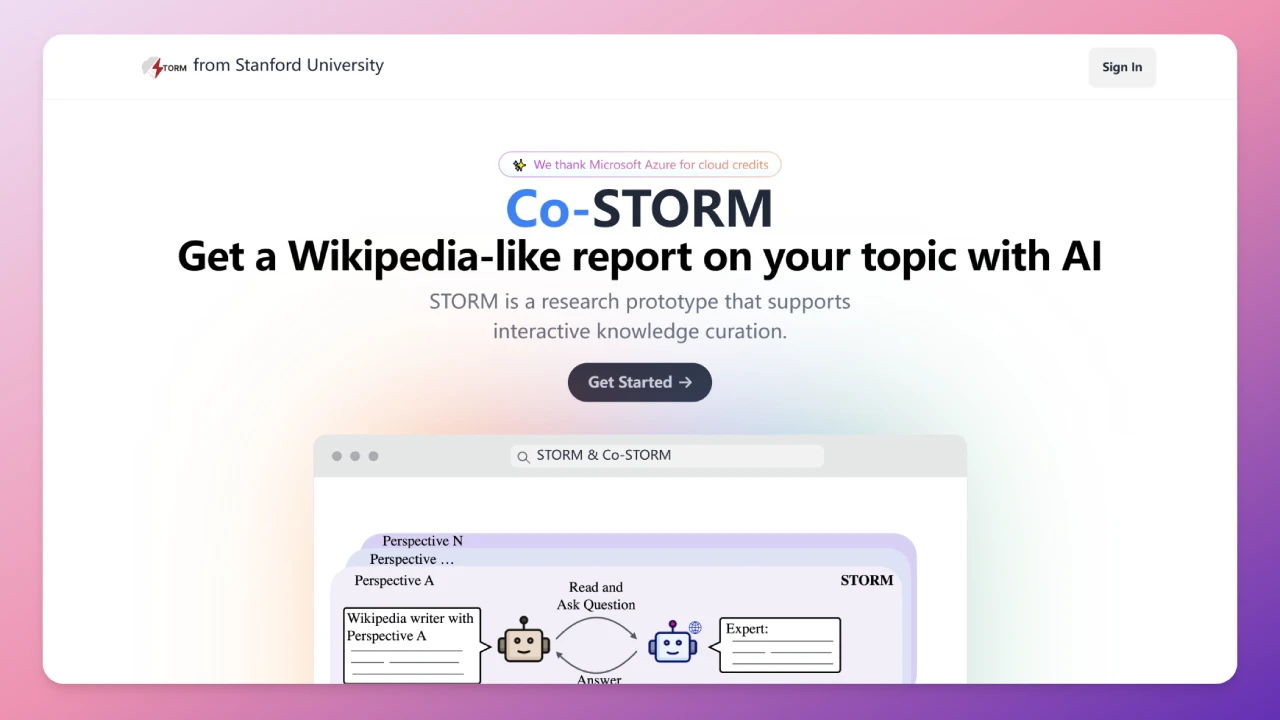
STORM Features
Automated Research and Data Collection
Internet Search: Collects topic-related materials through search engines such as Bing and You.com.
Outline Generation: Automatically generates article outlines based on the collected materials, helping organize content structure.
Citation Management: Automatically adds citations to ensure verifiability and academic quality of content.
Multi-Perspective Questioning Strategy
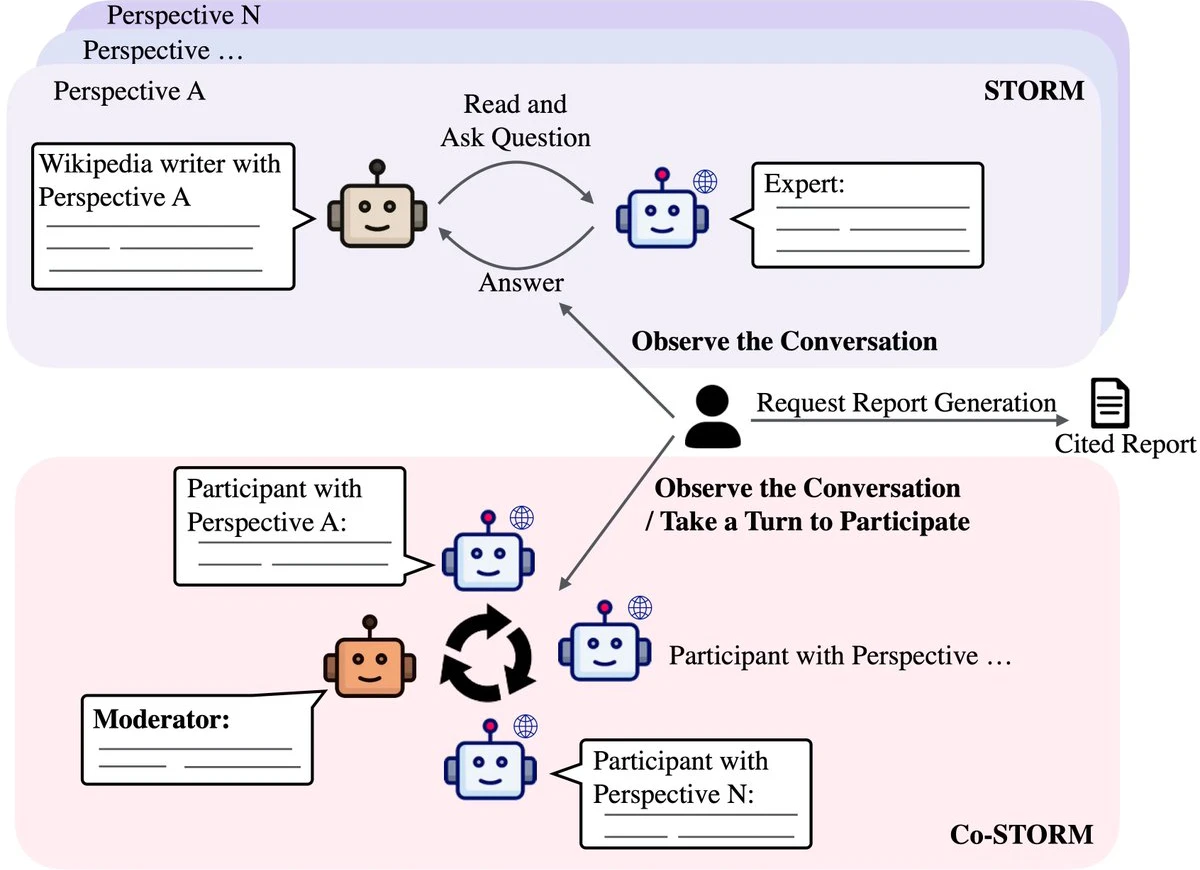
Perspective-Guided Questioning: Analyzes articles on similar topics, discovers different perspectives, and guides questioning to obtain more comprehensive information.
Simulated Dialogue: Simulates a dialogue between a Wikipedia author and experts, updating the topic understanding through Q&A to generate deeper questions.
Article Generation and Optimization
Long-Form Content Generation: Generates complete articles based on outlines and materials.
Article Polishing: Optimizes article content, such as adding summaries and removing redundancies, to improve quality.
Highly Customizable
Modular Design: Divided into four modules — knowledge curation, outline generation, article generation, and polishing — which users can customize as needed.
Multi-Language Model Support: Supports models such as GPT-3.5 and GPT-4, balancing cost and quality.
User-Friendly
Simple and Easy-to-Use API: Provides a Python interface for developers to quickly integrate.
Example Scripts: Provides a variety of example scripts to help users get started quickly.
Co-STORM Features
Human-Machine Collaborative Knowledge Curation
Collaborative Dialogue Protocol: Supports dialogue with AI to guide the AI in generating content that better meets needs.
Dynamic Mind Map: Updates mind maps in real time to help organize and present information, reducing cognitive load.
Multi-Role Collaboration
LLM Experts: Generate answers or ask follow-up questions based on external knowledge sources.
Coordinator: Generates thought-provoking questions based on retrieved information to drive deeper conversations.
Human User: Observes the conversation or actively participates to guide the discussion direction.
Collaborative Content Generation
Step-by-Step Collaboration: Refines knowledge curation through multiple interactions.
Real-Time Feedback: Users can inject ideas or questions at any time, and the AI adjusts the generated content accordingly.
Knowledge Base Management
Knowledge Base Updates: Dynamically updates the knowledge base during collaboration to ensure information accuracy and completeness.
Report Generation: Generates high-quality knowledge reports based on the collaborative dialogue.
Support for Multiple Retrieval Modules
Integrates retrieval tools such as Bing and You.com, which users can choose as needed.
STORM Installation and Usage
Install the system via pip install knowledge-storm.
Supports multiple language models and retrieval modules (such as Bing Search and You.com).
Provides detailed API and example scripts for quick onboarding.
STORM Application Scenarios
Academia and Research
Quickly generate literature reviews and research reports with multi-angle analysis.
Content Creation
Automatically generate article drafts, spark creativity, and provide writing ideas.
Education
Build knowledge frameworks to support learning; generate teaching materials to improve lesson-preparation efficiency.
Business Applications
Analyze market trends and generate business reports; build intelligent customer service systems to answer common questions.
Enterprise Knowledge Management
Organize enterprise knowledge bases, update internal documents, and improve efficiency.
Industry Applications
Healthcare: Organize medical literature to support clinical decision-making.
Manufacturing: Generate process documents to improve production efficiency.
Finance: Analyze data and provide decision support.
GitHub Repository:https://github.com/stanford-oval/storm
STORM Official Website:https://storm.genie.stanford.edu/









