
 Script Planner Assistant▸
 AI Apps
 AI News
ComfyUI-RMBG: Perfect Subject Cutout, Background Removal & Precise Segmentation
小编 ·

ComfyUI-RMBG: Perfect Subject Cutout, Background Removal & Precise Segmentation
What is ComfyUI-RMBG?
ComfyUI-RMBG is an image processing tool based on AI technology, primarily used for background removal and object segmentation. It integrates multiple advanced models such as RMBG-2.0, InSPYRENET, and BEN, enabling efficient and precise matting tasks.
Core Features of ComfyUI-RMBG:
Background Removal (RMBG Node):
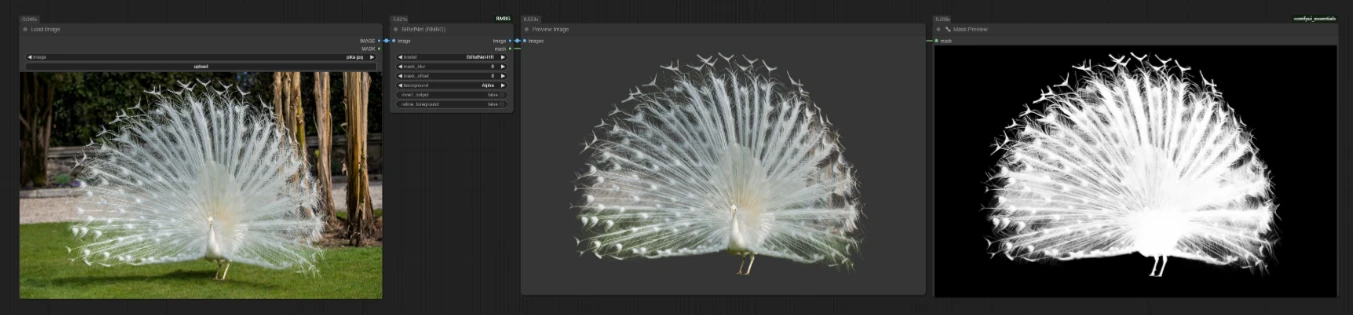
Supports multiple models, such as RMBG-2.0, INSPYRENET, BEN, BEN2, etc. Various background options are available, and batch processing is supported.
The RMBG-2.0 model is built on the BiRefNet architecture, offering high accuracy in background removal within complex environments while preserving edge details.
Object Segmentation (Segment Node):
Enables object detection through text prompts, supporting both label-style and natural language inputs, and utilizes SAM (Segment Anything Model) for high-precision segmentation.
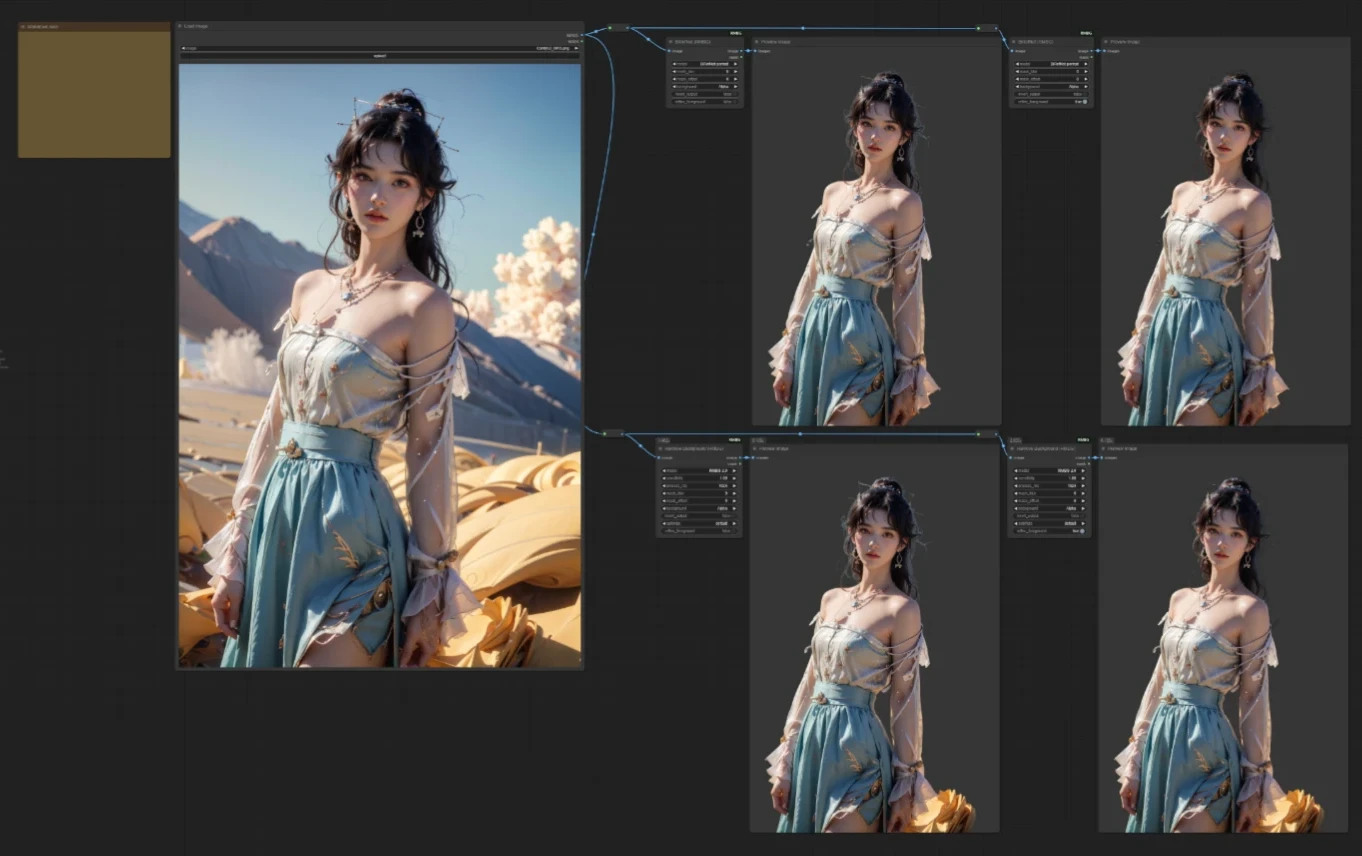
In addition, this project allows manual download and installation of many models, such as RMBG-2.0, INSPYRENET, BEN, BEN2, BiRefNet, SAM, and GroundingDINO. Each of these models has its own strengths in image processing scenarios:
RMBG-2.0: Developed based on the BiRefNet architecture, used for background extraction in complex scenes. It offers various background options (such as transparent, black, white), and edge quality optimization makes matting more natural.
InSPYRENET: Mainly focused on video background removal, with high efficiency in batch processing and adjustable thresholds to improve background results.
BEN Model: Compact and efficient, suitable for devices with low computing power, offering high accuracy with low computational resource consumption.
Technical Requirements for ComfyUI-RMBG
Requires ComfyUI and Python 3.10+ to be installed.
Dependent Python packages include torch, torchvision, Pillow, numpy, etc.
How to Install ComfyUI-RMBG
1. Install via ComfyUI-Manager
Search for ComfyUI-RMBG in ComfyUI-Manager and install it.After installation, run the following command to install dependencies:
./ComfyUI/python_embeded/python -m pip install -r requirements.txt
2. Manually Clone the Repository
Clone the repository into the custom_nodes folder of ComfyUI:
cd ComfyUI/custom_nodes
git clone https://github.com/1038lab/ComfyUI-RMBG
3. Install dependencies.
4. Manually Download Models
On first use, the model will be automatically downloaded to the ComfyUI/models/RMBG/ folder.
Users can also manually download model files and place them in the designated directory, for example:
The RMBG-2.0 model should be placed in /ComfyUI/models/RMBG/RMBG-2.0.
The INSPYRENET model should be placed in /ComfyUI/models/RMBG/INSPYRENET.
Download links and storage paths for other models can be found in the project documentation.
Use Cases for ComfyUI-RMBG
E-commerce Product Photography: One-click matting to extract products from complex backgrounds and replace them with a unified background.
Video Editing: Supports batch processing of videos for quick background replacement.
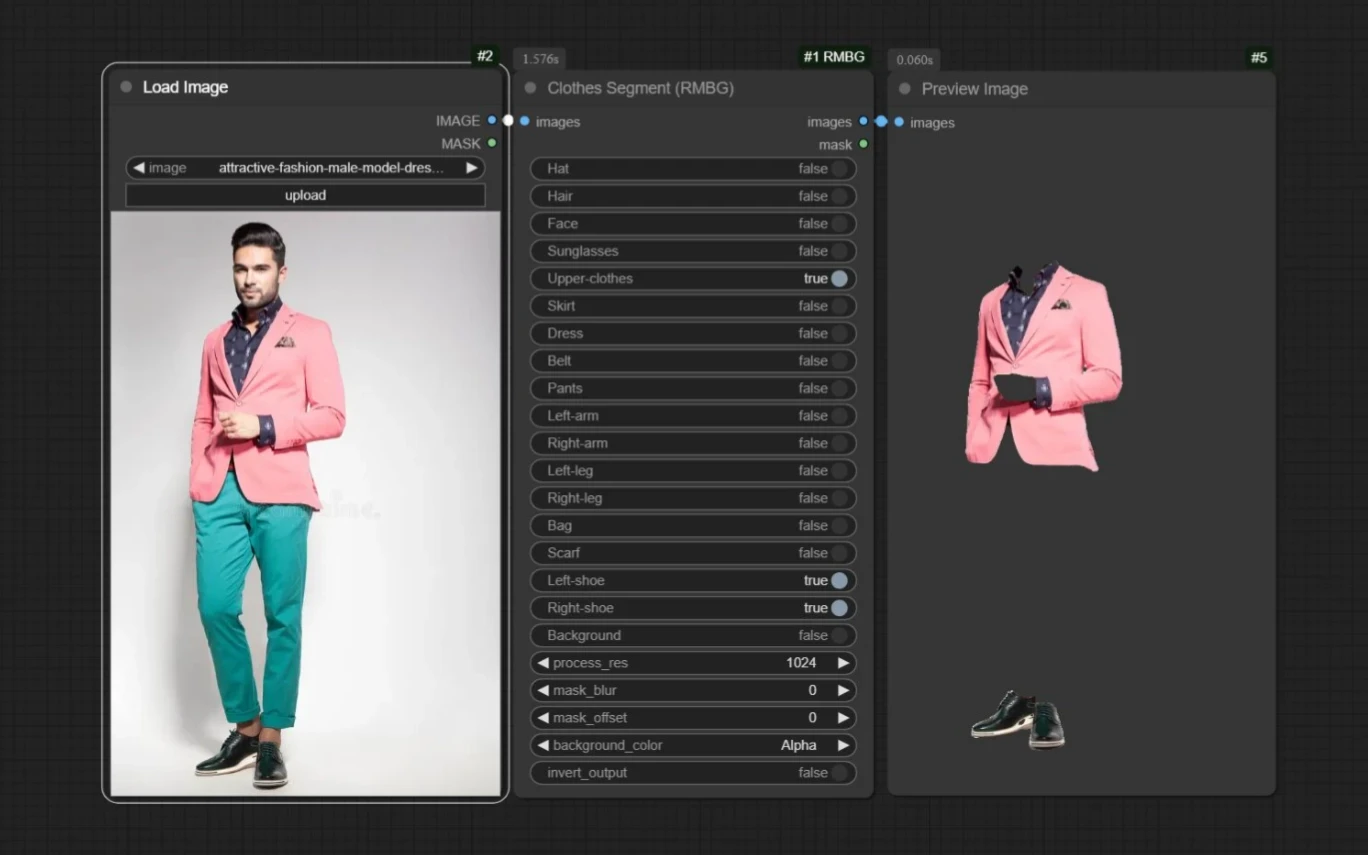
AI Outfit Changing and Animation Production: Combine with other plugins to achieve background replacement and character outfit swapping.
Artistic Creation: Use lightweight models (such as BEN) on low-computing-power devices to focus on creative expression.
GitHub Repository Address:https://github.com/1038lab/ComfyUI-RMBG









