
 Script Planner Assistant▸
 AI Apps
 AI News
Jimeng AI Digital Human Tutorial: Bring Your Photos to Life
小编 ·

Jimeng AI Digital Human Tutorial: Bring Your Photos to Life
When you scroll through short videos, are you also often captivated by those lifelike digital humans? They don't need to show their faces, yet they can talk fluently, handling product promotions, sharing knowledge, and chatting about daily life with ease. In fact, creating such a "digital avatar" is easy with Jimeng AI and Jianying (CapCut)! Today, I'll walk you through it step by step, so you can bring static images to life at zero cost and easily create short videos!"
1. Prepare Your Materials
Prepare a photo or video of the digital human, along with a clear audio file (for lip-sync generation) or accurate text content.
2. Register and Log In
Open your browser and visit the Jimeng platform official website.
Click the "Log In" button in the top-right corner of the homepage, and enter your username and password to sign in; first-time users need to register an account first, which can be done by scanning a QR code with a Douyin account.
3. Enter the Digital Human Generation Page
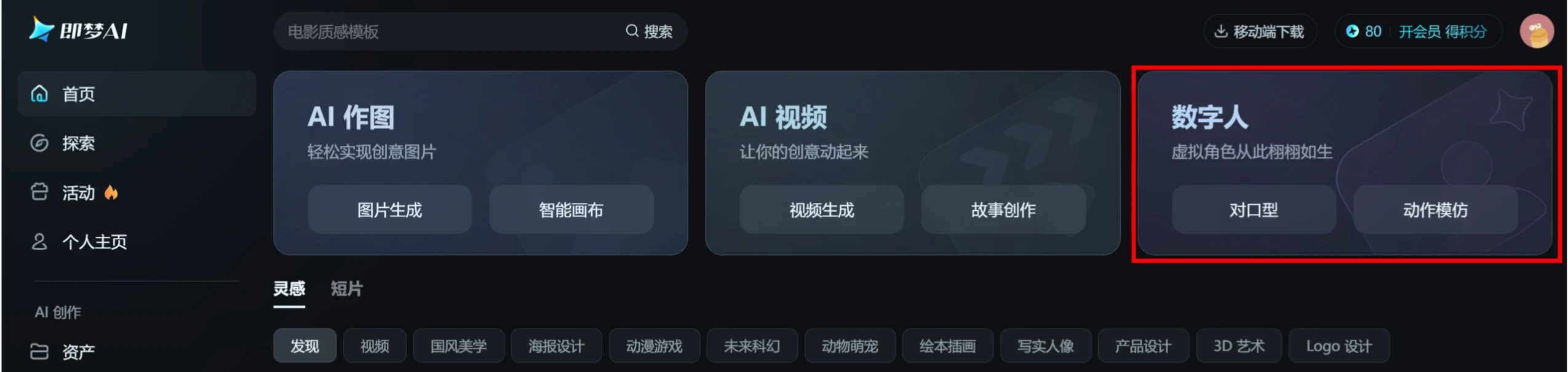
1. On the Jimeng AI homepage, select the "Digital Human" feature, then choose "Lip Sync".
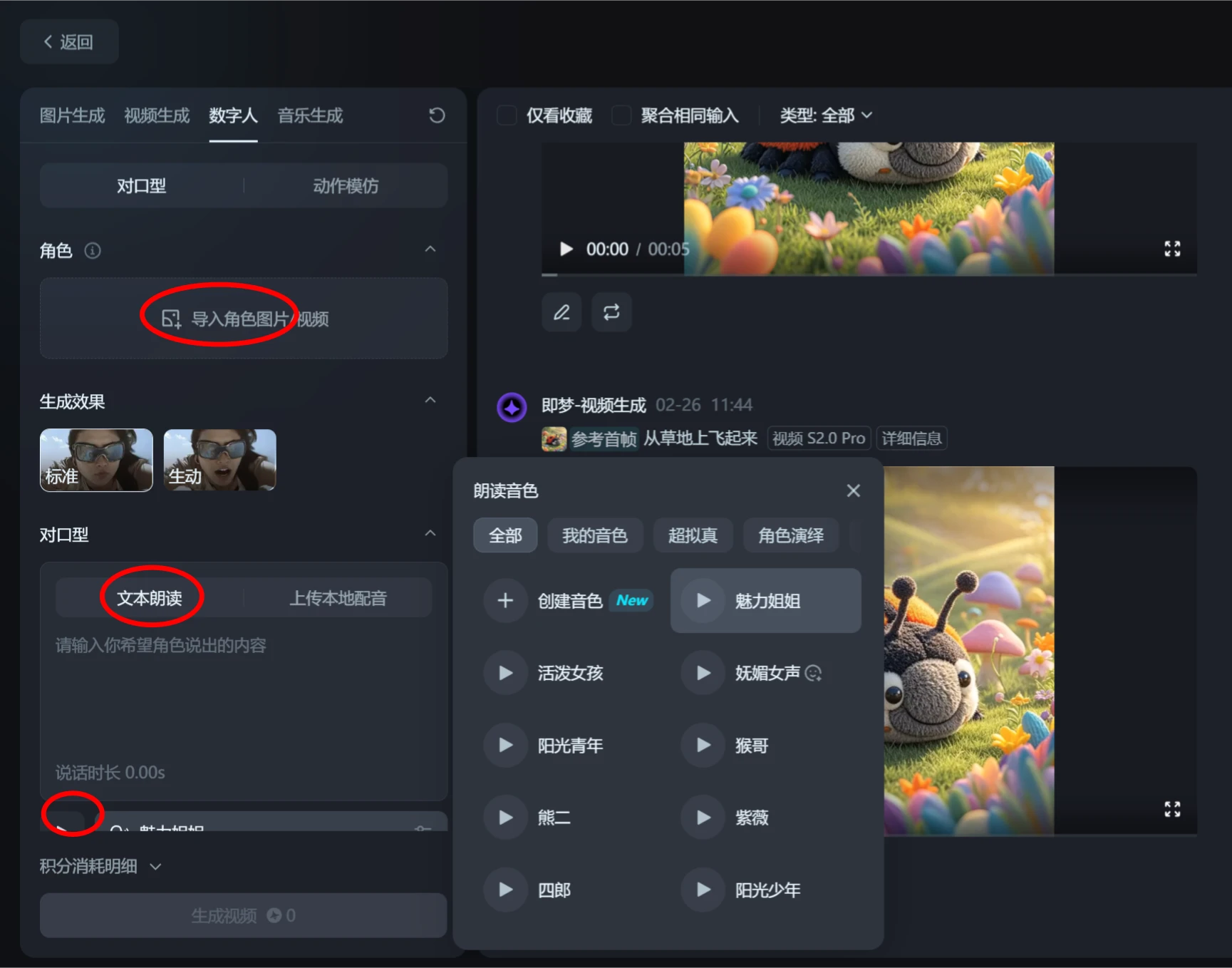
2. Upload the digital human character image you prepared in the character column.
3. Enter text or upload voiceover
Text-to-lip-sync: In the "Lip Sync — Text Reading" input box, type what the digital human will say. Make sure the grammar and punctuation are complete, and once done, the Jimeng platform will automatically generate lip-sync movements, for example: "Hello everyone, I'm Xiao Pangying, a little enthusiast focused on AI!".
Audio-to-lip-sync: Click the "Upload Local Voiceover" button to upload an audio file.
4. Select the reading voice; you can preview the voice.
5. Select the voice speed.
6. Click Generate Video Now.
4. Post-Production
Import the generated video into the Jianying (CapCut) app.
After reading this tutorial, do you feel that bringing images to life isn't that difficult either? Open Jimeng AI right now and create your own exclusive digital human avatar!









