
 Script Planner Assistant▸
 AI Apps
 AI News
Where is WeChat's New "Slim Down" Feature?
小编 ·

Where is WeChat's New "Slim Down" Feature?
What is the new "Slim Down" feature released by WeChat?
In recent hot updates over the past few days, WeChat has launched a new "Slim Down" feature, which you can experience by updating to the latest version. This "Slim Down" feature can compress original images and original videos in your WeChat chat history to better free up storage space. According to users' actual tests, the amount of storage space released after cleanup can range from a few GB to tens of GB. This feature has received widespread praise from users, with many saying "Great update!" and "Finally, it's here!".
Where is the new "Slim Down" feature?
In WeChat's "Me - Settings - General - Storage Space" interface, a new line of small text has been added below the cache area: "Includes xx MB of original images and original videos in chat history." prompt.
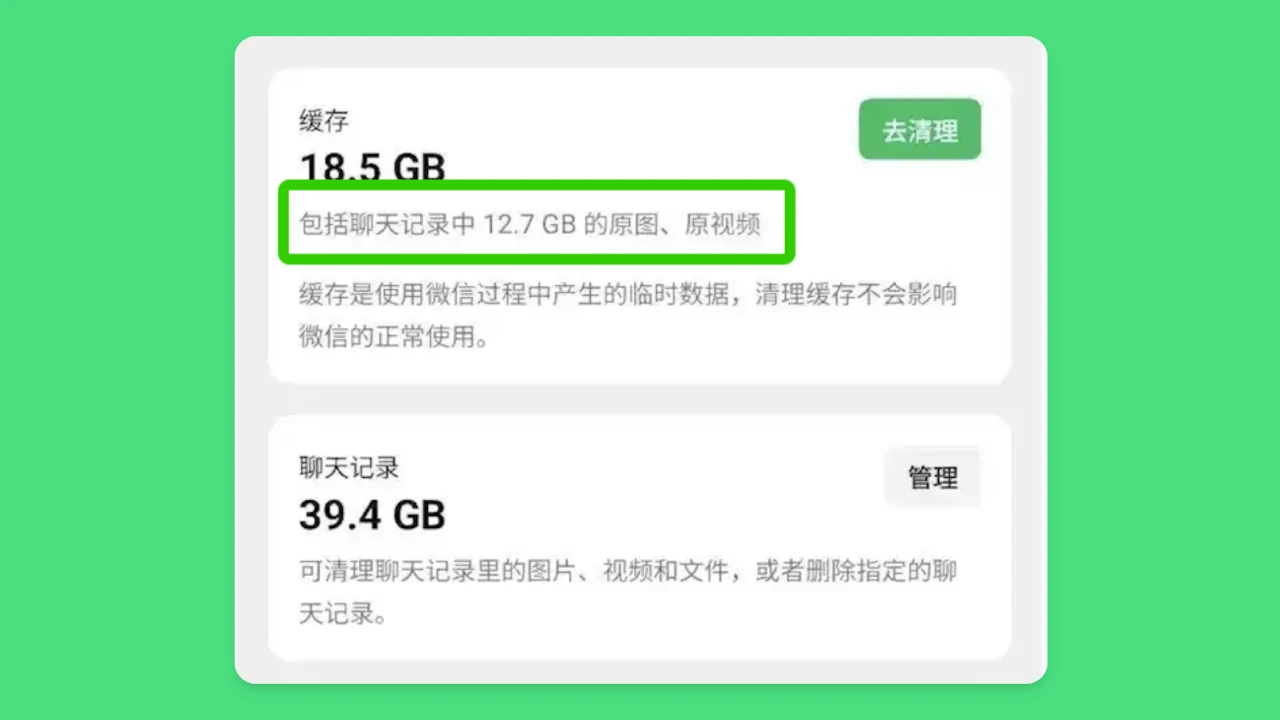
Specific steps for "Slim Down":
Open WeChat, tap "Me" in the bottom right corner, and select "Settings".
On the Settings page, tap "General", then select "Storage Space".
On the Storage Space page, find the prompt for "Original images and original videos in chat history", and tap "Go to Clean Up".
On the cleanup page, you can choose:
Clean up original images and original videos you've sent
Clean up original images and original videos you've received
After selecting the content you want to clean up, tap the "Clean Up" button. After cleanup, images and videos will automatically be converted to compressed versions, but they can still be accessed.
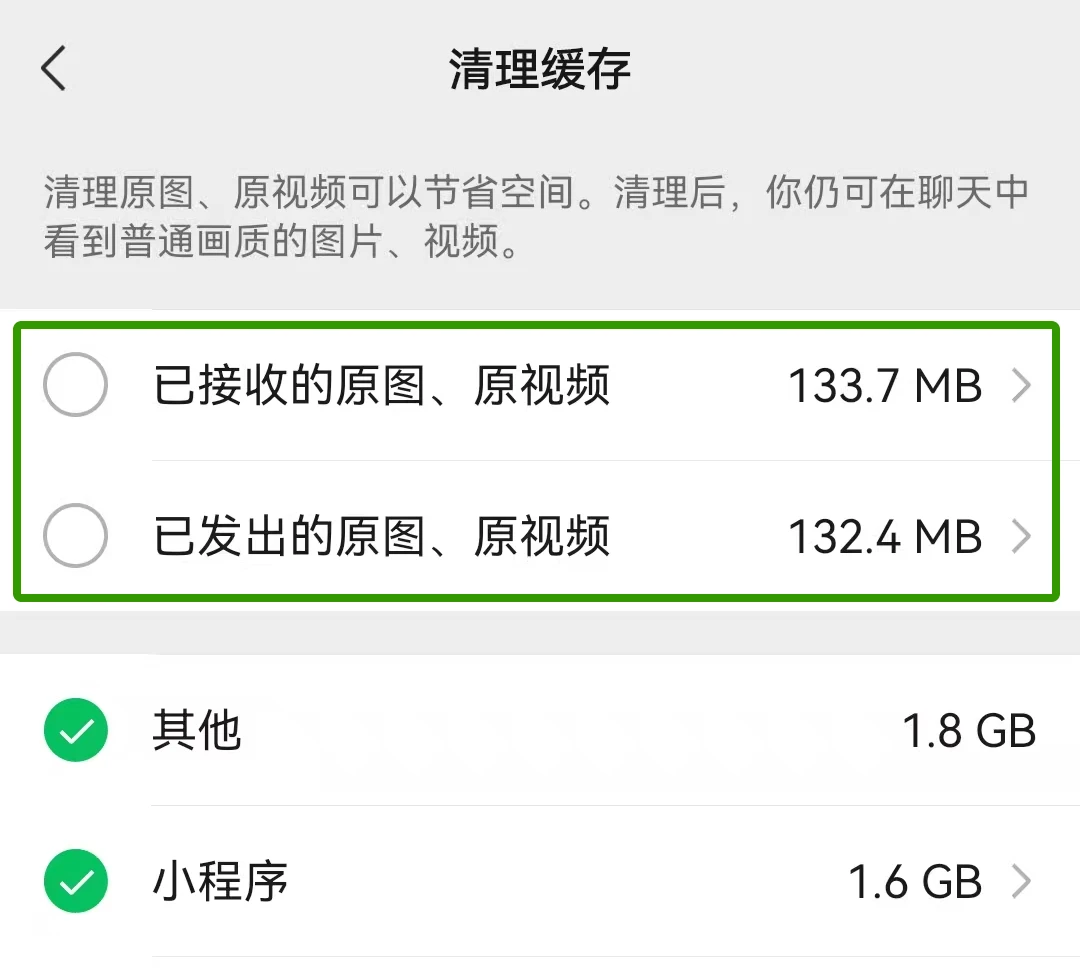
Cleanup Effect
After cleanup, images and videos in chat history can still be viewed, but the quality will be reduced to standard quality. This feature can both avoid the issue of "image has expired" and effectively free up storage space.
Users can filter the original images or original videos they want to clean up by "View by File Size" or "View by Chat Size", and select by size, time, or type.
Can images and videos in chat history still be viewed after cleanup?
After cleanup, images and videos in chat history can still be viewed, but the quality may be reduced.
Images: After cleaning up original images, they will automatically be converted to WeChat's compressed version. The quality will be slightly worse than the original, but they can still be viewed normally.
Videos: After cleaning up original videos, they will be converted to WeChat's standard quality version. The resolution and clarity may decrease, but they can still be played normally.
Note: Before cleaning up files, it is recommended to back up any important images, videos, or documents first.









