
 Script Planner Assistant▸
 AI Apps
 AI News
Mp-Vx-insight: One-Click Cover Image & Article Content Extraction for WeChat Official Accounts
小编 ·

Mp-Vx-insight: One-Click Cover Image & Article Content Extraction for WeChat Official Accounts
What is Mp-Vx-insight?
mp-vx-insight is a browser extension designed specifically for WeChat Official Accounts, supporting Google Chrome and Microsoft Edge browsers. Its features are simple and practical: one-click retrieval of cover images for Official Account articles, collection of article content, and quick export of the complete list of historical articles from an Official Account.
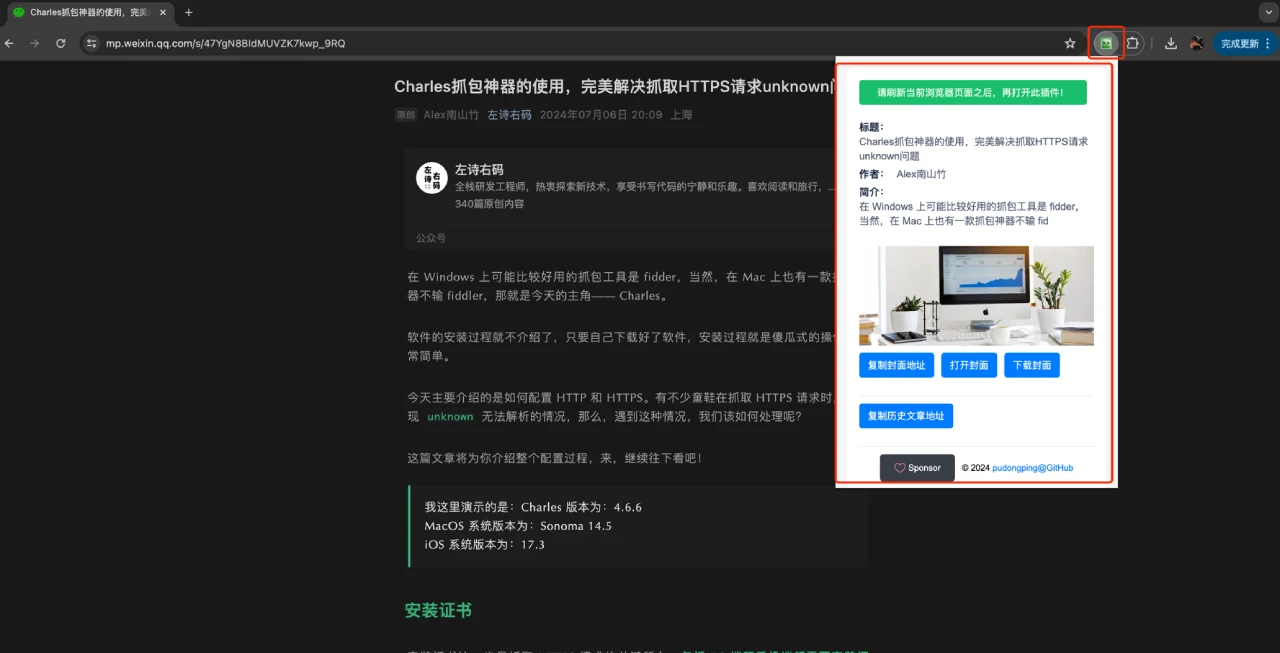
Mp-Vx-insight Features:
One-click cover image retrieval: Allows users to quickly download or copy the cover image of a WeChat Official Account article, making content beautification and sharing easier.
Fetch all articles: Helps users collect all historical article links from a specific Official Account, which is very useful for data analysis, content research, or backing up your own articles.
One-click article content collection: A newly added feature that lets users extract the complete content of an article to the clipboard, facilitating quick quoting or archiving and improving work efficiency.
Article metadata extraction: Automatically captures and provides key article information, including title, author, summary, etc. This data is essential for content analysis and archiving.
How to use Mp-Vx-insight?
When using Mp-Vx-insight, remember to first open the target Official Account article page and refresh it, then launch the extension page; otherwise, data may not be retrieved. If you're interested in the technology, you can go directly to GitHub to download the source code, or reply with "公众号插件" (Official Account Extension) in the Official Account backend to get the extension installation package.
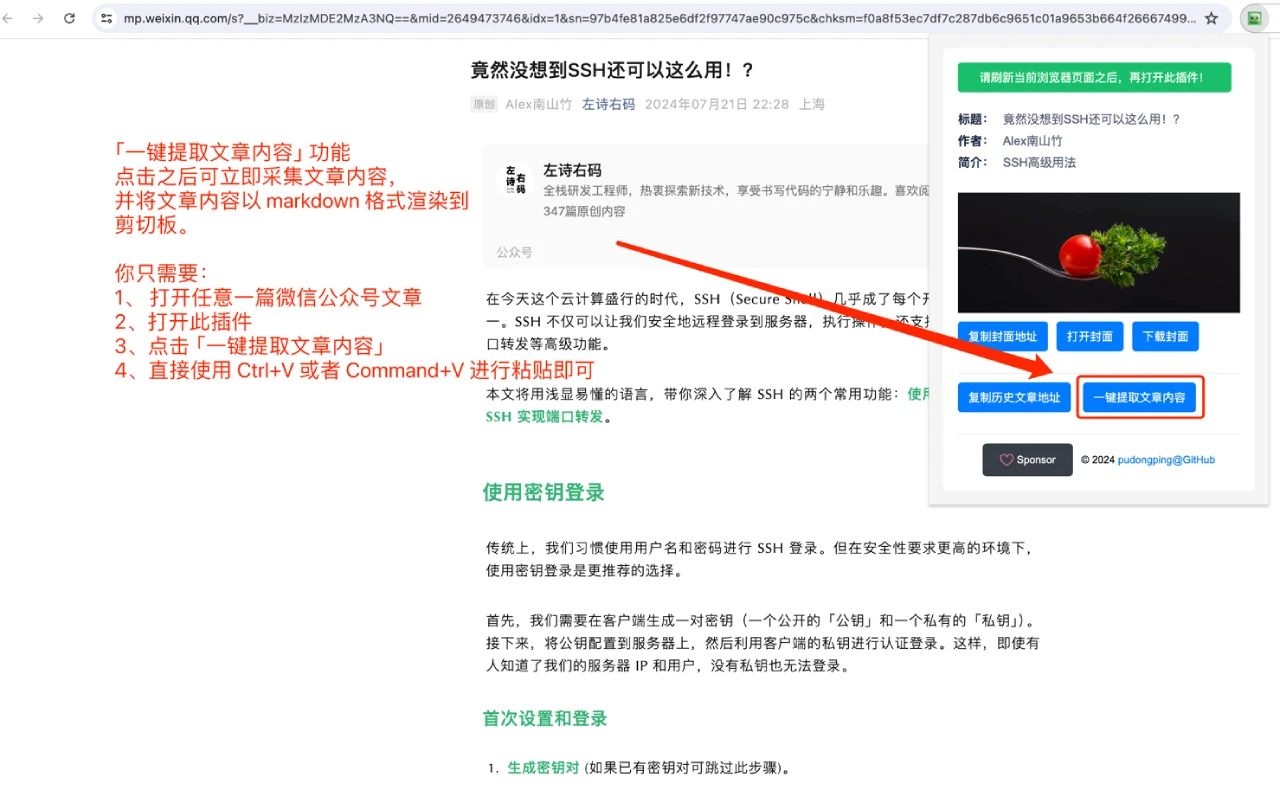
Get the source code:
Pull the source code via git: git clone https://github.com/pudongping/mp-vx-insight.git ~/mp-vx-insight
Or download the source code directly via the browser: wget https://github.com/pudongping/mp-vx-insight/archive/refs/heads/master.zip
Load the extension:
Open the Chrome browser and go to the extension management page. You can use one of the following three methods:
Visit chrome://extensions directly
Via "Extensions" -> "Manage extensions"
Via "Settings" -> "Extensions" -> "Manage extensions"
Enable "Developer mode".
Click "Load unpacked" and select the extension directory (i.e., the directory after downloading the source code).
github: https://github.com/pudongping/mp-vx-insight









