
 Script Planner Assistant▸
 AI Apps
 AI News
olmOCR: A Powerful Open-Source OCR Tool for High-Accuracy PDF and Document Conversion
小编 ·

olmOCR: A Powerful Open-Source OCR Tool for High-Accuracy PDF and Document Conversion
What is OLMOCR?
OLMOCR is an open-source tool capable of converting PDF files to text with high accuracy. The conversion preserves the document's reading order and supports recognition of tables, equations, and handwritten content. It also features high-throughput document processing, text conversion that preserves natural reading order, and high accuracy to reduce hallucinations.
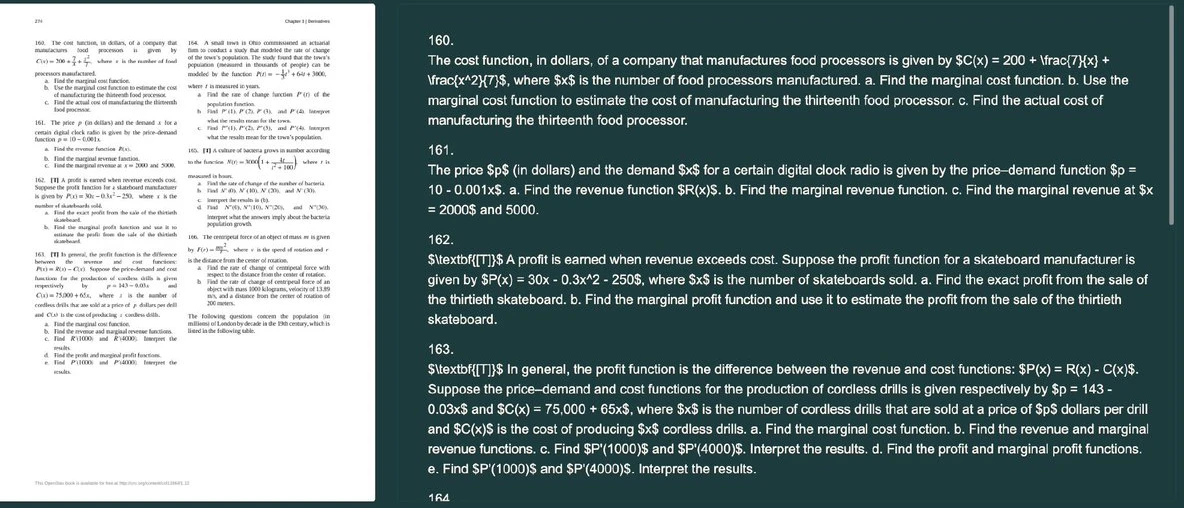
Features and Characteristics of olmOCR
High Accuracy: OLMOCR provides advanced OCR technology to ensure maximum content accuracy during conversion.
Supports Multiple Formats: This tool can handle different types of PDFs, including documents with complex formatting.
Development Toolkit: In addition to basic OCR functionality, OLMOCR includes a suite of tools for linearizing PDFs, making it convenient to generate datasets suitable for AI language model training.
Use Cases for olmOCR
Can be used to digitize paper document images into text, providing convenience for document management.
Built-in features help users extract key data, such as table content, for later analysis and use.
Suitable for enterprises and research institutions that need to process large volumes of documents.
Can be used in education for digitizing exam materials and handwritten notes.
The medical industry can use this tool to process scanned medical records and forms.
The legal field can use it to efficiently manage and retrieve legal documents.
Suitable for historical research projects that need to digitize and archive paper documents.
Advantages of olmOCR
High-Precision Recognition: Capable of recognizing complex structures (such as tables, equations, etc.).
Cost-Effective: The cost of converting one million pages of PDFs is only $190.
Large-Scale Processing Capability: Can perform large-scale batch file conversion.
Compatible with Various Hardware: Can adapt to different hardware configurations for operation.
Comprehensive Components Provided: Offers model weights, data, and training code for users to choose flexibly.
Frequently Asked Questions about olmOCR
Q: Does it support handwritten text recognition?
A: Yes, olmOCR can recognize handwritten text.
Q: Are there any limitations on batch processing?
A: olmOCR supports large-scale batch processing and flexibly adapts to different hardware environments.
Q: Is a free trial version available?
A: The overview and all components are open-source and can be obtained on GitHub.
Q: What is the average processing time for one page of PDF?
A: The specific time depends on the hardware configuration, but the overall operating cost is very low.
Q: What languages are supported?
A: olmOCR supports multiple languages, including content with complex structures.
Online Demo:Visit olmocr.allenai.org
GitHub Repository:https://github.com/allenai/olmocr









