
 Script Planner Assistant▸
 AI Apps
 AI News
Raycast AI Extension: Manage and Execute Tasks with Natural Language Commands
小编 ·

Raycast AI Extension: Manage and Execute Tasks with Natural Language Commands
What is the Raycast ai extension?
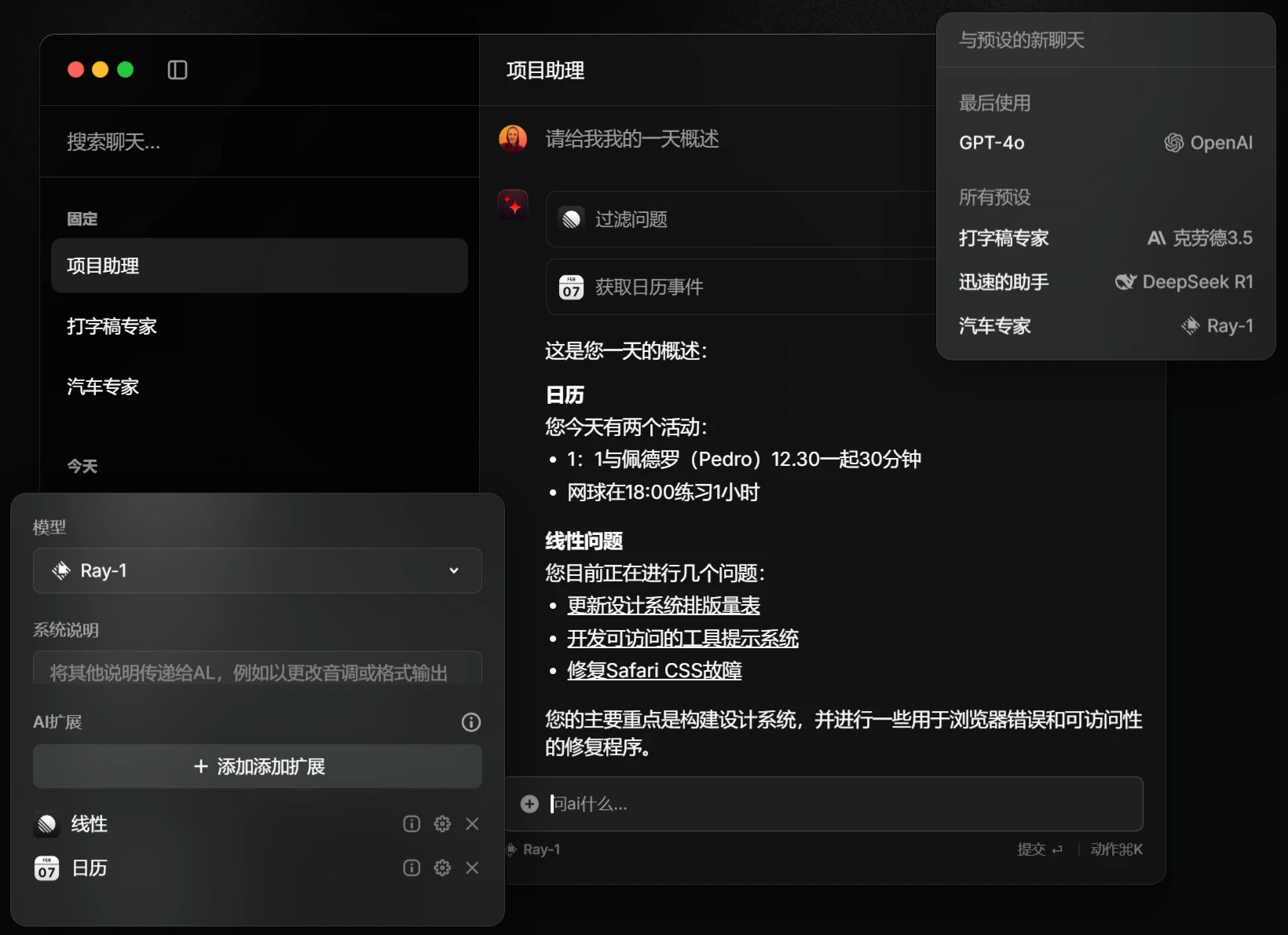
The AI extension recently launched by Raycast is a tool that allows users to interact with and execute tasks on various applications on their computer through natural language commands, enabling users to manage their daily work more efficiently and conveniently. You can simply use the "@" symbol in Raycast to easily bring up AI Extensions to perform complex tasks without needing to manually open each application.

Raycast AI extension Features
AI Search: Users can ask their digital assistant questions in natural language to get information, and Raycast AI can quickly pull up relevant data and suggestions.
AI Chat: Similar to a chat bot, users can have conversations within Raycast and receive instant suggestions and solutions.
AI Commands: Users can execute complex operations through simple natural language commands, allowing them to quickly optimize workflows, such as creating tasks or updating statuses.
Task Management & Tracking: Combined with AI Commands, you can efficiently manage projects and tasks, simplifying complex management processes.
Custom AI API: Provides developers with a platform to create personalized features, such as generating reports on demand or automating common workflows.
Information Extraction & Organization: AI can help extract and consolidate information, such as pulling key points from meeting notes, helping you organize documents manually and improving summarization efficiency.
Content Creation: Leveraging AI's text generation capabilities to help users quickly draft copy, emails, or other types of content.
Raycast AI extension Use Cases
File Management: Users can quickly find files or perform file operations, saving time.
Information Retrieval: Use AI to quickly access data or materials and resolve issues rapidly.
Daily Task Automation: Automatically perform repetitive daily tasks to boost efficiency.
Interactive Learning: When accessing information, you can use AI chat to dive deeper into specific topics.
How to use the Raycast AI extension?
Install Raycast: Install and set up the Raycast app on your Mac.
Enable AI Extensions: Go to Raycast's settings and activate the AI Extensions feature, ensuring you have access to all available AI commands and extensions.
Use Natural Language Commands: Open Raycast, access it via keyboard shortcut or by clicking directly, and input natural language commands. For example, you can input "translate this text into Chinese" or "What are today's calendar events?"
Install Third-Party Extensions: If you need more advanced features, you can visit the Raycast Store to find and install the plugins or extensions you need. For example, you can install the ChatGPT plugin to enhance conversational capabilities or integrate with other apps.
Bind Shortcuts: In settings, you can bind shortcuts to frequently used AI commands, allowing you to perform related operations more quickly and further improving work efficiency.
Official detailed introduction:https://www.raycast.com/core-features/ai









