
 Script Planner Assistant▸
 AI Apps
 AI News
How to Create "Make Me Angry" Plush Toy-Style Videos with DeepSeek, Jimeng AI, and Kling AI
小编 ·

How to Create "Make Me Angry" Plush Toy-Style Videos with DeepSeek, Jimeng AI, and Kling AI
Recently, a special effects trend featuring plush toys called "Come Make Me Mad" (快来惹毛我) has swept social media platforms across the country. With its irresistibly cute appeal, this style has attracted countless users' attention and affection. Wondering how to achieve this fluffy effect? Just follow me through the steps below:
1. Use DeepSeek to Generate Image Prompts
1. Log in to the DeepSeek website and enable Deep Thinking mode (if the service is busy, please use Wenxiaobai)
2. Enter the command:
以毛绒绒的七星瓢虫为主题生成3组不同场景的图片提示词
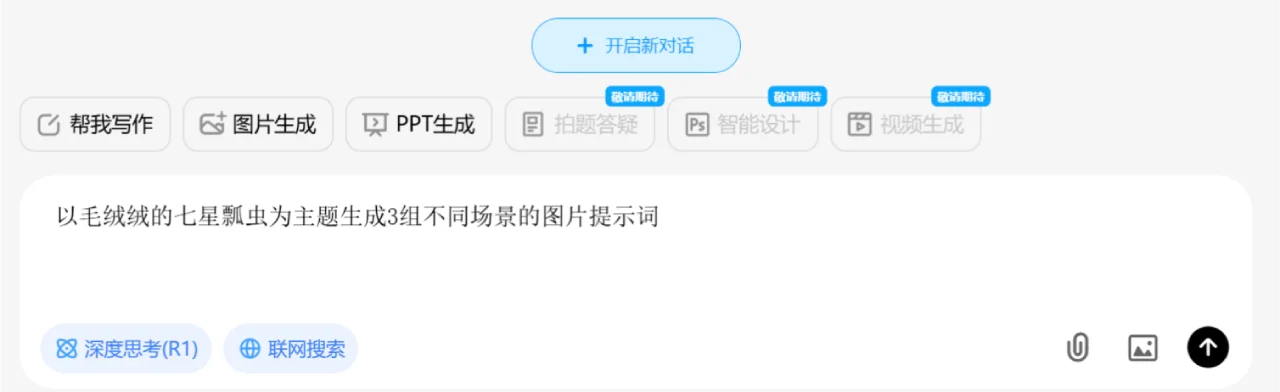
3. Below are the image prompts for different scenes generated by DeepSeek. [Save and copy] the prompt you choose.
Meadow Scene
提示词:一只巨大胖嘟嘟的毛绒材料制作的七星瓢虫,在毛绒材料的草原上,柔软,五颜六色,
马卡龙配色,色彩鲜艳,舒适感,治愈的氛围,3D渲染,独特的艺术形式,极简主义风格。
Garden Scene
提示词:毛绒绒的七星瓢虫在毛绒材质的花园中,周围是毛绒的鲜花和绿叶,阳光洒在毛绒材质上,
温暖柔和,马卡龙色系,治愈的氛围,3D渲染,极简风格,高清细节。
Starry Sky Scene
提示词:毛绒绒的七星瓢虫漂浮在毛绒材质的星空背景中,周围是毛绒的星星和月亮,
梦幻的马卡龙配色,柔和的光影,治愈的氛围,3D渲染,超现实主义风格,高分辨率
2. Use Jimeng AI to Generate Static Images
1. Open the Jimeng AI website and select [Image Generation]
2. Paste the prompt: Paste the command generated by DeepSeek into Jimeng AI.
3. Set parameters: Choose the image aspect ratio and size as needed.
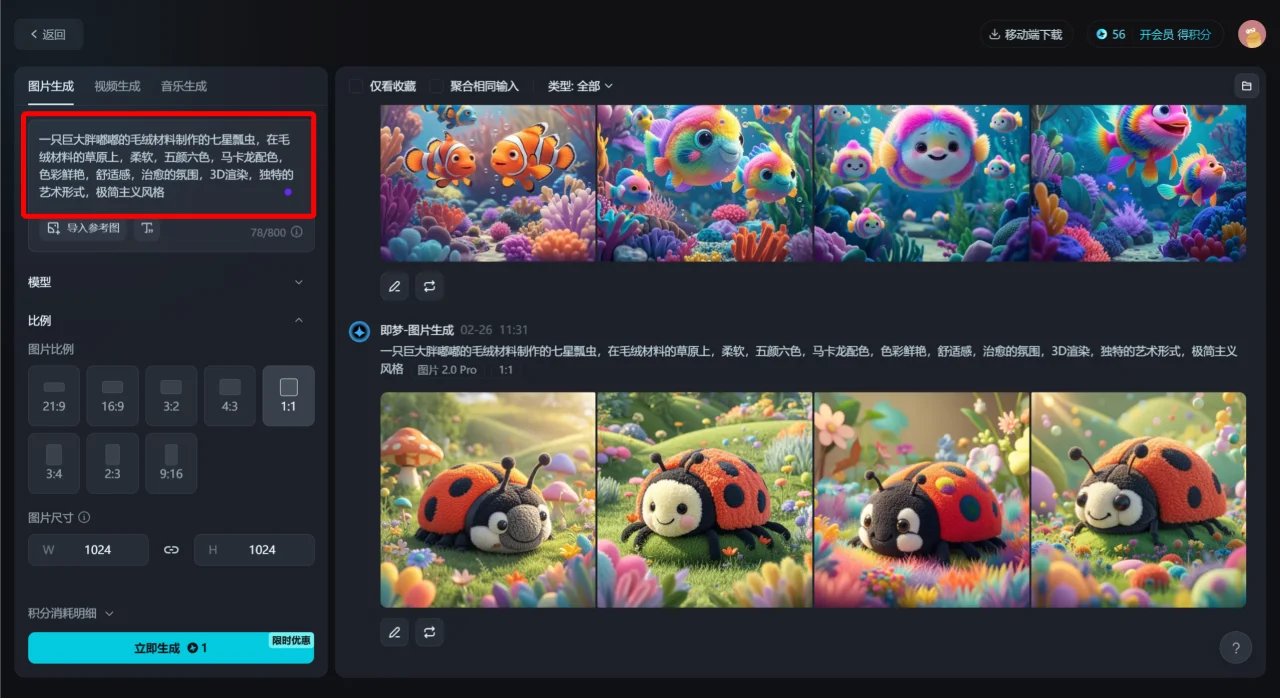
3. Generate the image: Click the [Generate Now] button, then pick a satisfactory image from the 4 generated results to download and save.
3. Use Kling AI to Create Dynamic Videos
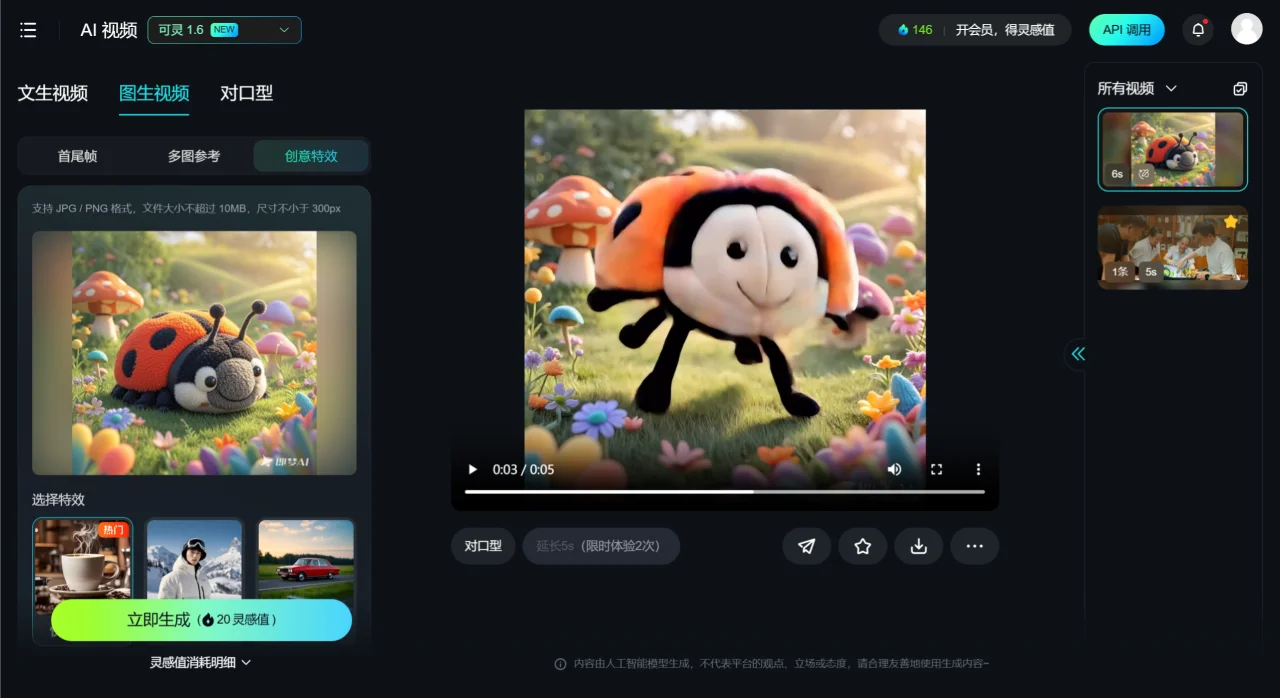
1. Go to the Kling AI website, register and log in, then select [Creative Effects]
2. Upload the image: Import the selected static image into Kling AI and choose the [Come Make Me Mad] effect.
3. Generate now: Wait about 2 minutes, and a dynamic video of a fluffy ladybug jumping will be ready. See the effect below:
4. Create Directly on Kling AI
If you already have an image you like on hand, you can directly upload it under [Creative Effects] on Kling AI, select the [Come Make Me Mad] effect, and generate it. No need to go through DeepSeek and Jimeng AI.









