
 Script Planner Assistant▸
 AI Apps
 AI News
Learn in 3 Minutes: Generate Short Videos with DeepSeek and Jianying (CapCut)
小编 ·

Learn in 3 Minutes: Generate Short Videos with DeepSeek and Jianying (CapCut)
No writing, no filming—use "Deepseek + Jianying" to generate short videos with one click! Personally tested, one video template in 3 minutes. Let me walk you through it step by step.
First, let's take a look at these two tools:
DeepSeek: A powerful AI copywriting generation tool that can produce high-quality short video scripts based on your needs.
Jianying: An easy-to-use video editing software that supports smart material matching and automatic voiceover, making video production effortless and simple.
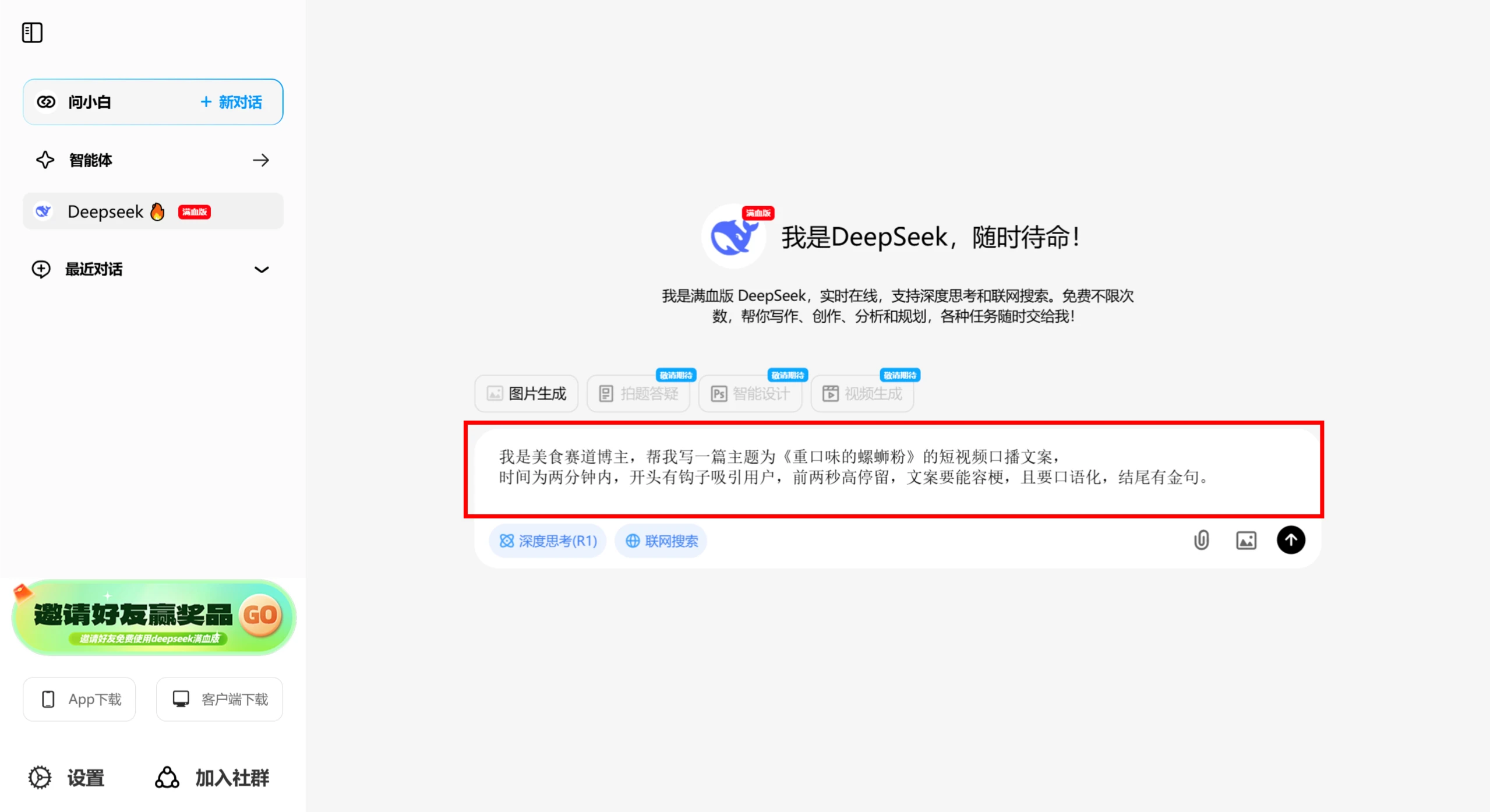
Step 1: Open DeepSeek (if it's busy, use Wenxiaobai)
Enter the following command:
我是美食赛道博主,帮我写一篇主题为《重口味的螺蛳粉》的短视频口播文案,
时间为两分钟内,开头有钩子吸引用户,前两秒高停留,文案要能容梗,且要口语化,结尾有金句。
Of course, you can also replace the niche keywords and topic with your own.
Step 2: Copy the copy generated by DeepSeek into Jianying:
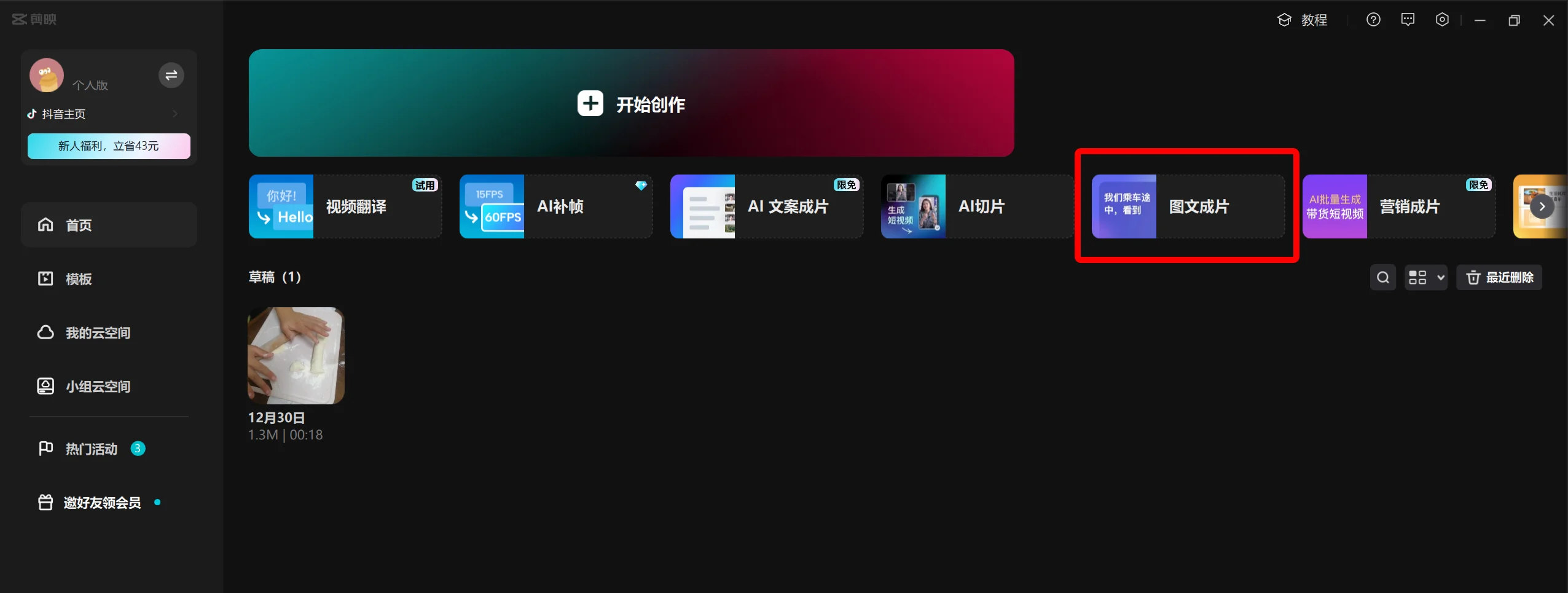
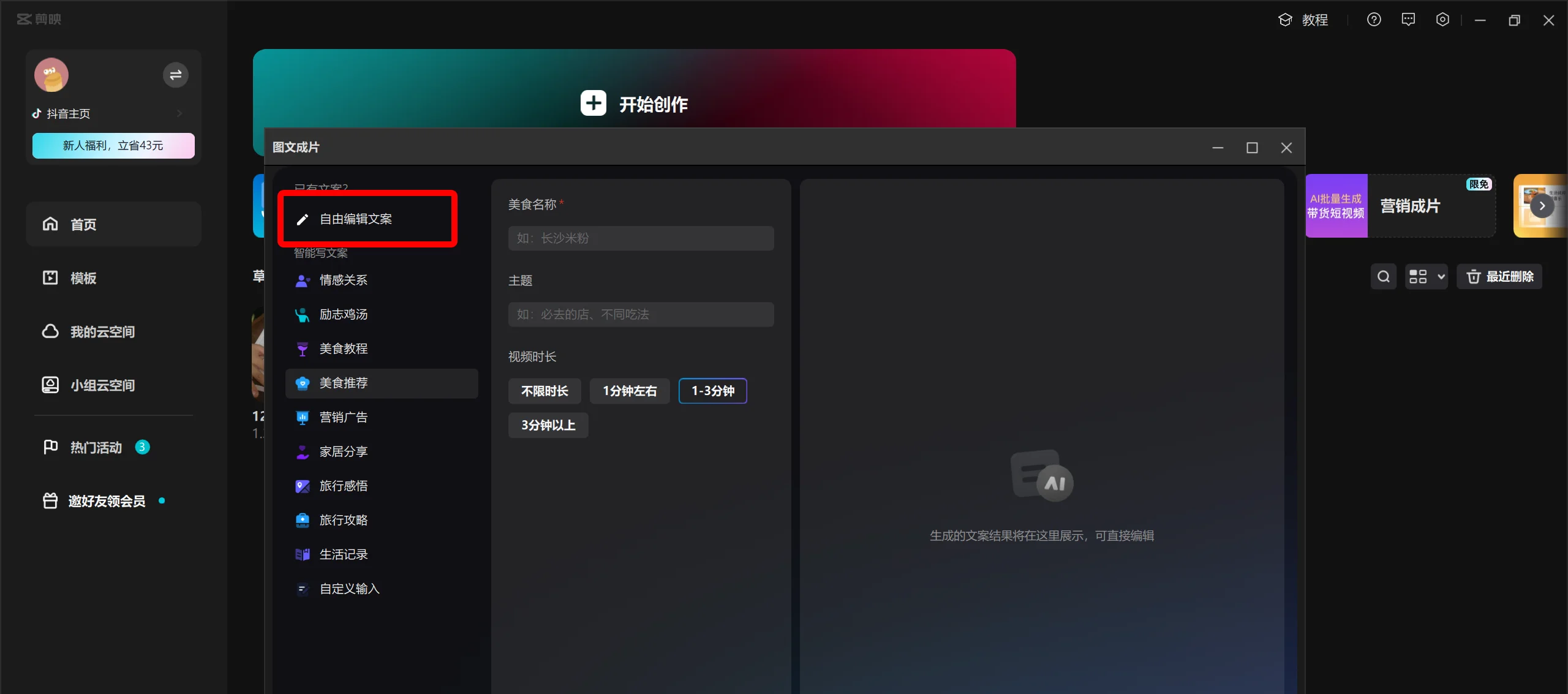
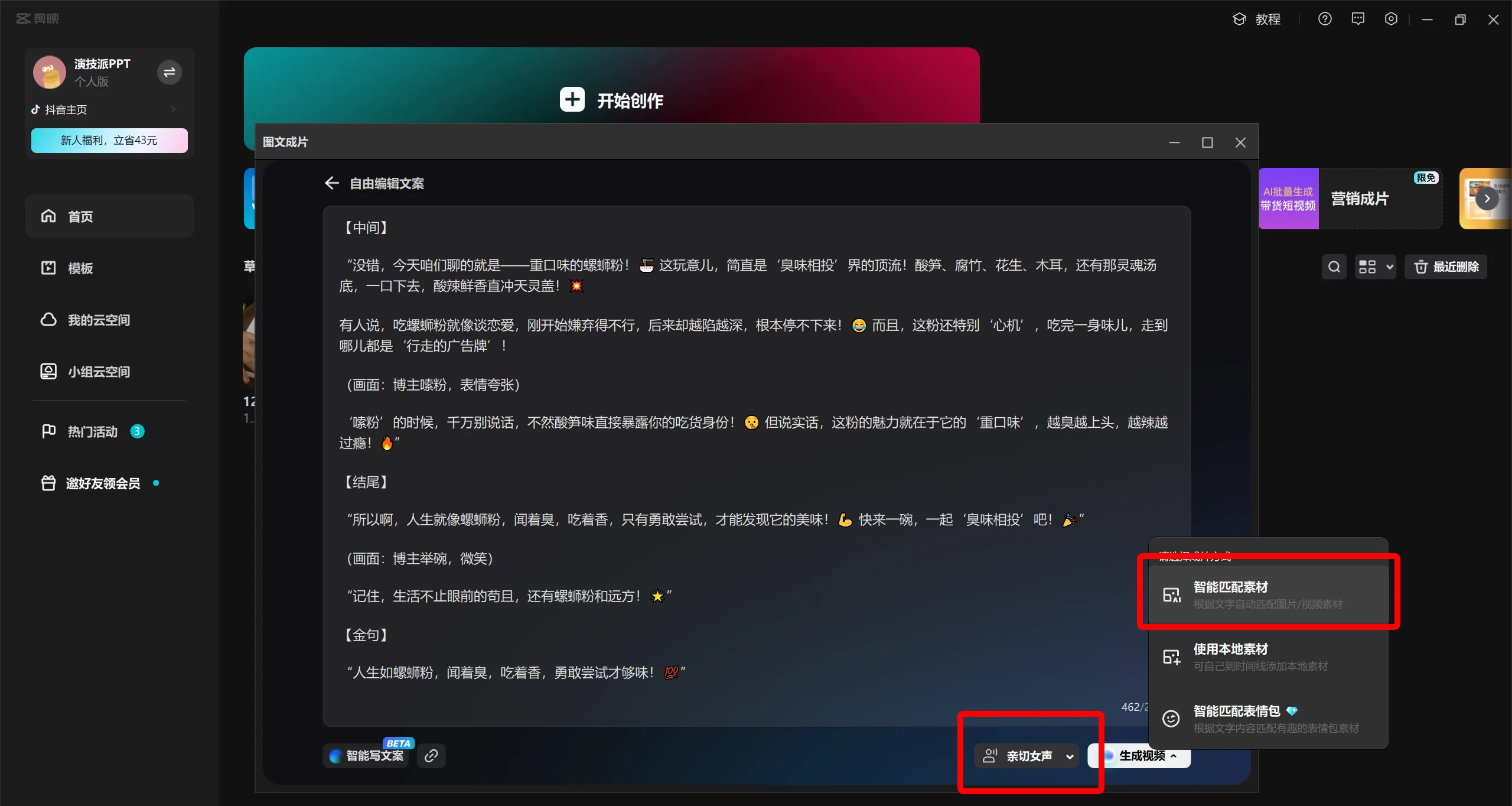
Open Jianying, click [Image-to-Video] → select "Freely Edit Copy" and paste the copy → choose "Voiceover, Smart Material Matching".
Step 3: Witness the magic moment—the video is generated.
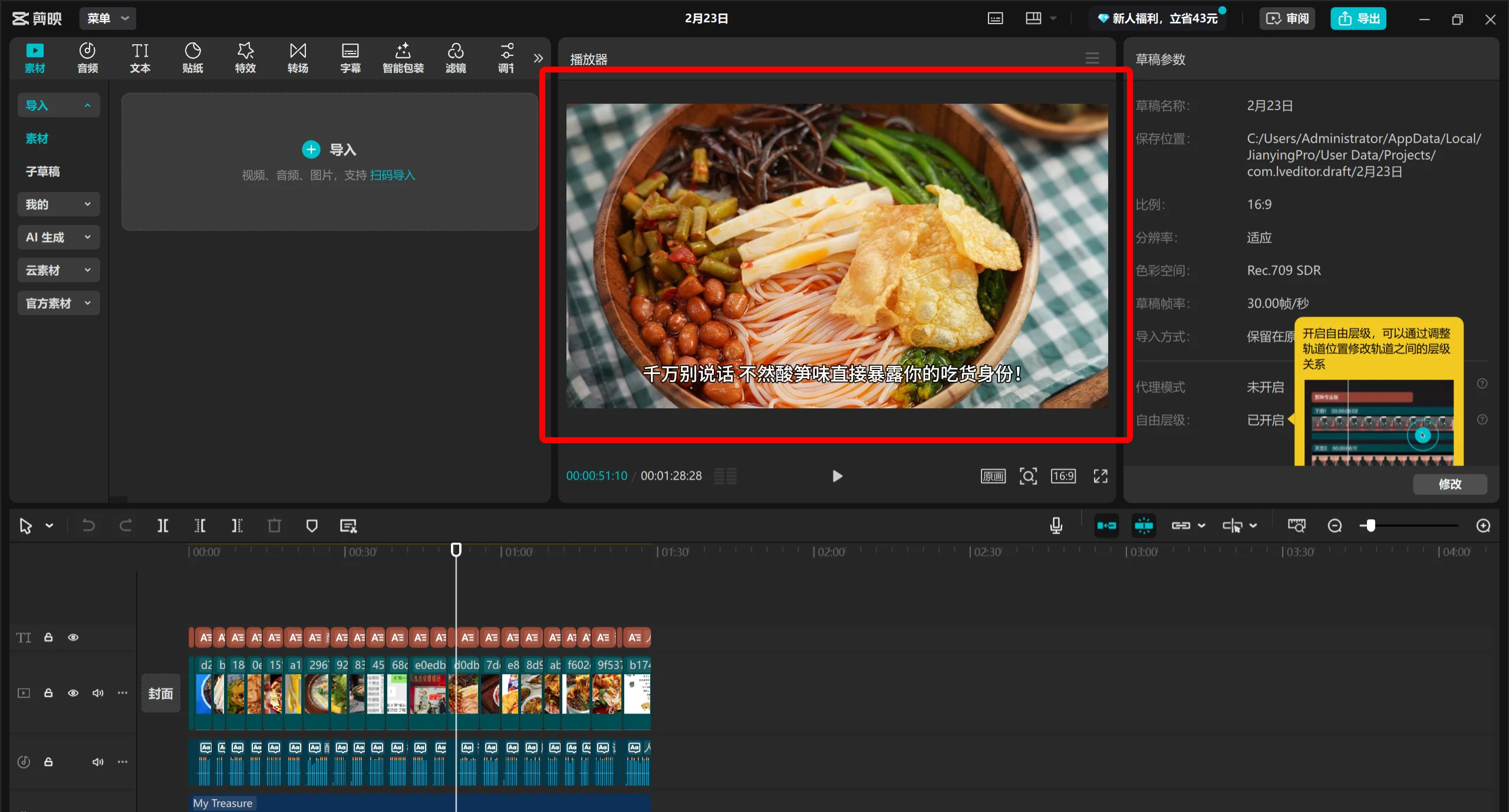
AI automatically splits subtitles + matches footage from the material library + smart voiceover (you can also manually replace it with more fitting image materials).Look, the video is generated just like that. If you're not satisfied with any of the materials, you can replace them with your favorite clips.
Tips:
The copy generated by DeepSeek will contain words like "opening," "middle," and "ending." Before using the copy, you can edit and organize it first; otherwise, the voiceover will read those words out loud as well.









