
 Script Planner Assistant▸
 AI Apps
 AI News
Pikadditions: Insert Any Element into Your Videos
小编 ·

Pikadditions: Insert Any Element into Your Videos
What is Pika Pikadditions?
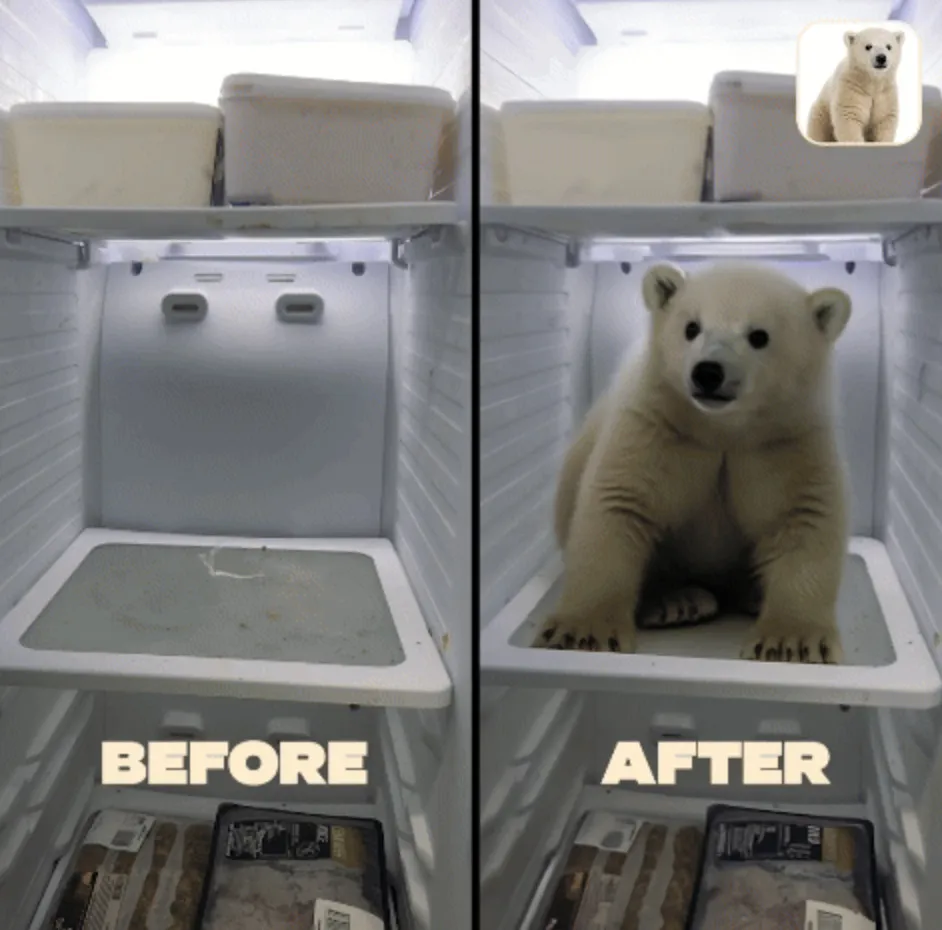
Pikadditions is the latest AI video editing feature launched by Pika Labs. All you need to do is upload an image and a video, and the object from the image will be added into the video. Pikadditions then uses AI to intelligently adjust the lighting, scale, and position of the new element to seamlessly blend with the original video, unlocking unlimited creative possibilities while preserving the original video and audio. You can use Pikadditions for all kinds of creative ideas, such as adding small animals to family videos, or "putting yourself" into classic movie scenes to make hilarious and entertaining videos.
Main Features and Advantages of Pika Pikadditions:
Seamless Integration: Pikadditions ensures that the added elements blend perfectly with the original video. Whether it's an animal, an object, or a fictional character, everything can be presented in a highly realistic way.
Unlimited Creativity: Users can unleash unlimited creativity by adding any imagined object or character into real videos—from tigers to polar bears, even Godzilla—everything can be easily achieved.
Easy to Use: It's very simple to use. Just upload your video and image, then enter a prompt, and you're done.
Cost Reduction: This feature is widely considered to significantly reduce video production costs. Some people even claim it can save up to $5,000 per month—though, of course, that's just a joke.
Applications of Pika Pikadditions:
Enhancing Project Creativity: Pikadditions enables users to add new characters, objects, or fantasy elements to existing videos—for example, creating funny videos.
Education and Training: In the education and training field, Pikadditions can be used to create highly interactive learning materials, such as adding relevant images and examples to instructional videos.
Content Creation: For video bloggers, Pikadditions makes the video editing process significantly simpler.
Commercial Marketing: Businesses can leverage Pikadditions to produce attractive promotional videos that showcase their products or services.
How to Use Pika Pikadditions:
1. Visit the Pika official website.
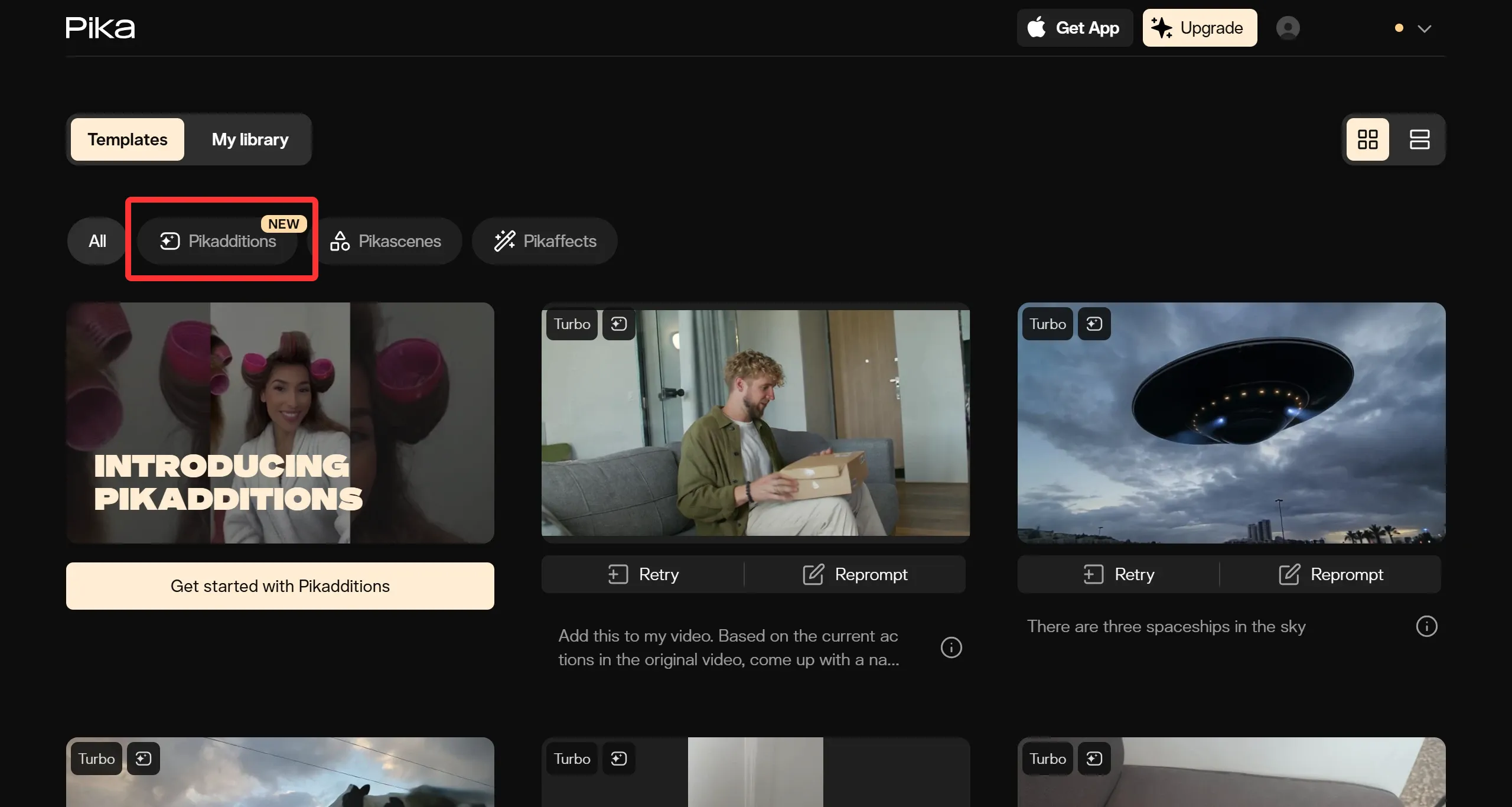
2. Find and click the "Pikadditions" feature on the homepage.
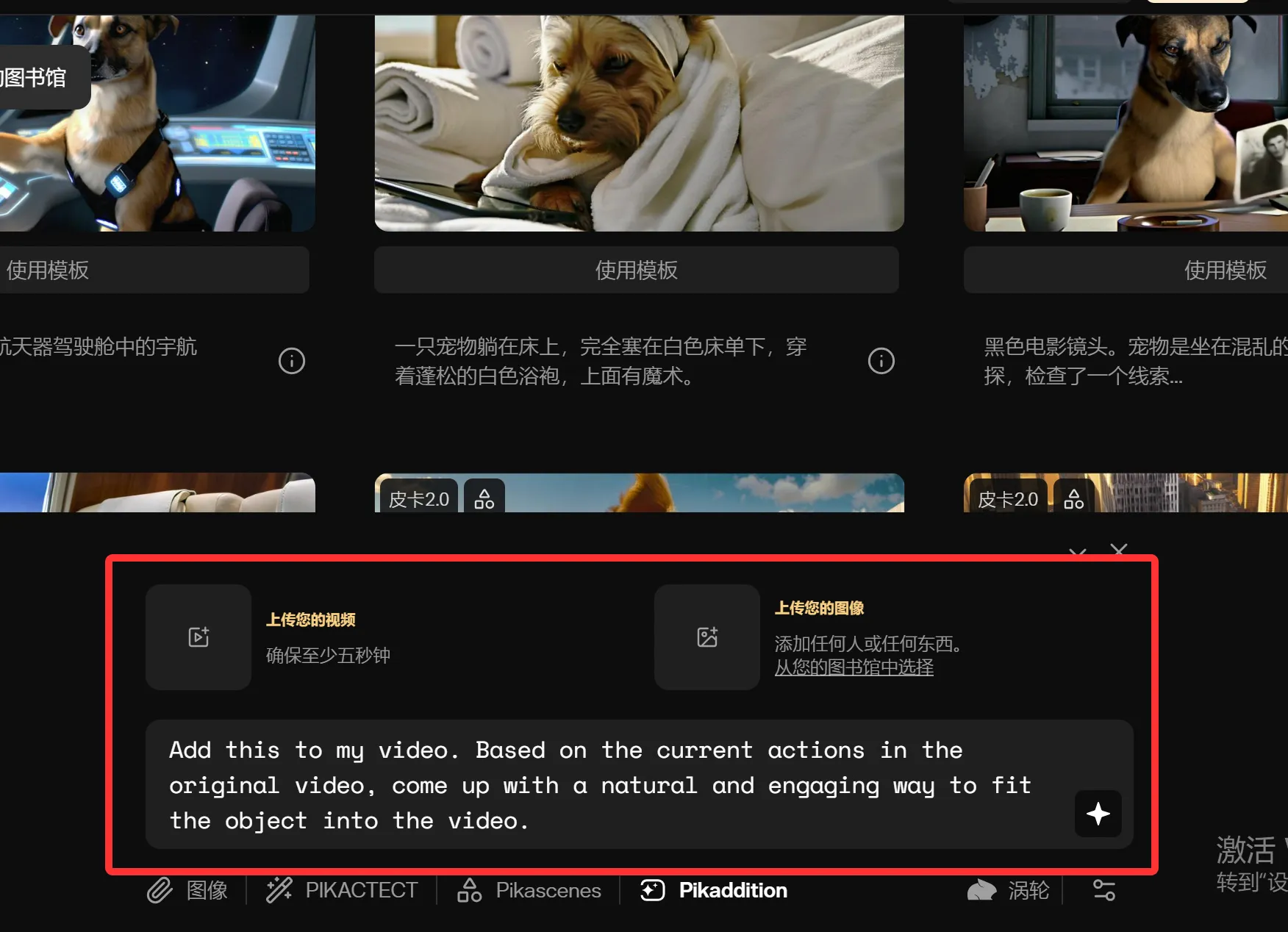
3. Upload a video file and an image.
4. Enter a prompt describing the relationship between the image and the video. Be as specific as possible in your text prompt to ensure accurate placement between the image and the video—for example: "Add this to a specific position in the video."
5. Click the Pika logo to generate.
Currently, Pikadditions supports Pika 1.5, Pika 2.0, Pika 2.1, and Pika Turbo versions, and it works on both iOS and Android devices. New users can enjoy 15 free trial opportunities after registration.









