
 Script Planner Assistant▸
 AI Apps
 AI News
Tips for Using DeepSeek with Jimeng AI Together
小编 ·

Tips for Using DeepSeek with Jimeng AI Together
DeepSeek and Jimeng AI are currently popular AI creation tools. DeepSeek is a powerful natural language processing and data analysis model, while Jimeng AI is an AI creation platform under ByteDance that focuses on generating image and video content. When used together, these two tools will give your image design inspiration a significant boost.
1. Generate prompts through DeepSeek
First, use DeepSeek to generate precise design prompts. The quality of the prompts directly affects the generation results, so they need to be specific and clear. You can follow these methods:
Define the theme: Specify the theme based on the content you want to design. For example, if it's interior design, you can specify "modern living room design" or "retro restaurant layout".
Specific description: If you have your own ideas, you can further break down the theme and describe the desired style, colors, materials, etc. For example: "A modern living room with green plants and abundant natural light, using light-colored wood and off-white walls".
If I don't have many ideas and can't think of specific descriptions, I use DeepSeek to integrate prompts and inspire me:
You are an interior designer. Please provide 5 design styles based on the theme "a modern living room with green plants and abundant natural light" and generate AI painting prompts.
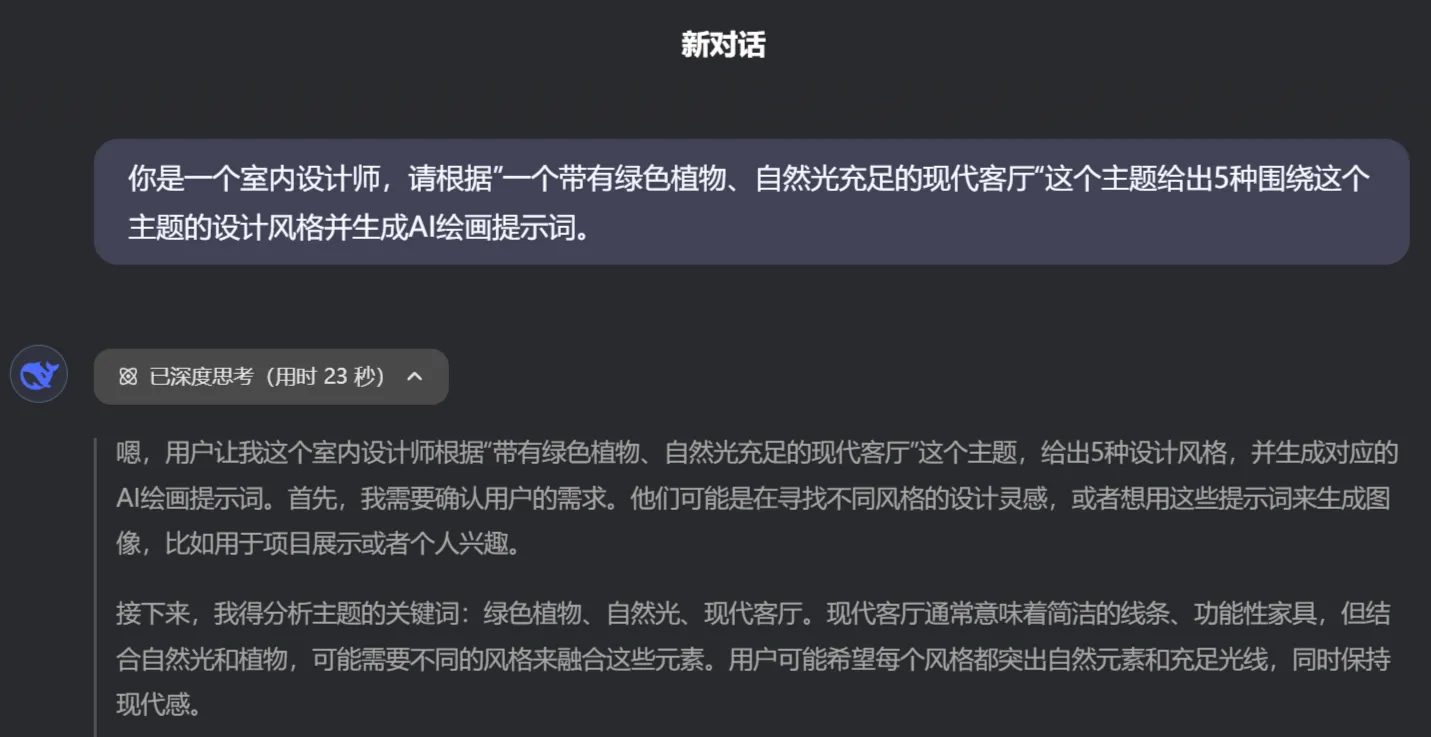
Then it gives me 5 solutions:
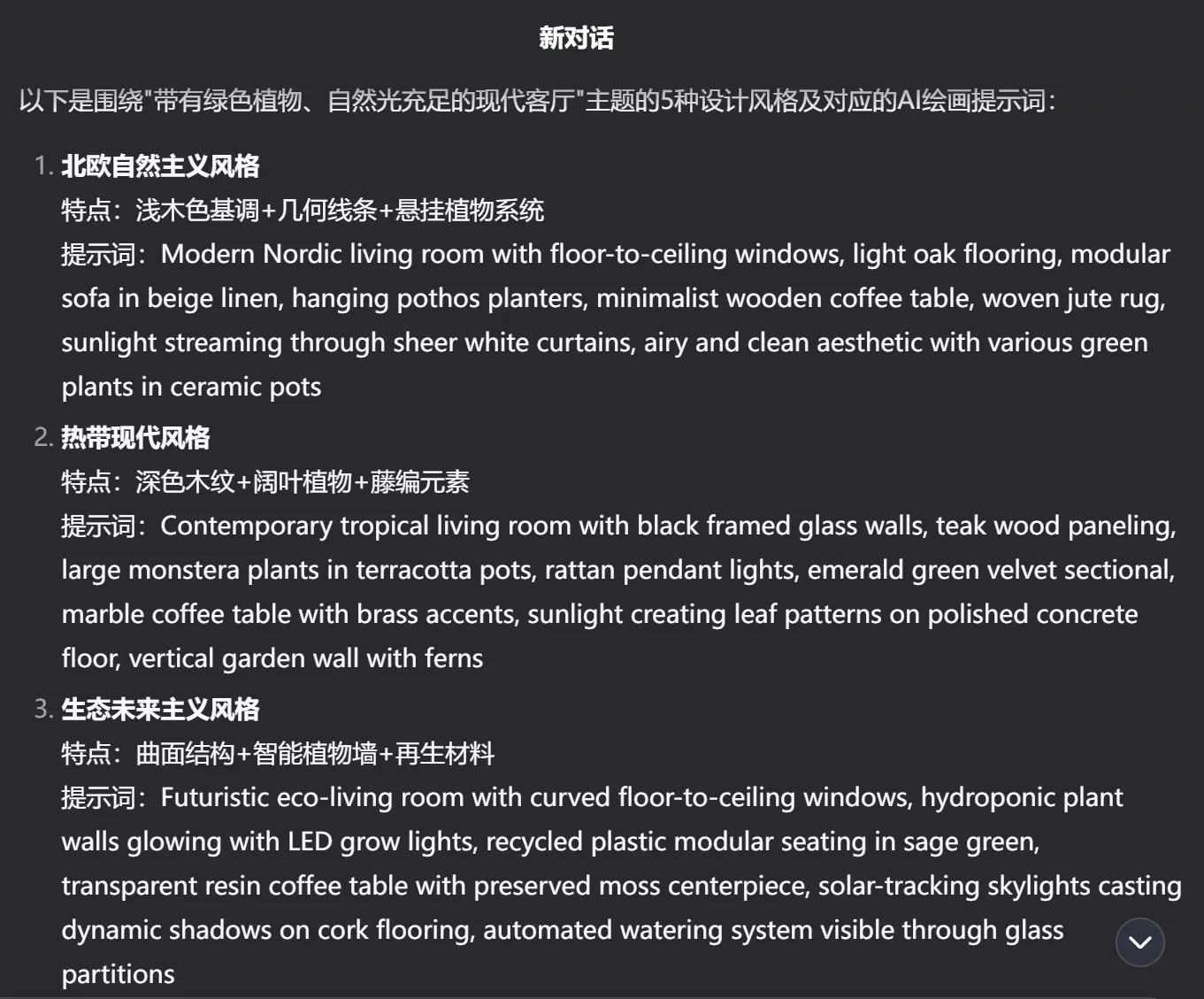
You can paste these prompts into Jimeng AI to generate images. If English doesn't work well, you can also have it output prompts in Chinese.
2. Generate images in Jimeng AI
Log in to Jimeng AI: Visit the official website of Jimeng AI and log in.
Select the image generation feature: Choose the image generation function under "AI Image Creation" on the page, and create images based on the generated prompts.
Enter the prompts: Paste the prompts generated by DeepSeek into the input box, then select an appropriate model (such as the General XL Pro model) and parameter settings, and click "Generate Now". Wait a moment, and four images with different styles will be generated.
3. Detail adjustment and optimization
Optimization: Adjust parameters such as color tone, brightness, and contrast based on the generated results.
Editing: If the generated images don't fully meet your needs, you can adjust the prompts and regenerate.
To improve the results, you can combine multiple generations and try different combinations of prompts in DeepSeek. Gradually master better prompting techniques to achieve unique and high-quality design renderings. However, Jimeng AI is not as good as Midjourney in image generation, so I would actually recommend DeepSeek+Midjourney.









