
 Script Planner Assistant▸
 AI Apps
 AI News
Why DeepSeek Servers Are Busy and How to Fix It
小编 ·

Why DeepSeek Servers Are Busy and How to Fix It
The issue of DeepSeek servers being busy is usually caused by excessive user traffic or high server load. Due to the popularity of DeepSeek during the Spring Festival, the number of users surged, and the problem of DeepSeek servers being busy gradually came to the forefront. In addition, DeepSeek may suffer from large-scale malicious attacks by hackers, which can cause congestion in server registration and access, affecting the normal response of the service. Of course, there are also issues such as bandwidth limitations and computing power bottlenecks, leading to the frequent appearance of the prompt "The server is busy, please try again later." As DeepSeek's optimization and countermeasures are implemented, these issues will gradually be resolved given some time.
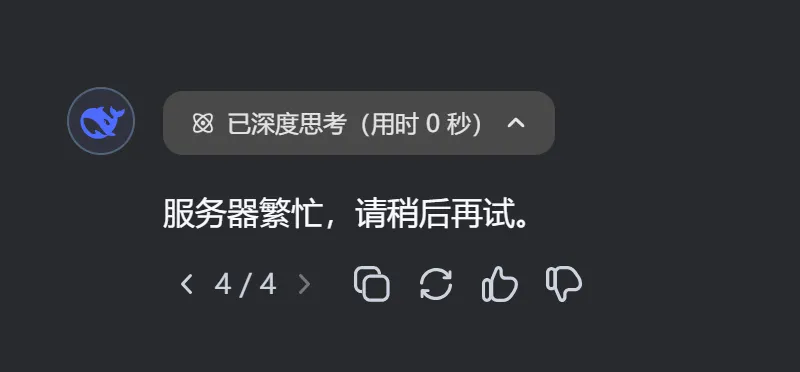
Personal methods to solve DeepSeek's "Server is busy, please try again later":
1. This is not caused by users asking questions; wait for DeepSeek to expand and optimize its servers.
2. Use it during off-peak hours, such as during non-working hours or non-peak periods. :-)
3. For simple questions, turn off deep thinking and disable web search.
4. Switch to other service platforms such as SiliconFlow , where the experience is smoother.
5. Call the API. DeepSeek's web version and API run on two independent servers. Users can obtain an API key from the official website, then pair it with conversation clients that support API calls, such as Cherry Studio.
6. Deploy DeepSeek locally (not recommended). Unless you have a top-tier configuration (What configurations are needed to install DeepSeek? Can an ordinary computer handle it?), you won't get more than a few characters per minute.
Official methods to solve DeepSeek's "Server is busy, please try again later":
Server expansion and optimization.
Model optimization and upgrades
Strengthen security protection against malicious attacks
User traffic management; API top-ups have been limited today.
The DeepSeek server busy issue has indeed caused inconvenience to users, but through the various personal and official methods and measures mentioned above, users can effectively alleviate this problem. From a personal perspective, whether through calling the API, local deployment, or off-peak usage, you can choose based on your own conditions.









