
 Script Planner Assistant▸
 AI Apps
 AI News
How to Create a Personal Red Packet Cover on WeChat?
小编 ·

How to Create a Personal Red Packet Cover on WeChat?
WeChat Red Packet Cover Open Platform officially launched a self-made personal red packet cover feature today, giving users more personalized choices when sending New Year red packets. Users only need to update WeChat to the latest version. When sending a red packet, they will see the "Red Packet Cover - Make Red Packet Cover" option. By following the instructions below, you can create your own personalized red packet cover. The steps to make a personal WeChat red packet cover are as follows:
1. Method One:
Open WeChat, select a friend, and open the red packet interface.
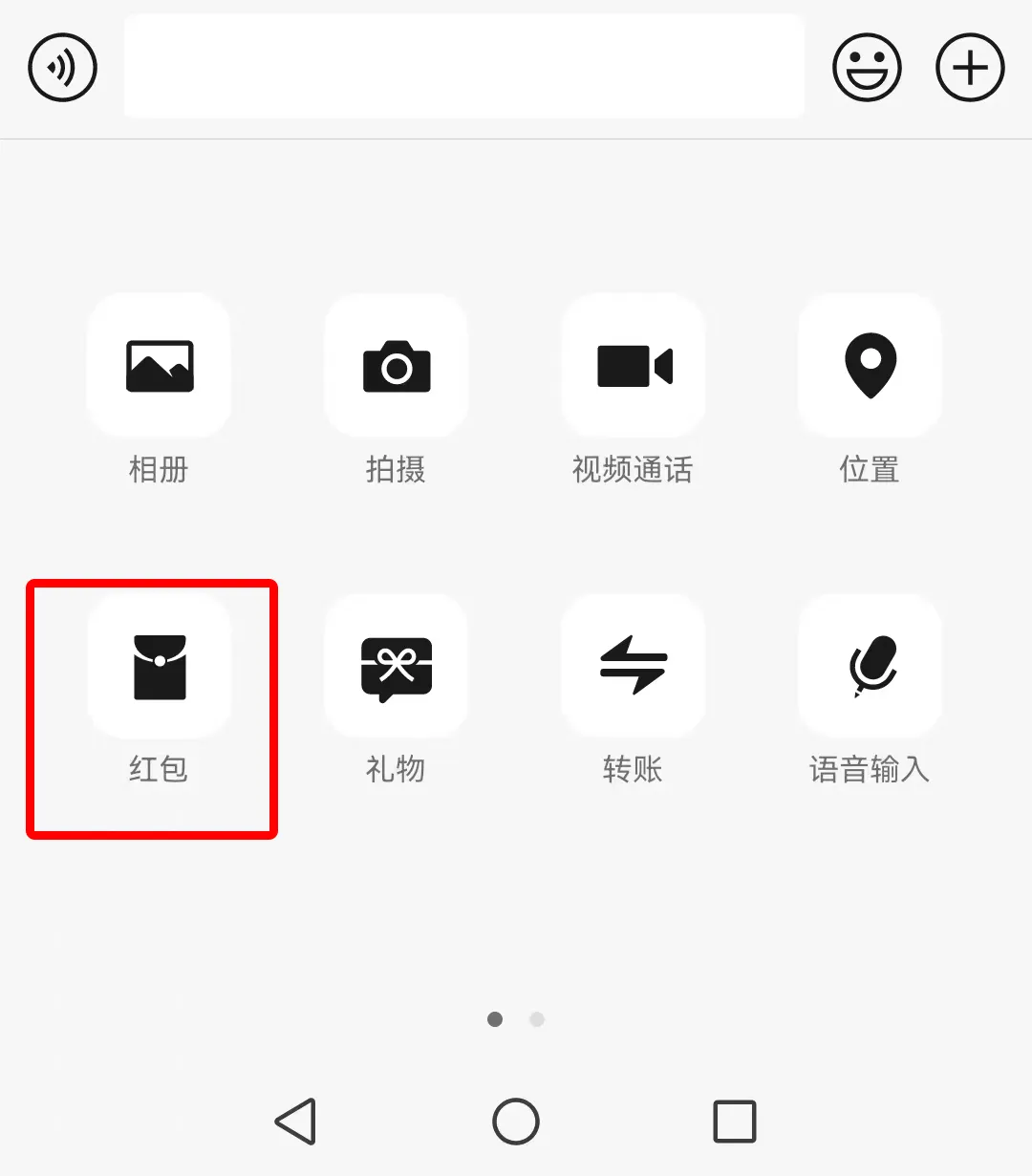
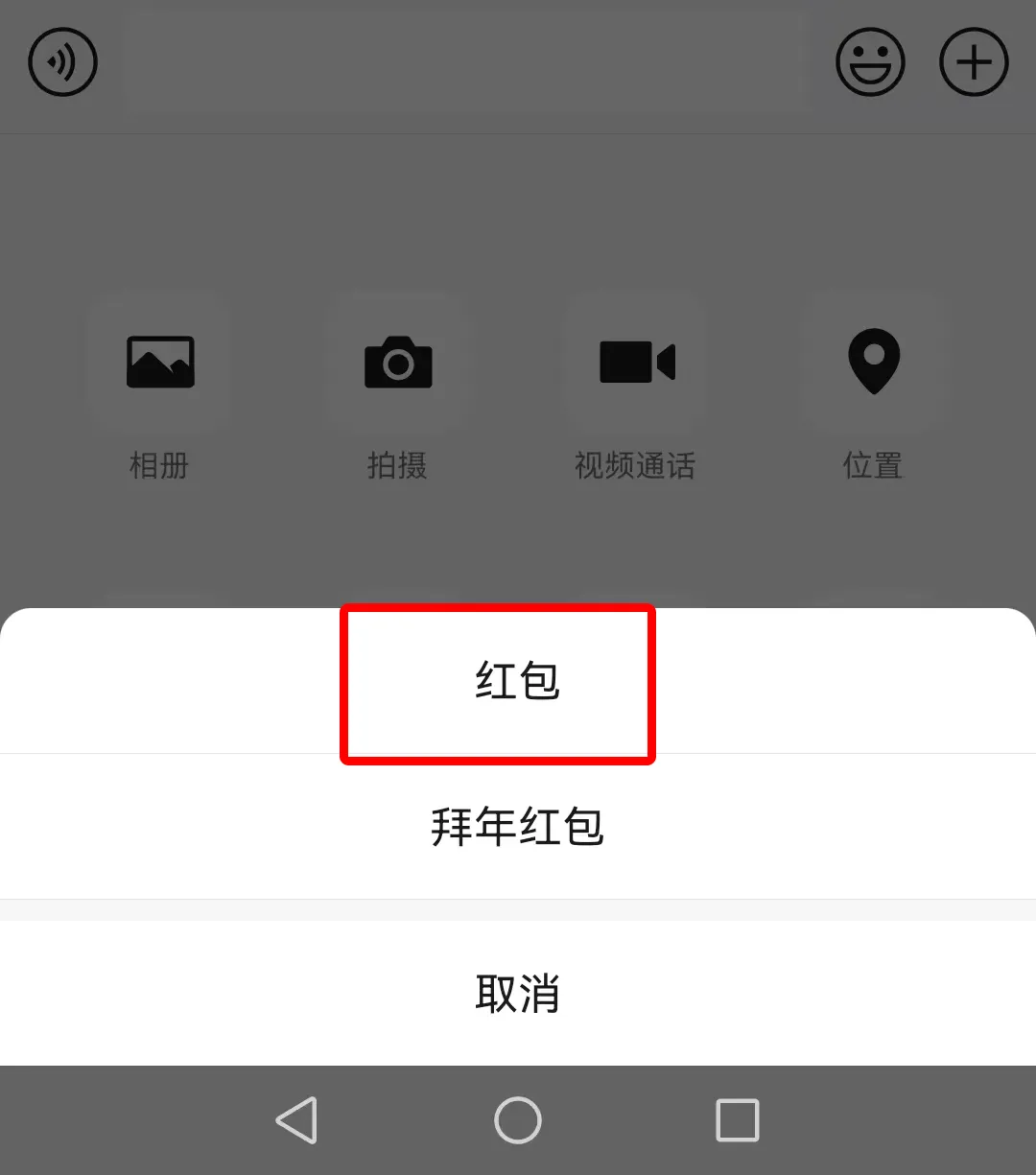
In the red packet cover selection interface, there is an "Make My Cover" entry. Click it to start making your cover.
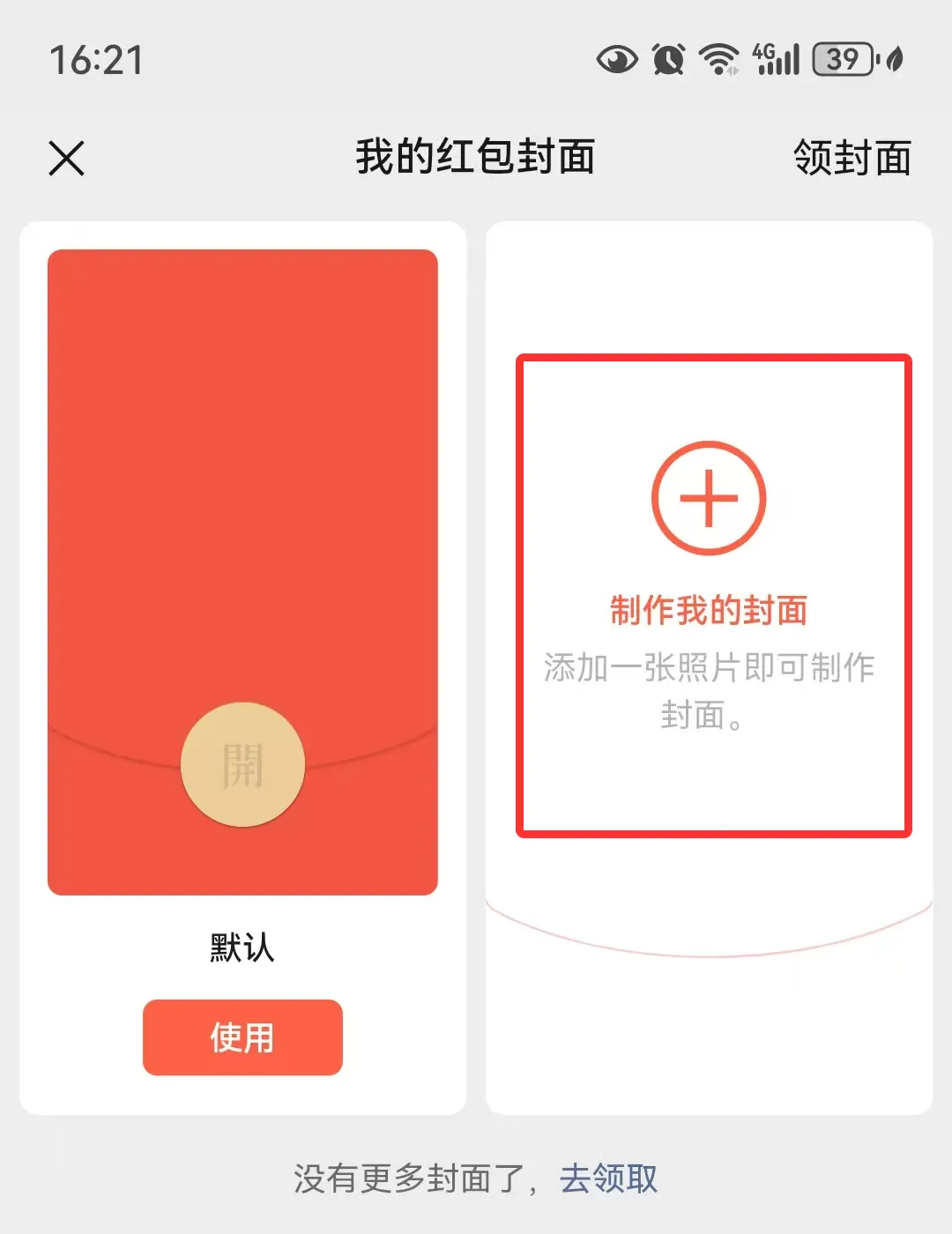
Select photos or other images from your album as the cover material.
2. Method Two:
Choose a template or custom design. On the red packet cover page, you can see many beautiful templates. Choose the one you like, or select "Custom Design" to start your creative journey.
If you choose custom design, you need to upload an image or select materials provided by WeChat.
3. Upload an image or select materials:
If you selected a template, you can proceed directly to the next step.
If you choose custom design, upload an image or select materials provided by WeChat. The image can be your photo, artwork, or any image you like.
4. Edit the cover, add text and decorations:
After uploading the image, edit the cover. You can add text, such as blessings, nicknames, etc., and also add decorations like borders and stickers.
Adjust the position and size of the image and text to ensure the cover is neat and beautiful.
5. Save and use:
After editing, click the "Save" button, and your red packet cover is complete.
You can use this cover to send red packets directly, or save it to your album for future use.
6. Preview and adjust:
During the creation process, you can click the "Preview" button at any time to see the specific effect of the cover.
If you are not satisfied, you can return to the previous page to make modifications until you are satisfied.
Through the above steps, you should have learned how to make a WeChat red packet cover. However, during the process of making the red packet cover, you need to pay attention to the following issues. When adding images and text, be careful not to pile up too much, and try to keep the cover neat and beautiful. Also, pay attention to copyright issues and do not use unauthorized images. You can go to here to find some royalty-free images. Additionally, the recommended size for the red packet cover image is 1053x1746 pixels, which follows a 3:4 ratio.
With only a few days until the Spring Festival, hurry up and give it a try! Make your red packets more personalized and bring a different surprise to your friends!









