
 Script Planner Assistant▸
 AI Apps
 AI News
ChatGPT Canvas Gets a Major Upgrade for Faster Writing and Coding
小编 ·

ChatGPT Canvas Gets a Major Upgrade for Faster Writing and Coding
ChatGPT Canvas has been updated with support for the o1 model. The canvas can now render HTML and React code. Additionally, the macOS ChatGPT desktop application now fully supports the Canvas feature, and the canvas now works together with Openai O1 — select O1 from the model selector, and use the tools icon or the "/canvas" command.
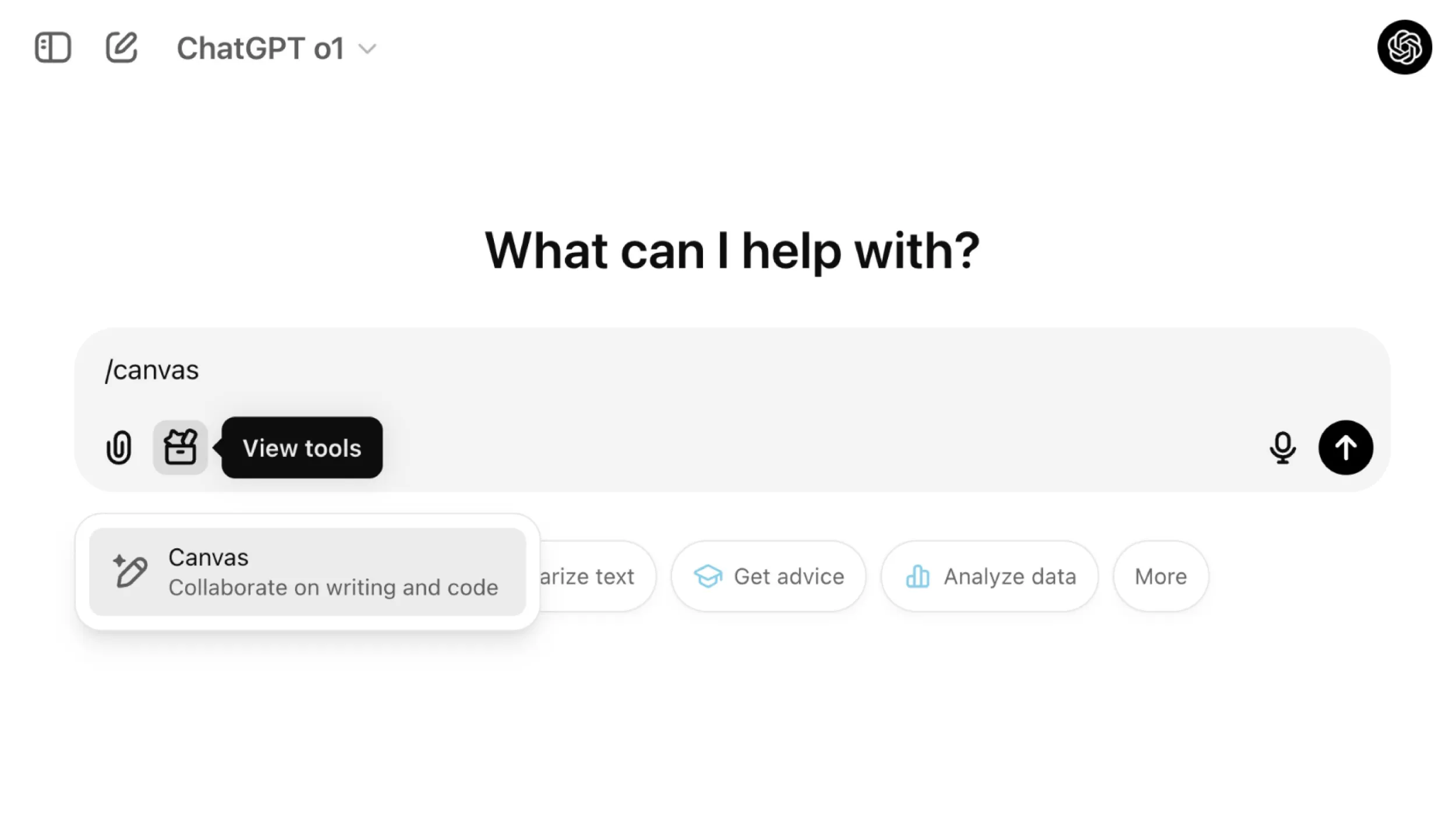
ChatGPT Canvas Key Features:
Real-time Collaboration: Canvas allows users to collaborate with AI in real time, enabling text editing and code writing within an interactive workspace.
Document Editing and Code Execution: Users can write documents directly in Canvas, execute Python code, and view results in real time. This feature greatly enhances programming and writing efficiency.
Multiple Tool Support: Canvas provides a variety of tools, including text editing, code debugging, and version control, allowing users to choose the appropriate tools based on their needs.
User Feedback and Suggestions: Users can receive AI feedback and editing suggestions during use, helping them optimize content and code.
Interface Optimization: Canvas's interface has been optimized, allowing users to interact seamlessly with AI in a separate window, providing a more intuitive and flexible operational experience compared to the traditional chat interface.
ChatGPT Canvas Update Details:
Full Availability: The latest update makes the Canvas feature available to all users, including free users, meaning more people can experience this powerful tool.
Expanded Functionality: Canvas now supports more programming languages and features, allowing users to perform more complex operations while programming, such as code review and adding debug logs.
Customization Options: Users can customize how they use Canvas according to their needs, extending its application scenarios and improving human-machine collaboration efficiency.
Through these updates, ChatGPT Canvas not only enhances users' writing and programming experience but also opens up new possibilities for future AI applications.
ChatGPT Canvas Update Highlights:
Full Availability: The Canvas feature is now available to all ChatGPT users, including free users.
Enhanced Productivity: The update significantly improves user productivity and workflow efficiency.
Code Debugging: Provides real-time code debugging functionality, allowing users to debug code in Canvas and view results.
Custom GPT Integration: The Canvas feature can be integrated into custom GPTs, enhancing document and code processing capabilities.
Versatility: Canvas has become a powerful tool that integrates text editing, code debugging, and custom GPT functionality.
Canvas has also introduced collaborative document editing functionality, allowing users to perform real-time synchronized editing between the ChatGPT conversation interface on the left and the Canvas canvas on the right. This split-screen design makes it easier for users to make modifications, additions, and deletions, similar to the experience of using an online document editor. Additionally, Canvas supports version control, allowing users to view modification history for easy tracking and management of document changes.
For programming, Canvas provides a code editor that supports Python code syntax highlighting and auto-completion. Users can run code directly in Canvas and view output results. This feature makes debugging and iteration more efficient, allowing users to complete writing and testing tasks in the same environment.
In addition, Canvas also supports integration into custom GPTs. Users can add Canvas functionality to custom GPTs for specific tasks, leveraging its powerful document and code processing capabilities in particular scenarios.









