
 Script Planner Assistant▸
 AI Apps
 AI News
Tencent Hunyuan Text-to-Video: How to Apply and Get Started

Tencent Hunyuan Text-to-Video: How to Apply and Get Started
On December 3rd, Tencent Hunyuan large model launched a new capability: Tencent Hunyuan text-to-video! Generate videos with just one sentence. This video generation large model, with 13 billion parameters, has been released on the Hugging Face platform and Github, including model weights, inference code, model algorithms, and other complete models, available for free use by enterprises and individual developers, as well as for developing ecosystem plugins. Tencent Hunyuan text-to-video is also currently the largest open-source video model. The current video generation supports bilingual input in Chinese and English, multiple video sizes, and multiple video resolutions.
PC experience application address: https://video.hunyuan.tencent.com/
APP experience application: Open 【Tencent Yuanbao APP】, enter 【AI Applications】, select 【AI Video】, and you can apply for a trial.
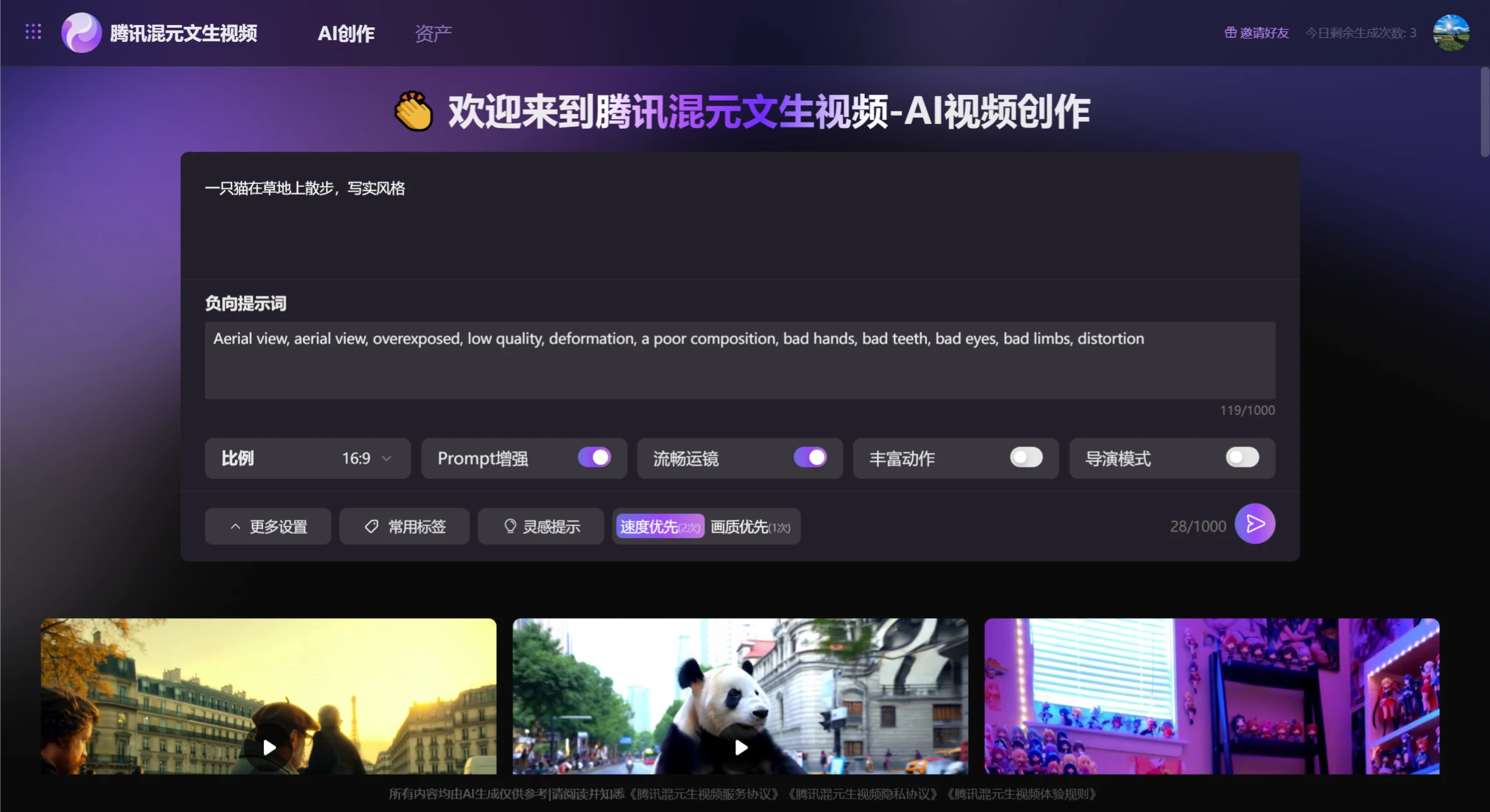
Tencent Hunyuan Text-to-Video Generation Process:
Input prompt: The user inputs the desired video content through a text description. The prompt can include subject, scene, motion, camera language, atmosphere description, style expression, etc.
Parameter settings: In the settings, select parameters such as ratio, Prompt, enhanced smooth camera movement, enriched action, director mode, etc. In addition, you can also select some more detailed parameters in the common tags.
Model processing: After receiving the prompt, the Tencent Hunyuan video generation model will perform semantic understanding and analysis, and then generate corresponding video frames based on the text content.
Video generation: The model will generate videos based on the text description, including visual content, actions, scene transitions, etc., ensuring high semantic consistency and smooth motion in the video.
Output result: The final generated video will be output to the user, who can view and use the generated video in the AI Video section of the Tencent Yuanbao APP.
Tencent Hunyuan Text-to-Video APP Tutorial:
1. Open the Tencent Yuanbao APP and enter the 【AI Applications】 section.
2. Select the AI Video function: In AI Applications, select the 【AI Video】 function.
3. Enter the prompt: Based on the video content you want to generate, enter the corresponding text prompt. The prompt can include subject, scene, motion, camera language, atmosphere description, style expression, etc.
4. Generate the video: After submitting the prompt, the Tencent Hunyuan text-to-video model will generate a video based on your input. You can view the generated video in the APP.
5. Export and use the video: The generated video can be used directly in the APP, or exported to other video editing platforms for further editing and sharing.









