
 Script Planner Assistant▸
 AI Apps
 AI News
Auto-Video-Generateor: An AI-Powered Automatic Narration Video Generator

Auto-Video-Generateor: An AI-Powered Automatic Narration Video Generator
Auto-Video-Generateor, an AI automated narration video generator. Given a topic, it automatically generates a narration video: input the topic text, and the system calls an LLM to generate the story or narration script, calls a text-to-speech API to generate the narration audio, calls a text-to-image API to generate illustrations that match the text content, and finally merges the audio and illustrations to produce the narration video.
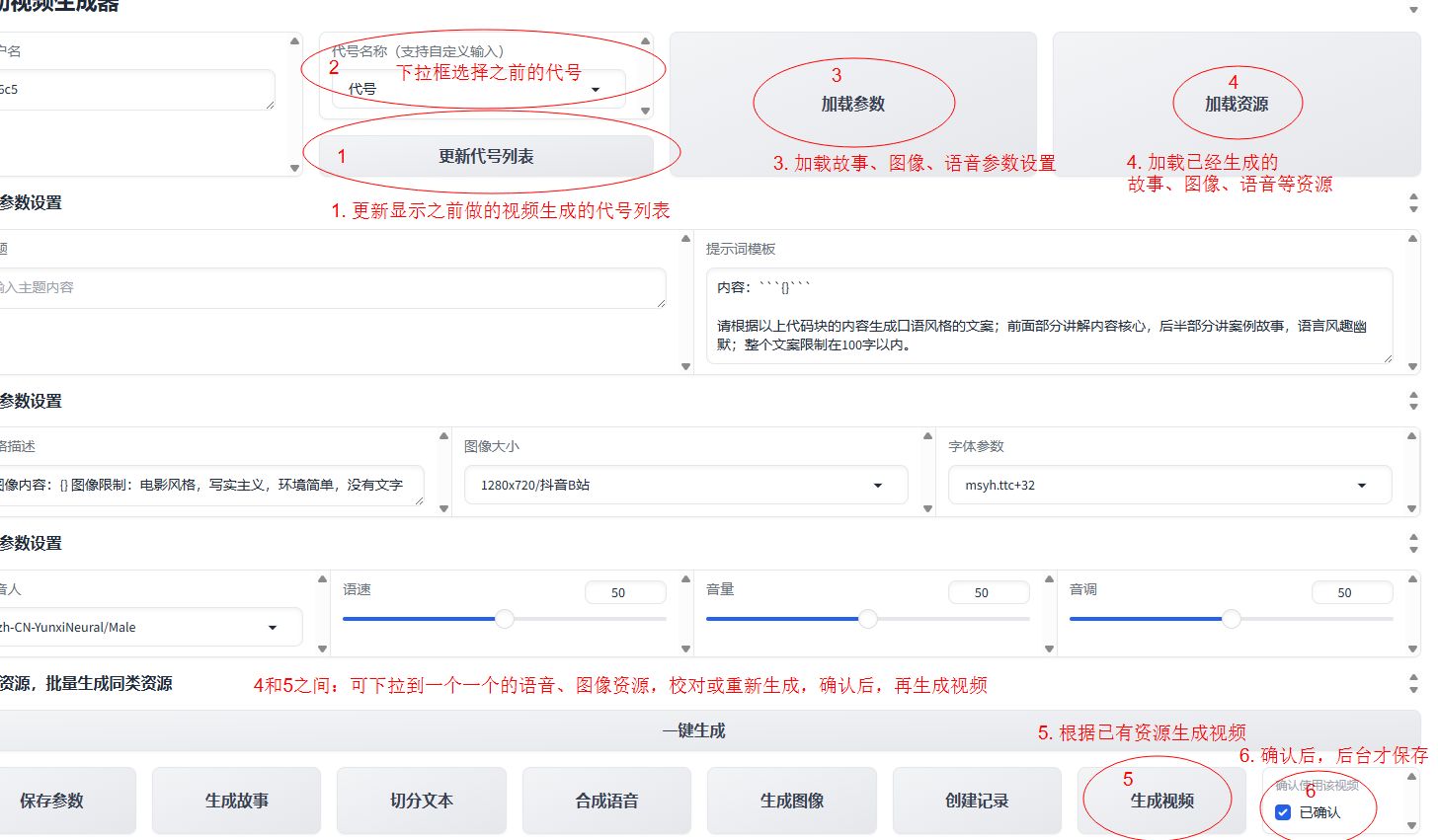
Auto-Video-Generateor Automated Video Generation Steps:
Implementing this system requires multiple steps, including generating the story text, splitting into sentences, text-to-speech, text-to-image, video generation, and using Gradio for interaction.
Step 1: Generate the story text. To keep things simple, we first manually create a sample story text.
Step 2: Split into sentences. Use the re library or natural language processing tools to split the text into sentences.
Step 3: Text-to-speech. Use the pyttsx3 library or other speech synthesis models for voice synthesis.
Step 4: Text-to-image. Use the pillow library or other text-to-image models to generate images.
Step 5: Generate video. Use the moviepy library to combine images and audio into a video.
Step 6: Implement interaction with Gradio. Use the gradio library to create a simple interactive interface.
How to Experience Auto-Video-Generateor:
1. Official website experience address: http://avg.kddbot.com/
2. GitHub source repository: https://github.com/kuangdd2024/auto-video-generateor
3. Scan the QR code to follow the "Fun Chat Robot" WeChat public account and experience the project's effects:

In the "Fun Chat Robot" chat window, enter "自动视频生成账密获取" (without quotes) to obtain the account and password.
Video resources may generate slowly, so please be patient. Alternatively, after some time, use "Load Parameters" and "Load Resources" to load the already generated video resources.
If the image is a text image, there may be an exception in the background image generation, replaced with a text image. In this case, please try again later.









