
 Script Planner Assistant▸
 AI Apps
 AI News
NarratoAI: Automated Video Narration and Editing Tool

NarratoAI: Automated Video Narration and Editing Tool
Narratoai is a powerful automation tool for automated video narration and editing, specifically designed to simplify the video production process. It offers an all-in-one suite of features including scriptwriting, automatic video editing, voiceover, and subtitle generation.
NarratoAI is suitable for a wide range of video creation needs, including but not limited to education, marketing, and personal content creation, providing users with a convenient and efficient automated solution.
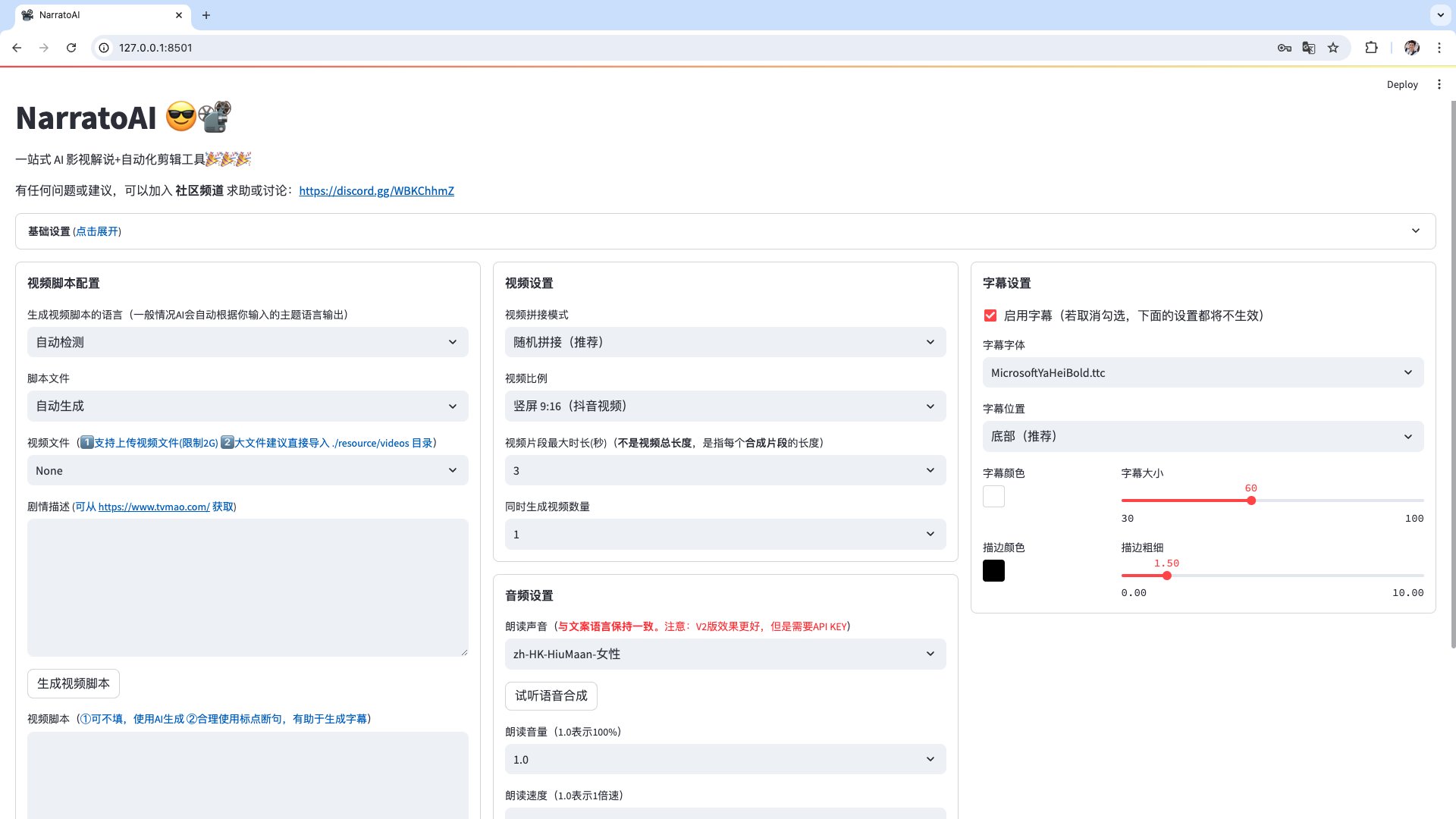
Key Features of NarratoAI:
LLM-based: Capable of generating smooth, natural, and engaging stories. It ensures that the text content is fluid, natural, and captivating, suitable for various video narration scenarios.
Easy to Use: Provides a user-friendly web interface, allowing even users with no programming experience to get started easily.
Customizability: Supports customization of the story's theme, character settings, background, and other details based on user needs.
How to Use NarratoAI for Video Editing?
Basic Configuration: Select the model, enter the API Key, and choose the video you want to narrate.
Save the Script: After saving the script, refresh the browser, and the newly generated .json script file will appear in the script file dropdown.
Start Editing: Select the json file and the video to begin editing.
Check the Video: If the video contains segments that do not meet the rules, you can click regenerate or edit manually.
Configure Basic Video Parameters: Set the video's resolution, frame rate, and other parameters as needed.
Start Generation: After submitting the configuration, NarratoAI will begin generating the video.
Video Generation Complete: Once generation is complete, users can download the video and proceed with further editing and publishing.
NarratoAI on Github:https://github.com/linyqh/NarratoAI









