
 Script Planner Assistant▸
 AI Apps
 AI News
How to Use CodeFormer to Restore Old Photos and Remove Mosaic?

How to Use CodeFormer to Restore Old Photos and Remove Mosaic?
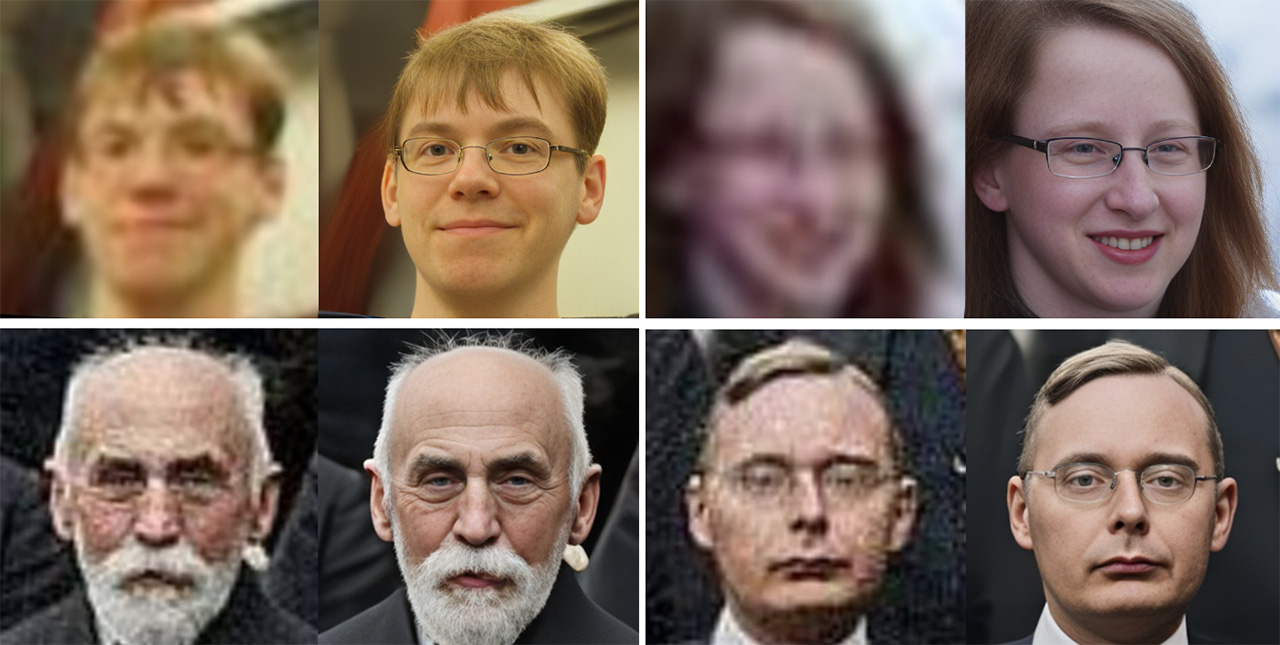
Cody Former is a powerful AI software that can effectively repair old photos and remove mosaics from videos and images. It can not only restore faces but also handle mosaics in videos, making the picture clearer. Users can download the code and install it in a local environment to use it. The specific tutorial can be carried out according to the following steps:
Method One:
Install the environment:
Install Python 3.8, which can be downloaded from the official website or by using Anaconda to create a virtual environment.
Install Git, which is used to clone the project source code.
Install PyTorch, and choose the appropriate version (CPU or CUDA) according to your computer configuration.
Download the source code:
Go to https://github.com/sczhou/CodeFormer.
Use the git clone https://github.com/sczhou/CodeFormer.git command to clone the source code, or directly download the ZIP package and extract it.
Install dependencies:
In the source code folder, execute pip3 install -r requirements.txt to install the required dependency libraries.
Execute python basicsr/setup.py develop to compile CodeFormer.
Download the pre-trained models by executing the following commands respectively:
python scripts/download_pretrained_models.py facelib
python scripts/download_pretrained_models.py dlib
python scripts/download_pretrained_models.py CodeFormer
Use CodeFormer to repair photos:
Perform face restoration on a single image:
python inference_codeformer.py -w 0.2 --has_aligned --input_path [image folder]|[image path]
Parameter description: -w is the weight parameter, with a value range of [0,1]. The smaller the value, the better the restoration effect; --input_path is the path of the image to be repaired, which can be a single image path or a folder path containing multiple images.
Repair images with multiple faces:
python inference_codeformer.py -w 0.7 --input_path [image folder]|[image path]
Video mosaic removal (optional):
Put the video into the specified folder, then use CodeFormer's graphical interface or command-line tool for processing. The processing speed is slow, and a high-configuration computer is required to support large-capacity video processing.
It should be noted that CodeFormer is mainly used for face restoration, and its effect on removing mosaics from other parts is limited. If you need to remove mosaics from other parts, you can consider using other specialized software such as JAVPLAYER.
Method Two:
Directly use the packaged desktop GUI version of CodeFormer software, which can be opened with one click and is very convenient to use.
Download link:https://github.com/Arthurzhangsheng/CodeFormer_GUI?tab=readme-ov-file
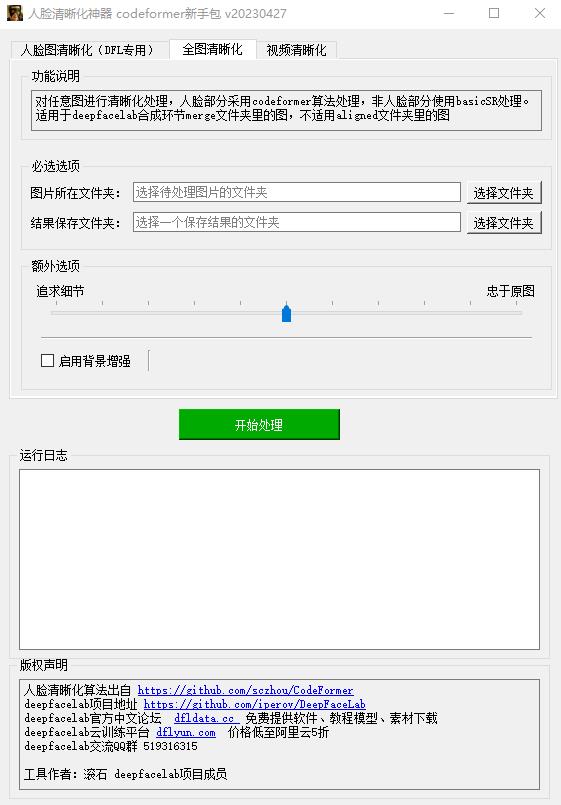
CodeFormer_GUI graphical interface instructions:
Download and extract the installation package
Click 启动.bat to run
For other functions, please refer to the interface instructions









