
 Script Planner Assistant▸
 AI Apps
 AI News
Figma Unveils a Series of New Features and Updates at Config 2024

Figma Unveils a Series of New Features and Updates at Config 2024
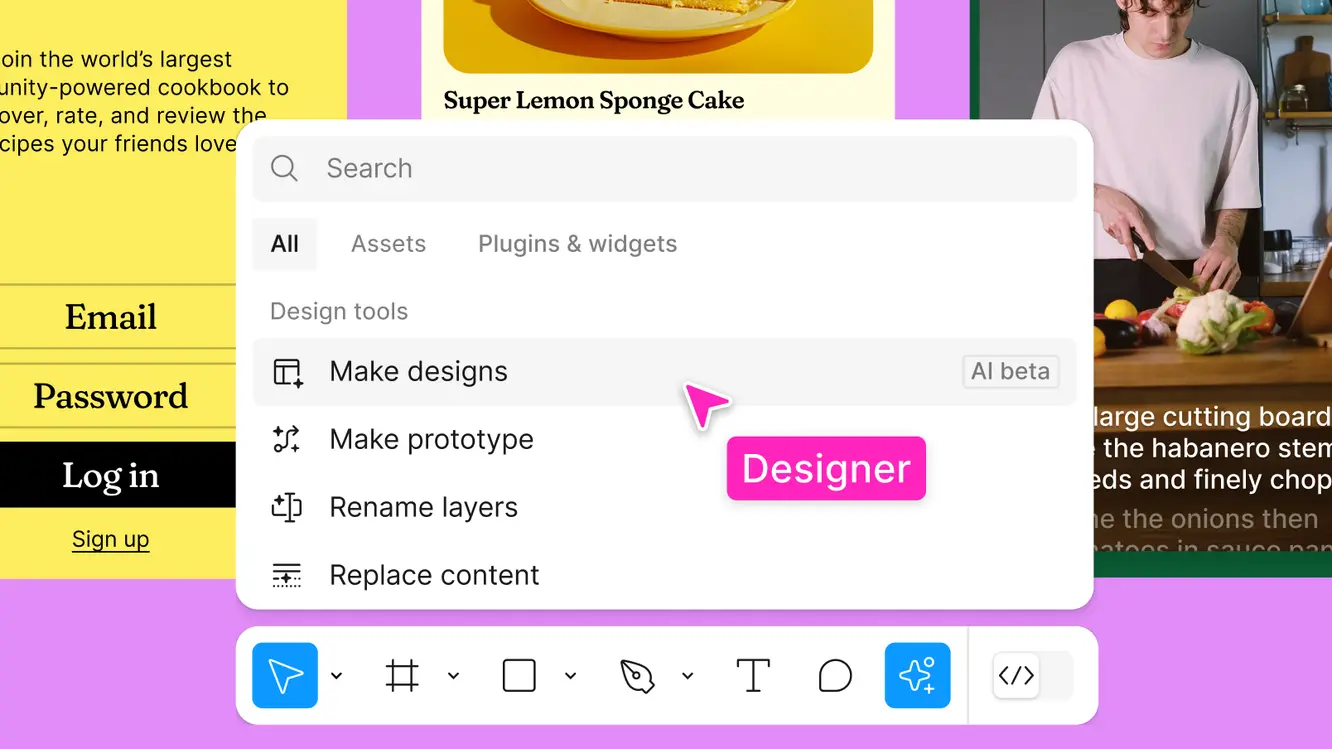
At the Config 2024 conference, Figma announced a series of new features and updates designed to enhance design efficiency and user experience:
Quick start and keep the creative flow going: Figma ai helps users find what they need faster, generate initial design drafts, and automate tedious tasks, allowing designers to focus on the creative aspects.
Visual search: Upload an image to find exact matches or similar designs.
Generate drafts: Use prompts to generate design drafts in different styles and layouts.
Instant prototyping: Turn static mockups into interactive prototypes in an instant.
Auto-naming layers: Intelligently name and organize layers with a single click.
In addition, Figma also offers several other features to enhance the design experience, such as:
Quickly find design resources: Use the AI Search feature to quickly find the design assets you need without manually searching, saving a great deal of time.
Generate design drafts: Based on text prompts, AI can generate new design mockups in just a few seconds, providing a starting point for the project and letting designers jump into the design process faster.
Add real content: Generate and replace text content within design mockups to reduce the use of placeholder text, making designs closer to the real thing.
Remove backgrounds with one click: Remove image backgrounds with a single click, isolating the main subject and eliminating the tedious manual lassoing and erasing.
Text rewriting and translation: Adjust text length and tone, or translate directly within the design, iterating until you find the most fitting expression.
Add relevant content: Generate and replace text content directly within design mockups. Less meaningless filler, more authentic design.
Figma AI Features
Figma AI helps users find what they need faster, automatically generate design drafts, and automate tedious tasks, allowing designers to focus on the creative aspects.
Visual search: Upload an image to find exact matches or similar designs.
Generate drafts: Generate design drafts in different styles and layouts based on prompts.
Instant prototyping: Turn static mockups into interactive prototypes in an instant.
Auto-naming layers: Intelligently name and organize layers with a single click.
At this event, Figma also introduced a new presentation-making tool called Figma Slides, which allows multiple users to collaboratively edit the same presentation ppt in real time. Team members can edit, comment, and communicate simultaneously.
Figma is a leading collaborative design tool used to create, share, and test designs for websites, mobile applications, and other digital products. It offers features such as real-time collaboration, prototyping, and artificial intelligence tools to enhance the design process. Figma AI is currently in beta and free for all users during this period. Users can join the beta directly from Figma by navigating to the icon at the bottom of the screen, clicking "Request," and then selecting "Join the UI3 + AI waitlist."









