
 Script Planner Assistant▸
 AI Apps
 AI News
MimicBrush: Automatic Local Editing and Replacement for Selected Areas of Target Images

MimicBrush: Automatic Local Editing and Replacement for Selected Areas of Target Images
MimicBrush, jointly proposed by the University of Hong Kong and Alibaba, is an image editing tool that automatically performs local editing or replacement on selected areas of a target image. Users only need to indicate the area they want to edit and provide a reference image. MimicBrush can intelligently capture the connection between the two, and the target image can be transformed to look like the reference image. In other words, you upload an image, select a certain part of the image, such as a person's clothing, hair, background, etc., and then upload a reference image you like. MimicBrush will automatically edit the selected part of your image based on the reference image, making it look like the one in the reference image. This way, you can modify only a certain part of the image rather than the entire image. Moreover, MimicBrush can intelligently extract textures (such as leopard print, patterns, wood grain, etc.) from the reference image and apply them to the target image.
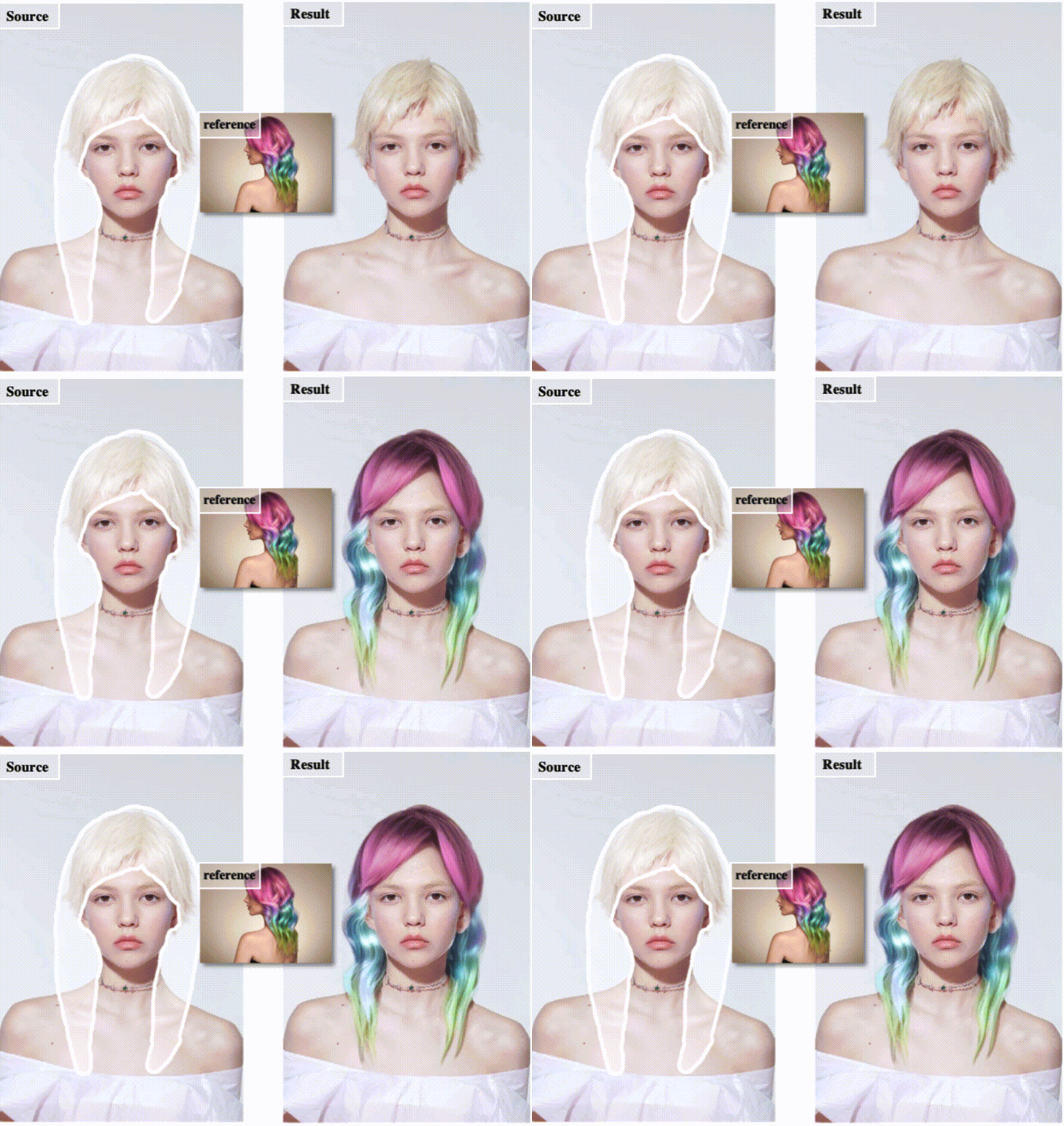
Features of MimicBrush:
Reference Image Imitation: Users can circle the specific area they wish to edit on the target image and then provide a reference image containing the desired style or object. MimicBrush can analyze and imitate specific visual features in the reference image, seamlessly applying these features to the designated area of the source image to achieve consistency in style or content.
Zero-Shot Image Editing: Users can achieve image style transformation without providing a large number of samples or performing complex training.
Self-Supervised Learning: MimicBrush utilizes self-supervised learning techniques to enhance semantic alignment capabilities, enabling the model to self-supervise and capture semantic correspondences between different images.
Local Style Repainting: MimicBrush can blend a certain part of one image onto another image, achieving local style repainting.
How to Use MimicBrush:
Users can use MimicBrush on the web through simple steps: first upload the target image, draw or upload a mask of the editing area, then upload the reference image, and click once to start editing.
MimicBrush is suitable for scenarios such as e-commerce product display, image editing, and content migration.
Project page: https://xavierchen34.github.io/MimicBrush-Page/
Github:https://github.com/ali-vilab/MimicBrush
HuggingFace: https://huggingface.co/spaces/xichenhku/MimicBrush









