
 Script Planner Assistant▸
 AI Apps
 AI News
ChatGPT Improves Data Analysis Capabilities
小编 ·

ChatGPT Improves Data Analysis Capabilities
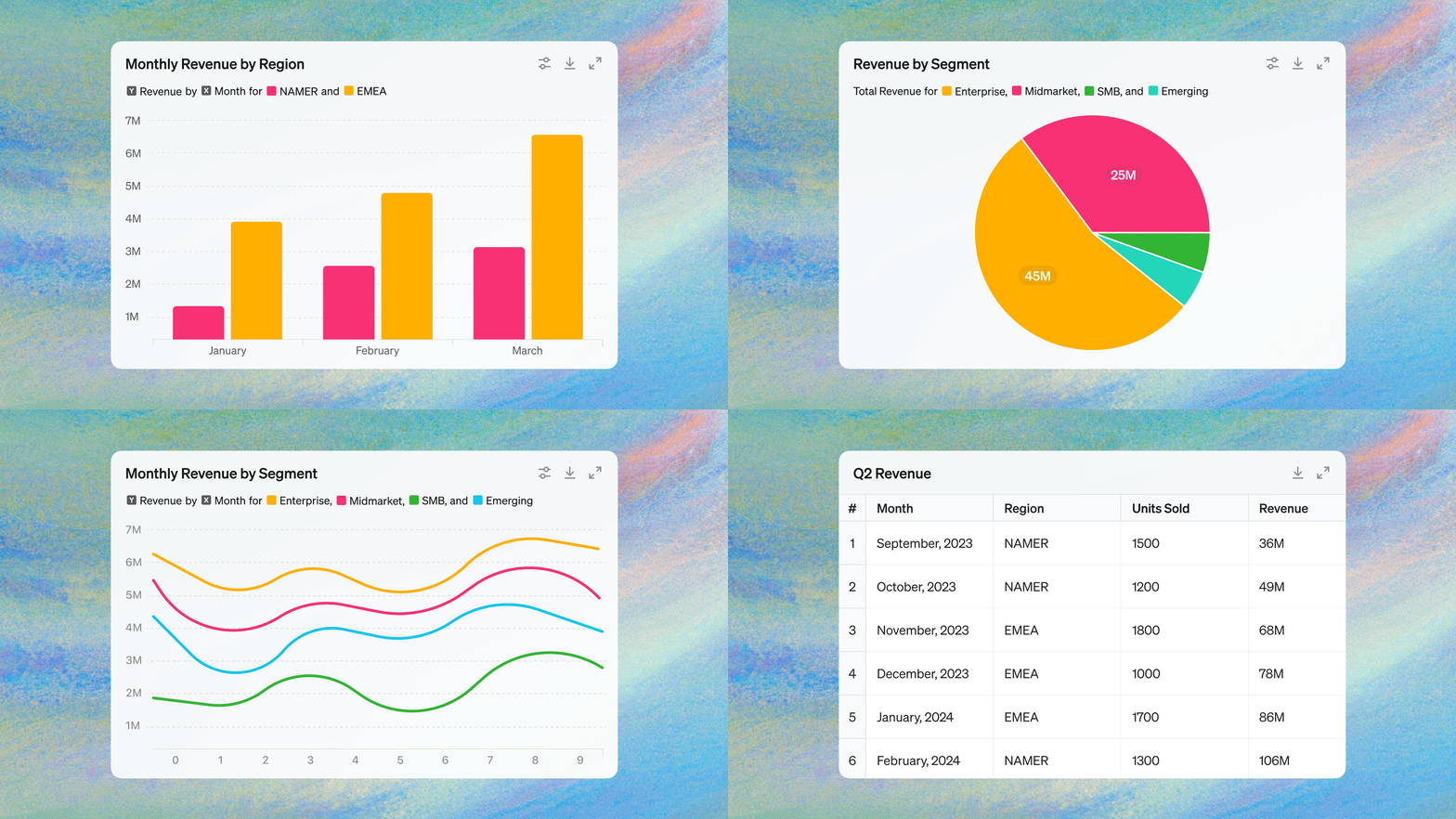
ChatGPT has launched interactive tables and charts features, allowing you to interact with tables and charts in real time and add files directly from Google Drive and Microsoft OneDrive.You can also customize and interact with bar charts, line charts, pie charts, and scatter plots in conversations, and customize and download charts for presentations and documents.
Data analysis improvements will roll out over the coming weeks to ChatGPT Plus, Team, and Enterprise users on our new flagship model GPT-4o.
How Data Analysis Works in ChatGPT
These improvements build on ChatGPT's ability to understand datasets and accomplish tasks using natural language. First, upload one or more data files, and ChatGPT will analyze your data by writing and running Python code on your behalf. It can handle a range of data tasks, such as merging and cleaning large datasets, creating charts, and uncovering insights. This makes it easier for beginners to conduct in-depth analysis and saves experts time on routine data-cleaning tasks.
Add Files Directly from Google Drive and Microsoft OneDrive
You can now add a variety of file types directly from Google Drive or Microsoft OneDrive, without having to download files to your desktop and then upload them to ChatGPT. This enables ChatGPT to understand your Google Sheets, Docs, Slides, and Microsoft Excel, Word, and PowerPoint files more quickly.
Work with Tables in Real Time
When you add a dataset, ChatGPT will create an interactive table that you can expand to a full-screen view, so you can follow its updates as the analysis progresses. Click on a specific area to ask follow-up questions, or choose from one of ChatGPT's suggested prompts to dig deeper into your analysis.
For example, you can ask ChatGPT to merge spreadsheets of monthly expenses and create a pivot table categorized by expense type.
Customize Presentation-Ready Charts
You can now customize and interact with bar charts, line charts, pie charts, and scatter plots within conversations. Hover over chart elements, ask additional questions, or pick colors. When you're ready, download them to use in presentations or documents.
For example, you can select a Google Sheet from Google Drive containing your company's latest user data and ask ChatGPT to create a chart showing retention rates by cohort. These new interactive capabilities cover many chart types. ChatGPT will generate a static version for charts that aren't supported.
Comprehensive Safety and Privacy
As with any feature in ChatGPT, trust and data privacy are at the core of Openai's mission. We do not use data from ChatGPT Team and Enterprise customers for training, and ChatGPT Plus users can opt out of training through their data controls. Learn more about our privacy and security policies, including SAML SSO, compliance, and data encryption for ChatGPT Enterprise.
The new data analysis capabilities have begun rolling out, and you can see the entry points for connecting Google Drive and Microsoft OneDrive in your settings.
Original text: https://openai.com/index/improvements-to-data-analysis-in-chatgpt/









