
 Script Planner Assistant▸
 AI Apps
 AI News
Ymi.Ai Update: Web-Connected Multimodal, Document Upload & Analysis, Image Recognition & More

Ymi.Ai Update: Web-Connected Multimodal, Document Upload & Analysis, Image Recognition & More
In this era of information explosion, how to quickly extract valuable information from massive document data has become the key to improving work efficiency.
So, we bring you another very practical feature — the Online Multimodal Function!
Now let's take a look at the new feature:
Feature Overview
YMIGPT4.0-Online Multimodal Beta is our self-developed multimodal version combined with GPT4.0. It supports file uploads, online access, built-in various plugins, image generation, data analysis, and more.
The Online Multimodal Function has the following highlights:
Strong compatibility: Whether it's .pdf, .txt, .doc, .docx, .xlsx spreadsheets, or jpeg, jpg, .png, .gif, .webp format files, Ymiai can handle them all with ease.
Fast processing: Simply upload the file and enter the command, and the AI will automatically analyze it and quickly deliver the results.
Privacy protection: Multiple technical measures are adopted to comprehensively ensure the security of your uploaded file content and protect your privacy.
Feature Demo
Image Generation
In addition to the DALL-E-3 and Stable DiffusionXL image generation models, the Online Multimodal Function now also supports image generation, providing users with more options.
For example, let it generate a moon landing image.
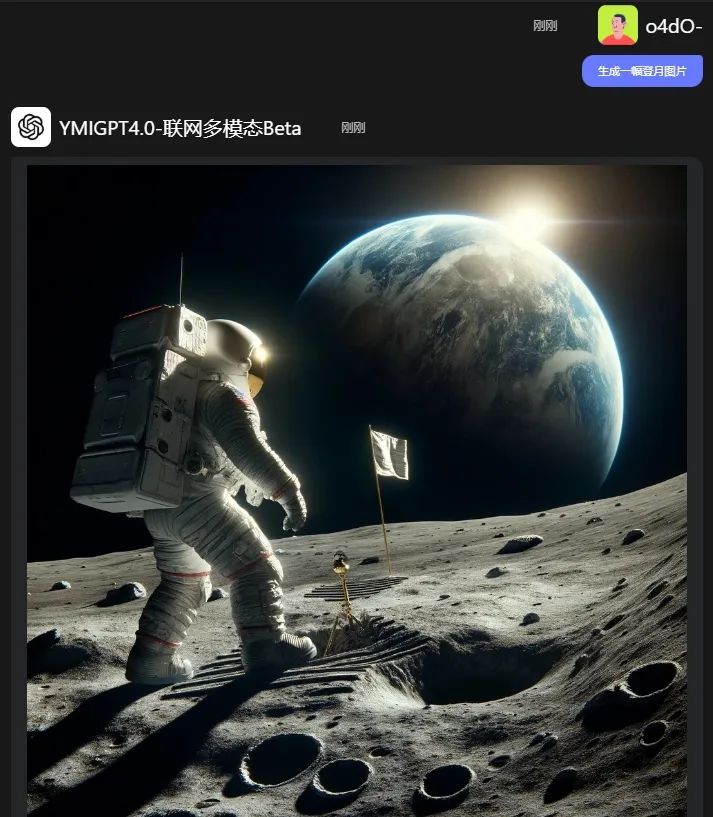
The AI can immediately generate images that meet the requirements, which can be applied to copywriting illustrations, article illustrations, and other fields.
Document Upload
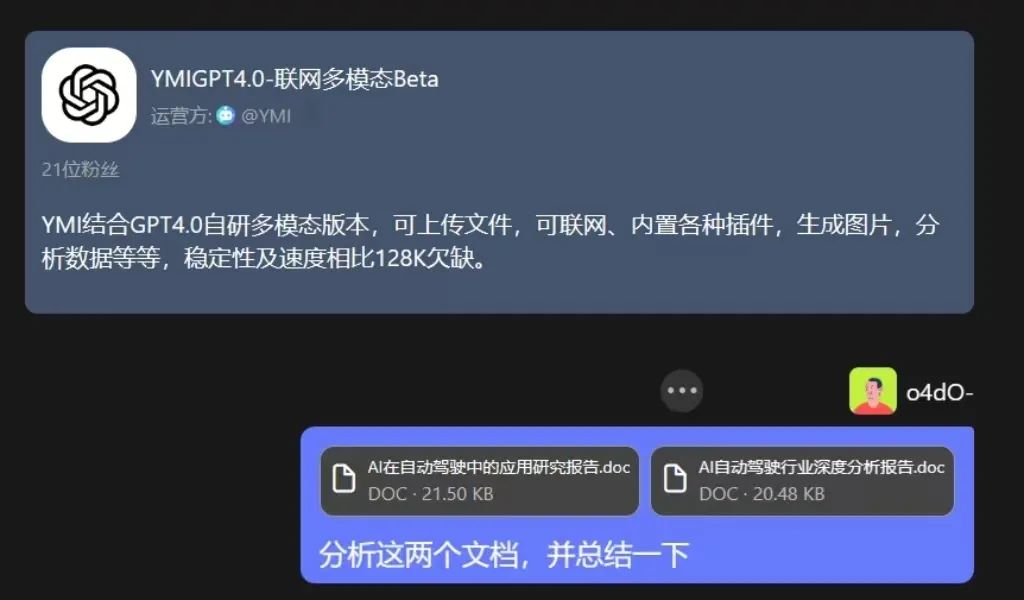
For example, you have 2 research reports and need to quickly summarize the key content, while analyzing market demand, and organizing them into a ppt outline.
Simply open the Online Multimodal Function, upload the 2 documents, and enter: Analyze these two documents and summarize them.
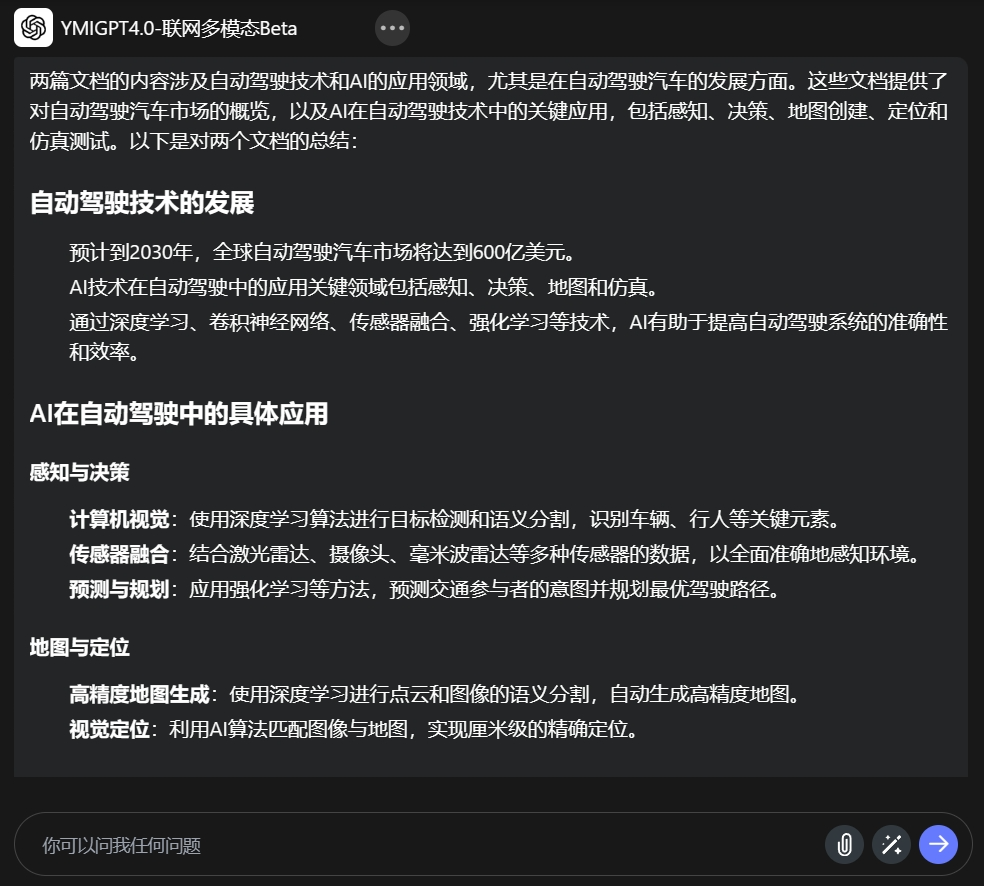
After the AI quickly processes it, you can get a detailed content summary and intelligent answers to related questions.
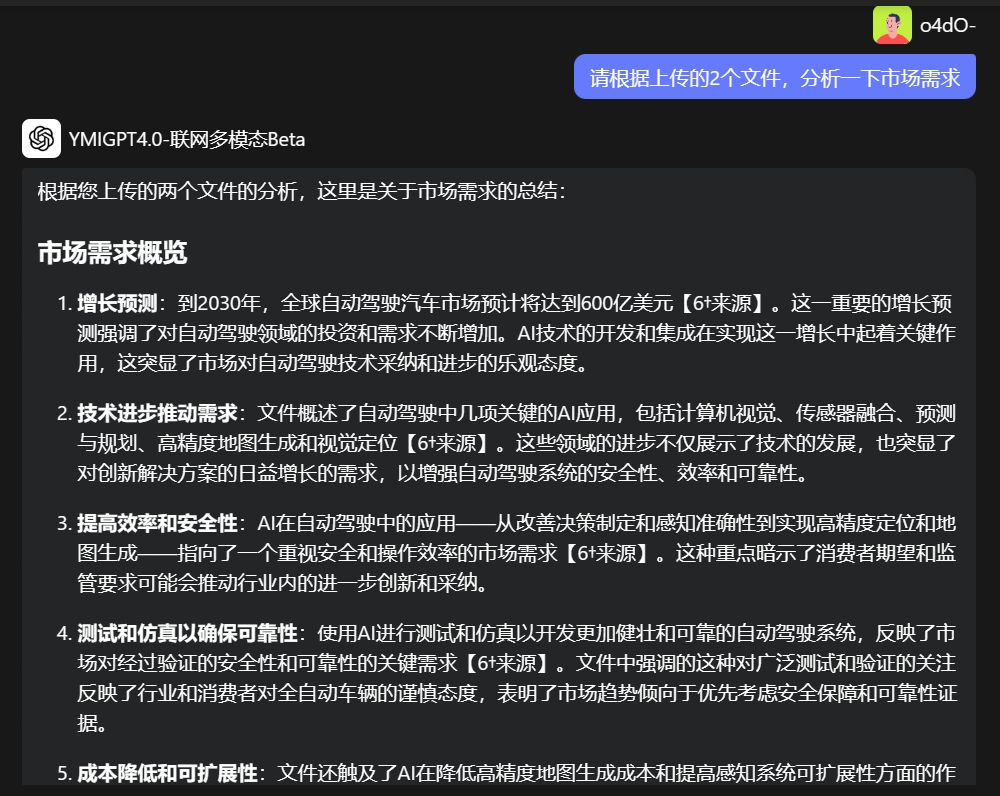
Next, let it combine the previous 2 documents to conduct a market demand analysis. The results given by the AI are as follows.
Now, simply enter the prompt: Rewrite the above market demand into a PPT outline. You can let the AI quickly write a PPT outline based on the above content.
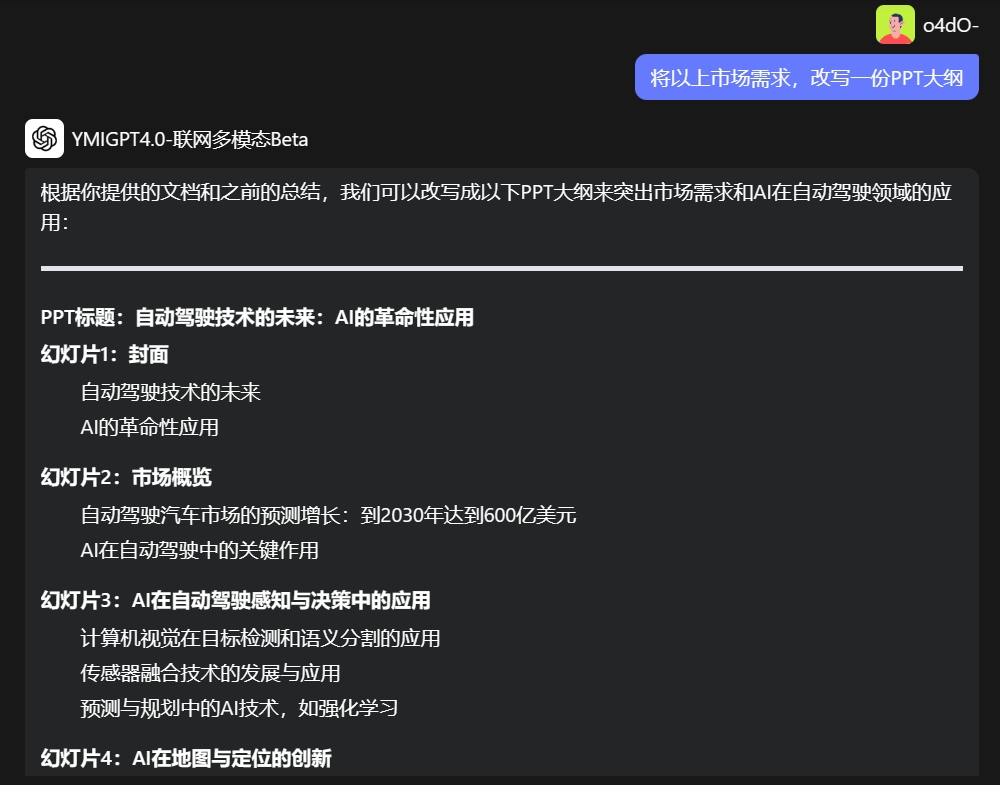
After uploading files, you can keep asking questions. This not only preserves the accuracy of your file content but also allows the AI to leverage its own advantages to provide you with more comprehensive and in-depth insights and analysis.
Online Analysis
In addition to the main document upload and analysis function, we have also implemented an online function that can capture current news for analysis.
For example, let it query recent AI news.
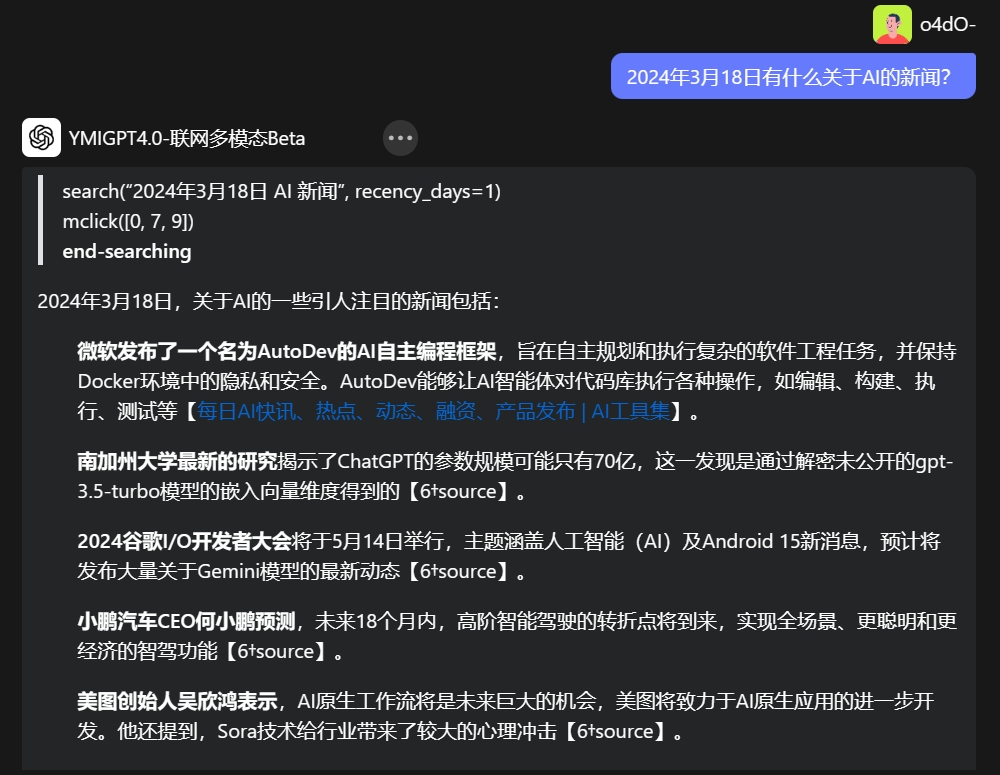
The AI can capture recent news and information, accompanied by news links, making it convenient for users to check the source and verify the authenticity of the news.
How to use the Online Multimodal Function?
Usage Instructions:
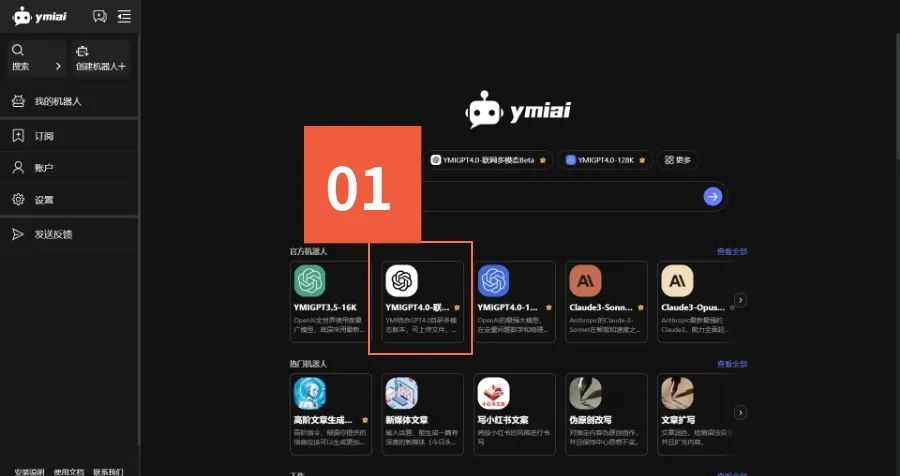
Open the Ymiai official website, openhttp://ymiai.chat。Click "YMIGPT4.0-Online Multimodal Beta"
Click the "" icon in the lower right corner, upload the document and enter the command to start using it.
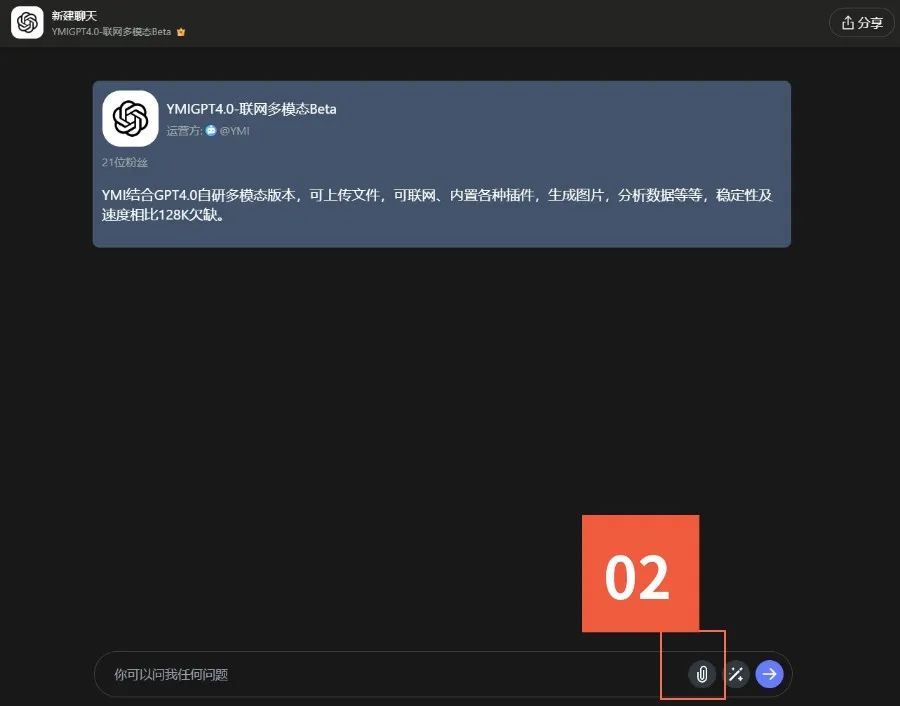
The usage method on the mobile side is the same as on the computer side. Hurry up and make 【Ymiai 薏米AI】 your capable assistant for creation, and unleash the infinite charm of AI creation!









