
 Script Planner Assistant▸
 AI Apps
 AI News
How to Use触手 AI Painting: Beginner's Tutorial

How to Use触手 AI Painting: Beginner's Tutorial
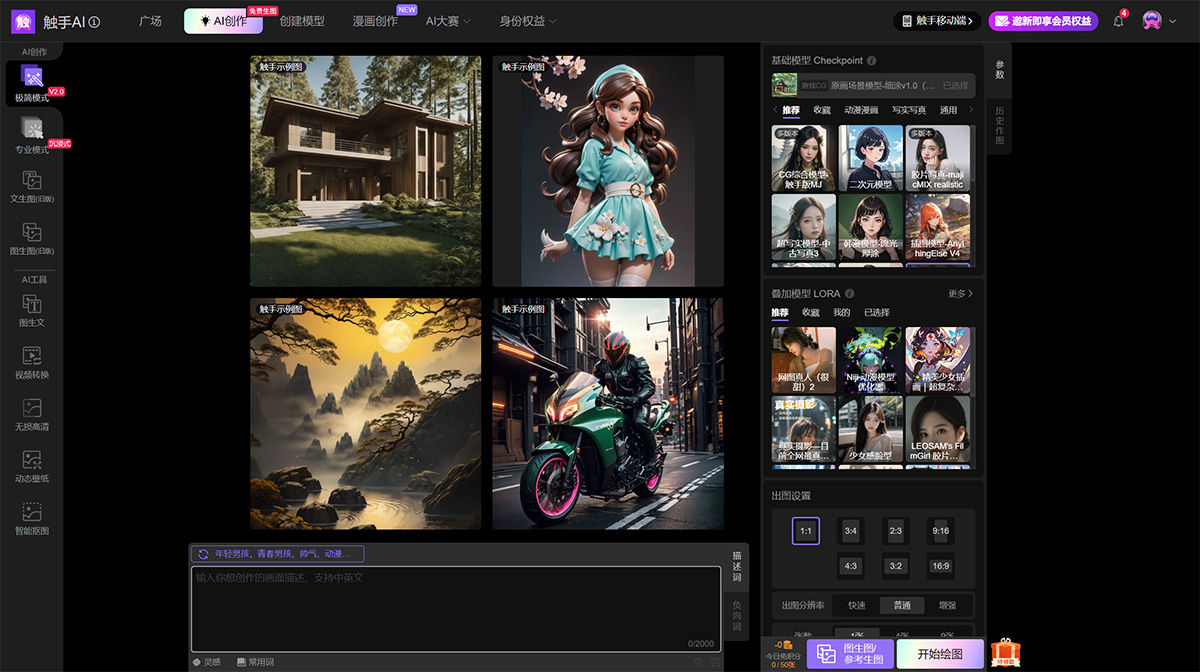
What is触手ai绘画?
触手ai绘画 is a domestic AI绘画工具 that offers multiple features to meet the needs of different users.
Main Features of 触手AI绘画:
Text to Image: Enter keyword text descriptions to generate AI images
Image to Image: Create artwork based on feature reference images
ControlNet Conditional Image Generation: Supports uploading feature reference images and features for creating artwork based on them
Magic Brush: Allows local modifications and supports self-trained AI painting models
Model Plaza: Collects various painting styles, IPs, scenes, characters, and design models
How to Use 触手AI绘画:
Step 1: Log in to the official 触手AI绘画 website on your computer: http://www.douchu.ai, or search for "触手AI" on WeChat to find the mini-program for access.
Step 2: Enter keywords or upload a reference image: Users can create by entering keyword descriptions or uploading reference images. If you choose the Text to Image feature, simply enter a keyword text description. If you want to further adjust the image content, you can do so by opening the "Edit" feature under "Generate" - "Advanced Mode". In some cases, users can also select specific artists and adjust other relevant parameters to optimize the generated images.
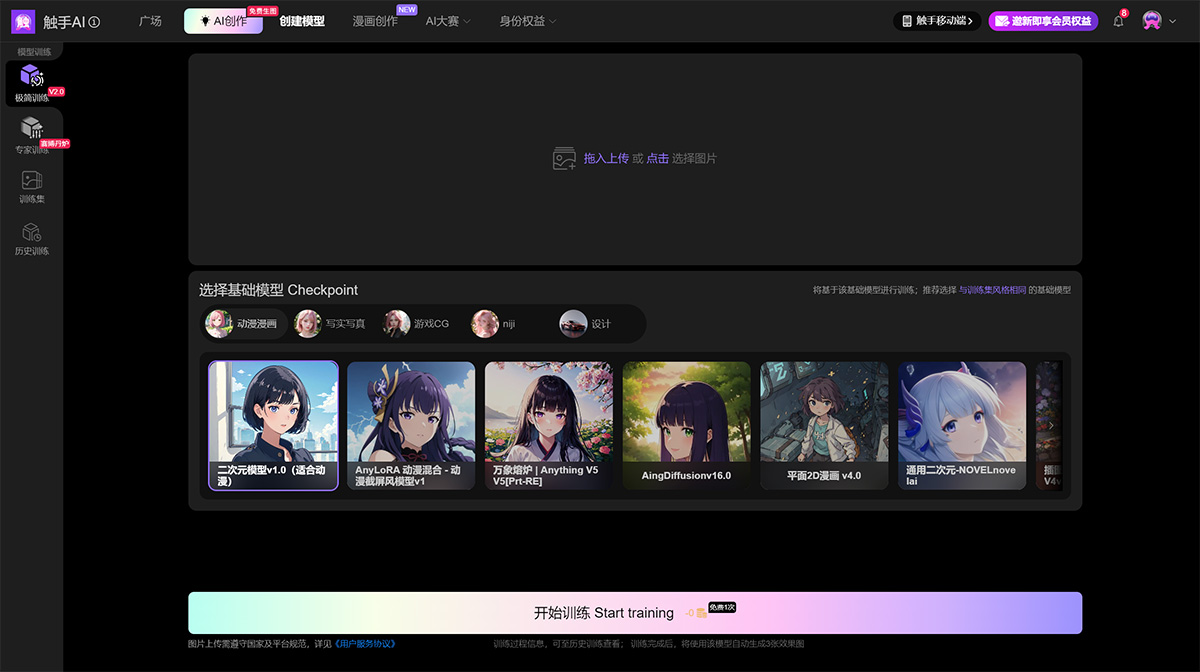
Step 3: Select features and styles: 触手AI绘画 offers a variety of functions, including Text to Image, Image to Image, Control Generation, Magic Brush, and Self-trained AI Model functions. Users can choose the appropriate function based on their needs. At the same time, 触手AI绘画 also provides multiple painting styles, such as cartoon, anime, realistic, etc. Users can select their preferred style through the style options on the interface.
Step 4: Use advanced features: For users with specific needs, 触手AI绘画 also provides more advanced features, such as condition detection, local modifications, self-trained models, etc. These features help users more precisely control the details and style of the generated images.
Step 5: Use workflows to improve efficiency: 触手AI绘画 has also launched a new feature called "Workflow", which is an all-in-one package for the aigc image generation process, helping users simplify tedious steps and improve drawing efficiency.
Step 6: Model training and invocation: For users who wish to further improve creation quality, 触手AI绘画 supports online self-training of models and offers a rich set of plugins and a Model Plaza, where users can invoke various painting style models, design models, etc. online.
Step 7: Secondary operations and optimization: After generating an image, the 触手AI绘画 interface provides a series of buttons that allow users to perform secondary operations, such as regenerating, converting the current image to Image to Image, Reference Image Generation, etc., to further adjust and optimize the generated images.
Step 8: Generate and save your work: After completing the above steps and selecting all parameters, click the "Paint" button and wait 1-3 minutes. During this time, the AI will generate a beautiful painting based on the parameters you provided. If you are not satisfied with the result, you can choose to regenerate. Then, you can save these works as needed.
Step 9: Share your work: You can also submit your work to the Plaza to showcase it and create more value.
Advanced Tips for Using 触手AI绘画:
Advanced Mode and Custom Features: 触手AI provides an advanced mode that allows users to further adjust the image content, including but not limited to enhancing hand effects and replicating lighting effects. At the same time, it supports various creation methods such as Text to Image, Image to Image, Reference Image Generation, as well as ControlNet image control and pose-based image generation, enabling users to create more detailed artwork as needed.
Model Training and Parameter Adjustment: 触手AI Professional Edition supports AI model training, offering users with specific needs the possibility of deeply integrating into workflows, thereby improving drawing efficiency and quality. Users can also upload feature reference images and features to create based on them, or use the Magic Brush feature to locally modify images.
The above are several steps on how to use 触手AI绘画. The 触手AI绘画 tool provides a simple yet powerful way to realize users' creative visions, without requiring complex painting skills or a learning process—high-quality AI images can be generated with one click.









